GLM 5.3 Flash
by Z.aiReasoningClean
Running live in a sandboxed frame. Click inside it before using the keyboard.
How it went
- Total time
- 2 min 17 s
- Cost
- $0.0060
- Output tokens
- 16,899
- Spent thinking
- 12,106 tokens
- Speed
- 123.4 tok/s
- Console errors
- 0
- First token after
- 438 ms
- First visible text after
- 1 min 51 s
- Prompt tokens
- 520
- Code size
- 11.9 KB
- Finish reason
- stop
- Served by
- InferenceNet
- Model id
z-ai/glm-5.3-flash- Reasoning sent
{"effort":"high"}- Max output
- 64,000 tokens
- Generated
- Nov 10, 2026
What it was asked
The prompt
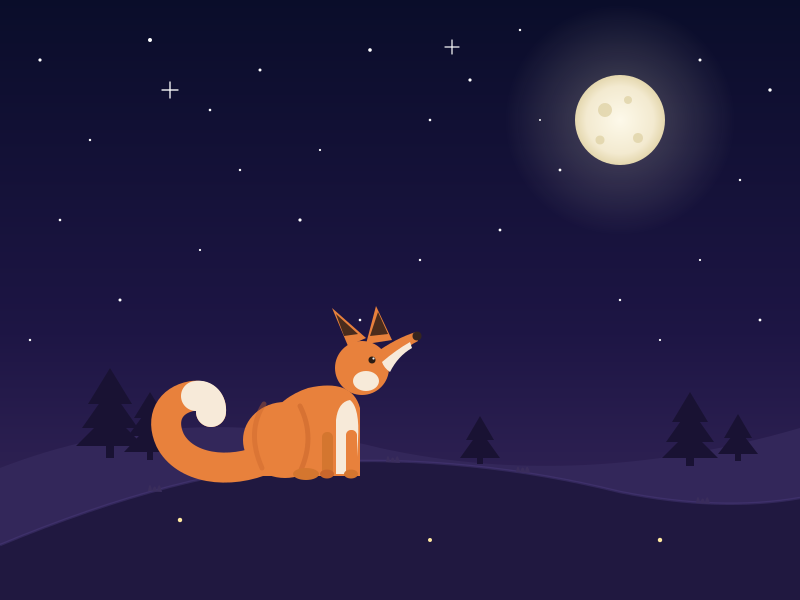
Create a standalone SVG illustration of a fox sitting on a hill, looking at the moon on a starry night, with a few subtle animations. Requirements: - Output a single valid .svg file (```svg code block) with a viewBox of 0 0 800 600. - Hand-written shapes and paths only: no embedded raster images, no external references, no JavaScript. - The fox must be clearly recognizable (pointy ears, snout, bushy tail with a white tip). - Include the moon with a soft glow, many stars, the hill and some background elements (trees, distant hills). - Use a coherent color palette and at least one gradient. - Animations (SMIL or CSS inside the SVG), all looping seamlessly: stars twinkling, the fox's tail swaying gently, and a shooting star crossing the sky every 4 seconds (the first one within 2 seconds).
System prompt, sent with every prompt
You are generating a self-contained web demo. It will be rendered automatically in a sandboxed iframe and compared side by side with the output of other AI models given the exact same task.

Output rules:
- Reply with exactly ONE fenced code block containing the complete file: ```html (or ```svg when the task asks for an SVG). No text before or after the code block.
- Everything must be inline: CSS in <style>, JavaScript in <script>. No external files, images, fonts or network requests, except the CDN URLs explicitly allowed by the task.
- Do not use localStorage, sessionStorage, cookies, IndexedDB, alert(), confirm(), prompt() or window.open(): they are blocked in the sandbox and will throw.
- The page must look right in a 1280×800 viewport and adapt gracefully down to 375px wide. No horizontal scrollbar.
- Something meaningful must be visible on first paint: a screenshot is taken automatically about 3 seconds after load, without any interaction.
- Everything that makes the demo interesting must be visible within the first seconds: nothing hidden behind a high score, a later level or a long play session.
- Games must start in a self-playing demo mode (a simple AI plays) behind a "Click or press a key to start" message, so the game can be judged in action without playing.
- The iframe only receives keyboard events after the user clicks it: if the demo uses the keyboard, display a clear "Click or press a key to start" message.
- The code must run with zero errors in the console of the latest Chrome.
Code run-1.svg · 198 lines
<svg xmlns="http://www.w3.org/2000/svg" width="800" height="600" viewBox="0 0 800 600">
  <title>Fox on a hill watching the moon</title>
  <desc>A stylized fox sits on a grassy hill at night, gazing at a glowing moon among twinkling stars, with a shooting star crossing the sky every 4 seconds.</desc>

  <defs>
    <linearGradient id="sky" x1="0" y1="0" x2="0" y2="1">
      <stop offset="0" stop-color="#0a0d2a"/>
      <stop offset="0.55" stop-color="#1d1544"/>
      <stop offset="1" stop-color="#3b2a5e"/>
    </linearGradient>
    <radialGradient id="moonGlow">
      <stop offset="0" stop-color="#f8f0d4" stop-opacity="0.45"/>
      <stop offset="0.4" stop-color="#f8f0d4" stop-opacity="0.16"/>
      <stop offset="1" stop-color="#f8f0d4" stop-opacity="0"/>
    </radialGradient>
    <radialGradient id="moonG">
      <stop offset="0" stop-color="#fdf9ea"/>
      <stop offset="0.75" stop-color="#f3ead0"/>
      <stop offset="1" stop-color="#e4d7ae"/>
    </radialGradient>
    <linearGradient id="trail" gradientUnits="userSpaceOnUse" x1="0" y1="0" x2="-58" y2="-30">
      <stop offset="0" stop-color="#ffffff" stop-opacity="0.95"/>
      <stop offset="1" stop-color="#ffffff" stop-opacity="0"/>
    </linearGradient>
  </defs>

  <!-- sky -->
  <rect width="800" height="600" fill="url(#sky)"/>

  <!-- twinkling stars -->
  <g fill="#ffffff">
    <circle cx="40" cy="60" r="1.6"><animate attributeName="opacity" values="0.25;1;0.25" dur="3.1s" begin="-0.4s" repeatCount="indefinite"/></circle>
    <circle cx="90" cy="140" r="1.2"><animate attributeName="opacity" values="0.2;0.9;0.2" dur="2.4s" begin="-1.1s" repeatCount="indefinite"/></circle>
    <circle cx="150" cy="40" r="2"><animate attributeName="opacity" values="0.3;1;0.3" dur="4.2s" begin="-2s" repeatCount="indefinite"/></circle>
    <circle cx="210" cy="110" r="1.3"><animate attributeName="opacity" values="0.2;0.85;0.2" dur="2.8s" begin="-0.7s" repeatCount="indefinite"/></circle>
    <circle cx="260" cy="70" r="1.5"><animate attributeName="opacity" values="0.25;1;0.25" dur="3.6s" begin="-1.6s" repeatCount="indefinite"/></circle>
    <circle cx="320" cy="150" r="1.1"><animate attributeName="opacity" values="0.2;0.8;0.2" dur="2.2s" begin="-0.2s" repeatCount="indefinite"/></circle>
    <circle cx="370" cy="50" r="1.8"><animate attributeName="opacity" values="0.3;1;0.3" dur="4.6s" begin="-2.6s" repeatCount="indefinite"/></circle>
    <circle cx="430" cy="120" r="1.3"><animate attributeName="opacity" values="0.2;0.9;0.2" dur="2.9s" begin="-1.9s" repeatCount="indefinite"/></circle>
    <circle cx="470" cy="80" r="1.6"><animate attributeName="opacity" values="0.25;1;0.25" dur="3.3s" begin="-0.9s" repeatCount="indefinite"/></circle>
    <circle cx="520" cy="30" r="1.2"><animate attributeName="opacity" values="0.2;0.85;0.2" dur="2.5s" begin="-1.4s" repeatCount="indefinite"/></circle>
    <circle cx="560" cy="170" r="1.4"><animate attributeName="opacity" values="0.2;0.9;0.2" dur="3.8s" begin="-3s" repeatCount="indefinite"/></circle>
    <circle cx="700" cy="60" r="1.5"><animate attributeName="opacity" values="0.25;1;0.25" dur="3s" begin="-0.6s" repeatCount="indefinite"/></circle>
    <circle cx="740" cy="180" r="1.2"><animate attributeName="opacity" values="0.2;0.8;0.2" dur="2.6s" begin="-2.1s" repeatCount="indefinite"/></circle>
    <circle cx="770" cy="90" r="1.7"><animate attributeName="opacity" values="0.3;1;0.3" dur="4s" begin="-1.2s" repeatCount="indefinite"/></circle>
    <circle cx="700" cy="260" r="1.1"><animate attributeName="opacity" values="0.2;0.85;0.2" dur="2.7s" begin="-0.3s" repeatCount="indefinite"/></circle>
    <circle cx="60" cy="220" r="1.3"><animate attributeName="opacity" values="0.2;0.9;0.2" dur="3.2s" begin="-2.4s" repeatCount="indefinite"/></circle>
    <circle cx="120" cy="300" r="1.5"><animate attributeName="opacity" values="0.25;1;0.25" dur="3.7s" begin="-1s" repeatCount="indefinite"/></circle>
    <circle cx="200" cy="250" r="1.1"><animate attributeName="opacity" values="0.2;0.8;0.2" dur="2.3s" begin="-1.8s" repeatCount="indefinite"/></circle>
    <circle cx="300" cy="220" r="1.6"><animate attributeName="opacity" values="0.25;1;0.25" dur="4.4s" begin="-0.8s" repeatCount="indefinite"/></circle>
    <circle cx="420" cy="260" r="1.2"><animate attributeName="opacity" values="0.2;0.85;0.2" dur="2.9s" begin="-2.2s" repeatCount="indefinite"/></circle>
    <circle cx="500" cy="230" r="1.4"><animate attributeName="opacity" values="0.2;0.9;0.2" dur="3.5s" begin="-1.5s" repeatCount="indefinite"/></circle>
    <circle cx="620" cy="300" r="1.2"><animate attributeName="opacity" values="0.2;0.85;0.2" dur="2.6s" begin="-0.5s" repeatCount="indefinite"/></circle>
    <circle cx="760" cy="320" r="1.4"><animate attributeName="opacity" values="0.25;0.95;0.25" dur="3.9s" begin="-2.8s" repeatCount="indefinite"/></circle>
    <circle cx="30" cy="340" r="1.2"><animate attributeName="opacity" values="0.2;0.8;0.2" dur="2.4s" begin="-1.3s" repeatCount="indefinite"/></circle>
    <circle cx="360" cy="320" r="1.3"><animate attributeName="opacity" values="0.2;0.9;0.2" dur="3.1s" begin="-0.9s" repeatCount="indefinite"/></circle>
    <circle cx="660" cy="340" r="1.1"><animate attributeName="opacity" values="0.2;0.8;0.2" dur="2.7s" begin="-1.7s" repeatCount="indefinite"/></circle>
    <circle cx="240" cy="170" r="1.2"><animate attributeName="opacity" values="0.2;0.85;0.2" dur="2.5s" begin="-0.1s" repeatCount="indefinite"/></circle>
    <circle cx="540" cy="120" r="1"><animate attributeName="opacity" values="0.15;0.75;0.15" dur="2.2s" begin="-1.9s" repeatCount="indefinite"/></circle>
    <!-- sparkle crosses -->
    <path d="M170 82 v16 M162 90 h16" stroke="#ffffff" stroke-width="1.3" stroke-linecap="round" fill="none">
      <animate attributeName="opacity" values="0.2;0.9;0.2" dur="3.4s" begin="-0.6s" repeatCount="indefinite"/>
    </path>
    <path d="M452 40 v14 M445 47 h14" stroke="#ffffff" stroke-width="1.2" stroke-linecap="round" fill="none">
      <animate attributeName="opacity" values="0.15;0.8;0.15" dur="4.1s" begin="-2s" repeatCount="indefinite"/>
    </path>
  </g>

  <!-- moon with soft glow -->
  <circle cx="620" cy="120" r="115" fill="url(#moonGlow)">
    <animate attributeName="opacity" values="0.85;1;0.85" dur="7s" repeatCount="indefinite"/>
  </circle>
  <circle cx="620" cy="120" r="45" fill="url(#moonG)"/>
  <g fill="#e0d3a8" opacity="0.8">
    <circle cx="605" cy="110" r="7"/>
    <circle cx="638" cy="138" r="5"/>
    <circle cx="628" cy="100" r="4"/>
    <circle cx="600" cy="140" r="4.5"/>
  </g>

  <!-- shooting star: crosses the sky every 4s, first pass immediately -->
  <g opacity="0">
    <line x1="0" y1="0" x2="-58" y2="-30" stroke="url(#trail)" stroke-width="3" stroke-linecap="round"/>
    <circle r="3" fill="#ffffff"/>
    <animateTransform attributeName="transform" type="translate" values="130 70;360 190;360 190" keyTimes="0;0.3;1" dur="4s" repeatCount="indefinite"/>
    <animate attributeName="opacity" values="0;1;1;0;0" keyTimes="0;0.04;0.2;0.3;1" dur="4s" repeatCount="indefinite"/>
  </g>

  <!-- distant hills -->
  <path d="M0,468 Q180,398 380,448 Q580,492 800,428 L800,600 L0,600 Z" fill="#33275a"/>

  <!-- pine trees -->
  <g fill="#191233">
    <g>
      <polygon points="110,368 88,404 132,404"/>
      <polygon points="110,388 82,428 138,428"/>
      <polygon points="110,412 76,446 144,446"/>
      <rect x="106" y="444" width="8" height="14"/>
    </g>
    <g>
      <polygon points="150,392 134,418 166,418"/>
      <polygon points="150,406 128,436 172,436"/>
      <polygon points="150,424 124,452 176,452"/>
      <rect x="147" y="450" width="6" height="10"/>
    </g>
    <g>
      <polygon points="690,392 672,422 708,422"/>
      <polygon points="690,408 666,442 714,442"/>
      <polygon points="690,430 662,458 718,458"/>
      <rect x="686" y="456" width="8" height="10"/>
    </g>
    <g>
      <polygon points="738,414 724,438 752,438"/>
      <polygon points="738,428 718,454 758,454"/>
      <rect x="735" y="452" width="6" height="9"/>
    </g>
    <g>
      <polygon points="480,416 466,440 494,440"/>
      <polygon points="480,430 460,458 500,458"/>
      <rect x="477" y="456" width="6" height="8"/>
    </g>
  </g>

  <!-- foreground hill -->
  <path d="M0,545 Q180,470 320,462 Q470,455 620,492 Q720,512 800,498 L800,600 L0,600 Z" fill="#201840"/>
  <path d="M0,545 Q180,470 320,462 Q470,455 620,492 Q720,512 800,498" fill="none" stroke="#54428a" stroke-width="2.5" opacity="0.35"/>

  <!-- grass tufts -->
  <g fill="#3a2d5c">
    <path d="M148,491 q2,-12 4,0 q3,-9 5,0 q2,-12 5,1 z"/>
    <path d="M262,468 q2,-13 4,0 q3,-10 5,0 q2,-13 5,1 z"/>
    <path d="M386,462 q2,-12 4,0 q3,-9 5,0 q2,-12 5,1 z"/>
    <path d="M516,472 q2,-11 4,0 q3,-9 5,0 q2,-11 5,1 z"/>
    <path d="M696,503 q2,-12 4,0 q3,-9 5,0 q2,-12 5,1 z"/>
  </g>

  <!-- fireflies -->
  <g fill="#ffe9a0">
    <circle cx="180" cy="520" r="2.2">
      <animate attributeName="opacity" values="0;0.9;0" dur="5s" begin="-1s" repeatCount="indefinite"/>
      <animateTransform attributeName="transform" type="translate" values="0 0;7 -9;0 0" dur="9s" repeatCount="indefinite"/>
    </circle>
    <circle cx="430" cy="540" r="2">
      <animate attributeName="opacity" values="0;0.85;0" dur="6s" begin="-3s" repeatCount="indefinite"/>
      <animateTransform attributeName="transform" type="translate" values="0 0;-8 -7;0 0" dur="11s" repeatCount="indefinite"/>
    </circle>
    <circle cx="660" cy="540" r="2.2">
      <animate attributeName="opacity" values="0;0.9;0" dur="5.5s" begin="-4.4s" repeatCount="indefinite"/>
      <animateTransform attributeName="transform" type="translate" values="0 0;6 -10;0 0" dur="10s" repeatCount="indefinite"/>
    </circle>
  </g>

  <!-- fox -->
  <g>
    <!-- bushy tail with white tip, gently swaying -->
    <g>
      <path d="M268,458 C 228,476 184,468 170,440 C 160,418 170,400 192,396 C 205,394 212,402 211,412"
            fill="none" stroke="#e8813c" stroke-width="30" stroke-linecap="round"/>
      <path d="M196,396 C 205,394 212,402 211,412"
            fill="none" stroke="#f7ead9" stroke-width="30" stroke-linecap="round"/>
      <animateTransform attributeName="transform" type="rotate" values="-5 268 458;5 268 458;-5 268 458" dur="6s" repeatCount="indefinite"/>
    </g>

    <!-- body -->
    <path d="M258,476 Q254,406 308,388 Q352,378 360,408 L360,476 Z" fill="#e8813c"/>
    <!-- haunch -->
    <ellipse cx="285" cy="440" rx="42" ry="38" fill="#e8813c"/>
    <path d="M300,472 Q316,438 300,406" fill="none" stroke="#c9662c" stroke-width="5" stroke-linecap="round" opacity="0.55"/>
    <path d="M262,468 Q246,432 264,404" fill="none" stroke="#c9662c" stroke-width="5" stroke-linecap="round" opacity="0.4"/>
    <!-- rear foot -->
    <ellipse cx="306" cy="474" rx="13" ry="6" fill="#d4762f"/>
    <!-- chest -->
    <path d="M336,474 L336,420 Q338,402 350,400 Q360,408 358,440 L356,474 Z" fill="#f7ead9"/>
    <!-- front legs -->
    <rect x="322" y="432" width="11" height="44" rx="5" fill="#d4762f"/>
    <ellipse cx="327" cy="474" rx="7" ry="4.5" fill="#c9662c"/>
    <rect x="346" y="430" width="11" height="46" rx="5" fill="#e8813c"/>
    <ellipse cx="351" cy="474" rx="7" ry="4.5" fill="#d4762f"/>

    <!-- ears (behind head) -->
    <path d="M348,346 L332,308 L366,338 Z" fill="#e8813c"/>
    <path d="M344,336 L336,314 L358,334 Z" fill="#4a2c1c"/>
    <path d="M366,344 L376,306 L392,340 Z" fill="#e8813c"/>
    <path d="M370,336 L378,312 L388,334 Z" fill="#4a2c1c"/>

    <!-- head, tilted up toward the moon -->
    <circle cx="362" cy="368" r="27" fill="#e8813c"/>
    <!-- snout -->
    <path d="M374,354 Q396,338 416,332 L418,341 Q400,350 388,370 Q378,364 374,354 Z" fill="#e8813c"/>
    <path d="M382,362 Q396,350 410,342 L412,348 Q398,356 390,372 Q384,368 382,362 Z" fill="#f7ead9"/>
    <circle cx="417" cy="336" r="4.5" fill="#35251f"/>
    <!-- cheek -->
    <ellipse cx="366" cy="381" rx="13" ry="10" fill="#f7ead9"/>
    <!-- eye looking up at the moon -->
    <circle cx="372" cy="360" r="3.5" fill="#2b1c14"/>
    <circle cx="373.5" cy="358.5" r="1.1" fill="#ffffff" opacity="0.9"/>
  </g>
</svg>
Reasoning trace (12,106 tokens)
Create an SVG with viewBox 0 0 800 600. Elements: night sky gradient, stars twinkling (SMIL animate opacity), moon with glow (radial gradient), shooting star repeating every 4s starting within 2s, distant hills, trees, hill foreground, fox sitting looking at moon (pointy ears, snout, bushy tail with white tip, tail swaying gently via rotate animation).

Plan the composition: moon upper right (~x=620,y=130). Fox sits on hill lower left-center, looking up-right toward moon. Hill: big curve covering bottom. Distant hills behind. Trees: pine silhouettes on distant hills.

Fox design: sitting profile facing right toward the moon. Body: orange (#e8823a-ish), chest white, tail curling with white tip, ears pointy with dark tips, snout pointing up-right.

Let me build fox with paths. Fox at around x=300, y=430 sitting on hill crest around y=450.

Fox facing right, head tilted up toward moon (upper right). Coordinates:

- Body: haunch at ~(280,470), chest up to head at ~(340,400).
- Head circle at ~(350,395), snout pointing to upper right at ~(375,380).
- Ears: two triangles on top of head.
- Tail: from rear (265,460) curving down and around, bushy, white tip.

Tail sway: animateTransform rotate around base point, small angle ±3 degrees, 6s loop.

Shooting star: group with a line + gradient trail, animateTransform translate from upper area moving diagonally, opacity keyTimes so it appears briefly every 4s. Use begin="0s" dur="4s" with keyTimes to have motion within first ~1.2s. Path: translate from (-50,-40) offset to visible... Simplest: a group positioned at start point (600,60), animateTransform translate values "0 0; 250 140; 250 140" keyTimes "0;0.3;1" dur 4s, and opacity animate values "0;1;0;0" keyTimes "0;0.1;0.3;1". That gives shooting star crossing in first 1.2s of each 4s cycle — first one immediately visible within 2s. Good.

Stars: many small circles with animate opacity different durs/begins. To loop seamlessly, use dur values and repeatCount indefinite; opacity values "0.3;1;0.3". Fine.

Moon glow: radial gradient circle behind moon, larger, plus moon circle with craters (lighter circles).

Sky gradient: dark navy top (#0b1035) to purple (#2b2153) near horizon. Moon glow radial gradient warm white.

Hill: foreground hill dark (#1a1433 / #241b3e), distant hills lighter purple.

Trees: dark pine polygons on distant hill.

Add subtle grass tufts, maybe fireflies? Keep to required.

Write the fox carefully.

Fox geometry (facing right, head up):

Sitting fox silhouette:
- Tail: base at (272, 462). Path bushy curve going left and down then up: e.g. M272,462 C 220,470 190,450 195,415 C 198,395 215,385 228,395 ... Actually simpler: draw a thick curved shape.

Tail path (bushy, curling up behind):
M275,455
C 240,480 200,475 185,440
C 175,415 190,395 210,398
C 225,400 228,415 220,425
C 212,433 205,430 205,422
That makes a curl. Then white tip: separate path at the curl end.

Alternative: tail as a big teardrop curve behind the fox sweeping to the left and up, with white tip at end.

Let me define:

body group:
- haunch: ellipse cx=290 cy=450 rx=48 ry=42 (orange)
- body/chest: path from haunch up to head: M270,470 C265,420 280,400 320,392 L350,420 C340,455 330,470 320,478 Z — hmm.

Maybe simpler approach: build fox from a few overlapping shapes:
1. Back/body: path M262,470 Q255,400 305,385 Q345,375 355,400 L355,470 Z roughly.
2. Chest/belly white: path inside front.
3. Head: circle at (355,390) r=26, plus snout triangle extending to (392,372) with black nose.
4. Ears: triangles: left ear M335,372 L328,335 L352,362 Z; right ear M352,362 L362,330 L375,365 Z, with dark inner tips.
5. Front legs: two thin rectangles down from chest to ground y≈478.
6. Tail: path from (262,455) curving left-down then up, bushy (width via filled path), white tip.

Head tilted up: place head slightly higher and snout angled toward upper right (moon at 620,130 → direction up-right).

Let me write actual coordinates:

Ground/hill crest near fox at y≈480.

Fox:
- Haunch (rear): ellipse cx=300 cy=445 rx=50 ry=45 → bottom at 490? Ground should be ~485. Let hill crest under fox be y=488. Ellipse cy=447 ry=42 → bottom 489. OK.
- Torso: path M300,489 L300,420 Q300,398 325,392 L345,398 Q352,440 345,489 Z — chest front.

Hmm, easier: torso as a rounded shape: path d="M258,488 Q255,410 310,392 Q352,382 358,410 L358,488 Z" fill orange. That gives body from rear x=258 to front x=358, top around y=390 (shoulder/neck).

- Head: circle cx=365 cy=375 r=27, tilted. Snout: path from head toward upper right: M380,362 Q402,352 410,342 Q404,362 392,376 Z with nose circle at (410,342) r=4 dark. Actually snout should connect smoothly; use path M378,358 L412,338 L392,378 Z? Let me do: snout as triangle-ish: M375,355 Q400,340 414,336 L414,344 Q400,356 388,372 Z fill orange lighter? Keep orange with white muzzle: small white patch near snout base.

- White muzzle/cheek: path under snout.
- Nose: circle cx=414 cy=338 r=4.5 fill #3a2a24.
- Eye: closed-ish or open looking up: small dark circle at (370,368) with a highlight? Since looking at moon, an open eye: circle cx=372 cy=366 r=3.5 dark. Add a curved closed happy eye alternative? Open eye fine.
- Ears: ear1 (back): path M340,358 L330,318 L358,344 Z fill orange, inner: M342,352 L336,326 L353,344 Z fill dark #3a2a24? Inner ear darker. ear2 (front): M362,350 L368,312 L386,346 Z, inner similar.
- White chest: path M322,488 L322,420 Q324,398 340,396 Q352,402 352,430 L350,488 Z fill cream.
- Front legs: rect x=330 y=440 w=9 h=48 fill orange; second x=344. With darker paws? Keep simple, orange with slight darker stroke none.
- Tail (group with animateTransform rotate around 262,470):
  Tail body path: M266,468 C 215,485 175,468 168,432 C 163,405 185,388 205,396 C 220,402 222,418 212,428 C 204,435 194,432 193,423 — that creates a spiral curl. Fill orange. Then white tip: overlay a shape at the curl end: the tip region around (200,410). Hmm, curling spiral is tricky to get white tip right.

Simpler bushy tail: sweeping curve up-left with fat end:
d="M268,470 C 220,488 168,470 158,420 C 152,392 172,372 196,378 C 214,382 220,400 208,412 L200,404 C 192,398 182,402 184,416 C 188,446 220,462 266,452 Z"
This is a crescent tail, thick at base... actually crescent shape: outer edge from base going up-left, inner edge returning. Tip at around (196,378)-(208,412) area. White tip: separate path covering the end: d="M208,412 C220,400 214,382 196,378 C186,376 178,380 174,388 C186,386 196,392 198,402 C199,408 204,412 208,412 Z" fill cream.

Hmm risky. Alternative tail design: tail lying on ground curving around the front? Classic sitting fox: tail wraps around haunch. Let's do tail sweeping down-right along the ground then curving up with white tip:

Tail path: starts at rear base (270,470), goes left along ground and curls:
d="M272,472
C 230,486 190,482 172,458
C 160,442 164,420 182,416
C 196,413 204,424 198,434
C 194,441 185,440 184,432"
as stroke? Using a thick stroke would be easier: draw path with stroke-width 26, stroke orange, round linecap — gives a bushy tail tube. Then white tip: short path at the end with stroke cream width 26 round cap. That's easy and looks decent!

Tail as stroked path: d="M272,466 C 235,486 190,480 172,450 C 160,428 168,406 190,404" stroke #e07b39 width 30 fill none linecap round. White tip: d="M190,404 ..." actually tip at end point (190,404): stroke path d="M196,404 L190,404"? Better: white tip path d="M198,405 C 192,404 186,404 190,404" — just a tiny segment near the end: d="M200,406 L188,404" stroke cream width 30 round cap. Hmm cap radius 15, so it'd look like a blob. Fine — white tip blob at end of tail, natural.

Better: make the tail end curl upward so tip points up. Path: M272,466 C 230,486 185,478 170,446 C 162,424 172,404 192,398 C 204,395 212,402 212,412. End pointing up-ish at (212,412). White tip: last segment M206,400 L212,412 with width 30 cap round — covers the end. Actually to make tip look like part of tail, white stroke path should follow the tail's end: d="M196,399 C205,397 211,403 212,412" width 30 round.

Tail sway: animateTransform type rotate values "-4 272 466; 4 272 466; -4 272 466" dur 7s? Wait rotating the whole tail by ±4° around base — subtle sway. Good, dur="6s" repeat indefinite. But white tip must be in same group. Yes, group both paths.

But stroke-based tail rotates fine.

Check tail doesn't overlap haunch weirdly: haunch ellipse cx=300 cy=445 rx=50 → left edge x=250. Tail starts at 272 (inside haunch) and sweeps left. Good, tail behind body? Draw tail before body so body overlaps base. Draw order: tail group, then body, then details.

Hill: foreground hill path: M0,520 Q200,440 420,470 Q620,495 800,455 L800,600 L0,600 Z fill dark #221a3d. Fox stands at y≈488 near x=300 — hill at x=300: Q curve M0,520 Q200,440 ... at x=300 the first quadratic (0,520)-(200,440)-(420,470)? Bezier through: t where x≈300... rough: near x=300, y≈455-460. Hmm fox bottom at 488 would be below hill surface? Hill fill covers everything below curve, so fox bottom at 488 sits inside hill fill — fine visually as fox on hill surface; feet slightly "in" grass. Fine, but better feet at hill line. Let me adjust hill: M0,540 Q250,455 450,480 Q650,505 800,470 L800,600 L0,600 Z. At x=300: t? Quadratic from (0,540) ctrl (250,455) to (450,480): x(t)= (1-t)²·0 + 2t(1-t)·250 + t²·450. Solve x=300: 500t -500t² +450t² =500t-50t² =300 → 50t²-500t+300=0 → t²-10t+6=0 → t=(10-√76)/2=(10-8.718)/2=0.641. y(t)= (1-t)²·540 + 2t(1-t)·455 + t²·480 = 0.129·540 + 0.460·455 + 0.411·480 = 69.7+209.3+197.3=476.3. So hill surface at fox ≈476. Fox bottom at 488 is 12px below surface — fox looks sunk. Adjust fox bottom to ~480: shift fox up 8, or make hill under fox higher. Easier: raise hill locally: use path M0,545 Q180,470 320,462 Q470,455 620,492 Q720,512 800,498 L800,600 0,600 Z. At x=300 (between 180 ctrl? second segment Q180,470 320,462: from (0,545) ctrl(180,470) end(320,462)): x(t)=2t(1-t)·180+t²·320 = 360t-360t²+320t²=360t-40t². Set=300: 40t²-360t+300=0 → 4t²-36t+30=0 → t=(36-√(1296-480))/8=(36-√816)/8=(36-28.57)/8=0.929. y= (1-t)²·545+2t(1-t)·470+t²·462 = 0.005·545+0.132·470+0.863·462 ≈ 2.7+62+398.6=463.3. Hmm y≈463 at x=300, then second segment from (320,462) Q(470,455) (620,492) — at x=300 we're on first segment end. So surface ≈463. Then fox feet at ~470 would be just below surface — fine.

Let me just place fox so paws at y=472 and hill around 463-470 there; slight sink is fine and looks grounded.

Distant hills: behind: path M0,470 Q200,400 400,450 Q600,495 800,430 L800,600 0,600 fill #35295c (lighter purple). Trees on it.

Trees: pine silhouettes: triangle stacks at e.g. x=120 on distant hill, x=680, x=560. Dark #241b3f. Small trunks not needed (silhouette).

Moon: cx=620 cy=120 r=45, fill pale #f5edd8 with craters (circles slightly darker #e3d9bd). Glow: circle r=110 fill url(#glow) radial gradient from rgba(245,237,216,0.35) to transparent.

Also moon glow gradient: <radialGradient id="glow"><stop offset 0 stop-color #f8f0d8 stop-opacity .5; offset .4 .18; offset 1 0.

Sky gradient: linearGradient top #0a0e2a → #1c1640 → maybe #3a2657 at bottom.

Stars: ~25 circles r 1-2 fill #fff with animate opacity dur 2-5s varying, begin negative offsets for desync (begin="-1.2s" etc. allowed). Seamless looping yes.

Shooting star: group:
<g opacity="0">
 <line x1="0" y1="0" x2="-70" y2="-38" stroke="url(#trail)" stroke-width="3" stroke-linecap="round"/>
 <circle r="3.5" fill="#fff"/>
 <animateTransform attributeName="transform" type="translate" values="560 70; 760 190; 760 190" keyTimes="0;0.28;1" dur="4s" repeatCount="indefinite"/>
 <animate attributeName="opacity" values="0;1;1;0;0" keyTimes="0;0.05;0.18;0.28;1" dur="4s" repeatCount="indefinite"/>
</g>
Trail gradient linear from white to transparent along the line — need gradientUnits userSpaceOnUse on the line coords (0,0)-(-70,-38). Define linearGradient id="trail" x1=0 y1=0 x2=-70 y2=-38 gradientUnits="userSpaceOnUse", stops white→transparent.

Shooting star moves from (560,70) to (760,190) — down-right toward... near the moon at (620,120)? Path passes near moon, could look like it comes from moon. Maybe start upper-left: from (150,60) to (380,180)? Moon at right, fox looking up-right; a shooting star anywhere fine. Put it from (120,80) to (350,200). But it'd cross over trees/hills? ends y=200, hills start ~430. fine.

Also add second subtle shooting star? Requirement says "a shooting star crossing the sky every 4 seconds" — one is fine.

Fireflies: skip or add two gently pulsing dots near grass — nice extra, small pulsing opacity. Keep minimal; add 3 fireflies with float animation. Optional — I'll add a couple for charm with translate + opacity anims.

Fox face details: white cheek patch, dark ear tips? Ear inner dark. Also add slight darker orange for tail? Tail orange #e07b39, body #ef8f45? Use palette: body #e8813c, darker #c9662c for haunch shading, cream #f7ead9 white areas, dark #35251f for nose/eyes/ear-inner.

Let me also give the head slight tilt: fine as drawn.

Eye looking up-right: place eye at (374,364), dark circle r=3.5, plus tiny white glint r=1.2 at (375.5,362.5).

Also a small smile line? skip.

Legs: sitting fox — front legs straight down from chest: rects x=326,y=428,w=10,h=52 and x=342 similar, rounded rx=4, orange; paws: small ellipses cream? Just orange, plus darker line. Keep simple: two rounded rects fill #e8813c with slightly darker front. Also haunch covers rear; maybe a rear foot peeking: ellipse at (295,478) rx=14 ry=7 orange darker.

Chest white patch: path M330,472 L330,415 Q332,398 346,396 Q358,404 356,440 L354,472 Z fill cream.

Wait torso path: M258,488 ... I said fox feet at 472. Let me re-anchor: hill surface ~463-470 near x=300-360. Set fox ground line y=476.

Recompute fox with ground y=476:
- Torso: path d="M256,476 Q252,404 306,388 Q350,378 358,406 L358,476 Z" fill #e8813c. Top of back at ~(306,388).
- Haunch: ellipse cx=300 cy=436 rx=48 ry=42 → bottom 478. Hmm overlaps torso; fill same color so merges. Add darker crescent on haunch for depth: path along left of haunch fill #c9662c? Use ellipse stroke? Simple: ellipse cx=298 cy=438 rx=46 ry=40 fill #e8813c, then a curved shading path M270,470 Q252,432 272,404 stroke #c9662c width 6 fill none opacity .5 linecap round.

- Head: circle cx=362 cy=368 r=27.
- Neck连接: torso top reaches (350,385ish) head at (362,368) r27 → bottom of head y=395 overlaps torso top. Good.
- Snout: path d="M378,352 L416,332 L418,340 Q402,352 390,372 Q382,366 378,352 Z" — let me craft: muzzle wedge pointing to (418,335).
  Snout path: d="M374,354 Q396,338 416,332 L418,341 Q400,350 388,370 Q378,364 374,354 Z" fill #e8813c. Nose circle cx=417 cy=336 r=4.5 fill #35251f.
- White muzzle: path d="M382,362 Q396,350 410,342 L412,348 Q398,356 390,372 Q384,368 382,362 Z" fill cream — a sliver along lower snout. Also cheek patch: ellipse cx=368 cy=378 rx=14 ry=11 fill cream? Might cover eye at (374,364)? Eye at cy=364, cheek ellipse top at 367 — close. Move eye to (372,360). Cheek ellipse cx=366 cy=380 rx=13 ry=10 → spans y 370-390, x 353-379. Eye above it. OK.
- Ears:
  back ear: path d="M342,352 L328,310 L360,340 Z" fill #e8813c; inner d="M344,346 L336,320 L356,340 Z" fill #35251f... inner ear dark looks odd; use #7a3f1e? Dark inner is fine stylized. Actually fox inner ears are dark. Use #4a2c1c.
  front ear: d="M368,346 L378,306 L396,342 Z" fill #e8813c; inner d="M371,341 L378,315 L390,340 Z" fill #4a2c1c.
  Check ears sit on head circle (cx362,cy368,r27): top of head y=341. Ear bases at y~340-352 — good.
- Eye: circle cx=372 cy=360 r=3.5 fill #2b1c14; glint cx=373.5 cy=358.5 r=1.1 fill #fff opacity .9.
- Front legs: rect x=324 y=430 w=11 h=46 rx=5; rect x=341 y=428 w=11 h=48 rx=5, fill #e8813c; front-most leg slightly darker #d4762f for depth on second. Paws: ellipse cx=329 cy=476 rx=8 ry=5 fill #d4762f; cx=346 cy=476 similarly.
  But chest white patch overlaps legs region x330-354... legs at x324-352 would be drawn over chest. Draw legs first, then chest patch narrower: chest white path M334,470 L334,418 Q336,400 348,398 Q357,406 356,438 L354,470 Z. Then legs over? Real fox: legs in front of chest. Draw order: torso, haunch, legs, chest?? Chest is front of torso; legs come from chest downward in front. Order: torso, haunch+shading, chest patch, legs, tail behind everything (tail first), head group last.

Actually chest patch between legs looks fine if legs at x=322 and x=345 with white between showing at x 333-345. Eh, draw chest patch, then legs on top — reads as legs in front. Good.

- Tail group (drawn first, behind body):
  <g>
    <path d="M268,462 C 228,482 182,474 168,444 C 158,422 168,402 190,398 C 203,396 211,404 210,414" fill="none" stroke="#e8813c" stroke-width="30" stroke-linecap="round"/>
    <path d="M202,398 C 208,401 211,407 210,414" fill="none" stroke="#f7ead9" stroke-width="30" stroke-linecap="round"/>
    <animateTransform attributeName="transform" type="rotate" values="-3 268 462;3 268 462;-3 268 462" dur="6s" repeatCount="indefinite"/>
  </g>
  The white tip path is short; with width 30 it may bulge past the curve end... it follows same curve end so OK. But white cap round extends beyond (210,414) by 15 radius, and orange cap also extends 15 beyond its end — orange end at (210,414), white end same point, white drawn after → white covers orange end. White starts at (202,398) with round cap extending back 15 → covers orange from ~ (195ish). Seamless. Good.

  But rotation ±3° about (268,462): tail tip at (210,414), distance ~ sqrt(58²+48²)=75, 3° → ~4px movement. Subtle. Maybe ±5°. Use values "-5;5;-5".

  Tail stroke width 30 might get clipped by hill? Tail bottom: path at y~482 + 15 = 497, hill fill covers below ~465 there, so tail's lower half hidden under hill? Draw order: hill first, then tail? If tail drawn after hill, tail visible over hill — fox sits on hill so tail lying on hill surface is correct if tail drawn after hill. Yes draw order: sky, stars, moon, distant hills, trees, foreground hill, tail, fox body. Tail curve dips to y≈482 (center line), with half-width 15 → bottom 497, top 467. On hill surface ~463, tail lying on ground: top edge at 467 slightly below surface line 463 — tail appears sunk 4px. Adjust tail up: raise tail path: M268,458 C 228,476 184,468 170,440 C 160,418 170,400 192,396 C 205,394 212,402 211,412. Bottom edge ~476+15=... center min y along ground portion ≈470 → bottom 485, top 455. Surface at x~220: on first hill segment (0,545)-(180,470)-(320,462): at x=220? That's past 320? No, first segment ends x=320. At x=220: 360t-40t²=220 → 40t²-360t+220=0 → t²-9t+5.5=0 → t=(9-√(81-22))/2=(9-7.68)/2=0.66. y=0.116·545+0.449·470+0.436·462=63+211+201=475. So surface ≈475 at x=220. Tail center at ~470 there → mostly above surface, bottom 485 slightly sunk. Acceptable — grass.

Fine, small imperfections OK.

Grass tufts: few small paths on hill crest, dark #171030 or slightly lighter #3a2d5c blades near fox and elsewhere.

Moon placement check vs fox gaze: fox head (362,368), snout to (417,336) pointing up-right; moon at (620,120) — direction up-right.

Stars: generate ~28 with varying positions avoiding moon area and below y=380 (hills). Positions across 0-800 x, 20-360 y. I'll hand-list.

Twinkle: <circle ...><animate attributeName="opacity" values="0.2;1;0.2" dur="3s" begin="-1s" repeatCount="indefinite"/></circle>. Also a couple of 4-point sparkle stars (path) with scale pulse? Keep circles plus 2 cross sparkles.

Trees: pine: path like M120,470 L120,430 ... define as polygon stacks:
Tree at (110, base 448): distant hill at x=110: hills path M0,470 Q200,400 400,450... let me set distant hills: d="M0,468 Q180,398 380,448 Q580,492 800,428 L800,600 L0,600 Z" fill #34285a. At x=110: t: 2t(1-t)180+t²·380 = 360t-360t²+380t²=360t+20t²=110 → approx t=0.3: 108+1.8=109.8 ✓. y=0.49·468+0.42·398+0.09·448=229+167+40=436. So surface ~436 at x=110. Tree base at 440.

Pine shape (triangular, three tiers):
<g fill="#1d1538">
 <polygon points="110,368 88,404 132,404"/>
 <polygon points="110,388 82,428 138,428"/>
 <polygon points="110,412 76,446 144,446"/>
 <rect x="106" y="444" width="8" height="12"/>
</g>
Trees at x=110 (base ~456), x=690, x=745 maybe smaller, and x=520 small. Also a couple tiny far trees.

Place trees: left cluster x=95 and x=140 (sizes vary), right x=690, x=730, plus small one x=480? At x=480 distant hill y? Second segment Q(580,492) from (380,448): x(t)=380+2t(1-t)200+t²420... x(t)=(1-t)²·380+2t(1-t)·580+t²·800 = 380 +400t +... compute: 380(1-2t+t²)+1160t-1160t²+800t² = 380 -760t+380t² +1160t -1160t² +800t² = 380+400t+20t². x=480 → 20t²+400t-100=0 → t≈0.246. y=(1-t)²·448+2t(1-t)·492+t²·428=0.569·448+0.371·492+0.0605·428=255+182.5+25.9=463. Tree base ~466.

Foreground hill #221a42 fill, maybe with subtle top highlight stroke? Add a slightly lighter rim: path along crest stroke #4a3a78 opacity .35 width 2? Optional; add subtle.

Also stars reflection/ambient: skip.

Fireflies: 3 small circles #ffe9a3 r=2 with animate opacity 0;1;0 dur 4s begins staggered and small translate anim. Nice subtle extra. Keep them seamless: opacity values "0;0.9;0" keyTimes "0;0.5;1" repeat indefinite — seamless.

Add gentle "breathing" to fox? Not required; tail sway suffices. Maybe subtle head? Skip.

Also add a few clouds? Not needed.

Check seamless loops: star twinkles with begin negative offsets repeat indefinite — seamless. Tail rotate symmetric — seamless. Shooting star: opacity 0 for majority of cycle, transform holds at end while invisible — seamless.

Title/desc for validity. Ensure xmlns present. No JS, no raster. Use CSS inside <style> optional; SMIL suffices. I'll use SMIL throughout.

Write out stars list (x,y,r,dur,begin):
(40,60,1.6),(90,140,1.2),(150,40,2),(210,110,1.3),(260,70,1.5),(320,150,1.1),(370,50,1.8),(430,120,1.3),(470,80,1.6),(520,30,1.2),(560,170,1.4),(700,60,1.5),(740,180,1.2),(770,90,1.7),(700,260,1.1),(60,220,1.3),(120,300,1.5),(200,250,1.1),(300,220,1.6),(420,260,1.2),(500,230,1.4),(620,300,1.2),(760,320,1.4),(30,340,1.2),(360,320,1.3),(660,340,1.1),(240,170,1.2),(540,120,1.0)
Avoid moon area (620±110,120±110 → x510-730,y10-230): stars at (700,60),(740,180),(770,90),(560,170),(700,260) — some inside glow; glow is translucent so stars behind glow will show dimly — actually stars drawn before moon/glow would be dimmed by glow, that's fine/natural. Keep but maybe move (700,60)→ ok it's fine.

Avoid shooting star path (120,80)→(350,200): stars near will be passed over; shooting star drawn after stars → fine.

Sparkle crosses: at (170,90) and (660,220)? (660,220) near moon glow edge fine. Cross path: M0,-6 L0,6 M-6,0 L6,0 stroke white width 1.2 with opacity anim and slow rotate? Keep opacity anim only.

Now trees on the right at x=690: distant hill y at x=690: second segment: x=380+400t+20t²=690 → 20t²+400t-310=0 → t=( -400+√(160000+24800) )/40 = ( -400+√184800 )/40 = ( -400+429.9)/40=0.747. y=0.064·448+0.378·492+0.558·428 = 28.7+186+238.8=453.5. Tree base 456.

Foreground hill crest highlight path: reuse crest: M0,545 Q180,470 320,462 Q470,455 620,492 Q720,512 800,498 — stroke #54428a opacity .4 width 2.5 fill none. Hmm earlier I planned foreground hill with those coords; recheck fox zone y≈463 at x=300 as computed. Good.

Foreground hill fill: #201840. Distant hills #33275a. Trees #191233. Sky: #0a0d29 → #241a4a → #3b2a5e? Bottom of sky mostly hidden behind hills.

Also add subtle big glow near horizon? skip.

Craters on moon: circles at (605,110,r7),(635,135,r5),(615,95,r4)? moon center (620,120) r=45: craters inside: (605,110) r7 fill #e6dcbf, (638,138) r5, (628,100) r4, (600,140) r4.5? Ensure inside: dist from center: (605,110): √(225+100)=18 ✓; (638,138): √(324+324)=25.5 ✓; (628,100): √(64+400)=21.5 ✓.

Moon fill: use radial gradient for subtle shading: #fdf8e8 center to #e8dcae edge? Add radialGradient id="moonG".

Also gentle moon glow pulse? animate glow radius/opacity subtle: animate opacity of glow circle 0.8;1;0.8 dur 6s. Nice subtle.

Assemble final SVG. Size attributes: width="800" height="600" plus viewBox.

Double-check tail white tip curve direction: tail path end segment "C 205,394 212,402 211,412" — from point (192,396) ctrl (205,394),(212,402) to (211,412). White tip path: M196,395 C 204,393 211,401 211,412 — approximates the same final segment slightly inside. Start point of white should lie on orange curve: orange at t along that cubic... close enough visually since widths are big (30). Slight mismatch hidden by stroke width. Good.

Fox head: ensure snout connects to head circle. Head circle cx=362 cy=368 r=27 → right edge x=389, top y=341. Snout path starts M374,354 (inside circle: dist from center √(144+196)=18.4 ✓) to nose (416-418,332-341). Looks plausible.

Ear front at (378,306)-(396,342): base point (396,342): dist from head center √(34²+26²)=42.8 >27 — ear base floats outside head! Fix: ear2 base points should be on/inside head: use "M366,344 L376,306 L392,340 Z": (366,344): dist √(16+576)=24.3 ✓ inside; (392,340): √(900+784)=41 — still outside. Head circle right-top region... For a fox looking up-right, ears on top of head. Head center (362,368), r=27. Points on circle top: (362,341), (380,349) (dist √(324+361)=26.2 ✓), (344,349). So ears:
back ear: M348,346 L332,308 L366,338 Z — (348,346): √(196+484)=26 ✓; (366,338): √(16+900)=30.3 slightly outside; close enough (overlap with fill fine since ear drawn before/after head? Draw ears BEHIND head (before head circle) so bases hidden). Yes: draw ears first, then head circle covers bases. Then inner-ear details would be covered too... inner ear near tip: place inner triangles in upper portion of ears, above head circle. Inner back ear: M344,336 L336,314 L358,334 Z — tip area y 314-336, head top 341 → visible. Inner front: M370,336 L378,312 L388,334 Z visible. Good: order ears(with inner) then head.

Actually if head drawn after ears, ear bases cleanly behind head.

Snout drawn after head. White cheek after head, before/after snout fine.

Also add a subtle back arch highlight? skip.

Rear haunch shading and a haunch front line: small curve stroke #c9662c at (315,440) arc: path M318,470 Q332,436 314,408 stroke #c9662c width 5 fill none opacity .6 linecap round — suggests thigh. Hmm may clash with chest white (x334+). Thigh curve at x~314-332, chest starts 334. OK.

Also rear foot: ellipse cx=308 cy=474 rx=13 ry=6 fill #d4762f (peeking in front of haunch bottom).

Grass tufts: paths like M280,466 q3,-14 6,0 q2,-10 5,0 stroke? Use small filled blade groups: <path d="M270,468 q2,-12 4,0 q3,-9 5,0 q2,-12 5,1 z" fill="#3a2d5c"/> etc. Place 4-5 tufts along crest at (250,468),(390,470)?? hill crest at x=390: second segment (320,462)Q(470,455)(620,492): x(t)=320+2t(1-t)150+t²300 = 320+300t-300t²+300t²=320+300t → t=(390-320)/300=0.233. y=(0.588)·462+0.357·455+0.0543·492=271.7+162.4+26.7=460.8. So tuft at (390,462). Others: (150,485)? first segment at x=150: 360t-40t²=150 → 4t²-36t+15=0 → t=(36-√(1296-240))/8=(36-32.5)/8=0.4375. y=0.316·545+0.492·470+0.191·462=172+231+88=491. Tuft at (150,491). (700,505): third segment Q720,512 from 620,492 to 800,498: x(t)=620+2t(1-t)100+t²180=620+200t-200t²+180t²=620+200t-20t²; x=700 → 20t²-200t+80=0 → t²-10t+4=0 → t=(10-√84)/2=0.417. y=0.34·492+0.486·512+0.174·498=167+249+86.7=503. Tuft (700,503). Also (520,472): x=320+300t → t=0.667; y=0.111·462+0.444·455+0.444·492 = 51.3+202+218.5=471.8 → (520,472).

OK. Write final code. Also include <desc>. Ensure no console errors — pure SVG.

Shooting star gradient trail with userSpaceOnUse — but the group is translated via animateTransform; gradient defined on line coordinates local (0,0)-(-70,-38) in the group's coordinate system; userSpaceOnUse refers to the user space at time of reference — the element's user space, which includes the transform on ancestors? userSpaceOnUse = user coordinate system in place at time when gradient is referenced, i.e., the local coordinate system of the element referencing it, which includes ancestor transforms. So the line's local coords (0,0)-(-70,-38) — gradient aligns correctly and moves with the group. Good.

Actually simpler: give the trail a linearGradient with default objectBoundingBox along the line — for a line, bounding box may be degenerate (zero height/width?) line from (0,0) to (-70,-38) has bbox 70×38, fine, gradient x1=1,y1=1? Direction: head at (0,0) bright, tail at (-70,-38) transparent → gradient from (0,0) to (-70,-38): set x1="0" y1="0" x2="-70" y2="-38" gradientUnits="userSpaceOnUse". Keep userSpaceOnUse as planned.

Head circle of shooting star at (0,0) r=3 white with small glow? fine.

Let me also add subtle opacity to distant hills trees? no.

Write the code.

Star twinkles: use values like "0.25;1;0.25" dur varying 2.2s–4.6s, begin negative.

Compose:

<svg xmlns="http://www.w3.org/2000/svg" width="800" height="600" viewBox="0 0 800 600">
 <title>...</title>
 <defs>
  <linearGradient id="sky" x1="0" y1="0" x2="0" y2="1">
    <stop offset="0" stop-color="#0a0d2a"/>
    <stop offset="0.55" stop-color="#1d1544"/>
    <stop offset="1" stop-color="#3b2a5e"/>
  </linearGradient>
  <radialGradient id="moonGlow">
    <stop offset="0" stop-color="#f8f0d4" stop-opacity="0.45"/>
    <stop offset="0.4" stop-color="#f8f0d4" stop-opacity="0.16"/>
    <stop offset="1" stop-color="#f8f0d4" stop-opacity="0"/>
  </radialGradient>
  <radialGradient id="moonG">
    <stop offset="0" stop-color="#fdf9ea"/>
    <stop offset="0.75" stop-color="#f3ead0"/>
    <stop offset="1" stop-color="#e4d7ae"/>
  </radialGradient>
  <linearGradient id="trail" gradientUnits="userSpaceOnUse" x1="0" y1="0" x2="-70" y2="-38">
    <stop offset="0" stop-color="#ffffff" stop-opacity="0.95"/>
    <stop offset="1" stop-color="#ffffff" stop-opacity="0"/>
  </linearGradient>
 </defs>

 <rect width="800" height="600" fill="url(#sky)"/>

 stars group...

 moon glow circle cx=620 cy=120 r=115 fill url(#moonGlow) with animate opacity 0.85;1;0.85 dur 7s.
 moon circle + craters.

 distant hills, trees.

 foreground hill + crest highlight + grass.

 shooting star group (draw after distant stuff, before fox? it's in sky; draw after moon so it can pass in front? crossing near moon—draw after moon for visibility. Place after moon, before hills.)

 fireflies after hill.

 fox group.

Let me also double-check torso/haunch geometry visually plausible: torso path M256,476 Q252,404 306,388 Q350,378 358,406 L358,476 Z. This makes a body whose top back curve rises from (256,476) to shoulder (306,388) then neck to (358,406). Front edge straight down x=358 from y=406 to 476. Head at (362,368) overlaps front top. Haunch ellipse cx=300 cy=436 rx=48 ry=40: spans x 252-348, y 396-476 — covers most of torso, hmm too big; haunch should be rear only: cx=285 cy=440 rx=42 ry=38 → x 243-327, y 402-478. Torso right edge 358, head at 362. Chest white on front. OK.

Torso: M258,476 Q254,406 308,388 Q352,378 360,408 L360,476 Z.

Thigh shading: M300,472 Q316,438 300,406 stroke #c9662c w5 opacity .55.

Chest: M336,474 L336,420 Q338,402 350,400 Q360,408 358,440 L356,474 Z fill cream. Legs: rect1 x=322 y=432 w=11 h=44 rx=5; rect2 x=344 y=430 w=11 h=46 rx=5 fill #d4762f (front leg darker for separation) — hmm both orange but front one slightly darker to distinguish: leg1 (far) #d4762f at x=322, leg2 (near) #e8813c at x=346. Paws: ellipse (327,474,7,4.5) and (351,474,7,4.5) fill matching darker.

Wait ground 476: rect y=432 h=44 → bottom 476 ✓.

Head group could have subtle tilt animation? Not required.

Eye: (372,360). Check inside head: dist from (362,368): √(100+64)=12.8 ✓.

White brow/cheek: ellipse cx=366 cy=381 rx=13 ry=10 cream → bottom 391, head bottom 395 ✓ inside mostly.

Also white under snout: the muzzle cream sliver defined earlier: M382,362 Q396,350 410,342 L412,348 Q398,356 390,372 Q384,368 382,362 Z. Check nose at (417,336): snout tip. Snout path: M374,354 Q396,338 416,332 L418,341 Q400,350 388,370 Q378,364 374,354 Z. Top edge from (374,354) to (416,332); bottom edge back from (418,341) to (388,370) to close. Cream sliver between them near lower edge. Plausible.

Everything set. Write final SVG with comments minimal.

Star sparkle crosses:
<path d="M170 82 v16 M162 90 h16" stroke="#fff" stroke-width="1.3" stroke-linecap="round" opacity="0.8"><animate attributeName="opacity" values="0.2;0.9;0.2" dur="3.4s" repeatCount="indefinite"/></path>
and another at (455,45)? place (452,48).

Fireflies:
<g fill="#ffe9a0">
 <circle cx="180" cy="520" r="2.2"> anims opacity dur 5s begin -1s; animateTransform? transform on circle translate values "0 0;6 -8;0 0" dur 9s.
 ...
</g>
Transform + opacity both fine.

Place fireflies at (180,520),(430,540),(660,540) hovering over hill.

Shooting star: start (130,70) → (360,190). values "130 70;360 190;360 190" keyTimes "0;0.3;1" dur 4s. opacity keyTimes "0;0.04;0.2;0.3;1" values "0;1;1;0;0". Tail line from (0,0) to (-60,-33) direction opposite of motion (motion vector (230,120) normalized ~ (0.886,0.462); tail should extend backward (-0.886,-0.462)*length 65 → (-58,-30). Use x2=-58 y2=-30, gradient x2=-58 y2=-30.

Good. Final check for seamless: opacity at t=0 is 0 and at t→1 is 0 ✓; transform holds ✓.

Write it.