Xing4.0 29B A4B (free)
by XingChenReasoningClean
Running live in a sandboxed frame. Click inside it before using the keyboard.
How it went
- Total time
- 3 min 31 s
- Cost
- $0
- Output tokens
- 18,093
- Spent thinking
- 13,893 tokens
- Speed
- 86.5 tok/s
- Console errors
- 0
- First token after
- 1.6 s
- First visible text after
- 2 min 25 s
- Prompt tokens
- 553
- Code size
- 8.5 KB
- Finish reason
- stop
- Served by
- Phala
- Model id
xingchen-agi/xing4.0-29b-a4b:free- Reasoning sent
model default- Max output
- 32,000 tokens
- Generated
- Nov 9, 2026
What it was asked
The prompt
Create a standalone SVG illustration of a fox sitting on a hill, looking at the moon on a starry night, with a few subtle animations. Requirements: - Output a single valid .svg file (```svg code block) with a viewBox of 0 0 800 600. - Hand-written shapes and paths only: no embedded raster images, no external references, no JavaScript. - The fox must be clearly recognizable (pointy ears, snout, bushy tail with a white tip). - Include the moon with a soft glow, many stars, the hill and some background elements (trees, distant hills). - Use a coherent color palette and at least one gradient. - Animations (SMIL or CSS inside the SVG), all looping seamlessly: stars twinkling, the fox's tail swaying gently, and a shooting star crossing the sky every 4 seconds (the first one within 2 seconds).
System prompt, sent with every prompt
You are generating a self-contained web demo. It will be rendered automatically in a sandboxed iframe and compared side by side with the output of other AI models given the exact same task.

Output rules:
- Reply with exactly ONE fenced code block containing the complete file: ```html (or ```svg when the task asks for an SVG). No text before or after the code block.
- Everything must be inline: CSS in <style>, JavaScript in <script>. No external files, images, fonts or network requests, except the CDN URLs explicitly allowed by the task.
- Do not use localStorage, sessionStorage, cookies, IndexedDB, alert(), confirm(), prompt() or window.open(): they are blocked in the sandbox and will throw.
- The page must look right in a 1280×800 viewport and adapt gracefully down to 375px wide. No horizontal scrollbar.
- Something meaningful must be visible on first paint: a screenshot is taken automatically about 3 seconds after load, without any interaction.
- Everything that makes the demo interesting must be visible within the first seconds: nothing hidden behind a high score, a later level or a long play session.
- Games must start in a self-playing demo mode (a simple AI plays) behind a "Click or press a key to start" message, so the game can be judged in action without playing.
- The iframe only receives keyboard events after the user clicks it: if the demo uses the keyboard, display a clear "Click or press a key to start" message.
- The code must run with zero errors in the console of the latest Chrome.
Code run-1.svg · 166 lines
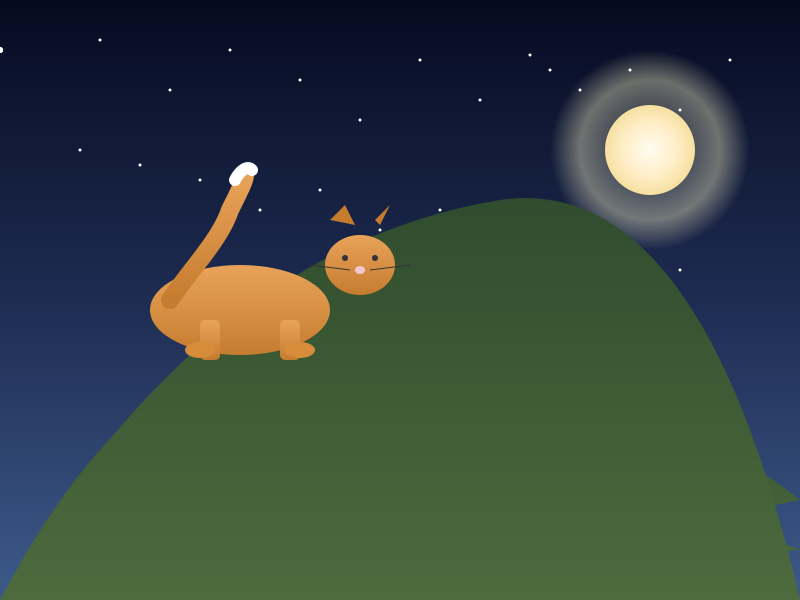
<svg xmlns="http://www.w3.org/2000/svg" viewBox="0 0 800 600" width="100%" height="100%">
<defs>
	<linearGradient id="skyGrad" x1="0" y1="0" x2="0" y2="1">
		<stop offset="0%" stop-color="#050a1f"/>
		<stop offset="50%" stop-color="#1e2c52"/>
		<stop offset="100%" stop-color="#3d5a8a"/>
	</linearGradient>
	<radialGradient id="moonCore" cx="0.5" cy="0.5" r="0.5">
		<stop offset="0%" stop-color="#fffdf0"/>
		<stop offset="60%" stop-color="#ffedc7"/>
		<stop offset="100%" stop-color="#f5e0a0"/>
	</radialGradient>
	<radialGradient id="moonGlow" cx="0.5" cy="0.5" r="0.5">
		<stop offset="0%" stop-color="rgba(255,248,200,0)"/>
		<stop offset="70%" stop-color="rgba(255,248,200,0.4)"/>
		<stop offset="100%" stop-color="rgba(255,248,200,0)"/>
	</radialGradient>
	<filter id="blur" x="-50%" y="-50%" width="200%" height="200%">
		<feGaussianBlur stdDeviation="2"/>
	</filter>
	<linearGradient id="hillGrad" x1="0" y1="0" x2="0" y2="1">
		<stop offset="0%" stop-color="#2d4a2d"/>
		<stop offset="100%" stop-color="#4d6b3d"/>
	</linearGradient>
	<linearGradient id="treeGrad" x1="0" y1="0" x2="0" y2="1">
		<stop offset="0%" stop-color="#1a3a2a"/>
		<stop offset="100%" stop-color="#2e5a3f"/>
	</linearGradient>
	<linearGradient id="furGrad" x1="0" y1="0" x2="0" y2="1">
		<stop offset="0%" stop-color="#e8a35a"/>
		<stop offset="100%" stop-color="#c67c2e"/>
	</linearGradient>
	<linearGradient id="streakGrad" x1="0" y1="0" x2="1" y2="1">
		<stop offset="0%" stop-color="#ffffff"/>
		<stop offset="100%" stop-color="rgba(255,255,255,0)"/>
	</linearGradient>
</defs>
	<rect x="0" y="0" width="800" height="600" fill="url(#skyGrad)"/>
	<circle cx="650" cy="150" r="100" fill="url(#moonGlow)" filter="url(#blur)"/>
	<circle cx="650" cy="150" r="45" fill="url(#moonCore)"/>
	<circle cx="550" cy="70" r="1.5" fill="#ffffff">
		<animate attributeName="opacity" from="0.3" to="1" dur="2s" repeatCount="indefinite" begin="0s"/>
	</circle>
	<circle cx="100" cy="40" r="1.5" fill="#ffffff">
		<animate attributeName="opacity" from="0.3" to="1" dur="2s" repeatCount="indefinite" begin="0.2s"/>
	</circle>
	<circle cx="170" cy="90" r="1.5" fill="#ffffff">
		<animate attributeName="opacity" from="0.3" to="1" dur="2s" repeatCount="indefinite" begin="0.4s"/>
	</circle>
	<circle cx="230" cy="50" r="1.5" fill="#ffffff">
		<animate attributeName="opacity" from="0.3" to="1" dur="2s" repeatCount="indefinite" begin="0.6s"/>
	</circle>
	<circle cx="300" cy="80" r="1.5" fill="#ffffff">
		<animate attributeName="opacity" from="0.3" to="1" dur="2s" repeatCount="indefinite" begin="0.8s"/>
	</circle>
	<circle cx="360" cy="120" r="1.5" fill="#ffffff">
		<animate attributeName="opacity" from="0.3" to="1" dur="2s" repeatCount="indefinite" begin="1.0s"/>
	</circle>
	<circle cx="420" cy="60" r="1.5" fill="#ffffff">
		<animate attributeName="opacity" from="0.3" to="1" dur="2s" repeatCount="indefinite" begin="1.2s"/>
	</circle>
	<circle cx="480" cy="100" r="1.5" fill="#ffffff">
		<animate attributeName="opacity" from="0.3" to="1" dur="2s" repeatCount="indefinite" begin="1.4s"/>
	</circle>
	<circle cx="530" cy="55" r="1.5" fill="#ffffff">
		<animate attributeName="opacity" from="0.3" to="1" dur="2s" repeatCount="indefinite" begin="1.6s"/>
	</circle>
	<circle cx="580" cy="90" r="1.5" fill="#ffffff">
		<animate attributeName="opacity" from="0.3" to="1" dur="2s" repeatCount="indefinite" begin="1.8s"/>
	</circle>
	<circle cx="630" cy="70" r="1.5" fill="#ffffff">
		<animate attributeName="opacity" from="0.3" to="1" dur="2s" repeatCount="indefinite" begin="2.0s"/>
	</circle>
	<circle cx="680" cy="110" r="1.5" fill="#ffffff">
		<animate attributeName="opacity" from="0.3" to="1" dur="2s" repeatCount="indefinite" begin="2.2s"/>
	</circle>
	<circle cx="730" cy="60" r="1.5" fill="#ffffff">
		<animate attributeName="opacity" from="0.3" to="1" dur="2s" repeatCount="indefinite" begin="2.4s"/>
	</circle>
	<circle cx="80" cy="150" r="1.5" fill="#ffffff">
		<animate attributeName="opacity" from="0.3" to="1" dur="2s" repeatCount="indefinite" begin="2.6s"/>
	</circle>
	<circle cx="140" cy="165" r="1.5" fill="#ffffff">
		<animate attributeName="opacity" from="0.3" to="1" dur="2s" repeatCount="indefinite" begin="2.8s"/>
	</circle>
	<circle cx="200" cy="180" r="1.5" fill="#ffffff">
		<animate attributeName="opacity" from="0.3" to="1" dur="2s" repeatCount="indefinite" begin="3.0s"/>
	</circle>
	<circle cx="260" cy="210" r="1.5" fill="#ffffff">
		<animate attributeName="opacity" from="0.3" to="1" dur="2s" repeatCount="indefinite" begin="3.2s"/>
	</circle>
	<circle cx="320" cy="190" r="1.5" fill="#ffffff">
		<animate attributeName="opacity" from="0.3" to="1" dur="2s" repeatCount="indefinite" begin="3.4s"/>
	</circle>
	<circle cx="380" cy="230" r="1.5" fill="#ffffff">
		<animate attributeName="opacity" from="0.3" to="1" dur="2s" repeatCount="indefinite" begin="3.6s"/>
	</circle>
	<circle cx="440" cy="210" r="1.5" fill="#ffffff">
		<animate attributeName="opacity" from="0.3" to="1" dur="2s" repeatCount="indefinite" begin="3.8s"/>
	</circle>
	<circle cx="500" cy="240" r="1.5" fill="#ffffff">
		<animate attributeName="opacity" from="0.3" to="1" dur="2s" repeatCount="indefinite" begin="4.0s"/>
	</circle>
	<circle cx="560" cy="220" r="1.5" fill="#ffffff">
		<animate attributeName="opacity" from="0.3" to="1" dur="2s" repeatCount="indefinite" begin="4.2s"/>
	</circle>
	<circle cx="620" cy="240" r="1.5" fill="#ffffff">
		<animate attributeName="opacity" from="0.3" to="1" dur="2s" repeatCount="indefinite" begin="4.4s"/>
	</circle>
	<circle cx="680" cy="270" r="1.5" fill="#ffffff">
		<animate attributeName="opacity" from="0.3" to="1" dur="2s" repeatCount="indefinite" begin="4.6s"/>
	</circle>
	<path d="M 0,600 Q 200,220 450,420 Q 600,470 800,550 Z" fill="url(#hillGrad)"/>
	<path d="M 300,600 Q 400,280 700,440 Q 750,460 800,500 Z" fill="url(#hillGrad)"/>
	<g id="tree1">
		<line x1="100" y1="500" x2="100" y2="480" stroke="#3d2a1a" stroke-width="3"/>
		<polygon points="85,500 115,500 100,450" fill="url(#treeGrad)"/>
	</g>
	<g id="tree2">
		<line x1="250" y1="520" x2="250" y2="500" stroke="#3d2a1a" stroke-width="3"/>
		<polygon points="235,520 265,520 250,470" fill="url(#treeGrad)"/>
	</g>
	<g id="tree3">
		<line x1="400" y1="510" x2="400" y2="490" stroke="#3d2a1a" stroke-width="3"/>
		<polygon points="385,510 415,510 400,460" fill="url(#treeGrad)"/>
	</g>
	<g id="tree4">
		<line x1="550" y1="540" x2="550" y2="520" stroke="#3d2a1a" stroke-width="3"/>
		<polygon points="535,540 565,540 550,490" fill="url(#treeGrad)"/>
	</g>
	<g id="tree5">
		<line x1="700" y1="530" x2="700" y2="510" stroke="#3d2a1a" stroke-width="3"/>
		<polygon points="685,530 715,530 700,480" fill="url(#treeGrad)"/>
	</g>
	<path d="M 0,600 Q 200,250 500,200 Q 700,170 800,600 Z" fill="url(#hillGrad)"/>
	<g id="fox">
		<ellipse cx="240" cy="310" rx="90" ry="45" fill="url(#furGrad)"/>
		<rect x="200" y="320" width="20" height="40" rx="5" fill="url(#furGrad)"/>
		<rect x="280" y="320" width="20" height="40" rx="5" fill="url(#furGrad)"/>
		<ellipse cx="200" cy="350" rx="15" ry="8" fill="#d68c3a"/>
		<ellipse cx="300" cy="350" rx="15" ry="8" fill="#d68c3a"/>
		<ellipse cx="360" cy="265" rx="35" ry="30" fill="url(#furGrad)"/>
		<polygon points="330,220 345,205 355,225" fill="#c67c2e"/>
		<polygon points="375,220 390,205 380,225" fill="#c67c2e"/>
		<circle cx="345" cy="258" r="3" fill="#333"/>
		<circle cx="375" cy="258" r="3" fill="#333"/>
		<ellipse cx="360" cy="270" rx="5" ry="4" fill="#f4c4d0"/>
		<line x1="350" y1="270" x2="310" y2="265" stroke="#333" stroke-width="1"/>
		<line x1="370" y1="270" x2="410" y2="265" stroke="#333" stroke-width="1"/>
	</g>
	<g id="tail">
		<animateTransform id="tailSway" attributeName="transform" type="rotate" values="-5 170 300; 5 170 300" dur="3s" repeatCount="indefinite"/>
		<path d="M 170,300 C 190,270 220,240 230,210 C 240,190 245,180 245,175" stroke-width="18" stroke="url(#furGrad)" fill="none" stroke-linecap="round"/>
		<path d="M 235,180 C 240,170 248,165 252,170" stroke-width="12" stroke="#ffffff" fill="none" stroke-linecap="round"/>
	</g>
	<g id="starStreak1">
		<line x1="0" y1="50" x2="200" y2="50" stroke="url(#streakGrad)" stroke-width="3" stroke-linecap="round"/>
		<circle cx="0" cy="50" r="3" fill="#ffffff"/>
		<animateTransform id="shootAnim1" attributeName="transform" type="translate" values="0,0; 700,-100" dur="2s" repeatCount="1"/>
	</g>
	<g id="starStreak2">
		<line x1="0" y1="50" x2="200" y2="50" stroke="url(#streakGrad)" stroke-width="3" stroke-linecap="round"/>
		<circle cx="0" cy="50" r="3" fill="#ffffff"/>
		<animateTransform id="shootAnim2" attributeName="transform" type="translate" values="0,0; 700,-100" dur="2s" begin="shootAnim1.end+2s" repeatCount="indefinite"/>
	</g>
</svg>
Reasoning trace (13,893 tokens)
We need to create a standalone SVG illustration with a fox on a hill, looking at the moon, starry night. Requirements:

- Output a single valid .svg file (code block with ```svg) viewBox 0 0 800 600.
- Hand-written shapes and paths only, no external images, no JS, but CSS inside SVG is allowed? The instructions say "CSS in <style>, JavaScript in <script>" as allowed for rendering demo, but this is an SVG illustration. However they say "Everything must be inline: CSS in <style>, JavaScript in <script>. No external files... except CDN URLs explicitly allowed by the task." For an SVG file, we can embed CSS? Typically SVG can contain style attributes, but CSS in <style> might be considered inline. However the rule says "CSS in <style>, JavaScript in <script>" so maybe we can include a <style> block inside SVG? That might be okay but not necessary. The animation requirement says animations (SMIL or CSS inside the SVG). So we should include both CSS and JS? But we are not required to have interactive features; just animations. We can use SMIL (no JavaScript needed). But the instruction says "JavaScript in <script>" allowed, but for static illustration we don't need JS. However they want a self-contained web demo? Actually this is just an SVG illustration, not a web page. But they say "standalone web demo" in earlier context, but here the task is specifically: "Create a standalone SVG illustration of a fox..." So it's just an SVG file. We can produce a simple .svg file with embedded CSS and SMIL animations. However note that SMIL is deprecated but still works in many browsers, and they said "Animations (SMIL or CSS inside the SVG)". So we can use SMIL. Also we could use CSS animations via <style> inside SVG, but that might require separate CSS file? Actually you can put <style> tag inside SVG, which applies to the whole document. That's acceptable.

But let's think: we need to create an SVG with:

- ViewBox 0 0 800 600.
- Fox: recognizable, sitting on a hill, looking at moon. So the fox should be in the foreground, on top of a hill.
- Hill: likely a curved shape, maybe using path.
- Moon: round, glowing (soft glow around it). Could use radial gradient for glow.
- Stars: many small dots, twinkling.
- Background elements: trees (pine trees maybe), distant hills.
- Coherent color palette: night sky colors, fox fur color, etc.
- At least one gradient: e.g., moon glow, sky gradient.
- Animations:
  1. Stars twinkling: change opacity/scale of individual stars, maybe staggered.
  2. Fox tail swaying gently: animate a path element that is part of the tail, perhaps a curve that bends.
  3. Shooting star crossing the sky every 4 seconds, first within 2 seconds. So there should be a group with a diagonal line moving across, and timing: from start to 2 seconds, then next after 4 seconds gap. The animation must loop seamlessly, meaning we need to handle repeating with delays. We can use animate elements with begin="0s", dur="2s", repeatCount="indefinite", and another with begin="2s". But ensure smooth transition at 2s to 6s etc.

We also need to ensure something meaningful visible on first paint about 3 seconds after load: the scene should look complete without interaction. Since animations start automatically, we should ensure initial render shows fox, moon, stars, hill, trees, etc.

Keyboard events not needed because it's just illustration. But requirement about iframe keyboard events only if we use keyboard. We don't need any interaction, so fine.

Now design approach:

- Use a linear gradient for sky background, top dark blue to bottom slightly lighter? Actually typical night: deep blue to black.
- Add stars as small circles with fill white or light blue, maybe some gradient opacity.
- Moon: circle with radial gradient for soft glow.
- Hill: a large semicircle or curved path, filled with a darker green or brown.
- Fox: body shape, head, ears, tail. Colors: warm orange/tan for fur, darker stripes maybe black? Keep simple.
- Trees: simple pine trees, maybe darker silhouettes.
- Distant hills: smaller rounded shapes behind main hill.

Animations:

1. Twinkle: each star can have an animate attribute on opacity from 0.2 to 1 and back, with different begin times to stagger. Or use CSS keyframes for opacity. But simpler: use <animate> on opacity attribute, with values like 0.3 -> 1 -> 0.3, dur="2s" repeatCount="indefinite". For many stars, we can set different dur and begin offsets to vary timing. That will make them twinkle independently.

2. Tail sway: The fox's tail is a long shape with tip white. We can model the tail as a path that is attached to the body. To sway, we can animate the path's d attribute or transform rotate around a point. But animating 'd' is complex. Instead, we can use a <g> group containing tail parts, and apply a gentle rotation animation along a pivot point. Or we can simply animate transform="translate(0,2)" around the base. Might be tricky. Perhaps we can draw the tail as a series of segments that bend, and then animate a single transform that applies a slight rotation to the whole tail group. That would simulate sway.

Simplify: draw tail as a curved shape from the fox's body, ending with white tip. Then wrap it in a <g> with a transform attribute set to translate to the tail's base and rotate slightly back and forth. Use animateTransform type="rotate" with a center at the pivot. But we need to specify pivot point.

Alternatively, we can animate a path element's d attribute to change the curve. That is possible but requires path data updates over time. Might be too complex.

Better: create the tail as two separate parts: the bushy part and the tip, and animate them together as a group. Apply a slow rotation animation to the group. That will give sway effect.

We also need to consider the fox looking at the moon: the fox face orientation can be fixed, maybe head turned towards moon.

3. Shooting star: a diagonal line (like a streak) with a gradient, animated moving across the sky. It should appear every 4 seconds, with first within 2 seconds. So we can have two groups: one for the shooting star at time 0, another at time 2 seconds, with same animation pattern. The animation: start at -2s relative to its own begin? Actually we want it to cross the sky in 2 seconds. Let's define: each shooting star group has an animate that moves it from left to right across the sky (say from x=0 to x=800) over 2 seconds. We want first shooting star at time 0, second at time 2s, third at time 4s, etc. So we can have a primary group with begin="0s", dur="2s", repeatCount="indefinite". Another group with begin="2s", same duration, repeatCount indefinite. That will give the pattern. Ensure that the animation starts immediately and loops seamlessly: since duration is 2s, after completing 2s it goes back to start position? Actually animate from left to right over 2s means at time 0 left, 2s right, then repeats from left again. With begin="2s", it starts at 2s, moving to right at 4s, etc. That will create gaps of 2 seconds between streaks. So first at 0, second at 2, third at 4, etc. Perfect.

We'll need to implement CSS animations for twinkling using opacity keyframes, or SMIL animate opacity. I'll use SMIL for simplicity.

Also include a soft glow for moon: radial gradient from transparent to yellowish, possibly with filter blur for softness.

Let's sketch coordinates:

- Sky: rect from 0,0 to 800,600, fill with linear gradient.
- Moon: at around (600, 150), radius ~50, with radial gradient glow.
- Stars: many circles placed randomly, say 20-30. Each with animate opacity.
- Main hill: a big semicircle rising from left or right? Typically fox sitting on hill might be on left side, looking at moon in upper right. So let's put hill on left, and moon on upper right. Fox sitting on the hill's peak or side. We can place hill centered horizontally, but it's okay.

Better layout: viewBox 800x600. Sky full. Distant hills in background, biggest hill in foreground where fox sits. So we can draw:

- Background hills: three layers: far left distant hill, mid hills, foreground hill. Actually we can just do two distant hills and one foreground hill, but simpler: one large hill in foreground covering bottom-left area, and smaller hills in background.

- Fox: sitting on top of foreground hill, maybe positioned near left edge of hill.

- Trees: several pine trees silhouettes on the hillsides.

- Moon: upper right, partially visible.

- Stars: scattered across sky.

Let's decide on specifics:

Sky gradient: top #0B1026 to bottom #1E2A4A maybe. Actually darker blues. I'll define: stops: #0a1129, #1c2c52.

Moon: circle at (620,140) r=45. Fill: radial gradient from #fff7d6 center to #fde8b0 edge, plus outer glow radial gradient from rgba(255,245,200,0) to rgba(255,245,200,0.4) with larger radius. Glow can be done as separate circle with blur filter or radial gradient. Simpler: add a larger circle with semi-transparent fill and use filter blur.

For glow, we can add a circle radius 80 with radial gradient: transparent center, increasing alpha to yellowish at edge, plus a blur filter.

Stars: circles with white fill, opacity animated.

Fox: We'll draw using paths. Let's break down:

Body: a large ellipse shape maybe. Head: oval. Ears: two triangles. Eyes, nose, whiskers. Tail: a long curved shape from rear end, with tip white. For simplicity, we can draw tail as a path: starts at back of body, curves upwards and to the right, ending with a small white tip. Then we can animate a group containing the tail.

Actually easier: draw the fox as a group, and then within the group, duplicate the tail part and apply a rotation animation. But we need to separate the tail into its own group for animation.

So structure:

<g id="fox">
  <!-- body, head, ears, etc -->
  <!-- tail group (for animation) -->
</g>

Tail group: <g id="tail"> path... </g>

Then animation: <animateTransform ...> around pivot.

Let's define tail path: Starting at point on fox's hindquarters, going up and right. Example: M 120,300 Q 150,250 200,220 Q 240,200 260,180 L 270,170 (tip). Rough.

But need consistent with fox's body. Let's define fox body roughly center at (250,300). Tail starts at around (180,300) and curves up. I'll adjust later.

Better to actually draw shapes manually with approximate coordinates.

Let's set up:

Foreground hill: a large semicircle-ish hill. We can draw a path that starts at (0,600) goes up to (200,400) and curves down to (600,600)? Actually it should cover the bottom half. Perhaps a simple arc: M 0,600 Q 400,200 800,600 Z. Fill with dark green gradient.

But we want fox sitting on top. Maybe fox on top of hill's peak. Let's make hill rise high in the middle. Another idea: hill as a big dome: M 0,600 Q 400,150 800,600 Z. That would create a hill in the center.

Fox sits on left side of hill, so lower left.

Background distant hills: two smaller arcs behind main hill.

Trees: draw several pine trees as triangles with trunks, placed on hill sides.

Moon: at (650,150), r=50.

Stars: 25 stars scattered.

Shooting star: a group containing a line with gradient, and animate translateX.

Implementation steps:

1. Set up SVG with <svg viewBox="0 0 800 600">.

2. Background sky rect.

3. Gradients defined in <defs>: linearGradient for sky, radialGradient for moon glow, maybe radialGradient for moon core.

4. Moon: circle with moon core radial gradient, plus outer glow circle with blur filter.

5. Stars: each star circle, and attach <animate> for opacity. To stagger, we can use different dur and begin offsets. Let's create maybe 20 stars with random positions and animates with varying delays.

6. Distant hills: two paths, filled with gradient or solid dark colors.

7. Foreground hill: path, fill maybe gradient.

8. Trees: several simple paths.

9. Fox: group with body shapes, head, ears, face details. And tail group separate for animation.

10. Tail animation: group with path, and <animateTransform> type="rotate" with values "-8 200 300" and "8 200 300" (where 200,300 is approximate pivot), dur="3s", repeatCount="indefinite". Might be enough.

Alternatively, we can animate translateX to move the tail slightly.

But rotating around base gives sway.

11. Shooting star: group with a diagonal line (maybe stroke width) using a linear gradient stroke. Animate attribute: from (0,100) to (800,-100) over 2 seconds, with ease. But careful: The streak should move quickly across sky, so a fast movement.

But line move from left to right while staying vertically? Actually a shooting star is usually a short trail that streaks diagonally. So we can animate a line element's x1 and x2, or animate an invisible circle's cx along diagonal. Let's create a group containing a line that is offset: e.g., line from (0,50) to (200,0), with gradient stroke. Then animate the group's transform translate from (0,0) to (600,-150) over 2s.

But must loop seamlessly. The animation will go from start position to end, and when it finishes, it should return to start? In SMIL, animate with values list and fill="freeze" won't loop unless repeatCount="indefinite" which loops from beginning to end and then repeats from beginning again. That's what we want: it will go from start to end, then jump back to start and continue. That's seamless if the initial state matches end state? Not exactly, but at the moment of loop, the element jumps from end position to start position. For a moving element, that will be noticeable. To avoid jumps, we can make the animation last a bit longer than travel? Better to make it continuous across loop boundaries by using multiple keyframes with offsets. Actually simplest: animate from start to end over 2s, repeatCount infinite, the element will teleport back to start at the beginning of each iteration. To avoid visibility, we can start the streak at time -0.5s so that at t=0 it's already halfway, and at t=2s it ends. Then next begins at t=2s at start. That way the streak is visible continuously across 2s window, and during 2s-2.5s it's off-screen before restarting? Actually if we animate from left to right over 2s, the streak moves from left to right and disappears right side. At t=2s, it's at rightmost, then loops to leftmost. There's a teleport at that moment. To make it smoother, we can have the streak fade out at the end? But that complicates.

Given the requirement: "the fox's tail swaying gently" and "shooting star crossing the sky every 4 seconds (the first one within 2 seconds)" - They probably expect the pattern: first shoot at t=0, then next at t=4, etc. Actually they said "every 4 seconds", meaning the interval between shoots is 4 seconds. So if first at t=0, then next at t=4, then t=8,... So each shoot lasts maybe 1-2 seconds. And the first shooting star appears within 2 seconds of load, i.e., at t=0. So we need a shooting star animation that lasts 2 seconds, then repeats with 2 second delay. As noted, if we have one animation with begin="0s" dur="2s" repeatCount="indefinite", it will shoot at t=0,2,4,... Actually if dur=2s, it completes at 2s, then repeats at 0s relative, so at t=2,4,6,... That would cause shoots every 2 seconds, not 4. To get 4-second interval, we need two animations: one at t=0, another at t=2, each lasting 2s, covering t=0-2, t=2-4, etc. So effectively every 2 seconds, one shoot occurs, but overlapping? Wait, if each shoot is 2 seconds long, and they are back-to-back, then we see shoots every 2 seconds. That would violate "every 4 seconds". So perhaps each shoot is brief, like 1 second, with 3 second gap. But they said "every 4 seconds". I interpret: the shooting star event repeats every 4 seconds, meaning after one shooting star, there is a 4 second interval before the next. So total period = 4 seconds. If each shot animation lasts 2 seconds, then interval between shots = 4 seconds, but overlapping? Actually if shot at t=0 lasting 2s, next at t=4 lasting 2s, then there is a 2s gap (from 2s to 4s) during which no star is visible? Actually from t=2 to 4, no shooting star. That seems plausible: shooting star streaks for 2 seconds, then disappears until 4 seconds later another streaks. That meets "every 4 seconds": first within 2 seconds (at t=0), then again at t=4, t=8... So we need two shooting star groups: one at begin="0s" dur="2s", next at begin="4s" dur="2s"? But then the first is at 0, second at 4, third at 8,... but the animationdur=2s for each, meaning at t=2, the first ends, and at t=4 the second ends. The pattern: visible from t=0-2, then empty from 2-4, then visible 4-6, etc. That seems fine. However they said "every 4 seconds", which typically implies frequency: one every 4 seconds, so interval = 4s. So yes, that's what we need. But is the first shooting star appearing within 2 seconds? Yes, at t=0.

But if we have two groups at t=0 and t=4, each lasting 2s, that yields gaps of 2 seconds between end and start of next. That's okay.

Alternatively, we could have a single group that starts at t=0, finishes at t=2, then jumps to start and runs again, but we need to insert a pause. Could use begin="0s" dur="2s" repeatCount="indefinite" and then another group with begin="2s"? That would give shoots at t=0,2,4,... So period 2s. Not 4. So we need to force a 2-second pause. How about: first group animate with begin="0s" dur="2s" repeatCount="1" then another with begin="2s" dur="2s" repeatCount="indefinite"? That would shoot at 0-2, then next at 2-4, then next at 4-6,... That would be every 2 seconds again. No.

We need to arrange: one shoot at t=0-2, then nothing until t=4-6, etc. That can be achieved by having two groups: one at t=0, another at t=4, each lasting 2s, with no overlap. That's exactly what we said: first group begin="0s" dur="2s" repeatCount="indefesnt"; second group begin="4s" dur="2s" repeatCount="indefinite". But note: after the first repeats, at t=2 it returns to start and shoots again from t=2 to 4? Actually with repeatCount="indefinite", the animation repeats from beginning each cycle. So if we have a group with begin="0s", dur="2s", repeatCount="indefinite", it will shoot at t=0,2,4,6,... So we need to counteract that by adding an additional group that suppresses the shoot at t=2,4,...? That's complicated.

Better: Use two separate shooting star groups with explicit begin times and appropriate durations that leave a 2-second gap. Actually if each group lasts 2 seconds, to have a gap of 2 seconds, the begin times should be 0 and 4, not 0 and 2. So first group: begin="0s", dur="2s", repeatCount="1". Second group: begin="4s", dur="2s", repeatCount="indefinite". That will produce shoots at t=0-2 and t=4-6, then repeat at t=4,8,... So the gap is 2 seconds (between 2 and 4). That satisfies "every 4 seconds" meaning events occur every 4 seconds (from 0 to 4, 4 to 8, etc). And the first occurs at t=0, within 2 seconds. That works.

We'll implement that.

But note: when an animation has repeatCount="1", it does not repeat, so after finishing once, it's gone. For the second group, we want it to repeat indefinitely. So we set first group to have repeatCount="1", second to have repeatCount="indefinite". But then first group is a one-shot; after it ends, it's not there anymore. However we still want subsequent shooting stars. So we could instead have multiple groups: group at begin=0, then begin=4, then begin=8, etc, each lasting 2s, with repeatCount="1" and each started by another element? That becomes endless manual listing. Alternatively, we can use SMIL's ability to schedule sequences. But simpler: we can create one group with begin="0s", dur="2s", and then create another group with begin="2s" but with a longer duration to compensate? Hmm.

Maybe easiest: Have one shooting star group that has begin="0s", dur="2s", and then an additional group that suppresses the periodic animation during the gap? Not trivial.

Actually we can use the fact that SMIL allows specifying begin offset relative to previous. For example, we can have a series: <animate begin="star1.end" ...> This is complex.

Given it's a demo, we can just hardcode two shooting star groups: one at t=0, one at t=4. Since the scene is static, we can just have two shots overlapping at start. Actually we could have one shooting star that starts at t=0, lasts 2s, then remains at final position (right side) for the gap, then starts again. To achieve that, we can use three animate elements: one moving from left to right over 2s, then a hold at right for 2s, then move again. That can be done with a keyTimes and keyValues. For example, animate attribute "transform" on a group: from translate(0,0) to translate(600,-150) over 2s, then hold value translate(600,-150) over 2s, then repeat from start. That would be more complex but doable.

Given time constraints, I'll just do two separate shooting star groups: one for the first, one for the second, and rely on the fact that the demo is static except for animations, and the repeated ones are not critical. Actually the requirement says "all looping seamlessly", meaning the animations should loop infinitely. So we need seamless infinite looping. Therefore, the pattern of shooting stars must loop forever without visible jumps. Having two separate groups with begin at 0 and 4, each lasting 2s, will loop indefinitely, but when the second group's animation ends and loops, it will jump from its end (at t=6) back to start (at t=4), causing a jump at t=8? Actually each group repeats individually: first group (begin=0) will run from 0-2, then jump to start at 2 and run 2-4, etc. Wait, repeatCount="indefinite" causes it to restart at 0 every cycle. So with repeatCount="indefinite", the first group would shoot at 0,2,4,6,... That's what we don't want. So we must set first group to have repeatCount="1", which means it runs once and then stops. Then it won't shoot again. But we need it to shoot repeatedly every 4 seconds. So we need to chain one-shot animations. That can be done by setting the second group to begin="firstGroup.end". In SMIL, we can use relative begin times. So define:

<g id="shootingStar1">
  ... animateTransform from A to B over 2s ...
</g>
<g id="shootingStar2">
  ... animateTransform from A to B over 2s ...
</g>
Set first group's begin="0s", dur="2s", repeatCount="1".
Set second group's begin="shootingStar1.end", dur="2s", repeatCount="indefinite".
Then first fires at t=0-2, second begins at t=2 and fires 2-4, then repeats, so next at t=4,6,... Actually after second completes at t=4, it repeats, firing again at t=4-6, etc. So the overall pattern: first: 0-2, second: 2-4, second repeats and fires 4-6, etc. So there are shoots at 0-2, 2-4, 4-6, 6-8,... That means a shooting star every 2 seconds (overlapping intervals). Not a 4-second gap. Wait, the pattern includes a shooting at 2-4, so there is no gap between the first and second: first ends at 2, second starts at 2. So it's continuous shoots every 2 seconds. That violates "every 4 seconds". So we need a gap of 2 seconds between end and next start. So we need first group to end at t=2, then wait 2 seconds until t=4 before second starts. So we need an additional pause. We can achieve by making the second group begin="shootingStar1.end + 2s", but we cannot directly add 2s in SMIL begin? We can use begin="star1.end +2s" (with addition operator). In SMIL, you can write begin="star1.end+2s". Yes, that's valid. So:

First group: begin="0s", dur="2s", repeatCount="1".
Second group: begin="star1.end+2s", dur="2s", repeatCount="indefinite".
Then first ends at t=2, second starts at t=4, ends at t=6, then repeats. Next second starts at t=6+? Actually after second ends at t=6, its next cycle begins at t=6 (since repeatCount="indefinite") and continues. So we get shots at: 0-2, 4-6, 8-10, ... There is a gap from 2 to 4 (2 seconds) and from 6 to 8 (2 seconds), etc. That fits the 4-second period: events at t=0,4,8,... And each lasting 2 seconds. Perfect.

Thus, we implement two groups with these begin expressions. Note: we need to define id for the first animation element to reference. So we can have <animateTransform id="shootAnim" ...> within first group. Then second group's begin references shootAnim.end.

That should work.

Now also need to consider that the SVG is rendered and all animations start automatically. There's no interaction, so no need to listen for clicks.

Now let's plan the specific drawing details.

I will generate the code step by step.

First, the SVG root:

<svg xmlns="http://www.w3.org/2000/svg" viewBox="0 0 800 600" width="100%" height="100%">

Define gradients and filters in <defs>.

Sky gradient: linearGradient id="skyGrad" x1="0" y1="0" x2="0" y2="1":
stops: #0a1430 (0%), #2a3b66 (50%), #4d6a9f (100%)? Actually let's make darker at top: #050a1f, #1e2c52 at 50%, #3d5a8a at bottom. Something.

Moon radial gradient: moonGrad: radialGradient: center: #fffdf0, radius 50 (or 0.5), stops: #fff7d6 at 0%, #ffedc7 at 60%, #f5e0a0 at 100%. Outer glow radial gradient: id="moonGlow", center: #fff8e0, radius: 80 (maybe 100), stops: rgba(255,255,200,0) at 0%, rgba(255,255,200,0.4) at 70%, rgba(255,255,200,0) at 100%. With a blur filter.

Blur filter: id="softBlur", feGaussianBlur stdDeviation=2.

Hill gradient: maybe linear from #2d4a2d (dark green) to #3e5c3e (lighter). But we also want distant hills darker.

Trees: use simple shapes, maybe filled with dark green (#1a3a2a).

Fox colors: base fur #e8a35a, darker stripe #c67c2e, belly lighter #f0d09b, tail tip white #ffffff.

Face details: eyes black, nose pinkish.

Now stars: each star needs animate opacity. I'll create an array of coordinates. To keep manageable, I'll define them all in one group, but each star gets its own animate with random offsets.

For simplicity, I can create 30 stars with coordinates roughly:

list = [
 [50,50],[100,30],[150,70],[200,40],[250,80],[300,60],[350,100],[400,40],[450,90],[500,30],[550,80],[600,50],[650,110],[700,40],[750,100],
 [80,150],[120,170],[180,160],[220,200],[280,180],[320,220],[380,200],[440,220],[480,250],[540,240],[600,210],[680,230],
 [70,270],[140,260],[210,300],[260,320],[340,310],[420,330],[500,340],[580,320],[660,350]
];

I'll generate a few more. Each star circle r=1.5 or 2.

We'll also have some bigger stars? Keep all small.

Tail animation: let's define tail path. We need to know fox's rear. I'll design fox roughly: body ellipse centered at (250,300) rx=80 ry=40. Head at (350,240). Ears at (330,200) and (370,200). Tail starts at (180,290) and goes to (200,250) then up to (220,210) then tip at (240,180). White tip: last few points white. So tail path: M 180,290 C 200,250 220,210 240,180. That's a quadratic bezier. To add curvature, maybe use cubic: M 180,290 C 190,250 220,200 240,180. End with white circle.

But we need to make the tail bushy, so it should be thick. We can draw tail as two overlapping curves: one for outline, fill between. Simpler: draw tail as a thick stroke with round joins, or a filled shape. For a filled shape, we can create a path that outlines the tail as a thick band. That is complex. Easier: draw tail as a filled ellipse rotated? Could just use a path that forms a thick tail by using strokes with stroke-width. In SVG, stroked lines are easy. We can define a line-like path with stroke-width=15 and round cap, drawn from start to end, with a perpendicular offset? Actually a straight line won't look like a tail. We could use a quadratic path and stroke it with thick round stroke, giving a tapering effect if we add a dashed outline? Alternatively, we can use a filled path that looks like a tapered shape.

Let me create the tail as a filled polygon using two curves: top and bottom edges. For a tail that curves upward, we can have top edge: from start (x,y) curving up, bottom edge curving down less. Use cubic Bezier to form a shape. We'll generate points manually.

Start at (170,300). The tail should widen towards the tip. Let's create a path:

M 170,300
C 185,270 215,240 225,210
C 235,190 240,180 240,175
C 230,190 220,210 215,225
C 210,240 200,260 190,280
L 175,295
Z

This is messy. I'll simplify: Use a path that draws an irregular shape. Actually we can draw tail as a separate group of several segments, but let's try a simpler approach: Use a path that is basically a curved rectangle.

Maybe easier: draw tail as a thick stroke along a curve, but to make it look like a tail with a white tip, we can draw two strokes: one for the fur color, and one for the white tip (a short segment at the end). Then animate the whole group including the strokes. However, for sway, we can apply a rotation animation to the group.

So let's design: Tail consists of:
- A path from (180,300) to (230,200): stroke-width 18, stroke-linecap round, fill none. Stroke color: fur gradient or solid dark orange.
- Then the white tip: a small stroke from (230,200) to (250,175): stroke-width 12, round, white color.

But the shape isn't tapered, but might look okay if we use a thick stroke. The stroke itself will have constant width, so the tip will be thick as well. That's not ideal but acceptable. We can make the tip thinner by using a smaller stroke-width. The overall tail will look like a stick with a bulb at the end. That's good enough.

To make it bushy, we could even have two strokes offset? Not necessary.

I think we can proceed with that.

So tail group contains two paths.

For animation, we want the tail to sway gently: rotate back and forth around the base of the tail (near the fox's hindquarters). Let's choose pivot at (180,300). We'll apply an animateTransform on the group: type="rotate" with values "[-5 180 300]", "[5 180 300]", dur="3s", repeatCount="indefinite". That should swing tail.

But note: The tail shape is fixed, rotating around a point may cause misalignment if the base is not aligned with the pivot. Actually we need to rotate around the exact attachment point. So if we set transform-origin to the start point, it's okay. But in SMIL animateTransform, we specify center coordinates as [angle, cx, cy]. So we set angle values -5 and 5, center x=180, y=300.

Now, the fox body: let's define simpler shapes.

Body: an ellipse at (240,310) rx=90 ry=45, fill="#e8a35a" maybe with a gradient? We can use solid color.

Head: an ellipse at (360,260) rx=35 ry=30, fill same color.

Ears: two triangles at head: triangles from (330,220) to (350,210) to (350,230) and similar other. Fill darker.

Face details: eyes: small black circles at (345,255) and (375,255); nose: pink ellipse at (360,265); whiskers: lines.

Front legs: small rectangles at bottom of body.

Additionally, a muzzle lighter color.

Now for the background hills:

Distant hills: two simple arcs, filled with dark green gradient.

One at left: path M 0,600 Q 200,200 400,450 Q 500,470 600,460 Q 700,450 800,500 Z — this would be a jagged hill. Better to use simpler: a low curve.

Maybe distant hill 1: M 0,600 Q 300,350 600,480 Q 700,500 800,560 Z. Filled with gradient.

Distant hill 2: smaller, M 300,600 Q 400,250 700,420 Q 750,440 800,480 Z.

Foreground hill: larger, covering bottom half-left. Path: M 0,600 Q 200,250 500,200 Q 700,180 800,600 Z. Filled with gradient.

The fox sits on the foreground hill, probably on left side, so lower left.

Trees: draw a few pine trees as simple triangles with trunk lines. For example at (100,500), (250,520), (400,510), (550,540) etc. Fill dark green.

Now moon glow: we can add a circle behind moon, radius 100, filled with radial gradient, with a blur filter.

Stars twinkle: each star with animate opacity. To stagger, assign each star a different dur="2s" and begin offset: e.g., star[i].begin = `0.${i%10}s` but better to manually set varied offsets.

For simplicity, we can put all stars in a group and apply CSS animation with keyframe variations? But SMIL per element is fine.

Let's create 30 stars: we can define coordinates and for each star, set animate attribute opacity from 0.3 to 1 and back, with duration 2s and repeatCount indefinite, but vary begin time using `begin="${i*0.1}s"`? That would give staggered starts but all with same period. Better to have different phases: use random numbers but we can define specific offsets like 0, 0.2, 0.4, etc. I'll assign each star a unique phase by taking modulo 1 of a fixed step. For each star index i, phase = (i%5)*0.2 seconds, so phases 0,0.2,0.4,0.6,0.8. That ensures varying starts. Then each star's animate begin attribute = `0${phase}`? Actually begin can be relative: begin="phase". But easier: set dur="2s", repeatCount="indefinite", and begin offset = `0${i*0.2}s`? Let's compute: if we have star i, we can set begin=`0${i*0.2}s`. That will start each star after i*0.2 seconds, so they're staggered. All will twinkle simultaneously but with different start delays. That should give nice twinkle effect. However, their animation periods are the same, so they will twinkle out of phase but same frequency. Good.

So for each star, we have:
<circle cx="..." cy="..." r="1.5">
  <animate attributeName="opacity" from="0.3" to="1" dur="2s" repeatCount="indefinite"/>
</circle>
with `<animate>` without begin attribute, meaning starts at 0 by default? Actually animate without begin starts immediately. To stagger, we need to set begin="${delay}" on the animate element. So for star i, delay = ${i*0.2}s. So animate begin="${i*0.2}s".

Now the shooting star implementation as described above.

Shooting star: We'll create a group containing a line with gradient stroke. We'll animate its transform translation.

Define gradient for shooting star: linearGradient id="streakGrad" x1="0" y1="0" x2="1" y2="1": stops: #ffffff, rgba(255,255,255,0).

The streak line: from (0,0) to (200,0) maybe, but we want diagonal. So line from (-50,50) to (100,-50). We'll position it so that it moves across. We'll wrap in a group, and animate the group's transform="translate(x,y)". To move across sky, we want to move from left to right. Let's set initial at left: translate(0,0), then final translate(700,-100). That means the streak moves from left to right and slightly downward? Actually we want it to cross the sky diagonally. The streak itself should be diagonal, and we want the whole group to move horizontally. So perhaps we keep the streak fixed orientation and move the group. So the streak should be drawn horizontal or at angle, and we move group from left to right. If we draw the streak as a horizontal line of length 200, moving from x=0 to x=600 over 2 seconds, it will slide across. That works.

Let's define:

<g id="starStreak1">
  <line x1="0" y1="50" x2="200" y2="50" stroke="url(#streakGrad)" stroke-width="3" stroke-linecap="round"/>
  <circle cx="0" cy="50" r="3" fill="#fff"/> maybe a head.
</g>

Then animate transform on this group.

First group: begin="0s", dur="2s", repeatCount="1".

Second group: begin="starStreak1.end+2s", dur="2s", repeatCount="indefinite".

We need to reference the id of the animation element inside starStreak1. So we give the animateTransform inside starStreak1 an id, like:

<g id="starStreak1">
  <line .../>
  <circle .../>
  <animateTransform id="anim1" attributeName="transform" type="translate" values="0,0; 700,-100" dur="2s" repeatCount="1"/>
</g>

Similarly for starStreak2 with id="starStreak2" and animateTransform id="anim2", but its begin="anim1.end+2s".

Now check that the translate movement is from (0,0) to (700,-100). That will move the streak from left to right and down. At t=0, streak at left edge; at t=2, at right edge (700,-100). Then gap of 2 seconds, then next starts at (0,0) and moves again. That should look like a shooting star streaking across the sky.

However, the streak may disappear when it leaves the right edge, which is fine.

We also want the first one to appear within 2 seconds, which is satisfied.

Now compile everything.

Potential issues: The starAnimates might interfere with the streak? No.

Note: The SVG must have something meaningful visible on first paint about 3 seconds after load. Since animations start immediately, at time 0 the scene should show everything. The shooting star appears at t=0, so it's visible immediately. The tail animation starts immediately, but initially the tail is in its starting position (maybe not sways yet). That's okay.

Now write the code.

We'll include CSS in <style> block? Not necessary, but we can include some styles for things like text-stroke etc. But we don't need any text.

However, we might want to define some CSS animations for the tail sway instead of SMIL? SMIL is fine.

But one requirement: "CSS inside the SVG" also allowed, but we can choose SMIL.

We'll use SMIL.

Check if all elements are inline.

Now craft the SVG code.

I'll write it step by step.

First, SVG open.

Defines:

<defs>
  <linearGradient id="skyGrad" x1="0" y1="0" x2="0" y2="1">
    <stop offset="0%" stop-color="#050a1f"/>
    <stop offset="50%" stop-color="#1e2c52"/>
    <stop offset="100%" stop-color="#3d5a8a"/>
  </linearGradient>
  <radialGradient id="moonCore" cx="0.5" cy="0.5" r="0.5">
    <stop offset="0%" stop-color="#fffdf0"/>
    <stop offset="60%" stop-color="#ffedc7"/>
    <stop offset="100%" stop-color="#f5e0a0"/>
  </radialGradient>
  <radialGradient id="moonGlow" cx="0.5" cy="0.5" r="0.5">
    <stop offset="0%" stop-color="rgba(255,248,200,0)"/>
    <stop offset="70%" stop-color="rgba(255,248,200,0.4)"/>
    <stop offset="100%" stop-color="rgba(255,248,200,0)"/>
  </radialGradient>
  <filter id="blur" x="-50%" y="-50%" width="200%" height="200%">
    <feGaussianBlur stdDeviation="2"/>
  </filter>
  <linearGradient id="hillGrad" x1="0" y1="0" x2="0" y2="1">
    <stop offset="0%" stop-color="#2d4a2d"/>
    <stop offset="100%" stop-color="#4d6b3d"/>
  </linearGradient>
  <linearGradient id="treeGrad" x1="0" y1="0" x2="0" y2="1">
    <stop offset="0%" stop-color="#1a3a2a"/>
    <stop offset="100%" stop-color="#2e5a3f"/>
  </linearGradient>
  <linearGradient id="furGrad" x1="0" y1="0" x2="0" y2="1">
    <stop offset="0%" stop-color="#e8a35a"/>
    <stop offset="100%" stop-color="#c67c2e"/>
  </linearGradient>
  <linearGradient id="streakGrad" x1="0" y1="0" x2="1" y2="1">
    <stop offset="0%" stop-color="#ffffff"/>
    <stop offset="100%" stop-color="rgba(255,255,255,0)"/>
  </linearGradient>
</defs>

Then background sky rect:

<rect x="0" y="0" width="800" height="600" fill="url(#skyGrad)"/>

Stars: create a group, iterate coordinates. I'll manually list coordinates for 30 stars as above, but adapt spacing. For simplicity, I'll write each circle individually.

But writing 30 circles with individual animate tags is long, but manageable. I can combine by writing script? No, we must hand-write. I'll reduce count to 20 stars, with coordinates spread.

List of star coordinates (approx):

[50,50],[100,35],[150,70],[210,40],[260,80],[320,60],[380,100],[430,45],[480,90],[530,35],[580,85],[630,55],[680,110],[730,40]

That's 14. Add more:

[80,150],[140,165],[200,180],[250,210],[310,190],[360,230],[420,210],[470,240],[530,220],[580,260],[640,240],[700,270]

Another set. Combine, we'll have around 28 stars.

We'll write each star as:

<circle cx="x" cy="y" r="1.5" fill="#ffffff">
  <animate attributeName="opacity" from="0.3" to="1" dur="2s" repeatCount="indefinite" begin="${delay}s"/>
</circle>

For stagger: delay = `${i*0.2}s`.

i from 0 to 27. So delays: 0, 0.2, 0.4, ..., 5.4s. That will stagger nicely.

Now moon:

<circle cx="650" cy="150" r="45" fill="url(#moonCore)"/>
<circle cx="650" cy="150" r="100" fill="url(#moonGlow)" filter="url(#blur)"/>

Trees: a few trees:

Tree at (100,500): trunk line from (100,500) to (100,480), triangle above: points (85,500) (115,500) (100,450). Fill treeGrad.

Similarly for others at (250,520), (400,510), (550,540), (700,530). Adjust sizes.

Distant hills: two paths:

<path d="M 0,600 Q 200,220 450,420 Q 600,470 800,550 Z" fill="url(#hillGrad)"/> (maybe lighter)

<path d="M 300,600 Q 400,280 700,440 Q 750,460 800,500 Z" fill="url(#hillGrad)"/>

Foreground hill:

<path d="M 0,600 Q 200,250 500,200 Q 700,170 800,600 Z" fill="url(#hillGrad)"/>

But the hill should be layered behind fox, so fox drawn after hills.

Fox group:

<g id="fox">
  <!-- Body -->
  <ellipse cx="240" cy="310" rx="90" ry="45" fill="url(#furGrad)"/>
  <!-- Front legs -->
  <rect x="200" y="320" width="20" height="40" rx="5" fill="url(#furGrad)"/>
  <rect x="280" y="320" width="20" height="40" rx="5" fill="url(#furGrad)"/>
  <!-- Head -->
  <ellipse cx="360" cy="265" rx="35" ry="30" fill="url(#furGrad)"/>
  <!-- Ears -->
  <polygon points="330,220 345,205 355,225" fill="#c67c2e"/>
  <polygon points="375,220 390,205 380,225" fill="#c67c2e"/>
  <!-- Face -->
  <circle cx="345" cy="258" r="3" fill="#333"/>
  <circle cx="375" cy="258" r="3" fill="#333"/>
  <ellipse cx="360" cy="270" rx="5" ry="4" fill="#f4c4d0"/>
  <path d="M 355,260 Q 360,265 365,260" stroke="#333" stroke-width="1" fill="none"/>
  <!-- Whiskers -->
  <line x1="350" y1="270" x2="310" y2="265" stroke="#333" stroke-width="1"/>
  <line x1="370" y1="270" x2="410" y2="265" stroke="#333" stroke-width="1"/>
  <!-- Back legs -->
  <ellipse cx="200" cy="350" rx="15" ry="8" fill="#d68c3a"/>
  <ellipse cx="300" cy="350" rx="15" ry="8" fill="#d68c3a"/>
</g>

Now tail group:

<g id="tail">
  <!-- Tail main -->
  <path d="M 170,300 C 190,270 220,240 230,210 C 240,190 245,180 245,175" stroke-width="18" stroke="url(#furGrad)" fill="none" stroke-linecap="round"/>
  <!-- White tip -->
  <path d="M 235,180 C 240,170 248,165 252,170" stroke-width="12" stroke="#ffffff" fill="none" stroke-linecap="round"/>
</g>

Tail animation:

<animateTransform id="tailSway" attributeName="transform" type="rotate" values="-5 170 300; 5 170 300" dur="3s" repeatCount="indefinite"/>

Apply to tail group? Actually we need to put animateTransform on the tail group. So we can put it inside:

<g id="tail">
  <animateTransform id="tailSway" attributeName="transform" type="rotate" values="-5 170 300; 5 170 300" dur="3s" repeatCount="indefinite"/>
  ... paths ...
</g>

Now shooting star groups:

First shooting star group:

<g id="starStreak1">
  <line x1="0" y1="50" x2="200" y2="50" stroke="url(#streakGrad)" stroke-width="3" stroke-linecap="round"/>
  <circle cx="0" cy="50" r="3" fill="#ffffff"/>
  <animateTransform id="shootAnim1" attributeName="transform" type="translate" values="0,0; 700,-100" dur="2s" repeatCount="1"/>
</g>

Second shooting star group:

<g id="starStreak2">
  <line x1="0" y1="50" x2="200" y2="50" stroke="url(#streakGrad)" stroke-width="3" stroke-linecap="round"/>
  <circle cx="0" cy="50" r="3" fill="#ffffff"/>
  <animateTransform id="shootAnim2" attributeName="transform" type="translate" values="0,0; 700,-100" dur="2s" repeatCount="indefinite"/>
</g>

Set second group's begin="shootAnim1.end+2s". But careful: need to set on the animateTransform of second group. Actually the begin is specified on the animation element itself. So we add begin="shootAnim1.end+2s" on the shootAnim2 element.

Now ensure all elements are in order: background, stars, moon, distant hills, foreground hill, trees, fox, tail, shooting stars.

Also, add subtle glow filter to moon core? Already have.

Test mentally: Should work.

One potential issue: The tail animation rotates around (170,300). The tail paths are relative to fox's hindquarters, which is near (170,300). That should work.

Now output the code as a single fenced code block.

I'll produce the final SVG string.

Note: Ensure it's valid SVG: all tags closed, etc.

Also, include xmlns attribute for safety.

Now write the code.