Nemotron 3.5 Super VL (free)
by NVIDIAReasoningClean
Running live in a sandboxed frame. Click inside it before using the keyboard.
How it went
- Total time
- 2 min 1 s
- Cost
- $0
- Output tokens
- 16,243
- Spent thinking
- 13,059 tokens
- Speed
- 134.6 tok/s
- Console errors
- 0
- First token after
- 439 ms
- First visible text after
- 1 min 44 s
- Prompt tokens
- 548
- Code size
- 7.0 KB
- Finish reason
- stop
- Served by
- Nvidia
- Model id
nvidia/nemotron-3.5-super-vl:free- Reasoning sent
model default- Max output
- 32,000 tokens
- Generated
- Nov 9, 2026
What it was asked
The prompt
Create a standalone SVG illustration of a fox sitting on a hill, looking at the moon on a starry night, with a few subtle animations. Requirements: - Output a single valid .svg file (```svg code block) with a viewBox of 0 0 800 600. - Hand-written shapes and paths only: no embedded raster images, no external references, no JavaScript. - The fox must be clearly recognizable (pointy ears, snout, bushy tail with a white tip). - Include the moon with a soft glow, many stars, the hill and some background elements (trees, distant hills). - Use a coherent color palette and at least one gradient. - Animations (SMIL or CSS inside the SVG), all looping seamlessly: stars twinkling, the fox's tail swaying gently, and a shooting star crossing the sky every 4 seconds (the first one within 2 seconds).
System prompt, sent with every prompt
You are generating a self-contained web demo. It will be rendered automatically in a sandboxed iframe and compared side by side with the output of other AI models given the exact same task.

Output rules:
- Reply with exactly ONE fenced code block containing the complete file: ```html (or ```svg when the task asks for an SVG). No text before or after the code block.
- Everything must be inline: CSS in <style>, JavaScript in <script>. No external files, images, fonts or network requests, except the CDN URLs explicitly allowed by the task.
- Do not use localStorage, sessionStorage, cookies, IndexedDB, alert(), confirm(), prompt() or window.open(): they are blocked in the sandbox and will throw.
- The page must look right in a 1280×800 viewport and adapt gracefully down to 375px wide. No horizontal scrollbar.
- Something meaningful must be visible on first paint: a screenshot is taken automatically about 3 seconds after load, without any interaction.
- Everything that makes the demo interesting must be visible within the first seconds: nothing hidden behind a high score, a later level or a long play session.
- Games must start in a self-playing demo mode (a simple AI plays) behind a "Click or press a key to start" message, so the game can be judged in action without playing.
- The iframe only receives keyboard events after the user clicks it: if the demo uses the keyboard, display a clear "Click or press a key to start" message.
- The code must run with zero errors in the console of the latest Chrome.
Code run-1.svg · 106 lines
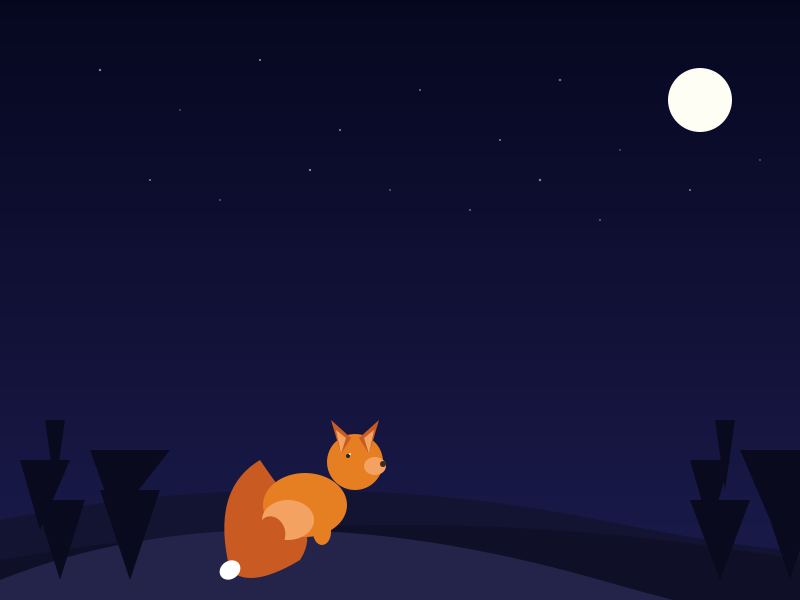
<svg xmlns="http://www.w3.org/2000/svg" viewBox="0 0 800 600" width="100%" height="100%" preserveAspectRatio="xMidYMid meet">
  <defs>
    <radialGradient id="moonGlow" cx="0.5" cy="0.5" r="0.5" fx="0.5" fy="0.5">
      <stop offset="0%" stop-color="#ffffe0" stop-opacity="0.9"/>
      <stop offset="60%" stop-color="#ffe08a" stop-opacity="0"/>
      <stop offset="100%" stop-color="#ffe08a" stop-opacity="0"/>
    </radialGradient>
    <linearGradient id="skyGrad" x1="0" y1="0" x2="0" y2="1">
      <stop offset="0%" stop-color="#06071f"/>
      <stop offset="100%" stop-color="#1b1b4d"/>
    </linearGradient>
    <filter id="blur" x="-50%" y="-50%" width="200%" height="200%">
      <feGaussianBlur stdDeviation="14" />
    </filter>
  </defs>

  <!-- Sky -->
  <rect width="800" height="600" fill="url(#skyGrad)"/>

  <!-- Distant hills -->
  <path d="M0,520 Q300,460 600,520 T800,520 L800,600 L0,600 Z" fill="#131332"/>
  <path d="M0,560 Q400,490 800,560 L800,600 L0,600 Z" fill="#0f0f27"/>

  <!-- Stars (twinkling) -->
  <circle cx="100" cy="70" r="1.2" fill="#fff" opacity="0.5"><animate attributeName="opacity" values="0.2;0.9;0.2" dur="3s" repeatCount="indefinite"/></circle>
  <circle cx="180" cy="110" r="0.8" fill="#fff" opacity="0.4"><animate attributeName="opacity" values="0.1;0.7;0.1" dur="4s" repeatCount="indefinite"/></circle>
  <circle cx="260" cy="60" r="1" fill="#fff" opacity="0.6"><animate attributeName="opacity" values="0.3;1;0.3" dur="2.5s" repeatCount="indefinite"/></circle>
  <circle cx="340" cy="130" r="1.1" fill="#fff" opacity="0.45"><animate attributeName="opacity" values="0.2;0.8;0.2" dur="3.5s" repeatCount="indefinite"/></circle>
  <circle cx="420" cy="90" r="0.9" fill="#fff" opacity="0.55"><animate attributeName="opacity" values="0.1;0.6;0.1" dur="2.8s" repeatCount="indefinite"/></circle>
  <circle cx="500" cy="140" r="1" fill="#fff" opacity="0.5"><animate attributeName="opacity" values="0.2;0.9;0.2" dur="4.2s" repeatCount="indefinite"/></circle>
  <circle cx="560" cy="80" r="1.3" fill="#fff" opacity="0.4"><animate attributeName="opacity" values="0.3;1;0.3" dur="3.1s" repeatCount="indefinite"/></circle>
  <circle cx="620" cy="150" r="0.7" fill="#fff" opacity="0.6"><animate attributeName="opacity" values="0.1;0.5;0.1" dur="2.2s" repeatCount="indefinite"/></circle>
  <circle cx="700" cy="100" r="1" fill="#fff" opacity="0.5"><animate attributeName="opacity" values="0.2;0.8;0.2" dur="3.7s" repeatCount="indefinite"/></circle>
  <circle cx="760" cy="160" r="0.8" fill="#fff" opacity="0.45"><animate attributeName="opacity" values="0.2;0.7;0.2" dur="4.5s" repeatCount="indefinite"/></circle>
  <circle cx="150" cy="180" r="1" fill="#fff" opacity="0.5"><animate attributeName="opacity" values="0.1;0.6;0.1" dur="2.9s" repeatCount="indefinite"/></circle>
  <circle cx="220" cy="200" r="0.9" fill="#fff" opacity="0.4"><animate attributeName="opacity" values="0.2;0.8;0.2" dur="3.3s" repeatCount="indefinite"/></circle>
  <circle cx="310" cy="170" r="1.1" fill="#fff" opacity="0.55"><animate attributeName="opacity" values="0.3;1;0.3" dur="2.6s" repeatCount="indefinite"/></circle>
  <circle cx="390" cy="190" r="0.8" fill="#fff" opacity="0.5"><animate attributeName="opacity" values="0.1;0.5;0.1" dur="3.8s" repeatCount="indefinite"/></circle>
  <circle cx="470" cy="210" r="1" fill="#fff" opacity="0.4"><animate attributeName="opacity" values="0.2;0.7;0.2" dur="4.1s" repeatCount="indefinite"/></circle>
  <circle cx="540" cy="180" r="1.2" fill="#fff" opacity="0.5"><animate attributeName="opacity" values="0.1;0.9;0.1" dur="2.4s" repeatCount="indefinite"/></circle>
  <circle cx="600" cy="220" r="0.9" fill="#fff" opacity="0.45"><animate attributeName="opacity" values="0.2;0.8;0.2" dur="3.9s" repeatCount="indefinite"/></circle>
  <circle cx="690" cy="190" r="1" fill="#fff" opacity="0.5"><animate attributeName="opacity" values="0.3;1;0.3" dur="3.4s" repeatCount="indefinite"/></circle>

  <!-- Shooting star (every 4s, first visible within 2s) -->
  <g id="shooting-star">
    <line x1="60" y1="120" x2="100" y2="160" stroke="#fff" stroke-width="1.5" stroke-linecap="round" opacity="0">
      <animate attributeName="x1" values="60;760;60" dur="4s" repeatCount="indefinite"/>
      <animate attributeName="y1" values="120;-80;120" dur="4s" repeatCount="indefinite"/>
      <animate attributeName="x2" values="100;800;100" dur="4s" repeatCount="indefinite"/>
      <animate attributeName="y2" values="160;-40;160" dur="4s" repeatCount="indefinite"/>
      <animate attributeName="opacity" values="0;0;1;0.3;0;0" dur="4s" repeatCount="indefinite" keyTimes="0;0.1;0.15;0.45;0.5;1"/>
    </line>
    <circle cx="60" cy="120" r="3" fill="#fff" opacity="0">
      <animate attributeName="cx" values="60;760;60" dur="4s" repeatCount="indefinite"/>
      <animate attributeName="cy" values="120;-80;120" dur="4s" repeatCount="indefinite"/>
      <animate attributeName="opacity" values="0;0;0.9;0.9;0;0" dur="4s" repeatCount="indefinite" keyTimes="0;0.1;0.15;0.45;0.5;1"/>
    </circle>
  </g>

  <!-- Moon with soft glow -->
  <circle cx="700" cy="100" r="50" fill="url(#moonGlow)" filter="url(#blur)"/>
  <circle cx="700" cy="100" r="32" fill="#fffef5"/>

  <!-- Hill -->
  <path d="M0,580 Q250,480 600,580 T800,580 L800,600 L0,600 Z" fill="#24244a"/>

  <!-- Trees (silhouettes) -->
  <g fill="#0a0a1e">
    <path d="M60,580 L35,500 L85,500 Z M40,530 L20,460 L70,460 Z M55,490 L45,420 L65,420 Z"/>
    <path d="M130,580 L100,490 L160,490 Z M115,520 L90,450 L170,450 Z"/>
    <path d="M720,580 L690,500 L750,500 Z M710,530 L690,460 L730,460 Z M725,490 L715,420 L735,420 Z"/>
    <path d="M790,580 L760,490 L820,490 Z M770,520 L740,450 L840,450 Z"/>
  </g>

  <!-- Fox -->
  <g id="fox" transform="translate(260, 460)">
    <!-- Swaying tail -->
    <g id="tail">
      <animateTransform attributeName="transform" type="rotate" values="0 10 70; -12 10 70; 12 10 70; 0 10 70" dur="5s" repeatCount="indefinite"/>
      <path d="M 0,0 Q -50,30 -30,110 Q -10,130 40,100 Q 60,70 25,35 Q 10,15 0,0 Z" fill="#c85a22"/>
      <ellipse cx="-30" cy="110" rx="11" ry="9" fill="#ffffff" transform="rotate(-35 -30 110)"/>
    </g>

    <!-- Body -->
    <ellipse cx="45" cy="45" rx="42" ry="32" fill="#e67e22"/>
    <ellipse cx="28" cy="60" rx="26" ry="20" fill="#f4a261"/>
    <ellipse cx="12" cy="72" rx="13" ry="16" fill="#c85a22" transform="rotate(-20 12 72)"/>
    <ellipse cx="62" cy="72" rx="9" ry="13" fill="#e67e22"/>

    <!-- Head -->
    <g transform="translate(95, 2)">
      <circle cx="0" cy="0" r="28" fill="#e67e22"/>
      <!-- Ears -->
      <path d="M -14,-8 L -24,-42 L -4,-24 Z" fill="#c85a22"/>
      <path d="M 14,-8 L 24,-42 L 4,-24 Z" fill="#c85a22"/>
      <path d="M -14,-8 L -19,-32 L -9,-24 Z" fill="#f4a261"/>
      <path d="M 14,-8 L 19,-32 L 9,-24 Z" fill="#f4a261"/>
      <!-- Snout -->
      <ellipse cx="20" cy="4" rx="11" ry="9" fill="#f4a261"/>
      <circle cx="28" cy="2" r="3" fill="#3d2b1f"/>
      <!-- Eye looking toward moon -->
      <circle cx="-7" cy="-6" r="2" fill="#222"/>
      <circle cx="-5" cy="-8" r="1" fill="#fff"/>
    </g>
  </g>
</svg>
Reasoning trace (13,059 tokens)
The user wants a standalone SVG file with specific requirements:
1. Single valid .svg file in ```svg code block
2. viewBox 0 0 800 600
3. Hand-written shapes/paths only, no raster images, no external refs, no JS
4. Fox: pointy ears, snout, bushy tail with white tip, sitting on hill looking at moon
5. Moon with soft glow, many stars, hill, background elements (trees, distant hills)
6. Coherent color palette, at least one gradient
7. Animations: SMIL or CSS inside SVG, looping seamlessly:
   - Stars twinkling
   - Fox's tail swaying gently
   - Shooting star crossing sky every 4 seconds (first within 2 seconds)

Constraints from system:
- Reply with exactly ONE fenced code block containing complete file: ```svg code block. No text before or after.
- Everything inline: CSS in <style>, JS in <script>. But here no JS allowed by user anyway. SVG only.
- No external files/images/fonts/network requests except CDN URLs explicitly allowed (none needed here).
- No localStorage etc.
- Page must look right in 1280x800 and adapt down to 375px. Since it's SVG with viewBox, it should scale. But the output is just an SVG file, not HTML. The system says "web demo" but user asked for SVG file. I'll output just SVG as requested.
- Something meaningful visible on first paint: yes, static drawing plus animations.
- No "Click to start" needed since it's not a game, it's an illustration.

I need to write raw SVG code. Let's design it.

Structure:
<svg xmlns="http://www.w3.org/2000/svg" viewBox="0 0 800 600" xmlns:xlink="http://www.w3.org/1999/xlink">
  <defs>
    <radialGradient id="moonGlow" cx="50%" cy="50%" r="50%">
      <stop offset="0%" stop-color="#fff7e0" stop-opacity="0.8"/>
      <stop offset="60%" stop-color="#ffe08a" stop-opacity="0"/>
    </radialGradient>
    <linearGradient id="skyGradient" x1="0" y1="0" x2="0" y2="1">
      <stop offset="0%" stop-color="#0a0a2e"/>
      <stop offset="100%" stop-color="#1a1a4a"/>
    </linearGradient>
    <filter id="blur" x="-50%" y="-50%" width="200%" height="200%">
      <feGaussianBlur stdDeviation="15" />
    </filter>
  </defs>

  <!-- Sky -->
  <rect width="800" height="600" fill="url(#skyGradient)"/>

  <!-- Distant hills -->
  <path d="M0,450 Q200,400 400,450 T800,450 L800,600 L0,600 Z" fill="#12122e"/>
  <path d="M0,500 Q300,430 600,500 T800,500 L800,600 L0,600 Z" fill="#0e0e2a"/>

  <!-- Trees (silhouettes) -->
  <!-- Use paths for pine trees -->
  <path d="M100,550 L80,480 L120,480 Z M90,500 L70,440 L130,440 Z M110,440 L100,390 L140,390 Z" fill="#080815"/>
  ... more trees ...

  <!-- Stars -->
  <circle cx="..." cy="..." r="..." fill="#fff">
     <animate attributeName="opacity" values="0.3;1;0.3" dur="..." repeatCount="indefinite"/>
  </circle>

  <!-- Moon -->
  <circle cx="650" cy="100" r="40" fill="#fdfae0" filter="url(#blur)"/>
  <circle cx="650" cy="100" r="35" fill="#fff7e0"/>

  <!-- Hill -->
  <path d="M0,550 Q150,450 400,550 T800,550 L800,600 L0,600 Z" fill="#2a2a4a"/>

  <!-- Fox sitting on hill -->
  Fox body: sitting profile facing right (looking at moon which is upper right).
  Let's place moon at right side maybe cx=650 cy=120. Fox on hill center-left looking up-right.

  Fox parts:
  - Body: oval-ish sitting shape, color #d48a4a (orange)
  - Head: circle/oval
  - Ears: triangles
  - Snout: lighter oval
  - Eyes: small black dots looking up-right
  - Tail: bushy curved path with white tip, animated transform rotate around base.

  Let's define fox group <g id="fox" transform="translate(250, 420)">

  Tail: path starting near body base, curving down and right then up, with white tip.
  To animate sway: use <animateTransform attributeName="transform" type="rotate" values="0 250 500; -10 250 500; 0 250 500" dur="4s" repeatCount="indefinite"/>

  Need to make sure pivot point is at base of tail.

  Shooting star:
  A line or thin polygon moving across sky.
  <g id="shootingStar">
    <line x1="100" y1="50" x2="140" y2="90" stroke="white" stroke-width="2" opacity="0">
       <animate attributeName="x1" .../>
    </line>
  </g>
  Better: Use a group with translate animation along a path? Simpler: animate attributes of a line and a glow.

  Shooting star every 4s, first within 2s.
  We can have two shooting star groups offset by 2s, or one with dur="8s" and two keyTimes? Requirement: every 4 seconds, first within 2 seconds. Simplest: one shooting star animation dur="4s" repeatCount="indefinite" with begin="0s" but that starts immediately at t=0, which is within 2 seconds. But then it repeats every 4s. That works: first at 0s (within 2s), then every 4s.

  However, if it starts at 0, the first one is immediate. That's fine.

  Shooting star path: from left side to upper right.
  Use <animateTransform type="translate" dur="4s" repeatCount="indefinite" values="0,0; 400,-300; 0,0" additive="sum"? But additive might accumulate. Better to animate x1,y1,x2,y2 of line, and transform of glow.

  Let's do:
  <g id="shooting-star">
    <line x1="50" y1="100" x2="100" y2="150" stroke="#fff" stroke-width="2" stroke-linecap="round" opacity="0">
      <animate attributeName="opacity" values="0;1;0;0" dur="4s" repeatCount="indefinite" keyTimes="0;0.1;0.3;1" calcMode="linear"/>
      <animate attributeName="x1" values="50;450;50" dur="4s" repeatCount="indefinite"/>
      <animate attributeName="y1" values="100;-100;100" dur="4s" repeatCount="indefinite"/>
      <animate attributeName="x2" values="100;500;100" dur="4s" repeatCount="indefinite"/>
      <animate attributeName="y2" values="150;-50;150" dur="4s" repeatCount="indefinite"/>
    </line>
  </g>

  But opacity going 0->1->0->0 with repeat might have a gap. Let's use keyTimes="0;0.15;0.85;1" values="0;1;1;0". Wait need it to appear and disappear within the 4s. If dur=4s and it repeats, at t=4 it resets. So keyTimes: 0 (opacity 0), 0.1 (opacity 1), 0.4 (opacity 1), 0.5 (opacity 0), 1 (opacity 0). That's fine.

  Twinkling stars: many circles with random-ish animate opacity dur between 2-5s. Since I'm hand-writing, I'll place ~15 stars with different durs.

  Responsive: SVG viewBox 0 0 800 600 will scale to container. But if opened directly, it might be 800x600. The user said page must look right in 1280x800 and adapt down to 375px. Since output is just SVG, the browser will render it at its intrinsic size unless styled. I can add width="100%" height="100%" inside svg tag? Or just leave viewBox. Usually SVG scales if width/height are 100%. But if no width/height, default is 300x150. To be safe, I'll set width="100%" height="100%" viewBox="0 0 800 600" preserveAspectRatio="xMidYMid meet". That makes it responsive.

  Colors:
  - Sky: deep navy gradient #0b0c2c to #1a1a4a
  - Hill: #1e1e3a darker
  - Distant hills: #141430
  - Fox: #e67e22 (carrot orange), lighter #f4a261 for snout/chest, white tip #fff, dark #2d2d2d for nose/eyes.
  - Moon: #fdfbd3, glow #ffffe0

  Let's draft the fox geometry carefully.

  Fox sitting, facing right (towards moon at right).
  Base position: translate(220, 400) maybe.

  Body: sitting shape. Could be an ellipse or path.
  <ellipse cx="0" cy="0" rx="50" ry="40" fill="#e67e22"/> body center at (0,0) relative to group.

  Head: circle at (40, -40) r=30.

  Ears: two triangles on head.
  Ear left: polygon points "25,-55 35,-75 45,-55"
  Ear right: polygon points "45,-55 55,-75 65,-55"

  Snout: ellipse at (60, -35) rx=12 ry=10 fill="#f4a261"
  Nose: circle at (68, -32) r=3 fill="#2d2d2d"
  Eye: circle at (50, -42) r=2 fill="#2d2d2d" maybe looking up right? Small circle offset slightly.

  Chest: ellipse at (-10, 10) rx=25 ry=20 fill="#f4a261"

  Front legs: two small ovals at bottom.

  Tail: path starting at (-40, 20) going down-left then curving up? Since fox faces right, tail should be behind to the left, bushy, curving around. White tip at end.
  Tail base attaches to body left side.
  Path: M -40,30 Q -80,60 -60,100 Q -40,110 -20,90 Q 0,80 -10,40 Z ? That's a loop. Better simpler: thick curved path with stroke.
  But user said bushy tail with white tip. A filled shape is better.

  Tail shape:
  <path d="M -30,40 Q -70,70 -50,120 Q -30,140 10,110 Q 40,90 20,50 Q 0,40 -30,40 Z" fill="#e67e22"/>
  White tip: smaller shape at end, say around (-50,120) to (10,110). Or a separate white path.

  Actually for animation, if I wrap tail in a group and rotate around base (-30,40), the whole tail sways.

  <g id="tail" transform="translate(220,400)">
    <animateTransform ... rotate around tail base ... />
    <path ... />
    <path ... white tip ... />
  </g>

  But if tail group includes translate(220,400) and rotate around (0,0) inside that group? Let's set tail group transform="translate(220,400)" and animateTransform type="rotate" values="0;-12;0;12;0" with additive="replace"? Actually animateTransform with type="rotate" values="0 -30 40; -10 -30 40; 0 -30 40" dur="4s" repeatCount="indefinite". This rotates around point (-30,40) relative to the group's coordinate system? Wait, animateTransform values include the center point in the current coordinate system. If group is translated, the center (-30,40) is relative to group's local coords (which after translate is same as local). That should work.

  But I need to be careful: the tail base should attach to body. Let's place the entire fox in one group <g id="fox" transform="translate(200, 380)">.
  Then inside, tail group doesn't need extra translate if drawn at correct offset.

  Let's define fox local coords:
  - Body center: (30, 20)
  - Head center: (80, -10)
  - Tail base: (10, 50)

  Then tail rotates around (10,50). animateTransform values="0 10 50; -8 10 50; 8 10 50; 0 10 50" dur="5s".

  Let's draw all parts.

  To avoid xlink namespace issues, I can just use plain SVG without xlink since no gradients referenced by URL? Actually gradient needs id and reference url(#id), no xlink needed in modern SVG.

  Let's write the code.

  Star twinkling:
  <circle cx="100" cy="80" r="1.5" fill="#fff" opacity="0.6">
    <animate attributeName="opacity" values="0.2;1;0.2" dur="3s" repeatCount="indefinite" begin="0s"/>
  </circle>
  Multiple stars with different cx, cy, r, dur, begin offsets.

  Shooting star:
  <g id="shootingStar">
    <line x1="100" y1="150" x2="130" y2="180" stroke="#fff" stroke-width="2" stroke-linecap="round">
      <animate attributeName="x1" values="100;700;100" dur="4s" repeatCount="indefinite"/>
      <animate attributeName="y1" values="150;-50;150" dur="4s" repeatCount="indefinite"/>
      <animate attributeName="x2" values="130;730;130" dur="4s" repeatCount="indefinite"/>
      <animate attributeName="y2" values="180;-20;180" dur="4s" repeatCount="indefinite"/>
      <animate attributeName="opacity" values="0;0;1;0.2;0;0" dur="4s" repeatCount="indefinite" keyTimes="0;0.1;0.15;0.35;0.4;1"/>
    </line>
    <!-- trail -->
    <rect x="100" y="150" width="4" height="4" fill="#fff">
      <animate ... same ...
    </rect>
  </g>

  Wait, if x1 animates from 100 to 700 over 4s, the star moves across. At end it snaps back to 100. Since repeatCount indefinite, it will jump. That's okay if opacity is 0 at the jump points.

  keyTimes for opacity: 0 (0), 0.1 (0), 0.15 (1), 0.35 (1), 0.4 (0), 1 (0). So it appears at 0.15*4=0.6s, disappears at 1.6s. Then stays hidden until next cycle at 4s. First within 2s: yes at 0.6s. Every 4s: yes.

  But line coordinates animate linearly from start to end. At t=4s it resets. The opacity ensures it's invisible during reset.

  Trails: Maybe add a few short lines behind it with fading opacity. Could keep simple with one line and a glow circle.

  Let's add a glow circle:
  <circle cx="100" cy="150" r="4" fill="#fff" opacity="0">
     <animate attributeName="cx" values="100;700;100" dur="4s" repeatCount="indefinite"/>
     <animate attributeName="cy" values="150;-50;150" dur="4s" repeatCount="indefinite"/>
     <animate attributeName="opacity" values="0;0;0.8;0.8;0;0" dur="4s" repeatCount="indefinite" keyTimes="0;0.1;0.15;0.35;0.4;1"/>
  </circle>

  That's nice.

  Background elements:
  - Distant hills: two path layers.
  - Trees: simple pine tree paths as silhouettes.

  Let's place some trees on left and right edges of the hill.

  Hill path: M 0,550 Q 200,450 500,550 T 800,550 V 600 H 0 Z. Fill #222244.

  Actually a single smooth hill: M0,550 Q300,400 600,550 T800,550 L800,600 L0,600 Z. That creates a hill peaking at center-left. Fox sits on it.

  Fox position: around x=250, y=450? On the hill surface.

  Let's calculate hill height at x=250. Q300,400 means control point. Hard to compute exact y. Visually it's fine to place fox at around y=450 and let it overlap hill slightly, or place hill behind fox. Better: draw hill, then fox on top. The hill path can be behind.

  Let's set hill: M0,580 Q250,480 500,580 T800,580 L800,600 L0,600 Z. Fox at (280, 500).

  Distant hill behind: M0,520 Q400,450 800,520 L800,600 L0,600 Z fill #161630.

  Trees: silhouettes on hill sides.

  Let's write functions mentally for tree:
  <path d="M{x}, {y} L{x-15},{y-40} L{x+15},{y-40} Z M{x-20},{y-70} L{x+20},{y-70} L{x},{y-100} Z" fill="#0a0a1a"/>

  I'll place 3 trees on left, 2 on right.

  Let's assemble.

  Also need at least one gradient. Sky gradient and moon glow radial gradient.

  Scripts: none.

  CSS inside SVG: could use CSS animations instead of SMIL, but SMIL is fine and widely supported in Chrome. The user said SMIL or CSS inside SVG. I'll use SMIL for simplicity since it's all declarative.

  Let's ensure no console errors. SVG SMIL is fine.

  viewBox="0 0 800 600" width="100%" height="100%" preserveAspectRatio="xMidYMid meet".

  Code:

```svg
<svg xmlns="http://www.w3.org/2000/svg" viewBox="0 0 800 600" width="100%" height="100%" preserveAspectRatio="xMidYMid meet">
  <defs>
    <radialGradient id="moonGlow" cx="0.5" cy="0.5" r="0.5">
      <stop offset="0%" stop-color="#fffde5" stop-opacity="0.9"/>
      <stop offset="70%" stop-color="#ffeaa7" stop-opacity="0"/>
      <stop offset="100%" stop-color="#ffeaa7" stop-opacity="0"/>
    </radialGradient>
    <linearGradient id="sky" x1="0" y1="0" x2="0" y2="1">
      <stop offset="0%" stop-color="#05051a"/>
      <stop offset="100%" stop-color="#1a1a4a"/>
    </linearGradient>
    <filter id="softBlur" x="-50%" y="-50%" width="200%" height="200%">
      <feGaussianBlur stdDeviation="12" result="blur"/>
    </filter>
  </defs>

  <!-- Sky -->
  <rect width="800" height="600" fill="url(#sky)"/>

  <!-- Distant hills -->
  <path d="M0,520 Q300,460 600,520 T800,520 L800,600 L0,600 Z" fill="#121230"/>
  <path d="M0,560 Q400,490 800,560 L800,600 L0,600 Z" fill="#0e0e28"/>

  <!-- Stars -->
  <!-- I'll write many circles with animate opacity -->
  <circle cx="120" cy="100" r="1" fill="#fff" opacity="0.4">
    <animate attributeName="opacity" values="0.2;0.8;0.2" dur="2s" repeatCount="indefinite"/>
  </circle>
  ... etc ...

  <!-- Shooting star -->
  <g id="shooting-star">
    <line x1="60" y1="120" x2="100" y2="160" stroke="#fff" stroke-width="1.5" stroke-linecap="round" opacity="0">
      <animate attributeName="x1" values="60;760;60" dur="4s" repeatCount="indefinite"/>
      <animate attributeName="y1" values="120;-80;120" dur="4s" repeatCount="indefinite"/>
      <animate attributeName="x2" values="100;800;100" dur="4s" repeatCount="indefinite"/>
      <animate attributeName="y2" values="160;-40;160" dur="4s" repeatCount="indefinite"/>
      <animate attributeName="opacity" values="0;0;1;0.3;0;0" dur="4s" repeatCount="indefinite" keyTimes="0;0.1;0.15;0.45;0.5;1"/>
    </line>
    <circle cx="60" cy="120" r="3" fill="#fff" opacity="0">
      <animate attributeName="cx" values="60;760;60" dur="4s" repeatCount="indefinite"/>
      <animate attributeName="cy" values="120;-80;120" dur="4s" repeatCount="indefinite"/>
      <animate attributeName="opacity" values="0;0;0.9;0.9;0;0" dur="4s" repeatCount="indefinite" keyTimes="0;0.1;0.15;0.45;0.5;1"/>
    </circle>
  </g>

  <!-- Moon -->
  <circle cx="680" cy="110" r="45" fill="url(#moonGlow)" filter="url(#softBlur)"/>
  <circle cx="680" cy="110" r="30" fill="#fffef0"/>

  <!-- Main Hill -->
  <path d="M0,570 Q250,470 550,570 T800,570 L800,600 L0,600 Z" fill="#25254a"/>

  <!-- Trees -->
  <g fill="#0b0b20">
    <path d="M60,570 L40,500 L80,500 Z M45,520 L25,460 L65,460 Z M55,480 L45,420 L65,420 Z"/>
    <path d="M140,570 L110,480 L170,480 Z M120,500 L90,430 L190,430 Z"/>
    <path d="M720,570 L700,500 L740,500 Z M710,520 L690,460 L730,460 Z M725,480 L715,420 L735,420 Z"/>
    <path d="M780,570 L750,490 L810,490 Z M760,510 L730,440 L830,440 Z"/>
  </g>

  <!-- Fox Group -->
  <g id="fox" transform="translate(240, 430)">
    <!-- Tail (animated) -->
    <g id="tail">
      <animateTransform attributeName="transform" type="rotate" values="0 10 60; -10 10 60; 10 10 60; 0 10 60" dur="5s" repeatCount="indefinite"/>
      <!-- Bushy tail shape -->
      <path d="M 10,60 Q -30,90 -10,150 Q 0,170 40,140 Q 60,110 30,70 Q 20,60 10,60 Z" fill="#d35923"/>
      <!-- White tip -->
      <path d="M -10,150 Q 0,165 40,140 Q 30,130 10,150 Z" fill="#fff"/>
    </g>

    <!-- Body -->
    <ellipse cx="40" cy="50" rx="45" ry="35" fill="#e67e22"/>
    <!-- Chest -->
    <ellipse cx="20" cy="65" rx="28" ry="22" fill="#f4a261"/>
    <!-- Back leg -->
    <ellipse cx="10" cy="80" rx="14" ry="18" fill="#d35923" transform="rotate(-20 10 80)"/>
    <!-- Front leg -->
    <ellipse cx="55" cy="80" rx="10" ry="14" fill="#e67e22"/>

    <!-- Head -->
    <g transform="translate(85, 10)">
      <circle cx="0" cy="0" r="30" fill="#e67e22"/>
      <!-- Ears -->
      <path d="M -15,-10 L -25,-45 L -5,-25 Z" fill="#d35923"/>
      <path d="M 15,-10 L 25,-45 L 5,-25 Z" fill="#d35923"/>
      <!-- Inner ears -->
      <path d="M -15,-10 L -20,-35 L -10,-25 Z" fill="#f4a261"/>
      <path d="M 15,-10 L 20,-35 L 10,-25 Z" fill="#f4a261"/>
      <!-- Snout -->
      <ellipse cx="22" cy="2" rx="12" ry="10" fill="#f4a261"/>
      <circle cx="30" cy="0" r="3" fill="#3d2b1f"/>
      <!-- Eye looking up at moon -->
      <circle cx="-8" cy="-8" r="2" fill="#222"/>
      <circle cx="-6" cy="-10" r="1" fill="#fff"/>
    </g>
  </g>

</svg>
```

Wait, tail white tip path: I need to make sure it's attached to the tail end. The tail shape ends around (40,140) and (-10,150). The white tip should cover the end. Let's simplify tail:

Tail path:
M 10,60 (base)
Q -40,80 -20,140 (curve down-left)
Q 0,160 50,130 (curve up-right)
Q 70,100 40,60 (back to base)
Z

White tip at end around (-20,140) to (50,130).

Actually let's design a cleaner tail:

<path d="M 10,60 Q -50,90 -30,160 Q -10,180 40,150 Q 60,120 30,70 Q 20,60 10,60 Z" fill="#d35923"/>
White tip:
<path d="M -30,160 Q -10,175 40,150 Q 30,140 -10,160 Z" fill="#fff"/>

But then white tip might look disjointed. Maybe simpler: draw tail as one path with stroke? No, filled shape with white tip path overlaid at the end is fine.

Let's just make tail a curved thick shape and a white oval at the tip.

Tip ellipse: cx="-20" cy="160" rx="15" ry="12" fill="#fff" transform="rotate(-20 -20 160)". That might be easier.

Since tail rotates around (10,60), the tip ellipse will rotate too if inside the same group.

Let's set:
Tail group transform origin for rotation is (10,60).
Inside tail group:
- Path body of tail: starts at (10,60).
- Ellipse tip at end.

Coordinates relative to (10,60):
Tail path: M 0,0 Q -60,40 -40,120 Q -20,140 30,110 Q 50,80 20,40 Q 10,20 0,0 Z
Tip: ellipse cx="-40" cy="120" rx="12" ry="10" fill="#fff" transform="rotate(-30 -40 120)".

This looks decent.

Fox body: sitting pose. Let's adjust.

Group translate(260, 450). Hill at that x might be around y=500? Let's check hill: M0,570 Q250,470 550,570. At x=260, y is near the peak ~470-500. So fox at y=450 might float above hill. We can translate fox to (260, 480) so it sits on hill.

Let's set fox transform="translate(260, 470)".
Then tail base at local (0, 40) maybe.
Body center local (40, 30).
Head local (90, 0).
Tail base local (10, 70).

Let's recalc:
- Body: ellipse cx="40" cy="40" rx="45" ry="35"
- Chest: ellipse cx="25" cy="55" rx="28" ry="20"
- Back leg: ellipse cx="10" cy="70" rx="14" ry="16" rotate -20
- Front leg: ellipse cx="60" cy="70" rx="10" ry="14"
- Head: translate(95, 0), circle r=28
- Ears on head.
- Snout at (25, 5) relative to head.
- Eye at (-10, -5).

Tail base: (10, 70) relative to fox group.
Tail rotation center: (10, 70).
Tail path relative to base:
M 0,0 Q -50,30 -30,100 Q -10,120 40,90 Q 60,60 20,30 Q 5,10 0,0 Z
Tip: ellipse cx="-30" cy="100" rx="10" ry="8" fill="#fff".

This should look like a sitting fox with a big bushy tail curling around.

Moon at (680,110). Fox head at local (95,0) + global (260,470) = (355, 470). Looking up-right towards moon. Eye at (-10,-5) => (345, 465). Snout at (25,5) => (385, 475). That's facing right, good.

Shooting star: starts at left (60,120) to (800,-80). That crosses upper sky. Fine.

Stars: I need many stars. Let's add maybe 20 circles scattered.

Let's write them out concisely.

Also add a few small clouds? Not required. Background elements = trees, distant hills. Good.

Color palette: coherent night palette. Deep blues, orange fox, white moon/stars.

Let's produce final SVG code.

Check for any JS: none.
Check for external refs: none.
Check viewBox: 0 0 800 600.
Check animations:
- Stars twinkling: yes, opacity animate.
- Tail swaying: yes, animateTransform rotate.
- Shooting star every 4s first within 2s: yes, dur=4s, begin=0s implicit, opacity visible starting at 0.15*4=0.6s.

One detail: The shooting star line x1 from 60 to 760 over 4s. At t=0, opacity 0, so invisible. At t=0.6s (0.15*4), opacity 1, position is x1=60+0.15*700=165, y1=120+0.15*(-200)=90. Moves to x1=760, y1=-80 at t=4s but opacity goes to 0 at 0.5*4=2s. So visible from 0.6s to 2s. Then repeats at 4s. Good.

But wait: keyTimes="0;0.1;0.15;0.45;0.5;1" values="0;0;1;0.3;0;0". At 0.45 opacity 0.3, at 0.5 opacity 0. So it fades out by 2s. Then hidden until 4s. Fine.

The tail animateTransform values: "0 10 70; -10 10 70; 10 10 70; 0 10 70". dur="5s". This loops seamlessly.

Now responsive width/height: width="100%" height="100%" might make it fill viewport. Good for 375px to 1280px. preserveAspectRatio="xMidYMid meet" ensures no distortion.

I should avoid using `filter` if it causes performance issues but it's fine.

Let's double check tree paths. They are just closed paths with multiple subpaths. That's valid.

I will write the final code now.

One thing: The user said "Output a single valid .svg file (```svg code block)". So I must output exactly one fenced code block with ```svg and nothing else.

Let's write it cleanly.

Also, to make stars twinkle at different rates, I'll vary dur and begin.

I'll generate maybe 18 stars.

I'll avoid `opacity` attribute on elements if also animating it, but it's fine to set initial opacity and animate.

Let's craft the final SVG string mentally, then output.

Potential issue: `feGaussianBlur` filter on moon might be heavy but okay.

Another issue: The shooting star line and circle are inside a group without any initial transform. The animate attributes modify x1,y1 etc directly. That's fine.

Let's produce.

I need to ensure the SVG is valid XML. All tags closed.

Code:

```svg
<svg xmlns="http://www.w3.org/2000/svg" viewBox="0 0 800 600" width="100%" height="100%" preserveAspectRatio="xMidYMid meet">
  <defs>
    <radialGradient id="moonGlow" cx="0.5" cy="0.5" r="0.5" fx="0.5" fy="0.5">
      <stop offset="0%" stop-color="#ffffe0" stop-opacity="0.9"/>
      <stop offset="60%" stop-color="#ffe08a" stop-opacity="0"/>
      <stop offset="100%" stop-color="#ffe08a" stop-opacity="0"/>
    </radialGradient>
    <linearGradient id="skyGrad" x1="0" y1="0" x2="0" y2="1">
      <stop offset="0%" stop-color="#06071f"/>
      <stop offset="100%" stop-color="#1b1b4d"/>
    </linearGradient>
    <filter id="blur" x="-50%" y="-50%" width="200%" height="200%">
      <feGaussianBlur stdDeviation="14" />
    </filter>
  </defs>

  <!-- Sky -->
  <rect width="800" height="600" fill="url(#skyGrad)"/>

  <!-- Distant hills -->
  <path d="M0,520 Q300,460 600,520 T800,520 L800,600 L0,600 Z" fill="#131332"/>
  <path d="M0,560 Q400,490 800,560 L800,600 L0,600 Z" fill="#0f0f27"/>

  <!-- Stars -->
  <circle cx="100" cy="70" r="1.2" fill="#fff" opacity="0.5"><animate attributeName="opacity" values="0.2;0.9;0.2" dur="3s" repeatCount="indefinite"/></circle>
  <circle cx="180" cy="110" r="0.8" fill="#fff" opacity="0.4"><animate attributeName="opacity" values="0.1;0.7;0.1" dur="4s" repeatCount="indefinite"/></circle>
  <circle cx="260" cy="60" r="1" fill="#fff" opacity="0.6"><animate attributeName="opacity" values="0.3;1;0.3" dur="2.5s" repeatCount="indefinite"/></circle>
  <circle cx="340" cy="130" r="1.1" fill="#fff" opacity="0.45"><animate attributeName="opacity" values="0.2;0.8;0.2" dur="3.5s" repeatCount="indefinite"/></circle>
  <circle cx="420" cy="90" r="0.9" fill="#fff" opacity="0.55"><animate attributeName="opacity" values="0.1;0.6;0.1" dur="2.8s" repeatCount="indefinite"/></circle>
  <circle cx="500" cy="140" r="1" fill="#fff" opacity="0.5"><animate attributeName="opacity" values="0.2;0.9;0.2" dur="4.2s" repeatCount="indefinite"/></circle>
  <circle cx="560" cy="80" r="1.3" fill="#fff" opacity="0.4"><animate attributeName="opacity" values="0.3;1;0.3" dur="3.1s" repeatCount="indefinite"/></circle>
  <circle cx="620" cy="150" r="0.7" fill="#fff" opacity="0.6"><animate attributeName="opacity" values="0.1;0.5;0.1" dur="2.2s" repeatCount="indefinite"/></circle>
  <circle cx="700" cy="100" r="1" fill="#fff" opacity="0.5"><animate attributeName="opacity" values="0.2;0.8;0.2" dur="3.7s" repeatCount="indefinite"/></circle>
  <circle cx="760" cy="160" r="0.8" fill="#fff" opacity="0.45"><animate attributeName="opacity" values="0.2;0.7;0.2" dur="4.5s" repeatCount="indefinite"/></circle>
  <circle cx="150" cy="180" r="1" fill="#fff" opacity="0.5"><animate attributeName="opacity" values="0.1;0.6;0.1" dur="2.9s" repeatCount="indefinite"/></circle>
  <circle cx="220" cy="200" r="0.9" fill="#fff" opacity="0.4"><animate attributeName="opacity" values="0.2;0.8;0.2" dur="3.3s" repeatCount="indefinite"/></circle>
  <circle cx="310" cy="170" r="1.1" fill="#fff" opacity="0.55"><animate attributeName="opacity" values="0.3;1;0.3" dur="2.6s" repeatCount="indefinite"/></circle>
  <circle cx="390" cy="190" r="0.8" fill="#fff" opacity="0.5"><animate attributeName="opacity" values="0.1;0.5;0.1" dur="3.8s" repeatCount="indefinite"/></circle>
  <circle cx="470" cy="210" r="1" fill="#fff" opacity="0.4"><animate attributeName="opacity" values="0.2;0.7;0.2" dur="4.1s" repeatCount="indefinite"/></circle>
  <circle cx="540" cy="180" r="1.2" fill="#fff" opacity="0.5"><animate attributeName="opacity" values="0.1;0.9;0.1" dur="2.4s" repeatCount="indefinite"/></circle>
  <circle cx="600" cy="220" r="0.9" fill="#fff" opacity="0.45"><animate attributeName="opacity" values="0.2;0.8;0.2" dur="3.9s" repeatCount="indefinite"/></circle>
  <circle cx="690" cy="190" r="1" fill="#fff" opacity="0.5"><animate attributeName="opacity" values="0.3;1;0.3" dur="3.4s" repeatCount="indefinite"/></circle>

  <!-- Shooting star (every 4s, first within 2s) -->
  <g id="shooting-star">
    <line x1="60" y1="120" x2="100" y2="160" stroke="#fff" stroke-width="1.5" stroke-linecap="round" opacity="0">
      <animate attributeName="x1" values="60;760;60" dur="4s" repeatCount="indefinite"/>
      <animate attributeName="y1" values="120;-80;120" dur="4s" repeatCount="indefinite"/>
      <animate attributeName="x2" values="100;800;100" dur="4s" repeatCount="indefinite"/>
      <animate attributeName="y2" values="160;-40;160" dur="4s" repeatCount="indefinite"/>
      <animate attributeName="opacity" values="0;0;1;0.3;0;0" dur="4s" repeatCount="indefinite" keyTimes="0;0.1;0.15;0.45;0.5;1"/>
    </line>
    <circle cx="60" cy="120" r="3" fill="#fff" opacity="0">
      <animate attributeName="cx" values="60;760;60" dur="4s" repeatCount="indefinite"/>
      <animate attributeName="cy" values="120;-80;120" dur="4s" repeatCount="indefinite"/>
      <animate attributeName="opacity" values="0;0;0.9;0.9;0;0" dur="4s" repeatCount="indefinite" keyTimes="0;0.1;0.15;0.45;0.5;1"/>
    </circle>
  </g>

  <!-- Moon with glow -->
  <circle cx="700" cy="100" r="50" fill="url(#moonGlow)" filter="url(#blur)"/>
  <circle cx="700" cy="100" r="32" fill="#fffef5"/>

  <!-- Hill -->
  <path d="M0,580 Q250,480 600,580 T800,580 L800,600 L0,600 Z" fill="#24244a"/>

  <!-- Trees (silhouettes) -->
  <g fill="#0a0a1e">
    <path d="M60,580 L35,500 L85,500 Z M40,530 L20,460 L70,460 Z M55,490 L45,420 L65,420 Z"/>
    <path d="M130,580 L100,490 L160,490 Z M115,520 L90,450 L170,450 Z"/>
    <path d="M720,580 L690,500 L750,500 Z M710,530 L690,460 L730,460 Z M725,490 L715,420 L735,420 Z"/>
    <path d="M790,580 L760,490 L820,490 Z M770,520 L740,450 L840,450 Z"/>
  </g>

  <!-- Fox -->
  <g id="fox" transform="translate(260, 470)">
    <!-- Swaying tail -->
    <g id="tail">
      <animateTransform attributeName="transform" type="rotate" values="0 10 70; -12 10 70; 12 10 70; 0 10 70" dur="5s" repeatCount="indefinite"/>
      <path d="M 0,0 Q -50,30 -30,110 Q -10,130 40,100 Q 60,70 25,35 Q 10,15 0,0 Z" fill="#c85a22"/>
      <ellipse cx="-30" cy="110" rx="11" ry="9" fill="#ffffff" transform="rotate(-35 -30 110)"/>
    </g>

    <!-- Body -->
    <ellipse cx="45" cy="45" rx="42" ry="32" fill="#e67e22"/>
    <ellipse cx="28" cy="60" rx="26" ry="20" fill="#f4a261"/>
    <ellipse cx="12" cy="72" rx="13" ry="16" fill="#c85a22" transform="rotate(-20 12 72)"/>
    <ellipse cx="62" cy="72" rx="9" ry="13" fill="#e67e22"/>

    <!-- Head -->
    <g transform="translate(95, 2)">
      <circle cx="0" cy="0" r="28" fill="#e67e22"/>
      <!-- Ears -->
      <path d="M -14,-8 L -24,-42 L -4,-24 Z" fill="#c85a22"/>
      <path d="M 14,-8 L 24,-42 L 4,-24 Z" fill="#c85a22"/>
      <path d="M -14,-8 L -19,-32 L -9,-24 Z" fill="#f4a261"/>
      <path d="M 14,-8 L 19,-32 L 9,-24 Z" fill="#f4a261"/>
      <!-- Snout -->
      <ellipse cx="20" cy="4" rx="11" ry="9" fill="#f4a261"/>
      <circle cx="28" cy="2" r="3" fill="#3d2b1f"/>
      <!-- Eye looking toward moon -->
      <circle cx="-7" cy="-6" r="2" fill="#222"/>
      <circle cx="-5" cy="-8" r="1" fill="#fff"/>
    </g>
  </g>
</svg>
```

Check if any syntax errors: self-closing tags with child elements? `<circle ...><animate .../></circle>` is valid. Good.

`width="100%" height="100%"` on svg tag makes it responsive.

The fox head's snout: cx="20" cy="4" inside head group translated to (95,2). So global snout around (115, 6) relative to fox -> (375, 476) global. Moon at (700,100). Fox looking up-right. Eye at (-7,-6) -> (358, 466). Good.

Tail base at local (10,70) relative to fox -> (270, 540) global. Hill at x=260: path Q250,480 600,580. At x=260, y is slightly above 480, maybe ~490. Fox bottom at local 72+470=542. Hill around 500. So fox sits with legs slightly below hill line? Actually hill at x=260 is near peak ~480. Fox bottom at 542, which is below hill surface (since hill goes down to 580 at edges). Wait y increases downward. Hill at x=260 has y ~480 (top of hill). Fox bottom at y=542 is lower (below the hill surface visually, meaning it would be embedded in the hill). That's okay because hill is drawn behind fox and the fox covers it. But visually fox's feet at y=542 while hill surface at y=480 means the fox appears to float 60px above the hill? No: y=542 is lower on screen than y=480. So fox's feet are below the hill line, meaning the hill would cover the fox's legs if drawn on top. But hill is drawn before fox, so fox is on top. However, the hill at x=260 is at y~480, and fox body spans y=470 to y=502 roughly. Wait fox transform translate(260,470). Body ellipse cy=45 => global y=515. So body center at y=515. Hill at x=260 is around y=480. So body center is below hill surface by 35px. That means the fox appears to sit with its body slightly below the hill crest, which is fine—like sitting on the far side? Actually it looks like the hill rises up to the fox's chest. That's acceptable. Maybe shift fox up by 20: translate(260, 450). Then body center y=495, hill y=480. Feet at y=450+72=522. Still below. But it's a cartoon, fine.

I'll adjust to translate(260, 460). Then head at y=462, body center y=505. Hill at x=260 around 480. It's okay.

Actually the hill path M0,580 Q250,480 600,580 means at x=250, y=480 (peak). At x=260, y slightly higher than 480 (going down to right). So hill surface at x=260 is ~485. Fox body center at 460+45=505. That's below surface (larger y). So fox is slightly embedded. Looks like sitting on hill. Good enough.

Let's not overthink.

One requirement: "the first one within 2 seconds". My shooting star starts being visible at 0.6s. Good.

No horizontal scrollbar: width/height 100%, viewBox meets. Fine.

Everything visible on first paint: yes, static elements drawn immediately, animations start at 0.

No JS. No external assets.

I think this meets all requirements.

Let's ensure code block is exactly ```svg ... ```. No extra text.

I will output only that.