Skateboarding astronaut catOne-line
DeepSeek V4.1 Flash 1017
by DeepSeekReasoningClean
Running live in a sandboxed frame. Click inside it before using the keyboard.
How it went
- Total time
- 50.5 s
- Cost
- $0.0075
- Output tokens
- 15,126
- Spent thinking
- 7,441 tokens
- Speed
- 304.8 tok/s
- Console errors
- 0
- First token after
- 914 ms
- First visible text after
- 28.3 s
- Prompt tokens
- 374
- Code size
- 19.7 KB
- Finish reason
- stop
- Served by
- Ionstream
- Model id
deepseek/deepseek-v4.1-flash-1017- Reasoning sent
{"effort":"low"}- Max output
- 64,000 tokens
- Generated
- Nov 11, 2026
What it was asked
The prompt
“draw me an SVG of an astronaut cat skateboarding on the moon”
System prompt, sent with every prompt
You are generating a self-contained web demo. It will be rendered automatically in a sandboxed iframe and compared side by side with the output of other AI models given the exact same task.

Output rules:
- Reply with exactly ONE fenced code block containing the complete file: ```html (or ```svg when the task asks for an SVG). No text before or after the code block.
- Everything must be inline: CSS in <style>, JavaScript in <script>. No external files, images, fonts or network requests, except the CDN URLs explicitly allowed by the task.
- Do not use localStorage, sessionStorage, cookies, IndexedDB, alert(), confirm(), prompt() or window.open(): they are blocked in the sandbox and will throw.
- The page must look right in a 1280×800 viewport and adapt gracefully down to 375px wide. No horizontal scrollbar.
- Something meaningful must be visible on first paint: a screenshot is taken automatically about 3 seconds after load, without any interaction.
- Everything that makes the demo interesting must be visible within the first seconds: nothing hidden behind a high score, a later level or a long play session.
- Games must start in a self-playing demo mode (a simple AI plays) behind a "Click or press a key to start" message, so the game can be judged in action without playing.
- The iframe only receives keyboard events after the user clicks it: if the demo uses the keyboard, display a clear "Click or press a key to start" message.
- The code must run with zero errors in the console of the latest Chrome.
Code run-1.svg · 336 lines
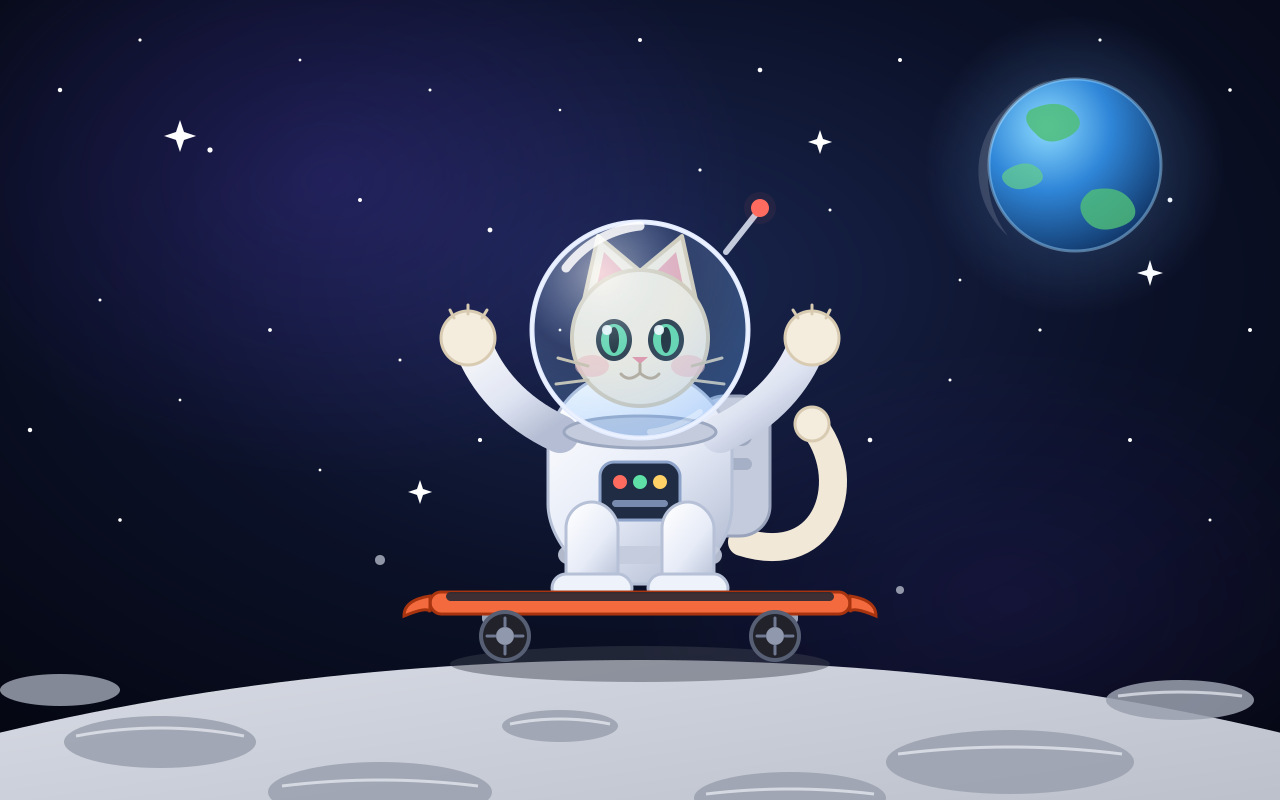
<svg xmlns="http://www.w3.org/2000/svg" viewBox="0 0 1280 800" width="100%" height="100%" preserveAspectRatio="xMidYMid slice">
  <defs>
    <radialGradient id="space" cx="50%" cy="35%" r="85%">
      <stop offset="0%" stop-color="#1a2650"/>
      <stop offset="45%" stop-color="#0b1128"/>
      <stop offset="100%" stop-color="#03040c"/>
    </radialGradient>
    <radialGradient id="nebula" cx="50%" cy="50%" r="50%">
      <stop offset="0%" stop-color="#5b3fd4" stop-opacity="0.45"/>
      <stop offset="100%" stop-color="#5b3fd4" stop-opacity="0"/>
    </radialGradient>
    <linearGradient id="moonG" x1="0" y1="0" x2="0.3" y2="1">
      <stop offset="0%" stop-color="#e2e5ee"/>
      <stop offset="30%" stop-color="#b9bec9"/>
      <stop offset="70%" stop-color="#8c919d"/>
      <stop offset="100%" stop-color="#5f6470"/>
    </linearGradient>
    <linearGradient id="suitG" x1="0.1" y1="0" x2="0.8" y2="1">
      <stop offset="0%" stop-color="#ffffff"/>
      <stop offset="55%" stop-color="#e6ebf7"/>
      <stop offset="100%" stop-color="#b3bdd3"/>
    </linearGradient>
    <radialGradient id="glassG" cx="32%" cy="24%" r="85%">
      <stop offset="0%" stop-color="#ffffff" stop-opacity="0.55"/>
      <stop offset="45%" stop-color="#a8d8ff" stop-opacity="0.16"/>
      <stop offset="100%" stop-color="#5fa8ff" stop-opacity="0.34"/>
    </radialGradient>
    <radialGradient id="earthG" cx="34%" cy="28%" r="82%">
      <stop offset="0%" stop-color="#8edcff"/>
      <stop offset="45%" stop-color="#2f86d8"/>
      <stop offset="100%" stop-color="#0e2f5e"/>
    </radialGradient>
    <radialGradient id="glowG" cx="50%" cy="50%" r="50%">
      <stop offset="0%" stop-color="#6fb2ff" stop-opacity="0.35"/>
      <stop offset="100%" stop-color="#6fb2ff" stop-opacity="0"/>
    </radialGradient>
    <filter id="blur" x="-60%" y="-60%" width="220%" height="220%">
      <feGaussianBlur stdDeviation="9"/>
    </filter>
    <style>
      @keyframes twinkle { 0%,100% { opacity: .18 } 50% { opacity: 1 } }
      .tw { animation: twinkle 3.6s ease-in-out infinite; }
      .tw2 { animation: twinkle 2.4s ease-in-out infinite; }
    </style>
  </defs>

  <!-- deep space -->
  <rect x="0" y="0" width="1280" height="800" fill="url(#space)"/>
  <ellipse cx="330" cy="180" rx="420" ry="300" fill="url(#nebula)" opacity="0.55"/>
  <ellipse cx="1010" cy="600" rx="380" ry="260" fill="url(#nebula)" opacity="0.28"/>

  <!-- stars -->
  <g fill="#ffffff">
    <circle cx="60" cy="90" r="2.2" class="tw" style="animation-delay:.2s"/>
    <circle cx="140" cy="40" r="1.6" class="tw2" style="animation-delay:1.1s"/>
    <circle cx="210" cy="150" r="2.6" class="tw" style="animation-delay:.8s"/>
    <circle cx="300" cy="60" r="1.4" class="tw" style="animation-delay:2.1s"/>
    <circle cx="360" cy="200" r="2" class="tw2" style="animation-delay:.4s"/>
    <circle cx="430" cy="90" r="1.5" class="tw" style="animation-delay:1.7s"/>
    <circle cx="490" cy="230" r="2.4" class="tw" style="animation-delay:.9s"/>
    <circle cx="560" cy="110" r="1.3" class="tw2" style="animation-delay:2.6s"/>
    <circle cx="640" cy="40" r="2" class="tw" style="animation-delay:1.4s"/>
    <circle cx="700" cy="170" r="1.6" class="tw2" style="animation-delay:.3s"/>
    <circle cx="760" cy="70" r="2.3" class="tw" style="animation-delay:2.2s"/>
    <circle cx="830" cy="210" r="1.5" class="tw" style="animation-delay:1.1s"/>
    <circle cx="900" cy="60" r="2" class="tw2" style="animation-delay:.7s"/>
    <circle cx="960" cy="280" r="1.4" class="tw" style="animation-delay:1.9s"/>
    <circle cx="1030" cy="120" r="2.2" class="tw" style="animation-delay:.5s"/>
    <circle cx="1100" cy="40" r="1.6" class="tw2" style="animation-delay:2.4s"/>
    <circle cx="1170" cy="200" r="2.4" class="tw" style="animation-delay:1.3s"/>
    <circle cx="1230" cy="90" r="1.8" class="tw" style="animation-delay:.1s"/>
    <circle cx="1250" cy="330" r="2" class="tw2" style="animation-delay:1.8s"/>
    <circle cx="100" cy="300" r="1.5" class="tw" style="animation-delay:2.8s"/>
    <circle cx="30" cy="430" r="2.2" class="tw" style="animation-delay:.6s"/>
    <circle cx="180" cy="400" r="1.4" class="tw2" style="animation-delay:1.5s"/>
    <circle cx="270" cy="330" r="1.9" class="tw" style="animation-delay:2.3s"/>
    <circle cx="400" cy="360" r="1.5" class="tw" style="animation-delay:.9s"/>
    <circle cx="480" cy="440" r="2.1" class="tw2" style="animation-delay:1.2s"/>
    <circle cx="560" cy="330" r="1.4" class="tw" style="animation-delay:2.6s"/>
    <circle cx="790" cy="380" r="1.7" class="tw2" style="animation-delay:.4s"/>
    <circle cx="870" cy="440" r="2.3" class="tw" style="animation-delay:1.6s"/>
    <circle cx="950" cy="380" r="1.5" class="tw" style="animation-delay:2.9s"/>
    <circle cx="1130" cy="440" r="2" class="tw2" style="animation-delay:.8s"/>
    <circle cx="1210" cy="520" r="1.5" class="tw" style="animation-delay:2s"/>
    <circle cx="120" cy="520" r="1.8" class="tw" style="animation-delay:1.7s"/>
    <circle cx="320" cy="470" r="1.4" class="tw" style="animation-delay:2.2s"/>
    <circle cx="690" cy="300" r="1.3" class="tw2" style="animation-delay:1s"/>
    <circle cx="1040" cy="330" r="1.6" class="tw" style="animation-delay:.2s"/>
  </g>

  <!-- bright sparkle stars -->
  <g fill="#ffffff">
    <path d="M180 120 l4 12 12 4 -12 4 -4 12 -4 -12 -12 -4 12 -4z" class="tw2" style="animation-delay:.6s"/>
    <path d="M1150 260 l3 10 10 3 -10 3 -3 10 -3 -10 -10 -3 10 -3z" class="tw" style="animation-delay:1.6s"/>
    <path d="M820 130 l3 9 9 3 -9 3 -3 9 -3 -9 -9 -3 9 -3z" class="tw2" style="animation-delay:2.3s"/>
    <path d="M420 480 l3 9 9 3 -9 3 -3 9 -3 -9 -9 -3 9 -3z" class="tw" style="animation-delay:.9s"/>
  </g>

  <!-- planet earth -->
  <g>
    <circle cx="1075" cy="165" r="150" fill="url(#glowG)"/>
    <circle cx="1075" cy="165" r="86" fill="url(#earthG)"/>
    <path d="M1030 110 q30 -14 46 4 q10 12 -6 22 q-22 12 -34 -2 q-16 -14 -6 -24z" fill="#4fbf7a" opacity="0.85"/>
    <path d="M1092 190 q28 -6 40 12 q10 16 -10 24 q-26 10 -38 -8 q-10 -16 8 -28z" fill="#4fbf7a" opacity="0.8"/>
    <path d="M1010 168 q18 -10 30 2 q8 10 -6 16 q-20 8 -30 -4 q-6 -8 6 -14z" fill="#64cf8a" opacity="0.7"/>
    <circle cx="1075" cy="165" r="86" fill="none" stroke="#9fd8ff" stroke-opacity="0.45" stroke-width="3"/>
    <path d="M1006 108 a86 86 0 0 1 44 -28 q-62 32 -62 96 q0 34 20 60 a86 86 0 0 1 -2 -128z" fill="#ffffff" opacity="0.14"/>
  </g>

  <!-- lunar surface -->
  <g>
    <ellipse cx="640" cy="1420" rx="1500" ry="760" fill="url(#moonG)"/>
    <ellipse cx="640" cy="660" rx="1500" ry="760" fill="none" stroke="#eef1f8" stroke-opacity="0.55" stroke-width="4"/>
    <!-- craters -->
    <g fill="#9aa0ae" opacity="0.85">
      <ellipse cx="160" cy="742" rx="96" ry="26"/>
      <ellipse cx="1010" cy="762" rx="124" ry="32"/>
      <ellipse cx="560" cy="726" rx="58" ry="16"/>
      <ellipse cx="1180" cy="700" rx="74" ry="20"/>
      <ellipse cx="380" cy="792" rx="112" ry="30"/>
      <ellipse cx="790" cy="798" rx="96" ry="26"/>
      <ellipse cx="60" cy="690" rx="60" ry="16"/>
    </g>
    <g fill="none" stroke="#f2f5fb" stroke-opacity="0.65" stroke-width="3">
      <path d="M76 736 q84 -16 168 0"/>
      <path d="M898 754 q112 -14 224 0"/>
      <path d="M510 724 q50 -10 100 0"/>
      <path d="M1118 696 q62 -8 124 0"/>
      <path d="M282 786 q98 -12 196 0"/>
      <path d="M706 794 q84 -10 168 0"/>
    </g>
  </g>

  <!-- ground shadow -->
  <ellipse cx="640" cy="664" rx="190" ry="18" fill="#3d4250" opacity="0.45">
    <animate attributeName="rx" values="190;160;190" dur="2.4s" repeatCount="indefinite" calcMode="spline" keySplines="0.45 0 0.55 1;0.45 0 0.55 1" keyTimes="0;0.5;1"/>
    <animate attributeName="opacity" values="0.45;0.25;0.45" dur="2.4s" repeatCount="indefinite" calcMode="spline" keySplines="0.45 0 0.55 1;0.45 0 0.55 1" keyTimes="0;0.5;1"/>
  </ellipse>

  <!-- dust kicked up behind the board -->
  <g fill="#dfe4f0">
    <circle cx="470" cy="650" r="6" opacity="0">
      <animate attributeName="opacity" values="0;0.9;0" dur="1.5s" begin="0s" repeatCount="indefinite"/>
      <animate attributeName="cx" values="480;350" dur="1.5s" begin="0s" repeatCount="indefinite"/>
      <animate attributeName="cy" values="648;600" dur="1.5s" begin="0s" repeatCount="indefinite"/>
      <animate attributeName="r" values="5;14" dur="1.5s" begin="0s" repeatCount="indefinite"/>
    </circle>
    <circle cx="470" cy="650" r="6" opacity="0">
      <animate attributeName="opacity" values="0;0.8;0" dur="1.7s" begin="0.45s" repeatCount="indefinite"/>
      <animate attributeName="cx" values="470;320" dur="1.7s" begin="0.45s" repeatCount="indefinite"/>
      <animate attributeName="cy" values="655;590" dur="1.7s" begin="0.45s" repeatCount="indefinite"/>
      <animate attributeName="r" values="6;17" dur="1.7s" begin="0.45s" repeatCount="indefinite"/>
    </circle>
    <circle cx="470" cy="650" r="6" opacity="0">
      <animate attributeName="opacity" values="0;0.75;0" dur="1.3s" begin="0.9s" repeatCount="indefinite"/>
      <animate attributeName="cx" values="485;380" dur="1.3s" begin="0.9s" repeatCount="indefinite"/>
      <animate attributeName="cy" values="645;612" dur="1.3s" begin="0.9s" repeatCount="indefinite"/>
      <animate attributeName="r" values="4;11" dur="1.3s" begin="0.9s" repeatCount="indefinite"/>
    </circle>
    <circle cx="470" cy="650" r="6" opacity="0">
      <animate attributeName="opacity" values="0;0.85;0" dur="1.9s" begin="0.25s" repeatCount="indefinite"/>
      <animate attributeName="cx" values="500;360" dur="1.9s" begin="0.25s" repeatCount="indefinite"/>
      <animate attributeName="cy" values="650;570" dur="1.9s" begin="0.25s" repeatCount="indefinite"/>
      <animate attributeName="r" values="6;20" dur="1.9s" begin="0.25s" repeatCount="indefinite"/>
    </circle>
    <circle cx="470" cy="650" r="6" opacity="0">
      <animate attributeName="opacity" values="0;0.7;0" dur="1.6s" begin="1.15s" repeatCount="indefinite"/>
      <animate attributeName="cx" values="490;395" dur="1.6s" begin="1.15s" repeatCount="indefinite"/>
      <animate attributeName="cy" values="655;625" dur="1.6s" begin="1.15s" repeatCount="indefinite"/>
      <animate attributeName="r" values="4;13" dur="1.6s" begin="1.15s" repeatCount="indefinite"/>
    </circle>
  </g>

  <!-- small pebbles floating -->
  <g fill="#c9cedb" opacity="0.7">
    <circle cx="380" cy="560" r="5">
      <animate attributeName="cy" values="580;530;580" dur="3.2s" repeatCount="indefinite"/>
      <animate attributeName="opacity" values="0.2;0.8;0.2" dur="3.2s" repeatCount="indefinite"/>
    </circle>
    <circle cx="900" cy="590" r="4">
      <animate attributeName="cy" values="610;555;610" dur="2.6s" repeatCount="indefinite"/>
      <animate attributeName="opacity" values="0.15;0.7;0.15" dur="2.6s" repeatCount="indefinite"/>
    </circle>
  </g>

  <!-- ================= RIDER ================= -->
  <g>
    <animateTransform attributeName="transform" type="translate" values="0 0;0 -18;0 0" dur="2.4s" repeatCount="indefinite" calcMode="spline" keySplines="0.45 0 0.55 1;0.45 0 0.55 1" keyTimes="0;0.5;1"/>
    <g>
      <animateTransform attributeName="transform" type="rotate" values="-2 640 640;2 640 640;-2 640 640" dur="2.4s" repeatCount="indefinite" calcMode="spline" keySplines="0.45 0 0.55 1;0.45 0 0.55 1" keyTimes="0;0.5;1"/>

      <!-- tail -->
      <g>
        <animateTransform attributeName="transform" type="rotate" values="-7 744 540;7 744 540;-7 744 540" dur="1.8s" repeatCount="indefinite" calcMode="spline" keySplines="0.45 0 0.55 1;0.45 0 0.55 1" keyTimes="0;0.5;1"/>
        <path d="M742 542 C830 570 856 476 812 424" fill="none" stroke="#f4ecdd" stroke-width="28" stroke-linecap="round"/>
        <path d="M742 542 C830 570 856 476 812 424" fill="none" stroke="#d8cbb2" stroke-width="28" stroke-linecap="round" opacity="0.12"/>
        <circle cx="812" cy="424" r="17" fill="#f4ecdd" stroke="#d8cbb2" stroke-width="3"/>
      </g>

      <!-- backpack -->
      <g>
        <rect x="694" y="396" width="76" height="140" rx="30" fill="#c3cbdd" stroke="#98a2ba" stroke-width="3"/>
        <rect x="712" y="420" width="40" height="26" rx="10" fill="#8d97b0" opacity="0.7"/>
        <rect x="712" y="458" width="40" height="12" rx="6" fill="#8d97b0" opacity="0.55"/>
      </g>

      <!-- body -->
      <rect x="548" y="372" width="184" height="212" rx="80" fill="url(#suitG)" stroke="#b6c0d6" stroke-width="3"/>
      <!-- chest panel -->
      <rect x="600" y="462" width="80" height="58" rx="14" fill="#1f2c44" stroke="#8ea3c9" stroke-width="3"/>
      <circle cx="620" cy="482" r="7" fill="#ff6b5e"/>
      <circle cx="640" cy="482" r="7" fill="#5fe0a6"/>
      <circle cx="660" cy="482" r="7" fill="#ffd166"/>
      <rect x="612" y="500" width="56" height="7" rx="3.5" fill="#8ea3c9" opacity="0.8"/>
      <!-- belt -->
      <rect x="558" y="546" width="164" height="18" rx="9" fill="#c3cbdd" opacity="0.9"/>

      <!-- legs -->
      <rect x="566" y="502" width="52" height="96" rx="26" fill="url(#suitG)" stroke="#b6c0d6" stroke-width="3"/>
      <rect x="662" y="502" width="52" height="96" rx="26" fill="url(#suitG)" stroke="#b6c0d6" stroke-width="3"/>
      <!-- boots -->
      <rect x="552" y="574" width="80" height="28" rx="14" fill="#eef2fa" stroke="#b6c0d6" stroke-width="3"/>
      <rect x="648" y="574" width="80" height="28" rx="14" fill="#eef2fa" stroke="#b6c0d6" stroke-width="3"/>

      <!-- skateboard -->
      <g>
        <!-- trucks -->
        <rect x="482" y="608" width="34" height="16" rx="5" fill="#9aa3b8"/>
        <rect x="764" y="608" width="34" height="16" rx="5" fill="#9aa3b8"/>
        <!-- deck -->
        <rect x="430" y="592" width="420" height="22" rx="11" fill="#f26a3d" stroke="#a8340f" stroke-width="3"/>
        <rect x="446" y="592" width="388" height="9" rx="4.5" fill="#2a2a33" opacity="0.9"/>
        <path d="M430 596 q-26 4 -26 20 q24 -10 26 -4z" fill="#f26a3d" stroke="#a8340f" stroke-width="3"/>
        <path d="M850 596 q26 4 26 20 q-24 -10 -26 -4z" fill="#f26a3d" stroke="#a8340f" stroke-width="3"/>
        <!-- wheels -->
        <g>
          <circle cx="505" cy="636" r="24" fill="#22222b" stroke="#565f74" stroke-width="4"/>
          <circle cx="505" cy="636" r="9" fill="#8f98ad"/>
          <g stroke="#6f7a92" stroke-width="3" stroke-linecap="round">
            <line x1="505" y1="618" x2="505" y2="626"/>
            <line x1="505" y1="646" x2="505" y2="654"/>
            <line x1="487" y1="636" x2="495" y2="636"/>
            <line x1="515" y1="636" x2="523" y2="636"/>
          </g>
          <animateTransform attributeName="transform" type="rotate" from="0 505 636" to="360 505 636" dur="0.9s" repeatCount="indefinite"/>
        </g>
        <g>
          <circle cx="775" cy="636" r="24" fill="#22222b" stroke="#565f74" stroke-width="4"/>
          <circle cx="775" cy="636" r="9" fill="#8f98ad"/>
          <g stroke="#6f7a92" stroke-width="3" stroke-linecap="round">
            <line x1="775" y1="618" x2="775" y2="626"/>
            <line x1="775" y1="646" x2="775" y2="654"/>
            <line x1="757" y1="636" x2="765" y2="636"/>
            <line x1="785" y1="636" x2="793" y2="636"/>
          </g>
          <animateTransform attributeName="transform" type="rotate" from="0 775 636" to="360 775 636" dur="0.9s" repeatCount="indefinite"/>
        </g>
      </g>

      <!-- arms -->
      <g>
        <animateTransform attributeName="transform" type="rotate" values="-4 560 430;4 560 430;-4 560 430" dur="2.1s" repeatCount="indefinite" calcMode="spline" keySplines="0.45 0 0.55 1;0.45 0 0.55 1" keyTimes="0;0.5;1"/>
        <path d="M560 434 C512 412 486 378 474 348" fill="none" stroke="url(#suitG)" stroke-width="38" stroke-linecap="round"/>
        <path d="M560 434 C512 412 486 378 474 348" fill="none" stroke="#b6c0d6" stroke-width="38" stroke-linecap="round" opacity="0.16"/>
        <circle cx="468" cy="338" r="27" fill="#f4ecdd" stroke="#d8cbb2" stroke-width="3"/>
        <g stroke="#d8cbb2" stroke-width="3" stroke-linecap="round">
          <line x1="454" y1="318" x2="450" y2="310"/>
          <line x1="468" y1="314" x2="468" y2="305"/>
          <line x1="482" y1="318" x2="487" y2="310"/>
        </g>
      </g>
      <g>
        <animateTransform attributeName="transform" type="rotate" values="4 720 430;-4 720 430;4 720 430" dur="2.1s" repeatCount="indefinite" calcMode="spline" keySplines="0.45 0 0.55 1;0.45 0 0.55 1" keyTimes="0;0.5;1"/>
        <path d="M720 434 C768 412 794 378 806 348" fill="none" stroke="url(#suitG)" stroke-width="38" stroke-linecap="round"/>
        <path d="M720 434 C768 412 794 378 806 348" fill="none" stroke="#b6c0d6" stroke-width="38" stroke-linecap="round" opacity="0.16"/>
        <circle cx="812" cy="338" r="27" fill="#f4ecdd" stroke="#d8cbb2" stroke-width="3"/>
        <g stroke="#d8cbb2" stroke-width="3" stroke-linecap="round">
          <line x1="826" y1="318" x2="830" y2="310"/>
          <line x1="812" y1="314" x2="812" y2="305"/>
          <line x1="798" y1="318" x2="793" y2="310"/>
        </g>
      </g>

      <!-- head -->
      <g>
        <!-- neck ring -->
        <ellipse cx="640" cy="432" rx="76" ry="16" fill="#c3cbdd" stroke="#9ba6bf" stroke-width="3"/>
        <!-- ears -->
        <path d="M584 300 L598 236 L646 276 Z" fill="#f4ecdd" stroke="#d8cbb2" stroke-width="4" stroke-linejoin="round"/>
        <path d="M696 300 L682 236 L634 276 Z" fill="#f4ecdd" stroke="#d8cbb2" stroke-width="4" stroke-linejoin="round"/>
        <path d="M596 290 L604 252 L630 278 Z" fill="#e9a8b4"/>
        <path d="M684 290 L676 252 L650 278 Z" fill="#e9a8b4"/>
        <!-- head shape -->
        <circle cx="640" cy="338" r="68" fill="#f4ecdd" stroke="#d8cbb2" stroke-width="4"/>
        <!-- cheeks -->
        <ellipse cx="592" cy="366" rx="17" ry="11" fill="#f3b8b8" opacity="0.55"/>
        <ellipse cx="688" cy="366" rx="17" ry="11" fill="#f3b8b8" opacity="0.55"/>
        <!-- eyes -->
        <g>
          <ellipse cx="614" cy="340" rx="18" ry="21" fill="#1d2b38"/>
          <ellipse cx="614" cy="340" rx="13" ry="16" fill="#5bd6a4"/>
          <ellipse cx="614" cy="340" rx="5" ry="13" fill="#0d1a22"/>
          <circle cx="607" cy="330" r="5" fill="#ffffff" opacity="0.9"/>
        </g>
        <g>
          <ellipse cx="666" cy="340" rx="18" ry="21" fill="#1d2b38"/>
          <ellipse cx="666" cy="340" rx="13" ry="16" fill="#5bd6a4"/>
          <ellipse cx="666" cy="340" rx="5" ry="13" fill="#0d1a22"/>
          <circle cx="659" cy="330" r="5" fill="#ffffff" opacity="0.9"/>
        </g>
        <!-- nose + mouth -->
        <path d="M640 364 l-8 -7 h16 z" fill="#e98fa0"/>
        <path d="M640 364 v9 M640 373 q-11 10 -19 1 M640 373 q11 10 19 1" fill="none" stroke="#b9a68c" stroke-width="3" stroke-linecap="round"/>
        <!-- whiskers -->
        <g stroke="#cfc0a4" stroke-width="3" stroke-linecap="round">
          <line x1="588" y1="366" x2="558" y2="358"/>
          <line x1="588" y1="380" x2="556" y2="384"/>
          <line x1="692" y1="366" x2="722" y2="358"/>
          <line x1="692" y1="380" x2="724" y2="384"/>
        </g>

        <!-- helmet -->
        <circle cx="640" cy="330" r="108" fill="url(#glassG)" stroke="#e2ebff" stroke-width="5"/>
        <circle cx="640" cy="330" r="108" fill="none" stroke="#ffffff" stroke-opacity="0.35" stroke-width="2"/>
        <path d="M566 268 a108 108 0 0 1 74 -42" fill="none" stroke="#ffffff" stroke-opacity="0.85" stroke-width="9" stroke-linecap="round"/>
        <path d="M700 412 a108 108 0 0 1 -50 20" fill="none" stroke="#ffffff" stroke-opacity="0.35" stroke-width="6" stroke-linecap="round"/>
        <!-- antenna -->
        <line x1="726" y1="252" x2="756" y2="214" stroke="#c3cbdd" stroke-width="6" stroke-linecap="round"/>
        <circle cx="760" cy="208" r="9" fill="#ff6b5e">
          <animate attributeName="opacity" values="1;0.25;1" dur="1.2s" repeatCount="indefinite"/>
        </circle>
        <circle cx="760" cy="208" r="16" fill="#ff6b5e" opacity="0.25" filter="url(#blur)"/>
      </g>
    </g>
  </g>
</svg>
Reasoning trace (7,441 tokens)
The task asks for an SVG of an astronaut cat skateboarding on the moon. But the output rules say reply with one fenced code block, html or svg. Since it's an SVG request, I can produce an SVG... but they also mention animated demo likely. Let me create an animated SVG (self-contained, inline styles) showing a cat astronaut on a skateboard on the moon, with stars, Earth, craters, moving dust, bobbing animation.

I'll write a complete SVG file with viewBox="0 0 1280 800", preserveAspectRatio. Use inline CSS animations inside <style> in SVG. Note: SVG as standalone file — should work in iframe. Let me build it carefully.

Design:
- Background: dark space gradient with stars (random circles, twinkling).
- Earth in upper left as a circle with blue/green.
- Moon surface: a large ellipse at bottom, gray, with craters.
- Cat astronaut: helmet (white circle with visor, cat ears inside helmet or helmet with ears), body suit, tail sticking out, arms.
- Skateboard: deck with wheels, tilted.
- Motion: board bobs up/down, dust particles fly behind, stars twinkle, wheels spin.

Let me compose coordinates. Canvas 1280x800. Ground horizon around y=560. Cat centered around x=640, y=380.

Skateboard at y ~ 600. Wheels at y ~ 620.

Let's plan the cat:
- Board: rounded rectangle from x=470 to x=810, at y=600, height 16, rx=8. Slight tilt? Keep it level for simplicity but animate bob.
- Trucks: small rects. Wheels: circles at x=520 and x=760, y=628, r=22.

Cat body: standing on board. Body from y=430 to y=595 roughly. Legs: two short legs from body bottom to board.

Let me define character group with transform translate for bob and slight rotation.

Cat:
- Head: circle at (640, 330) r=78 with helmet ring around.
- Helmet: circle r=95, white with stroke, semi-transparent visor.
- Ears: triangles inside helmet at top: left ear around (600,265), right (680,265). Actually ears emerge from head inside helmet.

Better: Draw helmet as a big circle with light blue translucent fill and white stroke. Cat head inside: gray/white fur circle, two triangular ears, big eyes, whiskers, small nose/mouth.

Let's do:
- Helmet outer circle: cx=640 cy=330 r=100, fill="url(#glass)" semi-transparent, stroke="#dfe8ff" stroke-width=5.
- Cat head: circle cx=640 cy=338 r=70 fill="#f0ece3" (light fur).
- Ears: triangles: left: points 585,290 600,215 640,268 → actually ear tips at top. Left ear: path M580,295 L596,212 L648,262 Z. Right mirrored: M700,295 L684,212 L632,262 Z.
- Inner ears pink.
- Eyes: big ovals at (612,335) and (668,335), r radius 14x16 dark with highlight. Cat eyes with green iris.
- Nose tiny triangle at (640,362).
- Mouth: w shape.
- Whiskers: lines.
- Cheeks pink.

Body:
- Suit: rounded shape from y=400 to y=580, width ~180. Use path with rounded rect.
- Chest control panel small rect with buttons.
- Backpack: rounded rect behind at x=730..790.
- Arms: two arms, one raised waving. Left arm raised up-right, right arm out.
- Tail: coming out from behind, curving with a small tuft — animate slight sway.
- Legs: two legs to board with boots.

Board: y=600. Deck rounded rect x=460..820, y=594, h=18, rx=9, fill "#c94f2c" with a stripe. Top grip tape dark.

Wheels: circles at (515, 632) and (765, 632) r=24, fill "#2b2b35" with spokes; animate rotation.

Also motion: dust particles behind (to the left), speed lines, floating dust.

Add a group for whole rider+board with animateTransform translate y bob +rotate.

Add moon: big ellipse covering bottom: cx=640 cy=1250 rx=1400 ry=600? Let's do path: horizon at y≈600. Actually board bottom wheels at y≈656. Ground should be around y=650-680. Let's set the lunar surface as an ellipse from y=660 downward: ellipse cx=640 cy=1400 rx=1500 ry=740 → top of ellipse at 660. Good.

Craters: ellipses on the surface with darker fill and highlight.

Earth: top-right circle at (1080,180) r=90, blue with green continents, glow.

Stars: multiple circles with twinkle animation, use CSS with animation-delay.

Let me write the CSS animations:

@keyframes bob { 0%,100%{transform: translateY(0) rotate(-1.5deg)} 50%{transform: translateY(-14px) rotate(1.5deg)} }

But CSS transform on SVG group with transform-box: fill-box? Simpler: apply CSS animation on <g> with transform-origin set. Actually for SVG elements, CSS transform origin default is 0 0 in user units... In SVG2, transform-box: fill-box, transform-origin: center. Use:

#rider { animation: bob 2.4s ease-in-out infinite; transform-box: fill-box; transform-origin: center; }

That works in Chrome. But careful: the element must have its own bounding box; fine.

Alternatively use SMIL animateTransform which is reliable. I'll use SMIL for the main bob and rotation using nested <animateTransform>? Nested transforms on separate groups work: outer group translate bob, inner group rotate. That's simplest and reliable.

Let me do:
<g id="rider">
  <animateTransform attributeName="transform" type="translate" values="0 0; 0 -16; 0 0" dur="2.4s" repeatCount="indefinite" keyTimes="0;0.5;1" calcMode="spline" keySplines="0.45 0 0.55 1;0.45 0 0.55 1"/>
  <g> ... <animateTransform type="rotate" values="-2 640 640; 2 640 640; -2 640 640" .../> ... </g>
</g>

Hmm, nesting both is fine.

Wheels spin: <animateTransform attributeName="transform" type="rotate" from="0 515 632" to="360 515 632" dur="1s" repeatCount="indefinite"/>

Tail sway: rotate around base.

Dust: circles that move left and fade — use SMIL animate on cx and opacity.

Stars twinkle: CSS class with animation.

Let me now write the actual SVG.

Structure:

<svg xmlns="http://www.w3.org/2000/svg" viewBox="0 0 1280 800" width="100%" height="100%" preserveAspectRatio="xMidYMid slice">
<defs> gradients, filters </defs>
<rect background>
<g stars>
<g earth>
<g moon surface>
<g dust>
<g rider>
</svg>

Let me write gradients:
- spaceGrad: linear from #05060f to #101a3a maybe with radial vignette.
- moonGrad: linear from #b9bcc7 to #7e838f.
- glass: radial white→transparent.
- suitGrad: linear #ffffff → #cfd6e6.

Colors: cat fur cream #f2ead9.

Let's write it.

Details for cat rider group at center x=640.

Rider group transform base: I'll put rider group without translate.

Board: y=600 top deck.
- deck: rect x=440 y=596 width=400 height=20 rx=10 fill="#e0562c" stroke="#8f2f12" stroke-width=3.
- deck top stripe: rect x=448 y=596 width=384 height=8 rx=4 fill="#2a2a33" opacity .85 (grip tape).
- nose/tail kickflip: small polygons at ends. Keep simple.
- truck: rect x=500 y=614 w=30 h=12 ... Actually simpler: two small gray rects under deck.
- wheels: circles r=22 at (515,634) and (765,634), fill "#23232b", stroke "#4b4b58". Inner: circle r=10 fill "#8a8f9e". Spokes: lines.

Board bottom y=616, wheels center y=634 r=22 → bottom 656. Ground at y≈660. Good.

Legs: from hips (y=560) down to board y=596.
Legs: two rounded rects x=590 and x=670, width 44, from y=520 to 596, with boots at bottom.
Actually cat legs in suit:
- left leg: rect x=568 y=500 w=50 h=100 rx=24 fill suitGrad.
- right leg: rect x=662 y=500 w=50 h=100 rx=24.
- boots: ellipse/rounded rect at (593, 594) and (687,594): rect x=560 y=576 w=66 h=24 rx=12 fill="#e0562c"? Boots white with colored sole. Use #dfe4f0 with darker sole.

Body: path from shoulders to hips:
rounded rect x=545 y=380 w=190 h=200 rx=70 fill="url(#suitGrad)". Center 640.

Backpack: rect x=700 y=400 w=70 h=120 rx=26 fill="#cfd6e6" stroke — positioned behind body to the right. Draw before body.

Arms:
- Right arm (viewer left) raised: path from (555,420) up to (470,340), stroke width 34 round, fill none, stroke suitGrad color. Then a paw circle at (462,330).
- Left arm (viewer right): out and up: from (725,420) to (800,360)? But backpack is there. Put backpack behind, arm over it.

Actually let's have both arms raised in a "shaka" pose — one up-left, one up-right. That reads well.

Left arm: stroke from (555,420) to (472,336), width 36, rounded cap, color #e8edf8. Paw circle at (466,328) r=26 fill #e8edf8 stroke #c3cbdd.
Right arm: from (725,425) to (805,345), paw at (812,336) r=26.

Tail: path from (740,540) curving right and up: M740,545 C820,560 850,470 810,430 with stroke 26, cream fur color, rounded cap. Plus a tip. Animate rotate slightly.

Head: helmet at cx 640 cy 330 radius 100.
Order: helmet glass back (drawn), head, then helmet glass front (translucent highlight).

Head: circle cx=640 cy=335 r=72 fill="#f4ecdd".
Ears: need to be behind head, drawn before head.
Left ear: M 582,298 L 592,206 L 646,262 Z fill #f4ecdd stroke #d8cbb2.
Right ear: M 698,298 L 688,206 L 634,262 Z.
Inner ears: M592,286 L598,232 L630,266 Z fill #e9a8b4.
Right inner: M688,286 L682,232 L650,266 Z.

Eyes: big cat eyes. Ellipse cx=612 cy=336 rx=17 ry=20 fill="#22303f"; iris circle fill "#5fd6a0"? Cat eyes green. Use ellipse fill "#3fbf8f" inner and pupil dark. Let's do: eye white? Cats: just do dark almond with green glow.
Simplify: ellipse cx=612 cy=337 rx=18 ry=21 fill="#1d2b38"; then ellipse rx=13 ry=16 fill="#57d6a5"; then ellipse rx=5 ry=13 fill="#0d1a22" (pupil). Highlight circle r=5 at (606,328) white opacity .85.

Same on right: cx=668.

Nose: path M640,368 l-8,-7 h16 z fill "#e98fa0".
Mouth: path M640,368 v8 M640,376 q-10,10 -18,0 M640,376 q10,10 18,0 stroke #b9a68c fill none.

Whiskers: lines from cheeks:
left: M596,372 L548,360 ; M596,380 L548,382 ; M596,388 L552,400
right mirrored.

Actually whiskers might clutter with helmet. Keep them short & inside helmet (helmet radius 100 → x from 540 to 740). ok.

Cheek blush: ellipse fill #f3b8b8 opacity .5 at (588,368),(692,368).

Helmet: circle cx=640 cy=332 r=102 fill="url(#glassGrad)" stroke="#dfe8ff" stroke-width="5" opacity? Use fill="url(#glassGrad)" with radial gradient white 0.22 → transparent. And a highlight arc.

Also a neck ring: ellipse at (640, 440) rx=80 ry=16 fill #cfd6e6.

Chest panel: rect x=598 y=460 w=84 h=56 rx=12 fill="#22304a" stroke="#8fa3c7"; buttons: circles.

Backpack: rounded rect behind at x=712 y=390 w=64 h=130 rx=28 fill="#c3cbdd" stroke="#9aa4bb".

Hmm the backpack at x=712-776 overlaps right arm start at 725. Fine, drawn before body? The backpack should be behind the body. Draw order: tail, backpack, arms, body, legs, head... but arms should be over body. Let's order: tail → backpack → body → legs → arms → head+helmet.

Wait: arms attach at shoulders, drawn over body is fine.

Then board drawn first (behind everything) — but wheels under board. Board drawn first, then legs/boots over board.

Dust: particles at the back-left near the wheels, floating up and left.

Also add a few motion streaks.

Stars: I'll generate a bunch manually with loops... but SVG in an HTML file — I could use JS to generate stars. The rules say JS inline allowed. But it's an SVG file... The task says "draw me an SVG". Output format: I think producing an SVG file is expected (```svg). But I could also produce an HTML with inline SVG. The rules mention "```html (or ```svg when the task asks for an SVG)".

Given the game/demo rules about self-play, those don't apply here. I'll produce an SVG file. But hmm — an SVG standalone works in an iframe. Adding JS to generate stars is fine but keep it simple; I'll just write stars manually, maybe 40 circles. That's fine, or use JS to generate. Manual is safer and self-contained. I'll write ~40 stars via a compact approach... Actually I can write them with a script to keep the file small. But standalone SVG with a script works. Let me just hand-write maybe 30 star circles scattered, plus a few bigger twinkling ones with animation.

Actually let me use a JS snippet to generate stars for cleanliness — but if the SVG is rendered as an image (e.g., as <img>), scripts won't run. The iframe renders the file as a document, so scripts work. Still, hand-written is safer for "screenshot". I'll hand-write ~35 stars.

Let me write them with varied positions.

Now, the whole scene: 1280x800. The moon surface ellipse top at y=660.

Let me place craters:
- ellipse cx=200 cy=740 rx=90 ry=26 fill #8b8f9c opacity .7, inner shading.
- ellipse cx=980 cy=770 rx=120 ry=34
- ellipse cx=560 cy=730 rx=60 ry=18
- ellipse cx=1180 cy=700 rx=70 ry=20
- ellipse cx=380 cy=790 rx=110 ry=30
- ellipse cx=760 cy=795 rx=90 ry=25

Add rim highlights: same ellipse with stroke.

Earth: cx=1080 cy=150 r=85. Gradient blue radial. Continents: green blobs paths. Atmosphere glow: circle r=100 fill blue opacity .12. A thin crescent shadow.

Let's write.

Also add a subtle glow behind the cat? Not necessary.

Let me write the code now.

```svg
<svg xmlns="http://www.w3.org/2000/svg" viewBox="0 0 1280 800" preserveAspectRatio="xMidYMid slice" width="100%" height="100%">
<defs>
 <radialGradient id="space" cx="50%" cy="40%" r="80%">
   <stop offset="0%" stop-color="#16224a"/>
   <stop offset="55%" stop-color="#0a0f26"/>
   <stop offset="100%" stop-color="#03050e"/>
 </radialGradient>
 <linearGradient id="moon" x1="0" y1="0" x2="0" y2="1">
   <stop offset="0%" stop-color="#cfd3de"/>
   <stop offset="45%" stop-color="#a8adbb"/>
   <stop offset="100%" stop-color="#6d7280"/>
 </linearGradient>
 <linearGradient id="suit" x1="0" y1="0" x2="0.4" y2="1">
   <stop offset="0%" stop-color="#ffffff"/>
   <stop offset="60%" stop-color="#e2e8f5"/>
   <stop offset="100%" stop-color="#b9c3d8"/>
 </linearGradient>
 <radialGradient id="glass" cx="35%" cy="28%" r="80%">
   <stop offset="0%" stop-color="#ffffff" stop-opacity="0.55"/>
   <stop offset="55%" stop-color="#9fd6ff" stop-opacity="0.16"/>
   <stop offset="100%" stop-color="#6fb2ff" stop-opacity="0.3"/>
 </radialGradient>
 <radialGradient id="earthG" cx="35%" cy="30%" r="80%">
   <stop offset="0%" stop-color="#7fd2ff"/>
   <stop offset="60%" stop-color="#2b7bd4"/>
   <stop offset="100%" stop-color="#12386b"/>
 </radialGradient>
 <radialGradient id="glow" cx="50%" cy="50%" r="50%">
   <stop offset="0%" stop-color="#7fb2ff" stop-opacity="0.35"/>
   <stop offset="100%" stop-color="#7fb2ff" stop-opacity="0"/>
 </radialGradient>
 <filter id="soft" x="-40%" y="-40%" width="180%" height="180%">
   <feGaussianBlur stdDeviation="10"/>
 </filter>
 <style>...</style>
</defs>
```

Careful with `<style>` inside defs — fine.

CSS animations: twinkle for stars.

```
.star{animation:tw 3s ease-in-out infinite;}
@keyframes tw{0%,100%{opacity:.25}50%{opacity:1}}
```
with different animation-delay via inline style. Inline style attribute on SVG elements — allowed.

Hmm, `style` attribute inside SVG works.

Let's write stars with different delays.

Now let me write out everything.

I'll produce final code.

For the tail animation:
<g>
 <path .../> with <animateTransform attributeName="transform" type="rotate" values="-6 745 545;6 745 545;-6 745 545" dur="1.8s" repeatCount="indefinite" calcMode="spline" keySplines="0.45 0 0.55 1;0.45 0 0.55 1" keyTimes="0;0.5;1"/>
</g>

Ok.

Dust particles: I'll create group with several circles, each with animate for cx and opacity and cy.

For a dust particle:
<circle cx="440" cy="640" r="6" fill="#d8dce8" opacity="0">
  <animate attributeName="opacity" values="0;0.9;0" dur="1.6s" begin="0s" repeatCount="indefinite"/>
  <animate attributeName="cx" values="480;380" dur="1.6s" repeatCount="indefinite"/>
  <animate attributeName="cy" values="640;600" dur="1.6s" repeatCount="indefinite"/>
  <animate attributeName="r" values="4;10" dur="1.6s" repeatCount="indefinite"/>
</circle>

Do maybe 6 of these with varying begins and positions.

Note: cx animate overrides attribute. Fine.

Let me also add a slight "speed" behind: nothing.

Now the bob: the rider group bobs. But wheels touch ground — the whole thing bobs which would look like floating. That's fine for a cartoon (it's on the moon, hopping). Actually a bob makes the wheels leave the ground, which can look odd. Alternative: make the board and rider bob together with a small hop and add dust. It's a "hopping skateboard" — cute. But maybe better: bob the rider only (not the board), so the board stays on the ground and the rider crouches. Hmm, simpler: keep the whole thing bobbing slightly with a small amount (8px) and it's fine.

Actually let me do: the whole rider group bobs up-down by 10px, and there's a shadow ellipse on the ground that scales. Nice touch. And dust puffs on the ground.

Alright, let's finalize.

Ground shadow: ellipse cx=650 cy=658 rx=200 ry=16 fill #5b6070 opacity .45 — animate rx/opacity.

Let me write out the whole thing now.

Rider group content order:
1. tail (behind)
2. backpack
3. board? No — board should be at the bottom, drawn behind legs. But the board is part of the rider group so it bobs with the cat. Yes, the whole rider+board bobs.

Order inside rider:
- tail
- backpack
- body
- legs + boots
- board (behind legs? board is below legs; legs go behind board top? no, legs stand on the board, so the board should be in front of the bottom of the legs? Actually the boots rest on the deck, so the deck top edge is at the boots' bottom. Draw board after legs so the deck overlaps the boot soles slightly. Fine.)

Hmm, but the board's deck at y=596 and the boots at y=576..600. Draw board after legs → deck covers boot bottom. Good.

- arms
- head
- helmet

Let me write coordinates.

Body center x = 640. Body: rounded rect x=548 y=372 w=184 h=210 rx=78. Bottom at 582. Legs from 520 to 600.

Legs: left leg rect x=566 y=505 w=52 h=95 rx=26 fill=url(#suit) — bottom 600. Boot: ellipse cx=592 cy=598 rx=38 ry=16 fill #dfe4f0... Let's make boots as rounded rects: x=556 y=578 w=72 h=26 rx=13 fill="#eef2fa" stroke="#c3cbdd". Hmm the boot bottom at 604, deck top at 596. Overlap ok since deck drawn after.

Right leg rect x=662 y=505 w=52 h=95 rx=26. Boot x=652 y=578 w=72 h=26 rx=13.

Wait, legs at x 566-618 and 662-714, centered at 592 and 688. Body center 640. Good, symmetric-ish.

Knee pads: small rounded rects.

Board: deck rect x=430 y=596 w=420 h=20 rx=10 → spans 430..850. Center 640. Good.

Wheels at (505,636) and (775,636) r=24. Deck bottom 616, truck between 616 and 636.

Hmm wheels at r=24 → bottom 660, matches ground line 660.

Trucks: rect x=490 y=612 w=30 h=14 fill #9aa2b5; another x=760.

Actually the deck bottom is 616, wheel top is 612 — overlap fine.

Wait: deck y=596 h=20 → bottom 616. Wheel center 636, r=24 → top 612. Slight overlap. Good.

Arms:
Left arm: shoulder at (560,420). Path: M560,425 C510,400 490,370 476,344 with stroke-width 40? Let's just use stroke-width 38, linecap round, stroke url(#suit).
Paw at (470,336) r=26 fill #f4ecdd? No — the paws are the suit gloves... For an astronaut cat, the paws could be white gloves or fur. Let's make the paws fur colored (#f4ecdd) so it reads as a cat. Hmm, the head is fur and the body is a suit. Gloves cream colored = cat paws. Good: paw circle r=26 fill #f4ecdd stroke #d8cbb2 stroke-width 3. Plus 3 small toe lines.

Right arm: M720,425 C770,400 792,368 806,342, paw at (812,334) r=26.

Wait, the backpack at x=712..776 y=390..520 would overlap the right arm. Draw backpack first, then arm over it. Fine.

Hmm, but the arm at x=720 passes through the backpack region. It's ok, arm in front.

Actually, maybe put the backpack on the left side? The cat faces the viewer. Let's keep the backpack behind at x=690..760 y=400..520 drawn before body. Then the right arm goes over it.

Neck ring: ellipse cx=640 cy=440? That's inside the body. Actually helmet bottom is at 332+102=434. So neck ring at cy=436 rx=72 ry=14. Body top at 372, so the helmet overlaps the body. Good, draw helmet after body.

Hmm, helmet center 332 r=102 → bottom 434, top 230. Body top 372. Overlap 62px. Fine.

Head circle cy=335 r=72 → bottom 407, top 263.

Ears at y=206..298, helmet top is 230. So ears poke above the helmet top at 206. That's a problem — ears should be inside the helmet. Let's make the helmet bigger or ears lower.

Option: helmet r=110, cy=330 → top 220, bottom 440. Ears at 206 still poke. Let's move ears to y=230 min. Ear tip at 226 → ear left: M582,300 L594,232 L644,270 Z. Helmet top edge at x=594: y = 330 - sqrt(110² - 46²) = 330 - sqrt(12100-2116)=330-99.9=230. So at x=594 the helmet top is 230 — the ear tip at 232 is just inside. Tight but ok. Let's make the ears a bit shorter: tip at y=240, at x=600. Helmet at x=600: 330 - sqrt(12100-1600)=330-102.5=227.5. Ear tip 240 > 227.5 ✓ inside.

Hmm, but then the ears are quite small. Alternatively make the helmet bigger and make the cat head smaller. Let's do head r=68, helmet r=108 cy=330.

Ear left: M584,300 L598,238 L646,276 Z. right: M696,300 L682,238 L634,276 Z.
At x=598, helmet top y = 330 - sqrt(108²-42²)=330-sqrt(11664-1764)=330-99.5=230.5. Ear tip 238 > 230.5 ✓ inside (2mm... in px it's 7.5px). OK.

Good enough. Actually the ears will look like they're near the top of the helmet, which is fine and cute.

Let me reduce head to r=68: circle cx=640 cy=338 r=68 → spans 270..406, x 572..708.

Eyes at y=340: cx 614 and 666, rx=17 ry=20.

Hmm with head r=68, eyes at ±26 from center. Good.

Nose at (640, 372). Mouth below. Whiskers from x=580 to 545 at y=370-390. Head edge at x=572. So whiskers extend from 578 to 545 outside the head? They'd be floating. Let's keep whiskers short: from x=576 to 552... but head boundary at y=380 is x = 640 - sqrt(68²-42²) = 640-53.5=586.5. So whiskers start at ~586 and end at ~556, still inside helmet (helmet at y=380: x=640-sqrt(108²-50²)=640-95.7=544). OK whiskers from 586 to 556, inside helmet. Good but tight — they'll be partially behind the helmet edge? No, helmet edge at 544, whiskers end at 556. Fine.

Actually maybe skip whiskers to keep the face clean, or keep them short. I'll keep 2 per side.

Now the visor highlight: an arc on the helmet.

Also add "reflection" - a white ellipse at upper-left of the helmet, opacity 0.35, rotated.

OK. Also add some stars reflected/glow? Skip.

Let me write the final.

Also the background: add a subtle nebula glow.

Let me write the whole thing.

One more: the earth with its own glow.

Writing:

```svg
<svg xmlns="http://www.w3.org/2000/svg" viewBox="0 0 1280 800" preserveAspectRatio="xMidYMid slice" width="100%" height="100%">
```

Note: preserveAspectRatio slice on the root with width/height 100% — the CSS 100% might not work well in an iframe. Let's set width="100%" height="100%" and preserveAspectRatio="xMidYMid slice". Hmm, if the iframe is 1280x800 and viewBox is 1280x800, ratio matches exactly. For narrower windows, slice will crop the sides. That's acceptable and avoids scrollbars. But the cat might be cropped at 375px wide. Better: use "xMidYMid meet" so everything fits with letterboxing... but then there'd be empty space (background of the page). With the background rect covering the viewBox, letterbox areas would be the page background (white). Hmm.

Better: make the body background dark (#03050e) so letterboxing is invisible, and use preserveAspectRatio="xMidYMid meet". At 375px wide, the SVG would be 375x234 centered vertically with dark background — looks small. Alternatively use slice so it fills, cropping the sides. For a 375px wide viewport, aspect 375/800 = 0.47 vs 1.6 — slicing would crop a huge amount horizontally, showing only the center ~320px of the scene. The cat would be huge. Probably fine-ish but the earth/moon would be cropped.

Compromise: use slice but with a less extreme viewBox? Can't change per-viewport easily. Actually I could set the CSS: svg { width:100%; height:100%; } and use preserveAspectRatio="xMidYMid slice" — on mobile the cat is centered and dominant. That's fine.

Hmm, but slice crops top/bottom too when wide. At 1280x800 exactly it's a perfect match. Good.

I'll add a background <rect> of the page behind? The rules say no horizontal scrollbar. I'll set html,body margin 0, background #03050e, height 100%, overflow hidden.

Let me write it.

Final details for stars — write ~30 circles.

Let me produce.

Also add a small "floating dust" in the air maybe. Skip.

Writing the final code now.

One thing: `<style>` inside SVG must be valid. I'll use:
```
<style>
  @keyframes twinkle { 0%,100%{opacity:.2} 50%{opacity:1} }
  .tw { animation: twinkle 3.4s ease-in-out infinite; }
  ...
</style>
```
With inline style="animation-delay:1.2s".

Since the root SVG is the document, CSS applies.

Careful: CSS animations on SVG elements with opacity — fine.

Let me write it all out.

Final check on the gradient IDs used consistently.

Now write.