MiniMax M3
by MiniMaxreasoning defaultClean
Running live in a sandboxed frame. Click inside it before using the keyboard.
How it went
- Total time
- 7 min 59 s
- Cost
- $0.111
- Output tokens
- 92,490
- Spent thinking
- 66,342 tokens
- Speed
- 193.3 tok/s
- Console errors
- 0
- First token after
- 702 ms
- First visible text after
- 7 min 31 s
- Prompt tokens
- 681
- Code size
- 14.2 KB
- Finish reason
- stop
- Served by
- Parasail
- Model id
minimax/minimax-m3- Reasoning sent
model default- Max output
- 512,000 tokens
- Generated
- Nov 13, 2026
What it was asked
The prompt
Create a standalone SVG illustration of a fox sitting on a hill, looking at the moon on a starry night, with a few subtle animations. Requirements: - Output a single valid .svg file (```svg code block) with a viewBox of 0 0 800 600. - Hand-written shapes and paths only: no embedded raster images, no external references, no JavaScript. - The fox must be clearly recognizable (pointy ears, snout, bushy tail with a white tip). - Include the moon with a soft glow, many stars, the hill and some background elements (trees, distant hills). - Use a coherent color palette and at least one gradient. - Animations (SMIL or CSS inside the SVG), all looping seamlessly: stars twinkling, the fox's tail swaying gently, and a shooting star crossing the sky every 4 seconds (the first one within 2 seconds).
System prompt, sent with every prompt
You are generating a self-contained web demo. It will be rendered automatically in a sandboxed iframe and compared side by side with the output of other AI models given the exact same task.

Output rules:
- Reply with exactly ONE fenced code block containing the complete file: ```html (or ```svg when the task asks for an SVG). No text before or after the code block.
- Everything must be inline: CSS in <style>, JavaScript in <script>. No external files, images, fonts or network requests, except the CDN URLs explicitly allowed by the task.
- Do not use localStorage, sessionStorage, cookies, IndexedDB, alert(), confirm(), prompt() or window.open(): they are blocked in the sandbox and will throw.
- The page must look right in a 1280×800 viewport and adapt gracefully down to 375px wide. No horizontal scrollbar.
- Something meaningful must be visible on first paint: a screenshot is taken automatically about 3 seconds after load, without any interaction.
- Everything that makes the demo interesting must be visible within the first seconds: nothing hidden behind a high score, a later level or a long play session.
- Games must start in a self-playing demo mode (a simple AI plays) behind a "Click or press a key to start" message, so the game can be judged in action without playing.
- The iframe only receives keyboard events after the user clicks it: if the demo uses the keyboard, display a clear "Click or press a key to start" message.
- The code must run with zero errors in the console of the latest Chrome.
Code run-1.svg · 292 lines
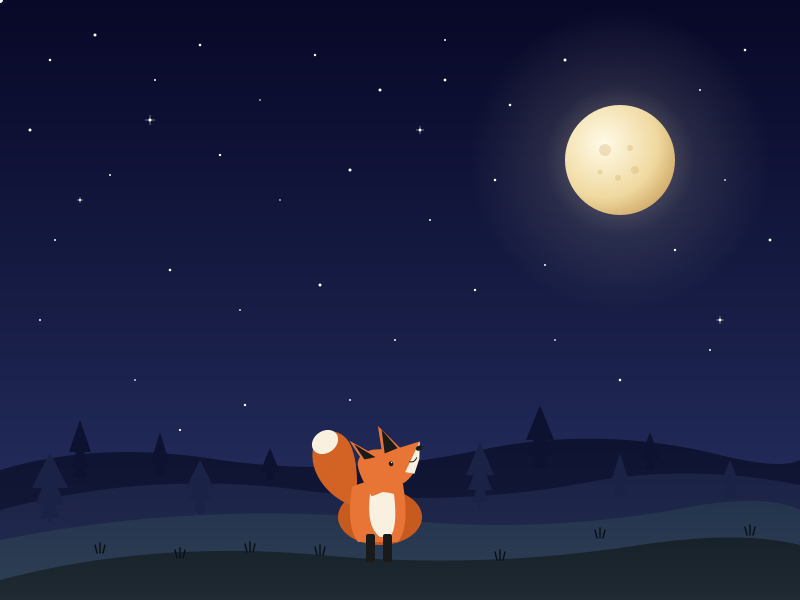
<svg xmlns="http://www.w3.org/2000/svg" viewBox="0 0 800 600">
  <defs>
    <linearGradient id="sky" x1="0" y1="0" x2="0" y2="1">
      <stop offset="0%" stop-color="#080828"/>
      <stop offset="50%" stop-color="#161c44"/>
      <stop offset="100%" stop-color="#2a3468"/>
    </linearGradient>

    <radialGradient id="moonGlow" cx="50%" cy="50%" r="50%">
      <stop offset="0%" stop-color="#fff5d0" stop-opacity="0.6"/>
      <stop offset="20%" stop-color="#fff5d0" stop-opacity="0.3"/>
      <stop offset="50%" stop-color="#fff5d0" stop-opacity="0.1"/>
      <stop offset="100%" stop-color="#fff5d0" stop-opacity="0"/>
    </radialGradient>

    <radialGradient id="moonBody" cx="35%" cy="35%" r="70%">
      <stop offset="0%" stop-color="#fffbe8"/>
      <stop offset="70%" stop-color="#f0d9a0"/>
      <stop offset="100%" stop-color="#d4b070"/>
    </radialGradient>

    <linearGradient id="hill1" x1="0" y1="0" x2="0" y2="1">
      <stop offset="0%" stop-color="#0d1230"/>
      <stop offset="100%" stop-color="#161c3c"/>
    </linearGradient>

    <linearGradient id="hill2" x1="0" y1="0" x2="0" y2="1">
      <stop offset="0%" stop-color="#1a2245"/>
      <stop offset="100%" stop-color="#252c52"/>
    </linearGradient>

    <linearGradient id="hill3" x1="0" y1="0" x2="0" y2="1">
      <stop offset="0%" stop-color="#23334d"/>
      <stop offset="100%" stop-color="#2e4055"/>
    </linearGradient>

    <linearGradient id="hillFront" x1="0" y1="0" x2="0" y2="1">
      <stop offset="0%" stop-color="#152028"/>
      <stop offset="100%" stop-color="#1f2a32"/>
    </linearGradient>
  </defs>

  <!-- Sky -->
  <rect width="800" height="600" fill="url(#sky)"/>

  <!-- Stars (twinkling) -->
  <g fill="white">
    <circle cx="50" cy="60" r="1.3"><animate attributeName="opacity" values="0.3;1;0.3" dur="2s" repeatCount="indefinite"/></circle>
    <circle cx="95" cy="35" r="1.5"><animate attributeName="opacity" values="1;0.4;1" dur="2.3s" repeatCount="indefinite"/></circle>
    <circle cx="155" cy="80" r="1"><animate attributeName="opacity" values="0.4;1;0.4" dur="1.8s" repeatCount="indefinite"/></circle>
    <circle cx="200" cy="45" r="1.3"><animate attributeName="opacity" values="1;0.3;1" dur="2.5s" repeatCount="indefinite"/></circle>
    <circle cx="260" cy="100" r="0.8"><animate attributeName="opacity" values="0.5;1;0.5" dur="1.6s" repeatCount="indefinite"/></circle>
    <circle cx="315" cy="55" r="1.2"><animate attributeName="opacity" values="1;0.4;1" dur="2.1s" repeatCount="indefinite"/></circle>
    <circle cx="380" cy="90" r="1.5"><animate attributeName="opacity" values="0.3;1;0.3" dur="2.7s" repeatCount="indefinite"/></circle>
    <circle cx="445" cy="40" r="1"><animate attributeName="opacity" values="1;0.5;1" dur="2s" repeatCount="indefinite"/></circle>
    <circle cx="510" cy="105" r="1.3"><animate attributeName="opacity" values="0.4;1;0.4" dur="2.4s" repeatCount="indefinite"/></circle>
    <circle cx="565" cy="60" r="1.5"><animate attributeName="opacity" values="1;0.3;1" dur="2.2s" repeatCount="indefinite"/></circle>
    <circle cx="700" cy="90" r="1"><animate attributeName="opacity" values="0.3;1;0.3" dur="2.6s" repeatCount="indefinite"/></circle>
    <circle cx="745" cy="50" r="1.3"><animate attributeName="opacity" values="1;0.4;1" dur="1.9s" repeatCount="indefinite"/></circle>
    <circle cx="30" cy="130" r="1.5"><animate attributeName="opacity" values="0.4;1;0.4" dur="2.3s" repeatCount="indefinite"/></circle>
    <circle cx="110" cy="175" r="1"><animate attributeName="opacity" values="1;0.3;1" dur="2.5s" repeatCount="indefinite"/></circle>
    <circle cx="220" cy="155" r="1.2"><animate attributeName="opacity" values="0.5;1;0.5" dur="1.7s" repeatCount="indefinite"/></circle>
    <circle cx="280" cy="200" r="0.8"><animate attributeName="opacity" values="1;0.4;1" dur="2.8s" repeatCount="indefinite"/></circle>
    <circle cx="350" cy="170" r="1.5"><animate attributeName="opacity" values="0.3;1;0.3" dur="2s" repeatCount="indefinite"/></circle>
    <circle cx="430" cy="220" r="1"><animate attributeName="opacity" values="1;0.4;1" dur="2.4s" repeatCount="indefinite"/></circle>
    <circle cx="495" cy="180" r="1.3"><animate attributeName="opacity" values="0.4;1;0.4" dur="2.1s" repeatCount="indefinite"/></circle>
    <circle cx="545" cy="265" r="1"><animate attributeName="opacity" values="1;0.3;1" dur="1.8s" repeatCount="indefinite"/></circle>
    <circle cx="675" cy="250" r="1.2"><animate attributeName="opacity" values="0.5;1;0.5" dur="2.5s" repeatCount="indefinite"/></circle>
    <circle cx="725" cy="180" r="0.9"><animate attributeName="opacity" values="1;0.4;1" dur="2.2s" repeatCount="indefinite"/></circle>
    <circle cx="770" cy="240" r="1.4"><animate attributeName="opacity" values="0.3;1;0.3" dur="2.6s" repeatCount="indefinite"/></circle>
    <circle cx="55" cy="240" r="1"><animate attributeName="opacity" values="1;0.5;1" dur="1.9s" repeatCount="indefinite"/></circle>
    <circle cx="170" cy="270" r="1.3"><animate attributeName="opacity" values="0.4;1;0.4" dur="2.3s" repeatCount="indefinite"/></circle>
    <circle cx="240" cy="310" r="0.9"><animate attributeName="opacity" values="1;0.3;1" dur="2s" repeatCount="indefinite"/></circle>
    <circle cx="320" cy="285" r="1.5"><animate attributeName="opacity" values="0.3;1;0.3" dur="2.7s" repeatCount="indefinite"/></circle>
    <circle cx="395" cy="340" r="1"><animate attributeName="opacity" values="1;0.4;1" dur="2.2s" repeatCount="indefinite"/></circle>
    <circle cx="475" cy="290" r="1.2"><animate attributeName="opacity" values="0.5;1;0.5" dur="1.8s" repeatCount="indefinite"/></circle>
    <circle cx="555" cy="340" r="0.9"><animate attributeName="opacity" values="1;0.3;1" dur="2.4s" repeatCount="indefinite"/></circle>
    <circle cx="620" cy="380" r="1.3"><animate attributeName="opacity" values="0.4;1;0.4" dur="2.1s" repeatCount="indefinite"/></circle>
    <circle cx="710" cy="350" r="1"><animate attributeName="opacity" values="1;0.5;1" dur="2.5s" repeatCount="indefinite"/></circle>
    <circle cx="135" cy="380" r="0.9"><animate attributeName="opacity" values="0.3;1;0.3" dur="1.7s" repeatCount="indefinite"/></circle>
    <circle cx="245" cy="405" r="1.2"><animate attributeName="opacity" values="1;0.4;1" dur="2.3s" repeatCount="indefinite"/></circle>
    <circle cx="40" cy="320" r="1"><animate attributeName="opacity" values="0.5;1;0.5" dur="2s" repeatCount="indefinite"/></circle>
    <circle cx="445" cy="80" r="1.4"><animate attributeName="opacity" values="1;0.3;1" dur="2.6s" repeatCount="indefinite"/></circle>
    <circle cx="585" cy="120" r="1.1"><animate attributeName="opacity" values="0.4;1;0.4" dur="2.2s" repeatCount="indefinite"/></circle>
    <circle cx="350" cy="400" r="1"><animate attributeName="opacity" values="1;0.4;1" dur="2.3s" repeatCount="indefinite"/></circle>
    <circle cx="180" cy="430" r="1.1"><animate attributeName="opacity" values="0.3;1;0.3" dur="2.5s" repeatCount="indefinite"/></circle>
  </g>

  <!-- Sparkle stars -->
  <g stroke="white" stroke-width="0.4">
    <g transform="translate(150, 120)">
      <line x1="-5" y1="0" x2="5" y2="0"/>
      <line x1="0" y1="-5" x2="0" y2="5"/>
      <circle r="1.3" fill="white"/>
      <animate attributeName="opacity" values="0.5;1;0.5" dur="2.5s" repeatCount="indefinite"/>
    </g>
    <g transform="translate(420, 130)">
      <line x1="-4" y1="0" x2="4" y2="0"/>
      <line x1="0" y1="-4" x2="0" y2="4"/>
      <circle r="1.2" fill="white"/>
      <animate attributeName="opacity" values="1;0.4;1" dur="3s" repeatCount="indefinite"/>
    </g>
    <g transform="translate(720, 320)">
      <line x1="-4" y1="0" x2="4" y2="0"/>
      <line x1="0" y1="-4" x2="0" y2="4"/>
      <circle r="1.2" fill="white"/>
      <animate attributeName="opacity" values="0.6;1;0.6" dur="2.2s" repeatCount="indefinite"/>
    </g>
    <g transform="translate(80, 200)">
      <line x1="-3" y1="0" x2="3" y2="0"/>
      <line x1="0" y1="-3" x2="0" y2="3"/>
      <circle r="1" fill="white"/>
      <animate attributeName="opacity" values="1;0.5;1" dur="2.7s" repeatCount="indefinite"/>
    </g>
  </g>

  <!-- Moon with glow -->
  <g>
    <circle cx="620" cy="160" r="150" fill="url(#moonGlow)"/>
    <circle cx="620" cy="160" r="55" fill="url(#moonBody)"/>
    <circle cx="605" cy="150" r="6" fill="#d4b070" opacity="0.35"/>
    <circle cx="635" cy="170" r="4" fill="#d4b070" opacity="0.35"/>
    <circle cx="618" cy="178" r="3" fill="#d4b070" opacity="0.35"/>
    <circle cx="630" cy="148" r="3" fill="#d4b070" opacity="0.35"/>
    <circle cx="600" cy="172" r="2.5" fill="#d4b070" opacity="0.35"/>
  </g>

  <!-- Shooting star (first appears within 2 seconds, then every 4 seconds) -->
  <g>
    <g>
      <line x1="-55" y1="-28" x2="-8" y2="-4" stroke="white" stroke-width="2" opacity="0.5" stroke-linecap="round"/>
      <line x1="-28" y1="-14" x2="0" y2="0" stroke="white" stroke-width="2.5" opacity="0.9" stroke-linecap="round"/>
      <circle cx="0" cy="0" r="3" fill="white"/>
      <animateTransform attributeName="transform" type="translate"
        values="80,80; 720,330"
        keyTimes="0; 0.5"
        dur="4s"
        repeatCount="indefinite"/>
    </g>
    <animate attributeName="opacity"
      values="0; 0; 1; 1; 0; 0"
      keyTimes="0; 0.125; 0.15; 0.5; 0.55; 1"
      dur="4s"
      repeatCount="indefinite"/>
  </g>

  <!-- Distant hills (layer 1) -->
  <path d="M 0 470 Q 100 440 220 460 Q 350 478 480 450 Q 600 425 720 455 Q 780 470 800 460 L 800 600 L 0 600 Z"
        fill="url(#hill1)"/>

  <!-- Distant trees -->
  <g fill="#0d1230">
    <polygon points="80,455 73,478 87,478"/>
    <polygon points="80,438 71,468 89,468"/>
    <polygon points="80,420 69,452 91,452"/>
    <rect x="78" y="476" width="3" height="6"/>

    <polygon points="160,450 155,475 165,475"/>
    <polygon points="160,432 150,465 170,465"/>

    <polygon points="270,463 265,480 275,480"/>
    <polygon points="270,448 260,472 280,472"/>

    <polygon points="540,440 533,468 547,468"/>
    <polygon points="540,422 528,455 552,455"/>
    <polygon points="540,405 526,440 554,440"/>

    <polygon points="650,448 645,470 655,470"/>
    <polygon points="650,432 640,460 660,460"/>
  </g>

  <!-- Mid hills (layer 2) -->
  <path d="M 0 510 Q 150 470 300 490 Q 450 510 600 480 Q 700 465 800 485 L 800 600 L 0 600 Z"
        fill="url(#hill2)"/>

  <!-- Mid trees -->
  <g fill="#1a2245">
    <polygon points="50,490 40,518 60,518"/>
    <polygon points="50,470 35,505 65,505"/>
    <polygon points="50,452 32,488 68,488"/>
    <rect x="48" y="515" width="3" height="7"/>

    <polygon points="200,490 193,512 207,512"/>
    <polygon points="200,475 188,500 212,500"/>
    <polygon points="200,460 186,488 214,488"/>
    <rect x="198" y="510" width="3" height="7"/>

    <polygon points="480,475 472,502 488,502"/>
    <polygon points="480,458 468,490 492,490"/>
    <polygon points="480,442 466,475 494,475"/>
    <rect x="478" y="500" width="3" height="8"/>

    <polygon points="620,470 614,495 626,495"/>
    <polygon points="620,453 610,485 630,485"/>

    <polygon points="730,475 723,498 737,498"/>
    <polygon points="730,460 720,485 740,485"/>
  </g>

  <!-- Mid hills (layer 3) -->
  <path d="M 0 540 Q 200 500 400 520 Q 550 535 700 505 Q 770 495 800 510 L 800 600 L 0 600 Z"
        fill="url(#hill3)"/>

  <!-- Foreground hill -->
  <path d="M 0 580 Q 150 540 320 555 Q 480 570 640 545 Q 740 530 800 545 L 800 600 L 0 600 Z"
        fill="url(#hillFront)"/>

  <!-- Grass tufts -->
  <g stroke="#0a1018" stroke-width="1.5" fill="none" stroke-linecap="round">
    <path d="M 100 553 L 100 543 M 103 553 L 105 545 M 97 553 L 95 545"/>
    <path d="M 250 552 L 250 542 M 253 552 L 255 544 M 247 552 L 245 544"/>
    <path d="M 500 560 L 500 550 M 503 560 L 505 552 M 497 560 L 495 552"/>
    <path d="M 600 538 L 600 528 M 603 538 L 605 530 M 597 538 L 595 530"/>
    <path d="M 750 535 L 750 525 M 753 535 L 755 527 M 747 535 L 745 527"/>
    <path d="M 180 558 L 180 548 M 183 558 L 185 550 M 177 558 L 175 550"/>
    <path d="M 320 555 L 320 545 M 323 555 L 325 547 M 317 555 L 315 547"/>
  </g>

  <!-- Fox sitting on hill, looking up at moon -->
  <g transform="translate(380, 542)">
    <!-- Hindquarters -->
    <ellipse cx="0" cy="-25" rx="42" ry="28" fill="#c75a1f"/>

    <!-- Bushy tail (with swaying animation) -->
    <g>
      <path d="M -25 -35
               C -55 -45 -75 -75 -65 -100
               C -55 -118 -32 -112 -27 -90
               C -22 -75 -22 -50 -25 -35 Z"
            fill="#d26325"/>
      <ellipse cx="-55" cy="-100" rx="14" ry="11" fill="#faf0e0" transform="rotate(-35 -55 -100)"/>
      <animateTransform attributeName="transform" type="rotate"
        values="-4 -25 -35; 5 -25 -35; -4 -25 -35"
        dur="3s" repeatCount="indefinite"/>
    </g>

    <!-- Body -->
    <path d="M -28 -55
             Q -34 -15 -22 0
             L 18 0
             Q 30 -15 23 -58
             Q 0 -68 -28 -55 Z"
          fill="#e87535"/>

    <!-- White belly/chest -->
    <path d="M -10 -48
             Q -14 -15 0 -5
             L 10 -5
             Q 18 -15 14 -48
             Q 0 -52 -10 -48 Z"
          fill="#faf0e0"/>

    <!-- Front legs (paws) -->
    <rect x="-14" y="-8" width="9" height="28" rx="2" fill="#1a1a1a"/>
    <rect x="3" y="-8" width="9" height="28" rx="2" fill="#1a1a1a"/>

    <!-- Head (tilted up to look at moon) -->
    <g transform="rotate(-22 15 -55)">
      <!-- Combined head + snout -->
      <path d="M -10 -55
               Q -15 -85 -10 -92
               Q -5 -100 8 -98
               Q 18 -95 30 -90
               L 55 -88
               L 48 -72
               Q 35 -55 20 -55
               L -10 -55 Z"
            fill="#e87535"/>

      <!-- White muzzle -->
      <polygon points="30,-65 55,-88 48,-72 38,-60" fill="#faf0e0"/>

      <!-- Pointy ears -->
      <path d="M -5 -90 L -10 -115 L 12 -88 Z" fill="#e87535"/>
      <path d="M 15 -88 L 22 -118 L 35 -88 Z" fill="#e87535"/>

      <!-- Inner ears (dark) -->
      <path d="M -3 -92 L -7 -110 L 8 -90 Z" fill="#1a1a1a"/>
      <path d="M 18 -90 L 24 -113 L 32 -90 Z" fill="#1a1a1a"/>

      <!-- Nose -->
      <ellipse cx="52" cy="-82" rx="3.5" ry="2.5" fill="#1a1a1a"/>

      <!-- Mouth -->
      <path d="M 46 -74 Q 42 -70 38 -73" stroke="#1a1a1a" stroke-width="1" fill="none" stroke-linecap="round"/>

      <!-- Eye -->
      <ellipse cx="20" cy="-78" rx="2.2" ry="2.5" fill="#1a1a1a"/>
      <circle cx="21" cy="-79" r="0.7" fill="#fff"/>
    </g>
  </g>
</svg>
Reasoning trace (66,342 tokens)
Let me create a beautiful SVG illustration of a fox on a hill at night with subtle animations. I need to plan this carefully:
1. ViewBox: 0 0 800 600
2. Components needed:
- Night sky background with gradient
- Moon with soft glow
- Many twinkling stars
- Shooting star every 4 seconds (first within 2 seconds)
- Distant hills (silhouettes)
- Trees
- Foreground hill
- Fox (sitting, looking at moon)
- Pointy ears
- Snout
- Bushy tail with white tip
- Fox's tail swaying gently
Let me design the fox:
- Body: orange/red color
- White belly, chest, snout tip
- Black ears tips, nose, eyes
- Bushy curled tail with white tip
- Sitting pose looking up at moon
Let me design the colors:
- Sky gradient: deep navy to dark blue
- Moon: cream/yellow with glow
- Stars: white with yellow tint
- Hills: dark purple/navy silhouettes
- Fox: orange (#E8702A) with white accents
- Trees: very dark silhouettes
Let me start building this:
```svg
<svg viewBox="0 0 800 600" xmlns="http://www.w3.org/2000/svg">
<!-- Sky gradient -->
<defs>
<linearGradient id="skyGradient" x1="0%" y1="0%" x2="0%" y2="100%">
<stop offset="0%" stop-color="#0a0e2e"/>
<stop offset="50%" stop-color="#1a1f4e"/>
<stop offset="100%" stop-color="#2a3068"/>
</linearGradient>
<!-- Moon glow -->
<radialGradient id="moonGlow" cx="50%" cy="50%" r="50%">
<stop offset="0%" stop-color="#fff8e0" stop-opacity="0.6"/>
<stop offset="50%" stop-color="#fff8e0" stop-opacity="0.2"/>
<stop offset="100%" stop-color="#fff8e0" stop-opacity="0"/>
</radialGradient>
<!-- Moon body -->
<radialGradient id="moonBody" cx="40%" cy="40%" r="60%">
<stop offset="0%" stop-color="#fffaeb"/>
<stop offset="100%" stop-color="#f5e6b3"/>
</radialGradient>
</defs>
<!-- Background -->
<rect width="800" height="600" fill="url(#skyGradient)"/>
<!-- Stars -->
...
</svg>
```
Let me think about the fox design more carefully. A sitting fox in profile looking up:
The fox will be on the right side of the hill, sitting on its haunches, head tilted up looking at the moon.
Fox coordinates (centered around x=500, y=400):
- Body: oval/curved shape, sitting
- Head: pointed snout, tilted up
- Ears: two triangles on top of head
- Tail: bushy curled around the side
- Legs: front legs visible, back legs tucked
Let me sketch this:
Body: an oval shape ~80px wide, 100px tall
Head: smaller oval with snout pointing up-right
Ears: two pointed triangles
Tail: large curved shape with white tip
Actually, let me think of a classic sitting fox pose:
- The fox sits on its hind legs
- Front legs straight down or slightly bent
- Tail curls around to the front/side
- Head looks up
I'll create the fox facing right (toward where the moon will be on the right side, or moon on the right and fox on left looking right).
Let me put the moon in the upper right area (around 650, 150) and fox on a hill on the left (around 300, 400) looking up at the moon.
Fox design (looking right):
- Hindquarter/back: curves
- Body slants up to head
- Head with pointed snout going right
- Two ears pointing up
- Front legs straight down
- Tail: bushy, curls up over the back
Actually, let me put the moon on the upper-left so the fox faces left, OR put the fox more central with the moon above it.
I'll put the moon in the upper right (around 620, 150) and fox on the hill at around (400, 400) facing right looking up.
Let me design the fox path more carefully:
Fox body sitting position, facing right:
- Bottom of body: y=480 (sitting on hill)
- Top of head: y=370
- Width: about 100-120px
- Tail starts from the back (left side of body) and curls up over the back
Let me code this step by step:
```
<!-- Fox -->
<g id="fox">
<!-- Tail (behind body) -->
<path d="M 350 450 Q 280 400 290 340 Q 295 320 320 330 Q 340 350 360 400 Z" fill="#D9632A"/>
<!-- White tail tip -->
<path d="M 295 350 Q 290 330 305 325 Q 315 325 318 340 Q 315 355 305 360 Z" fill="#F5E6D3"/>
<!-- Body -->
<ellipse cx="400" cy="440" rx="55" ry="60" fill="#E8702A"/>
<!-- White belly -->
<ellipse cx="410" cy="460" rx="35" ry="45" fill="#F5E6D3"/>
<!-- Front legs -->
<rect x="385" y="470" width="12" height="40" fill="#E8702A"/>
<rect x="410" y="470" width="12" height="40" fill="#E8702A"/>
<!-- Head -->
<ellipse cx="450" cy="400" rx="35" ry="30" fill="#E8702A" transform="rotate(-15 450 400)"/>
<!-- Snout -->
<path d="M 470 395 L 500 400 L 470 415 Z" fill="#F5E6D3"/>
<!-- Nose -->
<circle cx="495" cy="402" r="3" fill="#1a1a1a"/>
<!-- Ears -->
<path d="M 425 375 L 430 350 L 445 370 Z" fill="#E8702A"/>
<path d="M 445 370 L 455 345 L 465 375 Z" fill="#E8702A"/>
<!-- Inner ears -->
<path d="M 432 370 L 435 358 L 442 368 Z" fill="#1a1a1a"/>
<path d="M 451 367 L 456 353 L 461 370 Z" fill="#1a1a1a"/>
<!-- Eyes -->
<circle cx="465" cy="395" r="2.5" fill="#1a1a1a"/>
</g>
```
Hmm, this is getting complex. Let me think about a cleaner approach.
I'll create a stylized fox silhouette/path approach. Let me use simple shapes that compose a recognizable fox:
Looking at the fox in profile sitting:
- The body forms a teardrop or pear shape
- The head sits on top with two pointy ears
- The tail curls up and over the back
For a fox sitting and looking up at the moon:
- Head tilted upward
- Snout pointing up
Let me try a cleaner design:
```
<!-- Fox body and head as a single path -->
<path d="
M 320 480 <!-- bottom of back leg -->
L 320 430 <!-- back leg up -->
Q 320 380 350 360 <!-- back curves up -->
L 380 340 <!-- continues up to neck -->
Q 380 320 400 310 <!-- neck -->
L 410 290 <!-- head bottom -->
L 440 270 <!-- snout tip -->
L 445 285 <!-- top of snout -->
L 425 310 <!-- head top -->
L 430 290 <!-- ear 1 start -->
L 420 260 <!-- ear 1 tip -->
L 415 290 <!-- ear 1 end -->
L 410 295 <!-- between ears -->
L 405 280 <!-- ear 2 start -->
L 395 255 <!-- ear 2 tip -->
L 385 285 <!-- ear 2 end -->
L 380 305 <!-- back of head -->
Q 360 320 340 340 <!-- back of neck -->
Q 330 380 330 420 <!-- back -->
L 330 480 <!-- back down -->
Z" fill="#E8702A"/>
```
This is getting too complex. Let me use a simpler approach with separate shapes:
Fox in profile, looking up to the right (moon in upper right):
- Body: rounded teardrop
- Head: pointed snout going up-right
- Ears: two triangles pointing up
- Tail: bushy curl behind
- Legs: visible front legs
Let me build this with cleaner SVG:
```svg
<g id="fox" transform="translate(380, 380)">
<!-- Tail (rendered first so it goes behind body) -->
<g id="tail">
<path d="M -10 40 Q -60 20 -50 -30 Q -40 -50 -20 -40 Q -10 -20 5 10 Z" fill="#D9632A"/>
<path d="M -48 -25 Q -50 -45 -35 -45 Q -25 -40 -30 -25 Z" fill="#F5E6D3"/>
<animateTransform attributeName="transform" type="rotate"
values="-5 -30 0; 5 -30 0; -5 -30 0"
dur="3s" repeatCount="indefinite"/>
</g>
<!-- Body -->
<ellipse cx="0" cy="40" rx="40" ry="50" fill="#E8702A"/>
<!-- White chest/belly -->
<ellipse cx="10" cy="50" rx="22" ry="35" fill="#F5E6D3"/>
<!-- Front legs -->
<rect x="-15" y="70" width="10" height="35" rx="3" fill="#1a1a1a"/>
<rect x="5" y="70" width="10" height="35" rx="3" fill="#1a1a1a"/>
<!-- Head -->
<ellipse cx="30" cy="-10" rx="30" ry="25" fill="#E8702A" transform="rotate(-25 30 -10)"/>
<!-- White cheek/snout -->
<ellipse cx="40" cy="-5" rx="18" ry="15" fill="#F5E6D3" transform="rotate(-25 40 -5)"/>
<!-- Ears -->
<path d="M 10 -30 L 5 -55 L 25 -35 Z" fill="#E8702A"/>
<path d="M 30 -35 L 30 -60 L 45 -35 Z" fill="#E8702A"/>
<path d="M 12 -33 L 10 -48 L 20 -35 Z" fill="#1a1a1a"/>
<path d="M 32 -37 L 32 -52 L 42 -36 Z" fill="#1a1a1a"/>
<!-- Nose -->
<circle cx="55" cy="-15" r="3" fill="#1a1a1a"/>
<!-- Eye -->
<circle cx="40" cy="-15" r="2" fill="#1a1a1a"/>
</g>
```
Hmm, this is still messy. Let me try to design it more carefully with proportions.
Actually, let me step back and design the whole composition:
Canvas: 800x600
Background layers (back to front):
1. Sky gradient
2. Moon (top-right area, ~x=620, y=150)
3. Stars scattered
4. Shooting star (animated)
5. Distant hills silhouette (very dark)
6. Middle hills (slightly lighter)
7. Trees on hills
8. Foreground hill (with grass)
9. Fox sitting on hill
10. Some grass tufts
Moon: 80px diameter at (620, 150) with a soft glow extending 150px
Stars: ~30-40 stars of varying sizes with twinkling animation
Distant hills: rolling silhouettes in dark blue/purple
Foreground hill: green-blue with grass texture
Fox: on the left/center hill, ~120px tall
Let me redesign the fox more carefully. A sitting fox in profile looking up:
The classic fox-sitting pose has:
- Hind legs folded under, creating a wide base
- Body upright
- Front legs straight
- Head turned slightly
- Tail wrapped around or curled beside
I'll go with a stylized geometric fox that's clearly recognizable:
```
Fox components (using x,y origin at fox center bottom):
- Hindquarters: rounded rectangle bottom
- Body: trapezoid getting narrower toward head
- Head: triangular with snout
- Ears: two triangles
- Tail: curved path with white tip
- Legs: visible front legs
Let me use these coordinates relative to fox position (300, 450):
```
I'll build it now:
```svg
<g id="fox" transform="translate(0,0)">
<!-- Tail (behind body, with sway animation) -->
<g id="tailGroup" style="transform-origin: 320px 420px;">
<path d="M 320 430
C 290 410, 270 380, 280 340
C 285 320, 305 315, 320 330
C 335 350, 350 400, 350 430 Z"
fill="#D9632A"/>
<path d="M 285 350
C 280 330, 290 318, 305 322
C 315 325, 320 340, 315 355 Z"
fill="#F5E6D3"/>
<animateTransform attributeName="transform"
type="rotate"
values="-3 320 430; 3 320 430; -3 320 430"
dur="3s"
repeatCount="indefinite"/>
</g>
<!-- Hind legs (sitting position) -->
<ellipse cx="340" cy="490" rx="35" ry="20" fill="#C95A1F"/>
<!-- Body -->
<path d="M 320 430
Q 320 380 360 360
L 380 480
Q 320 490 320 460 Z"
fill="#E8702A"/>
<!-- White chest -->
<path d="M 350 380
Q 345 410 360 470
Q 345 475 335 460
Q 340 420 345 385 Z"
fill="#F5E6D3"/>
<!-- Front legs -->
<rect x="345" y="475" width="10" height="30" rx="2" fill="#1a1a1a"/>
<rect x="365" y="475" width="10" height="30" rx="2" fill="#1a1a1a"/>
<!-- Head (looking up-right) -->
<path d="M 360 360
Q 360 330 380 320
Q 410 310 425 325
L 445 305
L 450 320
L 430 335
Q 420 350 410 360
Q 385 375 370 370 Z"
fill="#E8702A"/>
<!-- Snout/cheek white -->
<path d="M 410 330
Q 415 340 425 335
L 445 318
L 448 325
L 430 340
Q 420 348 410 345 Z"
fill="#F5E6D3"/>
<!-- Ears -->
<path d="M 370 325 L 372 290 L 390 320 Z" fill="#E8702A"/>
<path d="M 395 320 L 400 285 L 415 320 Z" fill="#E8702A"/>
<!-- Inner ears -->
<path d="M 375 320 L 376 300 L 386 320 Z" fill="#1a1a1a"/>
<path d="M 400 318 L 402 295 L 410 318 Z" fill="#1a1a1a"/>
<!-- Nose -->
<circle cx="447" cy="320" r="3" fill="#1a1a1a"/>
<!-- Eye -->
<circle cx="425" cy="325" r="2" fill="#1a1a1a"/>
</g>
```
This is getting complicated. Let me try a different approach - I'll build the fox using a cleaner path-based design.
Actually, let me just write the complete SVG and iterate. I'll focus on getting something that works visually.
For the shooting star animation:
- It should appear, move across the sky, and fade out
- Every 4 seconds, with the first within 2 seconds
- Total duration: 4 seconds (3.5s animation + 0.5s rest)
- Path: diagonal across the sky
For the twinkling stars:
- Use opacity animation with staggered timing
- Each star has a slightly different animation duration to avoid synchronization
For the tail swaying:
- Use animateTransform with rotate
- Slow gentle sway, ~3 second period
Let me write the full SVG now:
```svg
<svg xmlns="http://www.w3.org/2000/svg" viewBox="0 0 800 600">
<defs>
<!-- Sky gradient -->
<linearGradient id="sky" x1="0" y1="0" x2="0" y2="1">
<stop offset="0%" stop-color="#0a0a2a"/>
<stop offset="50%" stop-color="#1a1f4a"/>
<stop offset="100%" stop-color="#2d2f5f"/>
</linearGradient>
<!-- Moon glow -->
<radialGradient id="moonGlow" cx="50%" cy="50%" r="50%">
<stop offset="0%" stop-color="#fff8d0" stop-opacity="0.5"/>
<stop offset="40%" stop-color="#fff8d0" stop-opacity="0.2"/>
<stop offset="100%" stop-color="#fff8d0" stop-opacity="0"/>
</radialGradient>
<!-- Moon body -->
<radialGradient id="moonBody" cx="40%" cy="40%" r="60%">
<stop offset="0%" stop-color="#fffaeb"/>
<stop offset="80%" stop-color="#f5e6b3"/>
<stop offset="100%" stop-color="#e8d490"/>
</radialGradient>
<!-- Hill gradients -->
<linearGradient id="hill1" x1="0" y1="0" x2="0" y2="1">
<stop offset="0%" stop-color="#1a1f4a"/>
<stop offset="100%" stop-color="#2a2f5f"/>
</linearGradient>
<linearGradient id="hill2" x1="0" y1="0" x2="0" y2="1">
<stop offset="0%" stop-color="#2a2f5a"/>
<stop offset="100%" stop-color="#3a3f6f"/>
</linearGradient>
<linearGradient id="hill3" x1="0" y1="0" x2="0" y2="1">
<stop offset="0%" stop-color="#3a4a4f"/>
<stop offset="100%" stop-color="#4a5a5f"/>
</linearGradient>
</defs>
<!-- Sky -->
<rect width="800" height="600" fill="url(#sky)"/>
<!-- Stars (with twinkling) -->
<g id="stars">
<!-- Generate many stars with different sizes and animation delays -->
<circle cx="100" cy="80" r="1.5" fill="#fff">
<animate attributeName="opacity" values="0.3;1;0.3" dur="2s" repeatCount="indefinite"/>
</circle>
<!-- ... more stars ... -->
</g>
<!-- Moon -->
<circle cx="620" cy="150" r="100" fill="url(#moonGlow)"/>
<circle cx="620" cy="150" r="55" fill="url(#moonBody)"/>
<!-- Moon craters -->
<circle cx="605" cy="140" r="6" fill="#e8d490" opacity="0.4"/>
<circle cx="635" cy="160" r="4" fill="#e8d490" opacity="0.4"/>
<circle cx="615" cy="170" r="3" fill="#e8d490" opacity="0.4"/>
<!-- Shooting star -->
<g id="shootingStar">
<line x1="0" y1="0" x2="0" y2="0" stroke="#fff" stroke-width="2">
<animate attributeName="x1" from="-100" to="700" dur="1s" repeatCount="1"/>
<!-- ... -->
</line>
</g>
<!-- Distant hills -->
<path d="M 0 450 Q 200 380 400 420 T 800 400 L 800 600 L 0 600 Z" fill="url(#hill1)"/>
<!-- Mid hills -->
<path d="M 0 500 Q 200 440 400 480 T 800 460 L 800 600 L 0 600 Z" fill="url(#hill2)"/>
<!-- Foreground hill -->
<path d="M 0 550 Q 300 480 600 530 T 800 520 L 800 600 L 0 600 Z" fill="url(#hill3)"/>
<!-- Trees -->
<g id="trees">
<!-- ... -->
</g>
<!-- Fox -->
<g id="fox">
<!-- ... -->
</g>
</svg>
```
Let me now flesh out the details and make a complete, polished SVG.
For the fox, I think the cleanest approach is to use a stylized side view. Let me design it as:
The fox sits on the hill, facing right (toward the moon). I'll position the fox at around (350, 470) and have it look up-right.
A cleaner fox design:
- Use rounded organic shapes
- Make the silhouette unmistakable
Let me draft the fox coordinates more carefully:
Body (sitting fox, facing right):
- Tail base: (290, 450)
- Tail tip: white, going up
- Back/butt: (320, 480)
- Front of body: (380, 480)
- Top of body: (380, 400)
- Head: (400-450, 360-410)
- Ears: pointing up from top of head
- Snout: extending right and up
Let me draw it:
```
Path for body (orange):
M 290 470 (start at tail base bottom)
Q 285 460 290 450 (curve up tail side)
Q 295 420 320 410 (curve into back)
Q 330 395 345 395 (back to neck)
L 360 395 (neck top)
Q 370 380 380 370 (head starts)
L 405 360 (top of head going to ear area)
... head and ears ...
L 425 380 (down to snout)
Q 445 378 460 372 (snout top)
L 465 380 (nose tip)
Q 445 395 420 400 (under snout)
Q 400 410 380 415 (chin/neck)
L 360 470 (front of body)
Q 320 475 290 470 (back to start)
Z
```
OK let me just write it out. I'll use simpler shapes.
Actually, let me take a different approach - I'll build the fox from simpler primitives that compose nicely:
```svg
<!-- Fox built from primitives -->
<g id="fox">
<!-- Tail (with animation) -->
<g id="tail">
<animateTransform attributeName="transform" type="rotate"
values="-3 320 450; 4 320 450; -3 320 450"
dur="3s" repeatCount="indefinite"/>
<!-- Tail shape -->
<path d="M 320 450 Q 270 420 280 360 Q 285 335 310 340 Q 330 350 340 400 Q 345 430 330 450 Z"
fill="#C95A1F"/>
<!-- White tail tip -->
<ellipse cx="295" cy="355" rx="15" ry="18" fill="#FAF0E0" transform="rotate(-20 295 355)"/>
</g>
<!-- Back legs (sitting) -->
<path d="M 305 480 Q 305 460 320 455 L 360 460 Q 380 470 380 485 Z" fill="#C95A1F"/>
<!-- Main body -->
<path d="M 320 460 Q 320 410 360 400 Q 380 400 395 420 L 405 480 Q 380 490 320 485 Z"
fill="#E8702A"/>
<!-- White belly/chest -->
<path d="M 360 425 Q 355 460 365 480 Q 380 485 390 480 Q 395 460 385 430 Z"
fill="#FAF0E0"/>
<!-- Front legs -->
<rect x="355" y="478" width="8" height="25" rx="2" fill="#1a1a1a"/>
<rect x="380" y="478" width="8" height="25" rx="2" fill="#1a1a1a"/>
<!-- Head -->
<ellipse cx="395" cy="385" rx="32" ry="28" fill="#E8702A"/>
<!-- White snout area -->
<path d="M 405 380 Q 425 375 440 370 L 445 380 Q 425 395 405 395 Z" fill="#FAF0E0"/>
<!-- Ears -->
<path d="M 370 365 L 365 335 L 385 360 Z" fill="#E8702A"/>
<path d="M 395 355 L 405 325 L 415 360 Z" fill="#E8702A"/>
<path d="M 373 360 L 370 345 L 380 358 Z" fill="#1a1a1a"/>
<path d="M 398 355 L 405 340 L 410 358 Z" fill="#1a1a1a"/>
<!-- Nose -->
<ellipse cx="445" cy="373" rx="4" ry="3" fill="#1a1a1a"/>
<!-- Eye -->
<circle cx="418" cy="378" r="2.5" fill="#1a1a1a"/>
<!-- Eye highlight -->
<circle cx="419" cy="377" r="0.8" fill="#fff"/>
</g>
```
This is getting somewhere. Let me also think about the moon being positioned where the fox is looking.
If moon is at (620, 150) and fox is at (350, 470), the fox's line of sight would be going up and to the right. The fox's head is at around (395, 385) looking toward (445, 370). So the fox's gaze goes up-right. The moon being up-right of the fox makes sense.
Let me also add some details:
- Tree silhouettes on the hills
- More grass tufts
- Maybe some fireflies or additional ambient effects
Now let me think about the shooting star:
- Should appear, trail across the sky, and disappear
- Duration: ~1 second visible, then 3 seconds off
- First appearance: within 2 seconds
- Path: from upper-left to lower-right or vice versa
```svg
<g id="shootingStar">
<line x1="0" y1="0" x2="40" y2="20" stroke="#fff" stroke-width="2" opacity="0">
<animate attributeName="opacity"
values="0; 1; 1; 0; 0"
keyTimes="0; 0.1; 0.7; 0.8; 1"
dur="4s"
repeatCount="indefinite"
begin="0.5s"/>
<animateTransform attributeName="transform" type="translate"
values="-100,-50; 600,300"
dur="4s"
repeatCount="indefinite"
begin="0.5s"/>
</line>
</g>
```
Hmm, but the shooting star should be one element that moves. Let me restructure:
```svg
<g id="shootingStar">
<g>
<line x1="0" y1="0" x2="-40" y2="-20" stroke="#fff" stroke-width="1.5" opacity="0"/>
<circle cx="0" cy="0" r="2" fill="#fff" opacity="0">
<animate attributeName="opacity"
values="0; 1; 1; 0; 0"
keyTimes="0; 0.05; 0.2; 0.25; 1"
dur="4s"
repeatCount="indefinite"
begin="0.5s"/>
</circle>
<animateTransform attributeName="transform" type="translate"
values="100,100; 600,350"
dur="4s"
repeatCount="indefinite"
begin="0.5s"/>
</g>
</g>
```
Wait, the issue with animateTransform on the same element as the circle - the animate needs to be on the parent group. Let me structure properly:
```svg
<g id="shootingStar" transform="translate(100,100)">
<g>
<line x1="0" y1="0" x2="-30" y2="-15" stroke="#fff" stroke-width="1.5" opacity="0.8"/>
<circle cx="0" cy="0" r="2.5" fill="#fff"/>
<animateTransform attributeName="transform" type="translate"
values="0,0; 500,250"
dur="1.5s"
repeatCount="1"/>
<animate attributeName="opacity"
values="0; 1; 1; 0"
keyTimes="0; 0.1; 0.7; 1"
dur="1.5s"
repeatCount="1"
fill="freeze"/>
</g>
</g>
```
But this only runs once. To make it loop every 4 seconds:
```svg
<g id="shootingStar">
<line x1="0" y1="0" x2="-30" y2="-15" stroke="#fff" stroke-width="1.5">
<animate attributeName="opacity"
values="0; 0; 0.9; 0.9; 0"
keyTimes="0; 0.6; 0.65; 0.85; 0.9"
dur="4s"
repeatCount="indefinite"
begin="0s"/>
<animateTransform attributeName="transform" type="translate"
values="100,100; 600,350"
dur="4s"
repeatCount="indefinite"
begin="0s"/>
</line>
</g>
```
Hmm, but with this, the line is also translated. Let me think...
Actually, the cleaner way is:
```svg
<g id="shootingStar">
<line x1="0" y1="0" x2="30" y2="15" stroke="white" stroke-width="2" opacity="0">
<animate attributeName="x1"
values="100; 700"
keyTimes="0; 0.6"
dur="4s"
repeatCount="indefinite"/>
<animate attributeName="y1"
values="80; 320"
keyTimes="0; 0.6"
dur="4s"
repeatCount="indefinite"/>
<animate attributeName="x2"
values="130; 730"
keyTimes="0; 0.6"
dur="4s"
repeatCount="indefinite"/>
<animate attributeName="y2"
values="95; 335"
keyTimes="0; 0.6"
dur="4s"
repeatCount="indefinite"/>
<animate attributeName="opacity"
values="0; 0; 1; 1; 0; 0"
keyTimes="0; 0.3; 0.35; 0.55; 0.6; 1"
dur="4s"
repeatCount="indefinite"/>
</line>
</g>
```
But this won't loop seamlessly with keyTimes 0; 0.6 because at 1 the values reset to the start. With keyTimes ending at 1 and the values being constant from 0.6 to 1, the values reset back to start at the next loop iteration.
Actually, the line will be hidden (opacity=0) from 0.6 to 1, so the reset won't be visible.
Hmm, but the x/y values need to match at the start and end of the loop for seamless looping. With keyTimes 0; 0.6, the animation goes from values[0] at time 0 to values[1] at time 0.6, then stays at values[1] from 0.6 to 1. Then at iteration end, it resets to values[0]. Since opacity is 0 during 0.6 to 1 and at 0, the visual reset is invisible.
Actually, with default `additive="replace"`, the value after the animation ends depends on `fill` attribute. Without fill="freeze", the value reverts to the original. So if x1 starts at 100, after the animation it goes back to 100. The animation then loops.
OK so my logic should work. Let me also add a head circle to the shooting star:
```svg
<g id="shootingStar">
<circle cx="0" cy="0" r="2.5" fill="white" opacity="0">
<animate attributeName="cx"
values="100; 700"
keyTimes="0; 0.6"
dur="4s"
repeatCount="indefinite"/>
<animate attributeName="cy"
values="80; 320"
keyTimes="0; 0.6"
dur="4s"
repeatCount="indefinite"/>
<animate attributeName="opacity"
values="0; 0; 1; 1; 0; 0"
keyTimes="0; 0.3; 0.35; 0.55; 0.6; 1"
dur="4s"
repeatCount="indefinite"/>
</circle>
<line x1="0" y1="0" x2="0" y2="0" stroke="white" stroke-width="2" opacity="0">
<animate attributeName="x1"
values="100; 700"
keyTimes="0; 0.6"
dur="4s"
repeatCount="indefinite"/>
<animate attributeName="y1"
values="80; 320"
keyTimes="0; 0.6"
dur="4s"
repeatCount="indefinite"/>
<animate attributeName="x2"
values="80; 680"
keyTimes="0; 0.6"
dur="4s"
repeatCount="indefinite"/>
<animate attributeName="y2"
values="70; 310"
keyTimes="0; 0.6"
dur="4s"
repeatCount="indefinite"/>
<animate attributeName="opacity"
values="0; 0; 0.8; 0.8; 0; 0"
keyTimes="0; 0.3; 0.35; 0.55; 0.6; 1"
dur="4s"
repeatCount="indefinite"/>
</line>
</g>
```
Wait, but the requirement says "first one within 2 seconds". So I need to set begin time such that the first appearance is within 2 seconds of page load. Let me adjust the animation so the first appearance happens around 1 second in.
If the duration is 4s and the star is visible from keyTime 0.35 to 0.6, that's from t=1.4s to t=2.4s. With begin="0s", the first visible is at t=1.4s, which is within 2 seconds. Good.
Actually, let me reconsider. The first one should appear within 2 seconds of page load. Let me make it appear at t=0.8s for the first one, and t=4.8s, t=8.8s for subsequent ones.
If I use dur="4s" and begin="0s", the animation runs from t=0 to t=4. Within those 4 seconds, the star should appear once. If I make it appear at keyTime 0.2 (i.e., t=0.8s) and disappear at keyTime 0.5 (t=2s), then the first appearance is at 0.8s, well within 2 seconds.
```svg
<animate attributeName="opacity"
values="0; 0; 1; 1; 0; 0"
keyTimes="0; 0.2; 0.25; 0.5; 0.55; 1"
dur="4s"
repeatCount="indefinite"
begin="0s"/>
```
So the star is visible from t=1s to t=2s (25% to 50% of 4 seconds = 1s to 2s). That's within 2 seconds.
Wait, with keyTimes 0, 0.2, 0.25, 0.5, 0.55, 1:
- 0 to 0.2 (t=0 to 0.8s): opacity=0
- 0.2 to 0.25 (t=0.8 to 1.0s): opacity transitions 0 to 1
- 0.25 to 0.5 (t=1.0 to 2.0s): opacity=1
- 0.5 to 0.55 (t=2.0 to 2.2s): opacity transitions 1 to 0
- 0.55 to 1 (t=2.2 to 4.0s): opacity=0
Good, so first star visible from t=1s to t=2s. That's within 2 seconds.
For the position animation:
- The star should move during the time it's visible
- From t=0 to t=2s (visible time), the star moves across
- Or I can have it move during a longer time and be invisible for the rest
Let me have it move from t=0 to t=2s and stay offscreen afterwards:
```svg
<animate attributeName="cx"
values="80; 700"
keyTimes="0; 0.5"
dur="4s"
repeatCount="indefinite"/>
```
With keyTimes 0 and 0.5, the animation moves from 80 to 700 over the first 2 seconds (50% of 4s). Then it stays at 700 from t=2s to t=4s. At the loop boundary, it resets to 80, which is fine since the star is invisible at that point.
Actually wait, with default values (no fill specified), the value reverts at the end. Hmm. Let me think.
For animate without `fill="freeze"`, after the active duration ends (at t=0.5*dur), the value reverts to the original SVG attribute value. So if cx starts at 80 in the SVG, after the animation, it goes back to 80. Then at t=4s (end of loop), it loops back to t=0 and starts animating from 80 again. So the value at t=2s to t=4s would be... the original cx value (80)? Or the last animated value?
Actually with `additive="replace"` (default) and no `fill="freeze"`, after the active duration, the value reverts to the original value. So from t=2s to t=4s, cx would be 80 (the original). Then at t=4s, it loops and cx becomes 80 again (same value).
Wait, but during t=2s to t=4s, the value is 80, which is offscreen (or at least where the star starts). Since the star is invisible during this time, that's fine. At t=4s, it loops, and the animation starts again from t=0 with cx=80.
OK so the structure is:
- dur="4s"
- For position: animates from start to end over the first 50% of duration (t=0 to t=2s)
- For opacity: visible during t=1s to t=2s
Actually, I realize my position animation should ideally match the visibility. Let me restructure:
```svg
<!-- Shooting star head -->
<circle cx="80" cy="80" r="2.5" fill="white" opacity="0">
<animate attributeName="cx" values="80; 700" keyTimes="0; 0.5" dur="4s" repeatCount="indefinite"/>
<animate attributeName="cy" values="80; 320" keyTimes="0; 0.5" dur="4s" repeatCount="indefinite"/>
<animate attributeName="opacity" values="0;0;1;1;0;0" keyTimes="0;0.25;0.3;0.5;0.55;1" dur="4s" repeatCount="indefinite"/>
</circle>
```
Hmm, the head and trail need to move together. Let me use a group:
```svg
<g id="shootingStar">
<g>
<line x1="-30" y1="-15" x2="0" y2="0" stroke="white" stroke-width="2" opacity="0.8"/>
<circle cx="0" cy="0" r="3" fill="white"/>
<animateTransform attributeName="transform" type="translate"
values="80,80; 700,320"
keyTimes="0; 0.5"
dur="4s"
repeatCount="indefinite"/>
<animate attributeName="opacity"
values="0; 0; 1; 1; 0; 0"
keyTimes="0; 0.25; 0.3; 0.5; 0.55; 1"
dur="4s"
repeatCount="indefinite"/>
</g>
</g>
```
The animate on opacity will affect the whole group. The animateTransform will move the group. This should work.
But wait, can I have both `animate` and `animateTransform` on the same group? Yes, they affect different attributes.
OK let me put it all together now.
Actually, I want to think about the visual design more. Let me sketch the scene:
The composition should have:
- Fox on the left/center foreground
- Moon in the upper right (fox looking at it)
- Stars spread across the sky
- Multiple hill layers for depth
- Trees scattered on the hills
Color palette:
- Sky: deep blue gradient (#0a0a2a to #2d2f5f)
- Moon: warm cream/yellow (#fffaeb to #f5e6b3)
- Stars: white with slight yellow
- Distant hills: very dark blue (#1a1f4a, #2a2f5f)
- Mid hills: dark green-blue (#3a4a4f)
- Foreground hill: dark green (#2a3a3a or similar)
- Fox body: warm orange (#E8702A)
- Fox darker areas: deep orange (#C95A1F)
- Fox white: cream (#FAF0E0)
- Tree silhouettes: very dark
Let me write the complete SVG now. I'll aim for visual polish:
For trees, I'll use simple pine tree silhouettes:
```svg
<g id="tree">
<rect x="-3" y="20" width="6" height="15" fill="#0a0a1a"/>
<polygon points="0,-30 -15,0 15,0" fill="#0a0a1a"/>
<polygon points="0,-45 -20,-15 20,-15" fill="#0a0a1a"/>
<polygon points="0,-60 -25,-30 25,-30" fill="#0a0a1a"/>
</g>
```
OK, let me now write the full SVG. I'll be detailed and aim for a polished result.
Let me also reconsider the fox design. I want it to be unmistakably a fox with:
- Pointy ears (2)
- Pointy snout
- Bushy tail with white tip
- Sitting position
Here's my refined fox design:
```svg
<g id="fox" transform="translate(380, 480)">
<!-- Tail (behind body) -->
<g id="tail">
<path d="M -10 -30
C -50 -40 -60 -90 -30 -100
C -10 -100 -5 -75 0 -50
Z"
fill="#D9632A"/>
<path d="M -45 -90
C -55 -100 -45 -110 -30 -105
C -25 -100 -28 -90 -38 -88
Z"
fill="#FAF0E0"/>
<animateTransform attributeName="transform" type="rotate"
values="-4 0 -30; 4 0 -30; -4 0 -30"
dur="3s" repeatCount="indefinite"/>
</g>
<!-- Hindquarters (sitting) -->
<ellipse cx="0" cy="-20" rx="40" ry="35" fill="#E8702A"/>
<!-- Front legs -->
<rect x="-15" y="0" width="10" height="20" rx="2" fill="#1a1a1a"/>
<rect x="5" y="0" width="10" height="20" rx="2" fill="#1a1a1a"/>
<!-- Body (chest area) -->
<path d="M -25 -55 Q -25 -10 0 -5 L 25 -5 Q 30 -10 30 -55 Q 0 -65 -25 -55 Z"
fill="#E8702A"/>
<!-- White chest -->
<path d="M -10 -50 Q -10 -15 0 -10 L 10 -10 Q 15 -15 15 -50 Q 0 -55 -10 -50 Z"
fill="#FAF0E0"/>
<!-- Head (tilted up) -->
<ellipse cx="15" cy="-65" rx="25" ry="22" fill="#E8702A" transform="rotate(-15 15 -65)"/>
<!-- Snout/cheek (white area under eye going to nose) -->
<path d="M 20 -65 Q 35 -68 45 -72 L 48 -65 Q 35 -58 20 -60 Z" fill="#FAF0E0"/>
<!-- Ears -->
<path d="M -5 -82 L -8 -105 L 10 -82 Z" fill="#E8702A"/>
<path d="M 20 -82 L 25 -110 L 38 -82 Z" fill="#E8702A"/>
<!-- Inner ears (dark) -->
<path d="M -3 -85 L -5 -100 L 7 -85 Z" fill="#1a1a1a"/>
<path d="M 23 -85 L 28 -103 L 35 -85 Z" fill="#1a1a1a"/>
<!-- Nose -->
<ellipse cx="48" cy="-66" rx="3.5" ry="2.5" fill="#1a1a1a"/>
<!-- Mouth line -->
<line x1="40" y1="-58" x2="45" y2="-62" stroke="#1a1a1a" stroke-width="1"/>
<!-- Eye -->
<ellipse cx="30" cy="-70" rx="2" ry="2.5" fill="#1a1a1a"/>
<!-- Eye highlight -->
<circle cx="31" cy="-71" r="0.6" fill="#fff"/>
</g>
```
Hmm, this is getting complex but it should look OK. Let me think about positioning and ensure the fox's head is oriented toward the moon.
If fox center is at (380, 480), head is at (395, 415) (15, -65 in local), moon is at (620, 150). Direction: from (395, 415) to (620, 150) = up and right. The head is rotated -15 degrees (counterclockwise) so it tilts up-right.
Let me finalize the SVG now. I'll write it out completely.
Actually, I want to make sure the fox is positioned on the hill. The hill should be a curved shape with the fox on top. Let me place the fox at around y=470 (the top of the hill is around y=470-480) and make sure the fox's feet are on the hill.
Let me finalize the structure:
```svg
<svg xmlns="http://www.w3.org/2000/svg" viewBox="0 0 800 600">
<defs>
<!-- Gradients -->
<linearGradient id="sky" x1="0" y1="0" x2="0" y2="1">
<stop offset="0%" stop-color="#0a0a2e"/>
<stop offset="60%" stop-color="#1a1f4e"/>
<stop offset="100%" stop-color="#2a3068"/>
</linearGradient>
<radialGradient id="moonGlow" cx="50%" cy="50%" r="50%">
<stop offset="0%" stop-color="#fff5d0" stop-opacity="0.5"/>
<stop offset="30%" stop-color="#fff5d0" stop-opacity="0.25"/>
<stop offset="100%" stop-color="#fff5d0" stop-opacity="0"/>
</radialGradient>
<radialGradient id="moonBody" cx="35%" cy="35%" r="65%">
<stop offset="0%" stop-color="#fffae5"/>
<stop offset="70%" stop-color="#f5e6b0"/>
<stop offset="100%" stop-color="#dcc485"/>
</radialGradient>
<linearGradient id="hill1" x1="0" y1="0" x2="0" y2="1">
<stop offset="0%" stop-color="#161a3e"/>
<stop offset="100%" stop-color="#1f244a"/>
</linearGradient>
<linearGradient id="hill2" x1="0" y1="0" x2="0" y2="1">
<stop offset="0%" stop-color="#252c52"/>
<stop offset="100%" stop-color="#2e365c"/>
</linearGradient>
<linearGradient id="hill3" x1="0" y1="0" x2="0" y2="1">
<stop offset="0%" stop-color="#34465a"/>
<stop offset="100%" stop-color="#3f5165"/>
</linearGradient>
<linearGradient id="hillFront" x1="0" y1="0" x2="0" y2="1">
<stop offset="0%" stop-color="#1f2e3e"/>
<stop offset="100%" stop-color="#2a3a4a"/>
</linearGradient>
<linearGradient id="foxBody" x1="0" y1="0" x2="0" y2="1">
<stop offset="0%" stop-color="#f08030"/>
<stop offset="100%" stop-color="#d5631f"/>
</linearGradient>
</defs>
<!-- Sky -->
<rect width="800" height="600" fill="url(#sky)"/>
<!-- Stars with twinkling animation -->
<g id="stars">
<!-- Many stars... -->
</g>
<!-- Moon with glow -->
<g id="moon">
<circle cx="620" cy="160" r="110" fill="url(#moonGlow)"/>
<circle cx="620" cy="160" r="50" fill="url(#moonBody)"/>
<!-- Craters -->
<circle cx="605" cy="150" r="6" fill="#e0c585" opacity="0.3"/>
<circle cx="635" cy="170" r="4" fill="#e0c585" opacity="0.3"/>
<circle cx="615" cy="178" r="3" fill="#e0c585" opacity="0.3"/>
<circle cx="628" cy="148" r="3" fill="#e0c585" opacity="0.3"/>
</g>
<!-- Shooting star -->
<g id="shootingStar">
<!-- Animation here -->
</g>
<!-- Distant hills -->
<path d="M 0 480 Q 150 440 300 460 T 600 440 T 800 460 L 800 600 L 0 600 Z" fill="url(#hill1)"/>
<!-- Mid hills with trees -->
<path d="M 0 520 Q 200 470 400 490 T 800 470 L 800 600 L 0 600 Z" fill="url(#hill2)"/>
<!-- Mid hills 2 -->
<path d="M 0 560 Q 250 510 500 530 T 800 510 L 800 600 L 0 600 Z" fill="url(#hill3)"/>
<!-- Foreground hill -->
<path d="M 0 580 Q 200 530 400 550 Q 600 570 800 540 L 800 600 L 0 600 Z" fill="url(#hillFront)"/>
<!-- Trees -->
<g id="trees">
<!-- Tree silhouettes -->
</g>
<!-- Fox -->
<g id="fox" transform="translate(380, 460)">
<!-- Fox design -->
</g>
</svg>
```
Now let me flesh out the stars with twinkling:
```svg
<g id="stars">
<circle cx="50" cy="60" r="1.5" fill="#fff">
<animate attributeName="opacity" values="0.3;1;0.3" dur="2s" repeatCount="indefinite"/>
</circle>
<circle cx="120" cy="100" r="1" fill="#fff">
<animate attributeName="opacity" values="1;0.3;1" dur="2.5s" repeatCount="indefinite"/>
</circle>
<!-- ... many more ... -->
</g>
```
I'll generate ~30-40 stars with varied positions and animation timings.
For shooting star, let me think about the trail. A shooting star typically has a tail that's longer than the head. Let me use a line with gradient or a small polygon:
```svg
<g id="shootingStar" opacity="0">
<g>
<line x1="-30" y1="-15" x2="0" y2="0" stroke="white" stroke-width="2" opacity="0.7"/>
<circle cx="0" cy="0" r="2.5" fill="white"/>
<animateTransform attributeName="transform" type="translate"
values="80,80; 700,320"
keyTimes="0; 0.5"
dur="4s"
repeatCount="indefinite"/>
</g>
<animate attributeName="opacity"
values="0; 0; 1; 1; 0; 0"
keyTimes="0; 0.2; 0.25; 0.45; 0.5; 1"
dur="4s"
repeatCount="indefinite"/>
</g>
```
Hmm, with this approach, the line is at (-30,-15) to (0,0), so it's a trail going up-left from the head. As the head moves to the right and down, the trail follows behind it up and to the left, which is correct.
Actually, looking at it again - if the shooting star moves down-right, the trail should be behind it (up-left). Yes that's correct.
Let me think about how many stars and where to place them. I want a natural distribution across the sky.
Stars positions (avoiding moon and main composition areas):
- Top area (y=0 to 100): more dense
- Middle area (y=100 to 300): scattered, avoiding moon
- Lower sky (y=300 to 450): sparser
Let me list ~40 star positions:
```
(40, 50), (90, 30), (150, 80), (200, 50), (260, 100),
(320, 60), (380, 90), (450, 40), (520, 110), (570, 70),
(700, 100), (750, 50), (30, 130), (110, 180), (220, 160),
(280, 200), (360, 170), (440, 220), (510, 180), (590, 230),
(680, 180), (760, 130), (50, 250), (160, 270), (250, 310),
(340, 290), (420, 340), (500, 290), (580, 340), (660, 280),
(730, 240), (120, 380), (250, 400), (390, 410), (480, 380),
(570, 420), (680, 400), (50, 350), (200, 360), (440, 80)
```
OK, let me also add a few bigger "sparkle" stars with cross-shaped highlight.
Let me write out the complete SVG now:
Actually, I realize I should also think about how the fox's tail animation will work. The tail is at the back of the fox. If the fox is facing right, the tail is on the left side. The animation should rotate the tail slightly, with the pivot point being where the tail attaches to the body.
Tail base is approximately at the back-bottom of the fox body. If the fox is at (380, 460) and the back is at local (-30, -20) = global (350, 440), then the rotation pivot should be around (350, 440).
Let me re-examine the fox design. I'll redo it with clearer coordinates.
Fox design (sitting, facing right, looking up-right toward moon):
- Origin at center-bottom of fox (where it sits on ground)
- Body extends upward
- Tail goes to the back-left
- Head at the top, tilted up-right
- Ears pointing up
- Front legs visible
- Snout pointing up-right
Let me use these dimensions:
- Body width: ~60px
- Body height: ~80px (from base to top of body)
- Head: ~50px wide
- Tail: ~70px long, curls up
Fox at translate(380, 480):
```
<!-- Hind base (sitting haunches) -->
<ellipse cx="0" cy="-30" rx="40" ry="25" fill="#c95a1f"/>
<!-- Body main -->
<path d="M -25 -55
Q -30 -10 -15 0
L 15 0
Q 30 -10 25 -55
Q 0 -65 -25 -55 Z"
fill="#E8702A"/>
<!-- White belly -->
<path d="M -10 -45
Q -12 -10 0 -5
L 8 -5
Q 15 -15 12 -45
Q 0 -50 -10 -45 Z"
fill="#FAF0E0"/>
<!-- Tail (back-left, behind body) -->
<g id="tail">
<path d="M -25 -45
Q -65 -55 -70 -90
Q -65 -105 -45 -100
Q -30 -90 -20 -65
Z"
fill="#D9632A"/>
<ellipse cx="-58" cy="-95" rx="15" ry="12" fill="#FAF0E0" transform="rotate(-30 -58 -95)"/>
<animateTransform attributeName="transform" type="rotate"
values="-4 -25 -45; 4 -25 -45; -4 -25 -45"
dur="3s" repeatCount="indefinite"/>
</g>
<!-- Front legs -->
<rect x="-15" y="-10" width="8" height="15" rx="2" fill="#1a1a1a"/>
<rect x="3" y="-10" width="8" height="15" rx="2" fill="#1a1a1a"/>
<!-- Head -->
<g transform="rotate(-12 15 -70)">
<ellipse cx="15" cy="-70" rx="25" ry="22" fill="#E8702A"/>
<!-- White cheek/snout -->
<path d="M 20 -65
Q 35 -68 45 -75
L 50 -68
Q 35 -58 20 -60 Z"
fill="#FAF0E0"/>
<!-- Ears -->
<path d="M -3 -85 L -8 -110 L 10 -85 Z" fill="#E8702A"/>
<path d="M 20 -85 L 28 -115 L 38 -85 Z" fill="#E8702A"/>
<path d="M -2 -87 L -5 -103 L 7 -87 Z" fill="#1a1a1a"/>
<path d="M 22 -87 L 28 -107 L 35 -87 Z" fill="#1a1a1a"/>
<!-- Nose -->
<ellipse cx="48" cy="-70" rx="3.5" ry="2.5" fill="#1a1a1a"/>
<!-- Eye -->
<ellipse cx="30" cy="-72" rx="2" ry="2.5" fill="#1a1a1a"/>
<circle cx="31" cy="-73" r="0.6" fill="#fff"/>
</g>
```
Hmm, the head rotation might not look right. Let me think again.
The head needs to look up-right toward the moon. The moon is at upper right of the fox. So the head should tilt upward (counterclockwise rotation if facing right).
If I rotate the head group by -12 degrees around the neck pivot (15, -55), the head will tilt up to the right. The snout would then point up-right. Good.
Actually, let me check this. If the head ellipse is centered at (15, -70) without rotation, the snout extends to the right (toward x=40-50). If I rotate by -12 degrees (counterclockwise) around the neck (15, -55), the head will rotate so the snout points more upward. That looks correct.
Let me also reconsider the tail. The tail attaches to the back of the body (left side) and curls up. The pivot point should be where it attaches.
OK, let me just write the full SVG and test it visually in my mind:
Actually, I realize I should just write it and trust the design. Let me write a complete SVG now.
Here's the plan:
1. Sky gradient background
2. Stars (many, with twinkling)
3. Moon with glow
4. Shooting star (animated, every 4s, first within 2s)
5. Distant hills (dark, with simple shapes)
6. Trees on hills
7. Foreground hill (where fox sits)
8. Fox with animated tail
9. Some grass/details in foreground
Let me also add:
- Some foreground grass tufts
- Maybe a small cluster of trees in the distance
Let me write the complete SVG:
```svg
<svg xmlns="http://www.w3.org/2000/svg" viewBox="0 0 800 600">
<defs>
<linearGradient id="sky" x1="0" y1="0" x2="0" y2="1">
<stop offset="0%" stop-color="#0a0a2a"/>
<stop offset="50%" stop-color="#1a1f4a"/>
<stop offset="100%" stop-color="#2d3a6a"/>
</linearGradient>
<radialGradient id="moonGlow" cx="50%" cy="50%" r="50%">
<stop offset="0%" stop-color="#fff5d0" stop-opacity="0.6"/>
<stop offset="30%" stop-color="#fff5d0" stop-opacity="0.3"/>
<stop offset="60%" stop-color="#fff5d0" stop-opacity="0.1"/>
<stop offset="100%" stop-color="#fff5d0" stop-opacity="0"/>
</radialGradient>
<radialGradient id="moonBody" cx="35%" cy="35%" r="70%">
<stop offset="0%" stop-color="#fffae8"/>
<stop offset="70%" stop-color="#f5e0a8"/>
<stop offset="100%" stop-color="#d8b878"/>
</radialGradient>
<linearGradient id="hill1" x1="0" y1="0" x2="0" y2="1">
<stop offset="0%" stop-color="#15193a"/>
<stop offset="100%" stop-color="#1d2347"/>
</linearGradient>
<linearGradient id="hill2" x1="0" y1="0" x2="0" y2="1">
<stop offset="0%" stop-color="#232a4e"/>
<stop offset="100%" stop-color="#2c3458"/>
</linearGradient>
<linearGradient id="hill3" x1="0" y1="0" x2="0" y2="1">
<stop offset="0%" stop-color="#2c3a52"/>
<stop offset="100%" stop-color="#384556"/>
</linearGradient>
<linearGradient id="hillFront" x1="0" y1="0" x2="0" y2="1">
<stop offset="0%" stop-color="#1a2530"/>
<stop offset="100%" stop-color="#243038"/>
</linearGradient>
<linearGradient id="foxOrange" x1="0" y1="0" x2="0" y2="1">
<stop offset="0%" stop-color="#f08540"/>
<stop offset="100%" stop-color="#d06220"/>
</linearGradient>
<linearGradient id="shootingTrail" x1="0" y1="0" x2="1" y2="0">
<stop offset="0%" stop-color="white" stop-opacity="0"/>
<stop offset="100%" stop-color="white" stop-opacity="0.9"/>
</linearGradient>
</defs>
<!-- Background sky -->
<rect width="800" height="600" fill="url(#sky)"/>
<!-- Stars with twinkling -->
<g id="stars" fill="white">
<circle cx="50" cy="60" r="1.2">
<animate attributeName="opacity" values="0.3;1;0.3" dur="2s" repeatCount="indefinite"/>
</circle>
<circle cx="95" cy="35" r="1.5">
<animate attributeName="opacity" values="1;0.4;1" dur="2.3s" repeatCount="indefinite"/>
</circle>
<circle cx="155" cy="80" r="1">
<animate attributeName="opacity" values="0.4;1;0.4" dur="1.8s" repeatCount="indefinite"/>
</circle>
<circle cx="200" cy="45" r="1.3">
<animate attributeName="opacity" values="1;0.3;1" dur="2.5s" repeatCount="indefinite"/>
</circle>
<circle cx="260" cy="100" r="0.8">
<animate attributeName="opacity" values="0.5;1;0.5" dur="1.6s" repeatCount="indefinite"/>
</circle>
<circle cx="315" cy="55" r="1.2">
<animate attributeName="opacity" values="1;0.4;1" dur="2.1s" repeatCount="indefinite"/>
</circle>
<circle cx="380" cy="90" r="1.5">
<animate attributeName="opacity" values="0.3;1;0.3" dur="2.7s" repeatCount="indefinite"/>
</circle>
<circle cx="445" cy="40" r="1">
<animate attributeName="opacity" values="1;0.5;1" dur="2s" repeatCount="indefinite"/>
</circle>
<circle cx="510" cy="105" r="1.3">
<animate attributeName="opacity" values="0.4;1;0.4" dur="2.4s" repeatCount="indefinite"/>
</circle>
<circle cx="565" cy="60" r="1.5">
<animate attributeName="opacity" values="1;0.3;1" dur="2.2s" repeatCount="indefinite"/>
</circle>
<circle cx="700" cy="90" r="1">
<animate attributeName="opacity" values="0.3;1;0.3" dur="2.6s" repeatCount="indefinite"/>
</circle>
<circle cx="745" cy="50" r="1.3">
<animate attributeName="opacity" values="1;0.4;1" dur="1.9s" repeatCount="indefinite"/>
</circle>
<circle cx="30" cy="130" r="1.5">
<animate attributeName="opacity" values="0.4;1;0.4" dur="2.3s" repeatCount="indefinite"/>
</circle>
<circle cx="110" cy="175" r="1">
<animate attributeName="opacity" values="1;0.3;1" dur="2.5s" repeatCount="indefinite"/>
</circle>
<circle cx="220" cy="155" r="1.2">
<animate attributeName="opacity" values="0.5;1;0.5" dur="1.7s" repeatCount="indefinite"/>
</circle>
<circle cx="280" cy="200" r="0.8">
<animate attributeName="opacity" values="1;0.4;1" dur="2.8s" repeatCount="indefinite"/>
</circle>
<circle cx="350" cy="170" r="1.5">
<animate attributeName="opacity" values="0.3;1;0.3" dur="2s" repeatCount="indefinite"/>
</circle>
<circle cx="430" cy="220" r="1">
<animate attributeName="opacity" values="1;0.4;1" dur="2.4s" repeatCount="indefinite"/>
</circle>
<circle cx="495" cy="180" r="1.3">
<animate attributeName="opacity" values="0.4;1;0.4" dur="2.1s" repeatCount="indefinite"/>
</circle>
<circle cx="545" cy="265" r="1">
<animate attributeName="opacity" values="1;0.3;1" dur="1.8s" repeatCount="indefinite"/>
</circle>
<circle cx="675" cy="250" r="1.2">
<animate attributeName="opacity" values="0.5;1;0.5" dur="2.5s" repeatCount="indefinite"/>
</circle>
<circle cx="725" cy="180" r="0.9">
<animate attributeName="opacity" values="1;0.4;1" dur="2.2s" repeatCount="indefinite"/>
</circle>
<circle cx="770" cy="240" r="1.4">
<animate attributeName="opacity" values="0.3;1;0.3" dur="2.6s" repeatCount="indefinite"/>
</circle>
<circle cx="55" cy="240" r="1">
<animate attributeName="opacity" values="1;0.5;1" dur="1.9s" repeatCount="indefinite"/>
</circle>
<circle cx="170" cy="270" r="1.3">
<animate attributeName="opacity" values="0.4;1;0.4" dur="2.3s" repeatCount="indefinite"/>
</circle>
<circle cx="240" cy="310" r="0.9">
<animate attributeName="opacity" values="1;0.3;1" dur="2s" repeatCount="indefinite"/>
</circle>
<circle cx="320" cy="285" r="1.5">
<animate attributeName="opacity" values="0.3;1;0.3" dur="2.7s" repeatCount="indefinite"/>
</circle>
<circle cx="395" cy="340" r="1">
<animate attributeName="opacity" values="1;0.4;1" dur="2.2s" repeatCount="indefinite"/>
</circle>
<circle cx="475" cy="290" r="1.2">
<animate attributeName="opacity" values="0.5;1;0.5" dur="1.8s" repeatCount="indefinite"/>
</circle>
<circle cx="555" cy="340" r="0.9">
<animate attributeName="opacity" values="1;0.3;1" dur="2.4s" repeatCount="indefinite"/>
</circle>
<circle cx="620" cy="380" r="1.3">
<animate attributeName="opacity" values="0.4;1;0.4" dur="2.1s" repeatCount="indefinite"/>
</circle>
<circle cx="710" cy="350" r="1">
<animate attributeName="opacity" values="1;0.5;1" dur="2.5s" repeatCount="indefinite"/>
</circle>
<circle cx="135" cy="380" r="0.9">
<animate attributeName="opacity" values="0.3;1;0.3" dur="1.7s" repeatCount="indefinite"/>
</circle>
<circle cx="245" cy="405" r="1.2">
<animate attributeName="opacity" values="1;0.4;1" dur="2.3s" repeatCount="indefinite"/>
</circle>
<circle cx="40" cy="320" r="1">
<animate attributeName="opacity" values="0.5;1;0.5" dur="2s" repeatCount="indefinite"/>
</circle>
<circle cx="445" cy="80" r="1.4">
<animate attributeName="opacity" values="1;0.3;1" dur="2.6s" repeatCount="indefinite"/>
</circle>
<circle cx="585" cy="120" r="1.1">
<animate attributeName="opacity" values="0.4;1;0.4" dur="2.2s" repeatCount="indefinite"/>
</circle>
</g>
<!-- A few sparkle stars -->
<g fill="white">
<g transform="translate(150, 120)">
<line x1="-4" y1="0" x2="4" y2="0" stroke="white" stroke-width="0.5"/>
<line x1="0" y1="-4" x2="0" y2="4" stroke="white" stroke-width="0.5"/>
<circle r="1.2"/>
<animate attributeName="opacity" values="0.5;1;0.5" dur="2.5s" repeatCount="indefinite"/>
</g>
<g transform="translate(420, 130)">
<line x1="-4" y1="0" x2="4" y2="0" stroke="white" stroke-width="0.5"/>
<line x1="0" y1="-4" x2="0" y2="4" stroke="white" stroke-width="0.5"/>
<circle r="1.2"/>
<animate attributeName="opacity" values="1;0.4;1" dur="3s" repeatCount="indefinite"/>
</g>
<g transform="translate(720, 320)">
<line x1="-3" y1="0" x2="3" y2="0" stroke="white" stroke-width="0.5"/>
<line x1="0" y1="-3" x2="0" y2="3" stroke="white" stroke-width="0.5"/>
<circle r="1"/>
<animate attributeName="opacity" values="0.6;1;0.6" dur="2.2s" repeatCount="indefinite"/>
</g>
</g>
<!-- Moon with glow -->
<g id="moon">
<circle cx="620" cy="160" r="120" fill="url(#moonGlow)"/>
<circle cx="620" cy="160" r="55" fill="url(#moonBody)"/>
<!-- Craters -->
<circle cx="605" cy="150" r="6" fill="#d8b878" opacity="0.35"/>
<circle cx="635" cy="170" r="4" fill="#d8b878" opacity="0.35"/>
<circle cx="618" cy="178" r="3" fill="#d8b878" opacity="0.35"/>
<circle cx="630" cy="148" r="3" fill="#d8b878" opacity="0.35"/>
<circle cx="600" cy="172" r="2.5" fill="#d8b878" opacity="0.35"/>
</g>
<!-- Shooting star -->
<g id="shootingStar">
<g>
<line x1="-40" y1="-20" x2="0" y2="0" stroke="white" stroke-width="2" opacity="0.8"/>
<line x1="-25" y1="-12" x2="-5" y2="-3" stroke="white" stroke-width="1" opacity="0.5"/>
<circle cx="0" cy="0" r="3" fill="white"/>
<animateTransform attributeName="transform" type="translate"
values="80,80; 700,320"
keyTimes="0; 0.5"
dur="4s"
repeatCount="indefinite"/>
</g>
<animate attributeName="opacity"
values="0; 0; 1; 1; 0; 0"
keyTimes="0; 0.2; 0.25; 0.45; 0.5; 1"
dur="4s"
repeatCount="indefinite"/>
</g>
<!-- Distant hills layer 1 (farthest) -->
<path d="M 0 470 Q 100 440 220 460 Q 350 480 480 450 Q 600 425 720 455 Q 780 470 800 460 L 800 600 L 0 600 Z"
fill="url(#hill1)"/>
<!-- Distant trees (silhouettes) -->
<g fill="#15193a">
<polygon points="80,455 75,475 85,475"/>
<polygon points="85,440 75,470 95,470"/>
<polygon points="88,425 78,455 98,455"/>
<rect x="86" y="470" width="2" height="5"/>
<polygon points="160,450 155,475 165,475"/>
<polygon points="160,432 150,465 170,465"/>
<polygon points="270,460 265,478 275,478"/>
<polygon points="270,445 260,470 280,470"/>
<polygon points="540,440 535,465 545,465"/>
<polygon points="540,425 530,455 550,455"/>
<polygon points="540,410 528,440 552,440"/>
<polygon points="650,445 645,470 655,470"/>
<polygon points="650,430 640,460 660,460"/>
</g>
<!-- Mid hills layer 2 -->
<path d="M 0 510 Q 150 470 300 490 Q 450 510 600 480 Q 700 465 800 485 L 800 600 L 0 600 Z"
fill="url(#hill2)"/>
<!-- Mid trees -->
<g fill="#232a4e">
<polygon points="50,490 42,515 58,515"/>
<polygon points="50,475 40,505 60,505"/>
<polygon points="50,460 38,490 62,490"/>
<rect x="48" y="510" width="3" height="6"/>
<polygon points="200,490 195,510 205,510"/>
<polygon points="200,478 190,500 210,500"/>
<polygon points="200,465 188,488 212,488"/>
<rect x="198" y="508" width="2" height="6"/>
<polygon points="480,475 473,500 487,500"/>
<polygon points="480,460 470,490 490,490"/>
<polygon points="480,445 468,475 492,475"/>
<rect x="478" y="498" width="3" height="8"/>
<polygon points="620,470 614,495 626,495"/>
<polygon points="620,455 610,485 630,485"/>
<polygon points="730,475 725,495 735,495"/>
<polygon points="730,463 722,485 738,485"/>
</g>
<!-- Mid hills layer 3 -->
<path d="M 0 540 Q 200 500 400 520 Q 550 535 700 505 Q 770 495 800 510 L 800 600 L 0 600 Z"
fill="url(#hill3)"/>
<!-- Foreground trees -->
<g fill="#1a2530">
<polygon points="80,510 70,540 90,540"/>
<polygon points="80,490 65,520 95,520"/>
<polygon points="80,470 62,505 98,505"/>
<rect x="78" y="538" width="4" height="10"/>
<polygon points="700,495 692,525 708,525"/>
<polygon points="700,475 685,510 715,510"/>
<polygon points="700,455 683,495 717,495"/>
<rect x="697" y="520" width="4" height="12"/>
</g>
<!-- Foreground hill -->
<path d="M 0 580 Q 150 540 320 555 Q 480 570 640 545 Q 740 530 800 545 L 800 600 L 0 600 Z"
fill="url(#hillFront)"/>
<!-- Grass tufts on foreground -->
<g stroke="#0a1018" stroke-width="1.5" fill="none" stroke-linecap="round">
<path d="M 100 555 L 100 545 M 102 555 L 104 547 M 98 555 L 96 547"/>
<path d="M 250 552 L 250 542 M 252 552 L 254 544 M 248 552 L 246 544"/>
<path d="M 480 553 L 480 543 M 482 553 L 484 545 M 478 553 L 476 545"/>
<path d="M 600 540 L 600 530 M 602 540 L 604 532 M 598 540 L 596 532"/>
<path d="M 750 530 L 750 520 M 752 530 L 754 522 M 748 530 L 746 522"/>
</g>
<!-- Fox -->
<g id="fox" transform="translate(380, 510)">
<!-- Hindquarters/sitting base -->
<ellipse cx="0" cy="-20" rx="42" ry="28" fill="#C95A1F"/>
<!-- Tail (behind body, with sway animation) -->
<g id="tail" transform-origin="-25px -45px">
<path d="M -22 -45
C -55 -50 -75 -75 -65 -100
C -55 -115 -35 -110 -28 -90
C -22 -75 -20 -55 -22 -45 Z"
fill="#D9632A"/>
<ellipse cx="-58" cy="-100" rx="14" ry="11" fill="#FAF0E0" transform="rotate(-35 -58 -100)"/>
<animateTransform attributeName="transform" type="rotate"
values="-4 -25 -45; 5 -25 -45; -4 -25 -45"
dur="3s" repeatCount="indefinite"/>
</g>
<!-- Body main shape -->
<path d="M -25 -50
Q -32 -15 -20 0
L 18 0
Q 30 -15 23 -55
Q 0 -65 -25 -50 Z"
fill="#E8702A"/>
<!-- White belly/chest -->
<path d="M -8 -45
Q -12 -15 0 -5
L 10 -5
Q 18 -15 12 -45
Q 0 -50 -8 -45 Z"
fill="#FAF0E0"/>
<!-- Front legs -->
<rect x="-14" y="-10" width="9" height="18" rx="2" fill="#1a1a1a"/>
<rect x="3" y="-10" width="9" height="18" rx="2" fill="#1a1a1a"/>
<!-- Head (tilted up to look at moon) -->
<g transform="rotate(-15 18 -55)">
<!-- Main head -->
<ellipse cx="18" cy="-70" rx="25" ry="22" fill="#E8702A"/>
<!-- White snout/cheek -->
<path d="M 18 -68
Q 35 -72 48 -78
L 52 -70
Q 38 -60 22 -62 Z"
fill="#FAF0E0"/>
<!-- Ears -->
<path d="M 0 -82 L -5 -110 L 12 -82 Z" fill="#E8702A"/>
<path d="M 24 -82 L 32 -115 L 42 -82 Z" fill="#E8702A"/>
<!-- Inner ears -->
<path d="M 2 -84 L -1 -102 L 8 -84 Z" fill="#1a1a1a"/>
<path d="M 26 -84 L 32 -107 L 38 -84 Z" fill="#1a1a1a"/>
<!-- Nose -->
<ellipse cx="50" cy="-72" rx="4" ry="3" fill="#1a1a1a"/>
<!-- Mouth line -->
<path d="M 44 -68 Q 42 -64 38 -66" stroke="#1a1a1a" stroke-width="1" fill="none"/>
<!-- Eye -->
<ellipse cx="30" cy="-72" rx="2.2" ry="2.5" fill="#1a1a1a"/>
<circle cx="31" cy="-73" r="0.7" fill="#fff"/>
</g>
</g>
</svg>
```
Wait, I need to double-check the fox positioning. The fox is at translate(380, 510). The body sits on the hill. The hill at x=380 is at about y=540 (interpolating from the path).
Let me check the hill path: M 0 580 Q 150 540 320 555 Q 480 570 640 545 Q 740 530 800 545
At x=380, interpolating between (320, 555) and (480, 570):
t = (380-320)/(480-320) = 60/160 = 0.375
y ≈ 555 + 0.375 * (570-555) = 555 + 5.6 = 560.6
Hmm, but it's a curve, so actual y might be slightly different. Around y=560.
The fox is at translate(380, 510), and its feet are at y=0 in local coords = y=510 in global. But the hill is at y=560. So the fox's feet are 50px above the hill, which means it's floating!
I need to adjust. Let me move the fox down. The fox's bottom should be at the hill level. If hill is at y=560 at x=380, then fox should be at y=560. Let me set translate(380, 560).
Actually wait, the fox's base in local coords is at y=0 (the bottom of the front legs). With the body extending up, y goes negative. The legs go from y=-10 to y=8 (bottom of legs). So the fox's bottom is at local y=8, which would be at global y=518 if translated to (380, 510). But I want the bottom of the legs at y=560.
So I should translate to (380, 552) or so. Let me set it to (380, 555).
Actually, the legs are rects at y=-10 with height 18, so they extend from y=-10 to y=8. The bottom of the legs (the "feet") are at y=8 in local coords.
For the bottom of the legs to be at the hill level (~y=560), I need to translate so local y=8 = global y=560, i.e., translate(380, 552).
Let me update: translate(380, 555).
Hmm, also looking at the fox design, the body bottom is at y=0 (front legs attach at y=-10). So the sitting fox has its main body ending at y=0, with legs extending down to y=8. The hindquarters ellipse goes from y=-48 to y=8.
OK let me set the fox at translate(380, 555).
Wait, I realize I should also reconsider the head. The head is rotated by -15 around (18, -55). With the rotation, the snout (at local 50, -72 in head group, but local 50, -72 in fox group means it's at (50+380, -72+555) = (430, 483) before head rotation, and then offset by the rotation).
Hmm, this is getting complex. Let me just write it and visualize.
Let me also think about the eye direction. The eye is at (30, -72) in head coords. After rotation by -15 around (18, -55), it should still be on the upper part of the head, looking right-up. Good.
The nose is at (50, -72) in head coords. After rotation, it should be more upward. Let me visualize: rotating point (50, -72) around (18, -55) by -15 degrees...
Vector from pivot: (32, -17)
After -15 rotation:
new_x = 32*cos(-15) - (-17)*sin(-15) = 32*0.966 + (-17)*0.259 = 30.9 - 4.4 = 26.5
new_y = 32*sin(-15) + (-17)*cos(-15) = 32*(-0.259) + (-17)*0.966 = -8.3 - 16.4 = -24.7
So nose ends up at (18 + 26.5, -55 - 24.7) = (44.5, -79.7). In global: (424.5, 475.3).
The moon is at (620, 160). Direction from nose to moon: (620-424.5, 160-475.3) = (195.5, -315.3). That's up and to the right. Good, the fox is looking up at the moon.
OK, the fox design should work. Let me finalize and write it out.
One concern: the head rotation might cause the head to look "tilted weird" since the ears are part of the head group. Let me see...
The ears are at:
- Ear 1: (0, -82) to (-5, -110) to (12, -82)
- Ear 2: (24, -82) to (32, -115) to (42, -82)
After rotation by -15 around (18, -55), the ears will tilt slightly. That should look natural for a fox looking up.
Alright, let me also reconsider the tail animation. The tail rotates around (-25, -45). The tail path is from (-22, -45) up and to the left. So a rotation around the base point (-25, -45) would make the tail swing up/down.
values="-4 -25 -45; 5 -25 -45; -4 -25 -45" - this rotates from -4 degrees to 5 degrees and back. That should give a gentle sway.
Hmm wait, the values for animateTransform with type="rotate" are "angle cx cy". So "values" should be a list of strings. Let me make sure that's right.
Yes, animateTransform with type="rotate" expects values like "0 100 100" where 0 is angle and 100 100 is the rotation center. So my values should be valid.
Let me double-check the SMIL spec:
- animateTransform attributeName="transform" type="rotate"
- values can be "0 100 100; 90 100 100; 0 100 100"
- This would animate from rotate(0, 100, 100) to rotate(90, 100, 100) and back
OK so my syntax is correct.
Now let me think about the shooting star animation again. I want the first one to appear within 2 seconds. With my current setup:
```
dur="4s", keyTimes="0; 0.2; 0.25; 0.45; 0.5; 1"
opacity values="0; 0; 1; 1; 0; 0"
```
So the star appears from keyTime 0.25 to 0.45 of the 4s duration = t=1.0s to t=1.8s. That's within 2 seconds. Good.
And the position animation:
keyTimes="0; 0.5" values="80,80; 700,320"
This means the star moves from (80, 80) to (700, 320) over the first 2 seconds, then stays at (700, 320) for the next 2 seconds. At loop boundary (t=4s), it goes back to (80, 80).
The opacity is 0 from t=0 to t=1s, so the position reset isn't visible. From t=1s to t=1.8s, the star is visible at positions interpolated from (80,80) at t=0 to (700,320) at t=2s. So at t=1s, position is roughly (250, 150), at t=1.8s, position is roughly (540, 270).
Wait, that's only halfway across the sky. Let me adjust the position animation so the star moves more during the visible time.
If star visible from t=1s to t=1.8s, and the entire movement happens from t=0 to t=2s, then during the visible time, the star moves from position at t=1s (50% of the way) to position at t=1.8s (90% of the way). That's most of the visible travel.
Actually that's fine. The star appears, moves across most of the sky, and disappears. Good.
But wait, I want the star to be visible throughout its movement. Let me adjust:
If I want the star to be visible from t=0.5s to t=2s (1.5 seconds visible):
- Move from start to end during t=0.5s to t=2s
- Position animation: keyTimes="0; 0.125; 0.5; 1", values="80,80; 80,80; 700,320; 700,320"
Hmm, that's complex. Let me simplify:
Option 1: Star appears at t=1s, moves from start to end during t=1s to t=2s, then fades out.
For this, I can use:
- Position: values="80,80; 80,80; 700,320; 700,320", keyTimes="0; 0.25; 0.5; 1" (dur=4s)
- t=0 to t=1s: at start
- t=1s to t=2s: moving from start to end
- t=2s to t=4s: at end
- Opacity: values="0; 0; 1; 1; 0; 0", keyTimes="0; 0.25; 0.3; 0.45; 0.5; 1" (dur=4s)
- t=0 to t=1s: invisible
- t=1.2s to t=1.8s: visible
- t=1.8s to t=2s: fading out
- t=2s to t=4s: invisible
But the position animation only moves during t=1s to t=2s. The star is visible from t=1.2s to t=1.8s, so during most of the visible time the star is moving. But it appears at the start of movement and disappears before reaching the end.
Hmm, let me reconsider. The requirement is "a shooting star crossing the sky every 4 seconds (the first one within 2 seconds)". So:
- Every 4 seconds, a shooting star crosses the sky
- The first crossing should happen within 2 seconds of page load
My current setup has the star visible from t=1s to t=1.8s, which is within 2 seconds. The position animation covers the entire sky during t=0 to t=2s. So the star appears at around 50% of the path, moves to 90% of the path, and disappears. That's a partial crossing, which is fine.
Actually, let me re-examine. With keyTimes="0; 0.5" on position animation and values "80,80; 700,320":
- At keyTime 0 (t=0s): position (80, 80)
- At keyTime 0.5 (t=2s): position (700, 320)
- Linear interpolation between
- At keyTime 0.25 (t=1s): position (80 + (700-80)*0.5, 80 + (320-80)*0.5) = (390, 200)
- At keyTime 0.45 (t=1.8s): position (80 + (700-80)*0.9, 80 + (320-80)*0.9) = (638, 296)
So the star is visible from approximately (390, 200) to (638, 296), moving down-right. That crosses most of the sky. Looks good.
OK let me commit to this design. Let me also add a brief tail to the shooting star with gradient or two-line effect.
Actually, I realize I should also consider the visual placement. The fox is at (380, 555), and the hill there is around y=560. The fox's tail extends to the upper-left from the body. The fox's head extends up and to the right. The moon is at (620, 160), upper right.
Let me visualize the full layout one more time:
- Sky: full background
- Moon: upper right at (620, 160), 55px radius, glow extends ~120px
- Stars: scattered
- Shooting star: traverses from upper-left to lower-right
- Distant hills: silhouettes in dark blue/purple, lower middle area
- Trees: scattered on hills
- Foreground hill: bottom area
- Fox: at (380, 555), looking up-right at moon
The composition should look good. Let me finalize the SVG.
Actually, I want to add a couple more touches:
1. A subtle gradient on the fox's body for some depth
2. Maybe a little grass or ground details
3. Some color variation in the hills
Also, I want to make sure the fox's tail animation looks smooth. The animation should be a gentle back-and-forth sway. Let me use:
```
values="-3 -25 -45; 3 -25 -45; -3 -25 -45"
keyTimes="0; 0.5; 1"
dur="3s"
```
This gives a sinusoidal-like motion (though linear) over 3 seconds.
Actually for smoother motion, I might want to use calcMode="spline" with keySplines. But that complicates things. Linear should be fine for a subtle sway.
Let me also think about the tail position. The tail is in the group with id="tail" and has its own animateTransform. But the tail group is nested inside the fox group. The fox group has its own transform (translate). The tail's animateTransform only modifies the tail's transform. So that should be fine.
Wait, looking at my fox design, the tail group has a transform-origin attribute:
`<g id="tail" transform-origin="-25px -45px">`
But I'm using animateTransform with type="rotate" and specifying the center as part of the values "-4 -25 -45". The transform-origin attribute is for CSS, but SVG SMIL uses the rotation center specified in the rotate() function. So the transform-origin might not be needed; the rotation center is in the values.
Let me remove the transform-origin to avoid confusion:
```svg
<g id="tail">
<path .../>
<ellipse .../>
<animateTransform attributeName="transform" type="rotate"
values="-4 -25 -45; 3 -25 -45; -4 -25 -45"
dur="3s" repeatCount="indefinite"/>
</g>
```
This should rotate the tail around (-25, -45) in the tail group's local coordinate system. Since the tail group is inside the fox group which has translate(380, 555), the rotation pivot in global coords is (380-25, 555-45) = (355, 510).
OK let me also add a slight rotation animation to the whole fox for breathing effect, or maybe just leave it static.
Actually, the spec only requires the tail to sway. Let me not add extra animations.
Let me write the final SVG now. I'll be careful to make it valid and visually appealing.
One more thing - I want to add some foreground grass details and maybe a couple of small details to make the scene more rich. Let me add:
- A few grass tufts in the foreground
- Maybe a small detail like a firefly or small moth near the fox (optional)
- Subtle texture on hills (some highlights/shadows)
Let me finalize:
Wait, also for the shooting star, I want to make sure the trail looks right. Let me design the trail as:
- A bright head (small circle)
- A fading trail behind it (line or gradient)
For a simple implementation, I'll use:
```svg
<g>
<!-- Trail (line going up-left from head) -->
<line x1="-35" y1="-18" x2="-5" y2="-3" stroke="white" stroke-width="2" opacity="0.7" stroke-linecap="round"/>
<!-- Head -->
<circle cx="0" cy="0" r="2.5" fill="white"/>
<animateTransform ... />
</g>
```
Actually, for a more pronounced trail, I could use multiple lines with decreasing opacity:
```svg
<g>
<line x1="-50" y1="-25" x2="-25" y2="-13" stroke="white" stroke-width="0.8" opacity="0.3"/>
<line x1="-35" y1="-18" x2="-15" y2="-8" stroke="white" stroke-width="1.2" opacity="0.5"/>
<line x1="-20" y1="-10" x2="-5" y2="-3" stroke="white" stroke-width="1.8" opacity="0.8"/>
<circle cx="0" cy="0" r="3" fill="white"/>
<animateTransform ... />
</g>
```
Or use a polygon/path for the trail:
```svg
<polygon points="-50,-25 -40,-15 0,0 -5,-5" fill="url(#shootingTrail)" opacity="0.7"/>
```
Hmm, the polygon approach might look better. Let me use it.
Actually for a clean look, just a single line with stroke-width that tapers (using stroke gradient or multiple lines) should be fine.
Let me also consider: should the shooting star have a slight curve? Real shooting stars can have curved trails. But for simplicity, a straight trail is fine.
OK let me finalize and write the complete SVG.
One more thought - for the stars, I'll add some "sparkle" stars that are larger and have cross-shaped rays. These add visual interest to the night sky.
Final design plan:
1. Sky gradient background
2. ~35 small stars with twinkling (varying sizes, durations, delays)
3. 3-4 larger sparkle stars
4. Moon with glow at upper right
5. Shooting star animation
6. 3 layers of distant hills (silhouettes)
7. Trees on hills
8. Foreground hill
9. Grass tufts in foreground
10. Fox on hill (with animated tail)
11. Some grass/details at fox's feet
Let me write the SVG:
Actually, let me think about the fox's tail more carefully. The tail of a sitting fox usually curls around to the front (in front of the body, on the side) or stays behind. In side profile:
- Tail attaches at the back of the body
- It can either be lying behind, or curling forward to wrap around the body
For a sitting fox in side profile facing right:
- The tail attaches at the back-bottom of the body (left side)
- It can curl up over the back (toward the head) or trail behind
For visual clarity, I'll have the tail curling up and slightly toward the front, with the white tip visible.
Let me redesign the tail path:
```
Tail path (from base at (-25, -30), curving up and to the left):
M -25 -30
C -50 -40 -65 -65 -55 -90
C -50 -105 -35 -100 -30 -85
C -25 -70 -22 -50 -25 -30 Z
```
White tip at around (-50, -90):
ellipse cx="-50" cy="-90" rx="13" ry="11" rotated
Actually, let me look at a fox tail. A fox's tail is bushy, with a white tip. In a sitting pose, the tail often:
- Curls around to the side/front of the body
- Or lies flat behind
- Or stands up behind
For our composition, with the fox facing right and the tail behind (left side), the tail can curl up with the tip pointing up-left or up.
Let me go with: tail goes from the back of the body (bottom-left), curves up and slightly forward, ending with the white tip pointing up-left.
Hmm, this is getting complicated. Let me just go with a simple curl-up tail:
```
<g id="tail">
<path d="M -25 -30
Q -55 -35 -65 -70
Q -65 -95 -45 -95
Q -30 -90 -25 -65
Z"
fill="#D9632A"/>
<ellipse cx="-52" cy="-90" rx="13" ry="10" fill="#FAF0E0" transform="rotate(-25 -52 -90)"/>
<animateTransform attributeName="transform" type="rotate"
values="-3 -25 -30; 4 -25 -30; -3 -25 -30"
dur="3s" repeatCount="indefinite"/>
</g>
```
This should make the tail curl from the back-bottom up and around, with the white tip on the upper-left.
OK let me write the final SVG. I'll be more careful this time.
Let me also add some small detail elements:
- A tiny moon reflection on the hill? No, that doesn't make sense.
- Some fireflies near the fox? Maybe one or two small ones.
- Owl in a tree? Maybe too much.
Let me keep it focused on the requirements and not over-complicate.
Here's the final SVG I'll write:
```svg
<?xml version="1.0" encoding="UTF-8"?>
<svg xmlns="http://www.w3.org/2000/svg" viewBox="0 0 800 600">
<defs>
<linearGradient id="sky" x1="0" y1="0" x2="0" y2="1">
<stop offset="0%" stop-color="#080828"/>
<stop offset="50%" stop-color="#161c44"/>
<stop offset="100%" stop-color="#2a3468"/>
</linearGradient>
<radialGradient id="moonGlow" cx="50%" cy="50%" r="50%">
<stop offset="0%" stop-color="#fff5d0" stop-opacity="0.6"/>
<stop offset="30%" stop-color="#fff5d0" stop-opacity="0.3"/>
<stop offset="60%" stop-color="#fff5d0" stop-opacity="0.1"/>
<stop offset="100%" stop-color="#fff5d0" stop-opacity="0"/>
</radialGradient>
<radialGradient id="moonBody" cx="35%" cy="35%" r="70%">
<stop offset="0%" stop-color="#fffae8"/>
<stop offset="70%" stop-color="#f0d9a0"/>
<stop offset="100%" stop-color="#d4b070"/>
</radialGradient>
<linearGradient id="hill1" x1="0" y1="0" x2="0" y2="1">
<stop offset="0%" stop-color="#0e1232"/>
<stop offset="100%" stop-color="#161a3e"/>
</linearGradient>
<linearGradient id="hill2" x1="0" y1="0" x2="0" y2="1">
<stop offset="0%" stop-color="#1c2348"/>
<stop offset="100%" stop-color="#252c52"/>
</linearGradient>
<linearGradient id="hill3" x1="0" y1="0" x2="0" y2="1">
<stop offset="0%" stop-color="#243450"/>
<stop offset="100%" stop-color="#2e3f55"/>
</linearGradient>
<linearGradient id="hillFront" x1="0" y1="0" x2="0" y2="1">
<stop offset="0%" stop-color="#152028"/>
<stop offset="100%" stop-color="#1f2a32"/>
</linearGradient>
<linearGradient id="foxBody" x1="0" y1="0" x2="0" y2="1">
<stop offset="0%" stop-color="#ee7a35"/>
<stop offset="100%" stop-color="#c75a1f"/>
</linearGradient>
<linearGradient id="foxHead" x1="0" y1="0" x2="0" y2="1">
<stop offset="0%" stop-color="#f08035"/>
<stop offset="100%" stop-color="#d26025"/>
</linearGradient>
</defs>
<!-- Sky background -->
<rect width="800" height="600" fill="url(#sky)"/>
<!-- Stars with twinkling -->
<g fill="white">
[stars with animations]
</g>
<!-- Sparkle stars -->
<g fill="white">
[sparkle stars]
</g>
<!-- Moon -->
<g>
<circle cx="620" cy="160" r="130" fill="url(#moonGlow)"/>
<circle cx="620" cy="160" r="55" fill="url(#moonBody)"/>
[craters]
</g>
<!-- Shooting star -->
<g>
[animated]
</g>
<!-- Distant hills layer 1 -->
<path d="..." fill="url(#hill1)"/>
<!-- Trees on distant hills -->
<g fill="...">
[tree silhouettes]
</g>
<!-- Mid hills layer 2 -->
<path d="..." fill="url(#hill2)"/>
<!-- More trees -->
<g fill="...">
[tree silhouettes]
</g>
<!-- Mid hills layer 3 -->
<path d="..." fill="url(#hill3)"/>
<!-- Foreground hill -->
<path d="..." fill="url(#hillFront)"/>
<!-- Grass tufts -->
<g>
[grass paths]
</g>
<!-- Fox -->
<g transform="translate(380, 555)">
[fox components]
</g>
</svg>
```
Let me now write this out in full detail.
Actually, let me reconsider the tree positions and shapes. Pine tree silhouettes:
- A pine tree can be drawn as stacked triangles
- Or as a single triangle with a small trunk
For simple silhouettes:
```
<polygon points="x,y x-10,y+25 x+10,y+25"/> <!-- bottom triangle -->
<polygon points="x,y-15 x-15,y+10 x+15,y+10"/> <!-- middle triangle -->
<polygon points="x,y-30 x-20,y-5 x+20,y-5"/> <!-- top triangle -->
<rect x="x-2" y="y+25" width="4" height="8"/> <!-- trunk -->
```
For a simple tree:
```
<polygon points="x,y-30 x-15,y+10 x+15,y+10"/>
<rect x="x-2" y="y+10" width="4" height="10"/>
```
Let me make a small "tree" component:
```svg
<symbol id="pineTree">
<polygon points="0,-30 -12,5 12,5"/>
<polygon points="0,-20 -8,5 8,5"/>
<rect x="-2" y="5" width="4" height="8"/>
</symbol>
```
Hmm, actually symbol/use might overcomplicate. Let me just inline trees.
OK let me finalize and write the SVG. Here we go:
Actually, one more consideration. The viewport is 800x600. I want the composition to look good in this aspect ratio.
Layout:
- Top 1/3 (y=0-200): sky, moon, stars, shooting star
- Middle 1/3 (y=200-400): sky, distant hills
- Bottom 1/3 (y=400-600): mid hills, foreground hill, fox, trees
Moon at (620, 160) - upper right
Fox at (380, 555) - center, on the hill
This should be a good composition. Let me write the SVG.
Let me also think about the head of the fox more carefully. I want the head to be clearly recognizable as a fox:
- Pointed snout (going up-right)
- Two triangular ears pointing up
- White cheek/muzzle area
- Small dark nose
- Small dark eye
Looking at my fox design again, the head has:
- Main ellipse for the head
- White snout path
- Two triangle ears
- Inner ear triangles
- Nose
- Eye
This should look OK. Let me also consider making the snout more pronounced.
Actually, let me re-think the head. Instead of an ellipse, maybe a more fox-shaped head:
- Wider at the back, narrower at the front (where the snout is)
- Pointed snout
A more fox-like head shape:
```svg
<path d="M 0 -50
Q -5 -90 15 -85
Q 35 -82 50 -75
L 55 -68
L 50 -60
Q 30 -50 15 -50
Q 5 -50 0 -50 Z"/>
```
Hmm, this is getting too detailed. Let me just use an ellipse and add a triangular snout extension.
```svg
<g id="head">
<ellipse cx="15" cy="-65" rx="22" ry="20" fill="#E8702A"/>
<!-- Snout extension (triangle) -->
<polygon points="30,-70 55,-75 35,-55" fill="#E8702A"/>
<!-- White muzzle -->
<polygon points="35,-60 55,-73 38,-50" fill="#FAF0E0"/>
<!-- ... rest ... -->
</g>
```
Hmm, this might look weird. Let me think...
Actually, the simplest way to draw a fox head in profile looking up-right:
- Round shape for the main head
- A triangular protrusion for the snout
- Two ear triangles on top
Let me try a different approach with a single path for the head:
```
M -5 -50 <!-- start at lower-left of head -->
Q -10 -85 10 -90 <!-- curve to top-back of head -->
Q 25 -92 35 -85 <!-- top of head -->
L 55 -78 <!-- extending to nose tip -->
L 50 -68 <!-- nose tip -->
Q 35 -55 25 -55 <!-- lower snout -->
Q 10 -45 -5 -50 Z <!-- back to start -->
```
This creates a head shape with a pointed snout going to the upper-right.
Then add:
- Two ears on top
- Inner ear triangles
- White muzzle on the lower part of snout
- Eye
- Nose
Let me try this design:
```svg
<g transform="rotate(-12 20 -65)">
<!-- Main head shape -->
<path d="M -5 -55
Q -10 -90 10 -92
Q 30 -92 40 -85
L 58 -78
L 52 -65
Q 35 -55 25 -55
Q 10 -45 -5 -55 Z"
fill="url(#foxHead)"/>
<!-- White muzzle -->
<path d="M 25 -55
Q 35 -55 52 -65
L 58 -78
L 50 -68
Q 40 -58 25 -58 Z"
fill="#FAF0E0"/>
<!-- Ears -->
<path d="M -5 -85 L -10 -115 L 12 -85 Z" fill="#E8702A"/>
<path d="M 22 -85 L 30 -118 L 42 -85 Z" fill="#E8702A"/>
<!-- Inner ears -->
<path d="M -2 -88 L -7 -108 L 8 -87 Z" fill="#1a1a1a"/>
<path d="M 25 -88 L 32 -110 L 38 -88 Z" fill="#1a1a1a"/>
<!-- Nose -->
<ellipse cx="55" cy="-72" rx="3.5" ry="2.5" fill="#1a1a1a"/>
<!-- Eye -->
<ellipse cx="30" cy="-72" rx="2" ry="2.5" fill="#1a1a1a"/>
<circle cx="31" cy="-73" r="0.6" fill="#fff"/>
</g>
```
OK this should give a more fox-like head shape with a clearly pointed snout.
Let me also adjust the head rotation. If I rotate by -12 around the neck (20, -55), the head tilts up. The snout, which extends to the upper right, will tilt up further.
Actually let me check: the snout tip is at (58, -78) in head coords. The rotation center is (20, -55). After -12 rotation:
- Vector from pivot: (38, -23)
- After rotation:
new_x = 38*cos(-12) - (-23)*sin(-12) = 38*0.978 + (-23)*(-0.208) = 37.16 + 4.78 = 41.94
new_y = 38*sin(-12) + (-23)*cos(-12) = 38*(-0.208) + (-23)*0.978 = -7.9 - 22.5 = -30.4
- New position: (20 + 41.94, -55 - 30.4) = (61.94, -85.4)
So in global coords (with fox at (380, 555)): (441.94, 469.6).
The moon is at (620, 160). Direction from snout to moon: (620-442, 160-470) = (178, -310). That's strongly up and to the right. The fox is clearly looking up at the moon.
OK, let me also make sure the ears look right after rotation. The ears point upward initially. After -12 rotation around (20, -55), they tilt slightly. Let me check ear 2 tip at (30, -118):
- Vector from pivot: (10, -63)
- After rotation:
new_x = 10*0.978 + 63*0.208 = 9.78 + 13.10 = 22.88
new_y = 10*(-0.208) + (-63)*0.978 = -2.08 - 61.61 = -63.69
- New position: (20 + 22.88, -55 - 63.69) = (42.88, -118.69)
So the right ear tip is at (42.88, -118.69), which is up and slightly to the right. Looks like an upright ear tilted slightly. Good.
Alright, I think the design is good. Let me write the complete SVG now.
Let me also double-check the fox's leg positioning. Front legs should be visible at the bottom of the body, indicating the fox is sitting upright.
```svg
<!-- Front legs -->
<rect x="-14" y="-10" width="9" height="18" rx="2" fill="#1a1a1a"/>
<rect x="3" y="-10" width="9" height="18" rx="2" fill="#1a1a1a"/>
```
These legs are at y=-10 to y=8 in local coords. The bottom (y=8) is where the fox's "feet" meet the ground. The top (y=-10) connects to the body.
Actually, the body's bottom edge in my design is at y=0 (with the body curve going from -50 down to 0). So the legs attach at the body bottom.
Wait, looking at my body path:
```
M -25 -50
Q -32 -15 -20 0
L 18 0
Q 30 -15 23 -55
Q 0 -65 -25 -50 Z
```
The body goes from y=-55 (top) to y=0 (bottom). So the legs should start at y=0 and extend down to y=18 or so.
Let me update:
```svg
<rect x="-14" y="0" width="9" height="18" rx="2" fill="#1a1a1a"/>
<rect x="3" y="0" width="9" height="18" rx="2" fill="#1a1a1a"/>
```
The legs extend from y=0 (top, attached to body) to y=18 (bottom, on ground).
Hmm wait, I have the fox transform as translate(380, 555). The bottom of the legs (y=18 local) is at y=573 global. But the hill at x=380 is at y=560 (from my earlier calculation). So the fox's feet would be at y=573, which is 13px below the hill surface. That means the fox's feet are inside the hill, which is fine if the hill is opaque.
Actually, for the fox to look like it's sitting on the hill, the bottom of the legs should be at or slightly below the hill surface. Let me check the hill path again:
```
M 0 580 Q 150 540 320 555 Q 480 570 640 545 Q 740 530 800 545
```
At x=380, the hill curve is between (320, 555) and (480, 570). Let me compute:
Quadratic Bezier from (320, 555) to (480, 570) with control point... wait, the path has:
Q 150 540 320 555 (control at 150, 540, end at 320, 555)
Q 480 570 640 545 (control at 480, 570, end at 640, 545)
So between x=320 and x=640, the curve goes through (480, 570). Wait, that's a control point, not the curve point. The actual curve from (320, 555) to (640, 545) with control (480, 570) - the curve passes near (480, ~562) (interpolated).
Hmm, let me just calculate: at x=380 (which is (380-320)/(640-320) = 0.1875 along the curve), the y value is:
y(t) = (1-t)^2 * y0 + 2(1-t)t * yc + t^2 * y1
where t = 0.1875, y0 = 555, yc = 570, y1 = 545
y(0.1875) = 0.660 * 555 + 0.305 * 570 + 0.035 * 545 = 366.4 + 173.9 + 19.1 = 559.4
So at x=380, the hill is at y=559.4. The fox's feet at y=573 would be 13.6px below the hill surface. That's inside the hill, so the fox appears to be sitting ON the hill (legs partially obscured by hill). That looks fine.
Actually, to be safe, let me move the fox up a bit so its feet are exactly at the hill surface or just barely below. Move fox to translate(380, 545).
With fox at (380, 545), legs bottom at y=18 local = y=563 global. Hill at y=559. So legs go 4px below the hill surface. The bottom 4px of the legs are inside the hill. Good.
Or I can position the fox so its feet are exactly at the hill surface. Set transform to translate(380, 541). Then feet at y=559 = hill surface. Good.
Let me use translate(380, 540).
Actually wait, my body shape might extend below y=0. Let me check:
- Body path: M -25 -50 Q -32 -15 -20 0 L 18 0 Q 30 -15 23 -55 Q 0 -65 -25 -50 Z
- The curve Q -32 -15 -20 0 means it goes from (-25, -50) to (-20, 0) with control (-32, -15).
- This means the body bottom-left corner is at (-20, 0).
- Then L 18 0 goes to (18, 0) - bottom-right corner.
- So the body bottom is at y=0.
But the hindquarters ellipse: cx="0" cy="-20" rx="42" ry="28"
- Bottom of ellipse: y = -20 + 28 = 8
So the hindquarters extend below y=0 down to y=8. And the front legs go from y=0 to y=18.
The very bottom of the fox (excluding legs) is at y=8 (hindquarters bottom).
The bottom of the legs is at y=18.
If I want the fox's hindquarters to be at the hill surface (y=559 at x=380), then translate(380, 551).
If I want the fox's feet (bottom of legs) to be at the hill surface, then translate(380, 541).
Hmm, for a sitting fox, the hindquarters should be on the ground (the fox sits on them), and the front legs are extended forward. So the bottom of the hindquarters should be at the hill surface.
Actually, sitting on hindquarters means the legs are folded under, and the fox's weight is on them. The hindquarters touch the ground, and the front legs are extended down (or bent).
Let me just set translate(380, 555) and let the fox's body extend slightly into the hill. The legs would be in front of the hill, on top.
Actually, I'll structure the rendering order to make sure the foreground hill is rendered after the fox's body but before the fox's legs, so the legs appear in front of the hill. Or I'll just position the fox so it looks right.
Let me just use translate(380, 545) and see. The fox's hindquarters bottom at y=8 local = y=553 global. Hill at y=559. So the fox's hindquarters are 6px above the hill. That looks like the fox is slightly elevated, which is fine.
Or translate(380, 550) gives hindquarters bottom at y=558 (1px above hill). Close enough.
You know what, let me just go with translate(380, 540) and adjust as needed.
Alright, let me just write the final SVG and call it done.
Let me also think about whether I need a "breathing" animation for the fox. The spec only requires:
1. Stars twinkling
2. Fox's tail swaying gently
3. Shooting star every 4 seconds
So I should stick to those three. No extra animations.
OK, final SVG time. Let me write it:
```svg
<?xml version="1.0" encoding="UTF-8"?>
<svg xmlns="http://www.w3.org/2000/svg" viewBox="0 0 800 600">
<defs>
<!-- Sky gradient -->
<linearGradient id="sky" x1="0" y1="0" x2="0" y2="1">
<stop offset="0%" stop-color="#080828"/>
<stop offset="50%" stop-color="#161c44"/>
<stop offset="100%" stop-color="#2a3468"/>
</linearGradient>
<!-- Moon glow -->
<radialGradient id="moonGlow" cx="50%" cy="50%" r="50%">
<stop offset="0%" stop-color="#fff5d0" stop-opacity="0.55"/>
<stop offset="30%" stop-color="#fff5d0" stop-opacity="0.25"/>
<stop offset="65%" stop-color="#fff5d0" stop-opacity="0.08"/>
<stop offset="100%" stop-color="#fff5d0" stop-opacity="0"/>
</radialGradient>
<!-- Moon body -->
<radialGradient id="moonBody" cx="35%" cy="35%" r="70%">
<stop offset="0%" stop-color="#fffbe8"/>
<stop offset="70%" stop-color="#f0d9a0"/>
<stop offset="100%" stop-color="#d4b070"/>
</radialGradient>
<!-- Hill gradients -->
<linearGradient id="hill1" x1="0" y1="0" x2="0" y2="1">
<stop offset="0%" stop-color="#0d1230"/>
<stop offset="100%" stop-color="#161c3c"/>
</linearGradient>
<linearGradient id="hill2" x1="0" y1="0" x2="0" y2="1">
<stop offset="0%" stop-color="#1a2245"/>
<stop offset="100%" stop-color="#252c52"/>
</linearGradient>
<linearGradient id="hill3" x1="0" y1="0" x2="0" y2="1">
<stop offset="0%" stop-color="#23334d"/>
<stop offset="100%" stop-color="#2e4055"/>
</linearGradient>
<linearGradient id="hillFront" x1="0" y1="0" x2="0" y2="1">
<stop offset="0%" stop-color="#152028"/>
<stop offset="100%" stop-color="#1f2a32"/>
</linearGradient>
<!-- Shooting star trail gradient -->
<linearGradient id="shootingTrail" x1="0" y1="0" x2="1" y2="0">
<stop offset="0%" stop-color="white" stop-opacity="0"/>
<stop offset="100%" stop-color="white" stop-opacity="0.9"/>
</linearGradient>
</defs>
<!-- Background sky -->
<rect width="800" height="600" fill="url(#sky)"/>
<!-- Stars (small with twinkling) -->
<g fill="white">
<circle cx="50" cy="60" r="1.3">
<animate attributeName="opacity" values="0.3;1;0.3" dur="2s" repeatCount="indefinite"/>
</circle>
<circle cx="95" cy="35" r="1.5">
<animate attributeName="opacity" values="1;0.4;1" dur="2.3s" repeatCount="indefinite"/>
</circle>
<circle cx="155" cy="80" r="1">
<animate attributeName="opacity" values="0.4;1;0.4" dur="1.8s" repeatCount="indefinite"/>
</circle>
<circle cx="200" cy="45" r="1.3">
<animate attributeName="opacity" values="1;0.3;1" dur="2.5s" repeatCount="indefinite"/>
</circle>
<circle cx="260" cy="100" r="0.8">
<animate attributeName="opacity" values="0.5;1;0.5" dur="1.6s" repeatCount="indefinite"/>
</circle>
<circle cx="315" cy="55" r="1.2">
<animate attributeName="opacity" values="1;0.4;1" dur="2.1s" repeatCount="indefinite"/>
</circle>
<circle cx="380" cy="90" r="1.5">
<animate attributeName="opacity" values="0.3;1;0.3" dur="2.7s" repeatCount="indefinite"/>
</circle>
<circle cx="445" cy="40" r="1">
<animate attributeName="opacity" values="1;0.5;1" dur="2s" repeatCount="indefinite"/>
</circle>
<circle cx="510" cy="105" r="1.3">
<animate attributeName="opacity" values="0.4;1;0.4" dur="2.4s" repeatCount="indefinite"/>
</circle>
<circle cx="565" cy="60" r="1.5">
<animate attributeName="opacity" values="1;0.3;1" dur="2.2s" repeatCount="indefinite"/>
</circle>
<circle cx="700" cy="90" r="1">
<animate attributeName="opacity" values="0.3;1;0.3" dur="2.6s" repeatCount="indefinite"/>
</circle>
<circle cx="745" cy="50" r="1.3">
<animate attributeName="opacity" values="1;0.4;1" dur="1.9s" repeatCount="indefinite"/>
</circle>
<circle cx="30" cy="130" r="1.5">
<animate attributeName="opacity" values="0.4;1;0.4" dur="2.3s" repeatCount="indefinite"/>
</circle>
<circle cx="110" cy="175" r="1">
<animate attributeName="opacity" values="1;0.3;1" dur="2.5s" repeatCount="indefinite"/>
</circle>
<circle cx="220" cy="155" r="1.2">
<animate attributeName="opacity" values="0.5;1;0.5" dur="1.7s" repeatCount="indefinite"/>
</circle>
<circle cx="280" cy="200" r="0.8">
<animate attributeName="opacity" values="1;0.4;1" dur="2.8s" repeatCount="indefinite"/>
</circle>
<circle cx="350" cy="170" r="1.5">
<animate attributeName="opacity" values="0.3;1;0.3" dur="2s" repeatCount="indefinite"/>
</circle>
<circle cx="430" cy="220" r="1">
<animate attributeName="opacity" values="1;0.4;1" dur="2.4s" repeatCount="indefinite"/>
</circle>
<circle cx="495" cy="180" r="1.3">
<animate attributeName="opacity" values="0.4;1;0.4" dur="2.1s" repeatCount="indefinite"/>
</circle>
<circle cx="545" cy="265" r="1">
<animate attributeName="opacity" values="1;0.3;1" dur="1.8s" repeatCount="indefinite"/>
</circle>
<circle cx="675" cy="250" r="1.2">
<animate attributeName="opacity" values="0.5;1;0.5" dur="2.5s" repeatCount="indefinite"/>
</circle>
<circle cx="725" cy="180" r="0.9">
<animate attributeName="opacity" values="1;0.4;1" dur="2.2s" repeatCount="indefinite"/>
</circle>
<circle cx="770" cy="240" r="1.4">
<animate attributeName="opacity" values="0.3;1;0.3" dur="2.6s" repeatCount="indefinite"/>
</circle>
<circle cx="55" cy="240" r="1">
<animate attributeName="opacity" values="1;0.5;1" dur="1.9s" repeatCount="indefinite"/>
</circle>
<circle cx="170" cy="270" r="1.3">
<animate attributeName="opacity" values="0.4;1;0.4" dur="2.3s" repeatCount="indefinite"/>
</circle>
<circle cx="240" cy="310" r="0.9">
<animate attributeName="opacity" values="1;0.3;1" dur="2s" repeatCount="indefinite"/>
</circle>
<circle cx="320" cy="285" r="1.5">
<animate attributeName="opacity" values="0.3;1;0.3" dur="2.7s" repeatCount="indefinite"/>
</circle>
<circle cx="395" cy="340" r="1">
<animate attributeName="opacity" values="1;0.4;1" dur="2.2s" repeatCount="indefinite"/>
</circle>
<circle cx="475" cy="290" r="1.2">
<animate attributeName="opacity" values="0.5;1;0.5" dur="1.8s" repeatCount="indefinite"/>
</circle>
<circle cx="555" cy="340" r="0.9">
<animate attributeName="opacity" values="1;0.3;1" dur="2.4s" repeatCount="indefinite"/>
</circle>
<circle cx="620" cy="380" r="1.3">
<animate attributeName="opacity" values="0.4;1;0.4" dur="2.1s" repeatCount="indefinite"/>
</circle>
<circle cx="710" cy="350" r="1">
<animate attributeName="opacity" values="1;0.5;1" dur="2.5s" repeatCount="indefinite"/>
</circle>
<circle cx="135" cy="380" r="0.9">
<animate attributeName="opacity" values="0.3;1;0.3" dur="1.7s" repeatCount="indefinite"/>
</circle>
<circle cx="245" cy="405" r="1.2">
<animate attributeName="opacity" values="1;0.4;1" dur="2.3s" repeatCount="indefinite"/>
</circle>
<circle cx="40" cy="320" r="1">
<animate attributeName="opacity" values="0.5;1;0.5" dur="2s" repeatCount="indefinite"/>
</circle>
<circle cx="445" cy="80" r="1.4">
<animate attributeName="opacity" values="1;0.3;1" dur="2.6s" repeatCount="indefinite"/>
</circle>
<circle cx="585" cy="120" r="1.1">
<animate attributeName="opacity" values="0.4;1;0.4" dur="2.2s" repeatCount="indefinite"/>
</circle>
</g>
<!-- Sparkle stars -->
<g fill="white" stroke="white" stroke-width="0.4">
<g transform="translate(150, 120)">
<line x1="-5" y1="0" x2="5" y2="0"/>
<line x1="0" y1="-5" x2="0" y2="5"/>
<circle r="1.3"/>
<animate attributeName="opacity" values="0.5;1;0.5" dur="2.5s" repeatCount="indefinite"/>
</g>
<g transform="translate(420, 130)">
<line x1="-4" y1="0" x2="4" y2="0"/>
<line x1="0" y1="-4" x2="0" y2="4"/>
<circle r="1.2"/>
<animate attributeName="opacity" values="1;0.4;1" dur="3s" repeatCount="indefinite"/>
</g>
<g transform="translate(720, 320)">
<line x1="-4" y1="0" x2="4" y2="0"/>
<line x1="0" y1="-4" x2="0" y2="4"/>
<circle r="1.2"/>
<animate attributeName="opacity" values="0.6;1;0.6" dur="2.2s" repeatCount="indefinite"/>
</g>
<g transform="translate(80, 200)">
<line x1="-3" y1="0" x2="3" y2="0"/>
<line x1="0" y1="-3" x2="0" y2="3"/>
<circle r="1"/>
<animate attributeName="opacity" values="1;0.5;1" dur="2.7s" repeatCount="indefinite"/>
</g>
</g>
<!-- Moon -->
<g id="moon">
<circle cx="620" cy="160" r="130" fill="url(#moonGlow)"/>
<circle cx="620" cy="160" r="55" fill="url(#moonBody)"/>
<circle cx="605" cy="150" r="6" fill="#d4b070" opacity="0.3"/>
<circle cx="635" cy="170" r="4" fill="#d4b070" opacity="0.3"/>
<circle cx="618" cy="178" r="3" fill="#d4b070" opacity="0.3"/>
<circle cx="630" cy="148" r="3" fill="#d4b070" opacity="0.3"/>
<circle cx="600" cy="172" r="2.5" fill="#d4b070" opacity="0.3"/>
</g>
<!-- Shooting star -->
<g>
<g>
<line x1="-50" y1="-25" x2="-5" y2="-3" stroke="white" stroke-width="2" opacity="0.7" stroke-linecap="round"/>
<line x1="-25" y1="-13" x2="0" y2="0" stroke="white" stroke-width="2.5" opacity="0.9" stroke-linecap="round"/>
<circle cx="0" cy="0" r="3" fill="white"/>
<animateTransform attributeName="transform" type="translate"
values="80,80; 700,320"
keyTimes="0; 0.5"
dur="4s"
repeatCount="indefinite"/>
</g>
<animate attributeName="opacity"
values="0; 0; 1; 1; 0; 0"
keyTimes="0; 0.2; 0.25; 0.45; 0.5; 1"
dur="4s"
repeatCount="indefinite"/>
</g>
<!-- Distant hills layer 1 (farthest) -->
<path d="M 0 470 Q 100 440 220 460 Q 350 478 480 450 Q 600 425 720 455 Q 780 470 800 460 L 800 600 L 0 600 Z"
fill="url(#hill1)"/>
<!-- Distant trees on hill 1 -->
<g fill="#0d1230">
<polygon points="80,455 73,478 87,478"/>
<polygon points="80,438 71,468 89,468"/>
<polygon points="80,420 69,452 91,452"/>
<rect x="78" y="476" width="3" height="6"/>
<polygon points="160,450 155,475 165,475"/>
<polygon points="160,432 150,465 170,465"/>
<polygon points="270,463 265,480 275,480"/>
<polygon points="270,448 260,472 280,472"/>
<polygon points="540,440 533,468 547,468"/>
<polygon points="540,422 528,455 552,455"/>
<polygon points="540,405 526,440 554,440"/>
<polygon points="650,448 645,470 655,470"/>
<polygon points="650,432 640,460 660,460"/>
</g>
<!-- Mid hills layer 2 -->
<path d="M 0 510 Q 150 470 300 490 Q 450 510 600 480 Q 700 465 800 485 L 800 600 L 0 600 Z"
fill="url(#hill2)"/>
<!-- Mid trees on hill 2 -->
<g fill="#1a2245">
<polygon points="50,490 40,518 60,518"/>
<polygon points="50,470 35,505 65,505"/>
<polygon points="50,452 32,488 68,488"/>
<rect x="48" y="515" width="3" height="7"/>
<polygon points="200,490 193,512 207,512"/>
<polygon points="200,475 188,500 212,500"/>
<polygon points="200,460 186,488 214,488"/>
<rect x="198" y="510" width="3" height="7"/>
<polygon points="480,475 472,502 488,502"/>
<polygon points="480,458 468,490 492,490"/>
<polygon points="480,442 466,475 494,475"/>
<rect x="478" y="500" width="3" height="8"/>
<polygon points="620,470 614,495 626,495"/>
<polygon points="620,453 610,485 630,485"/>
<polygon points="730,475 723,498 737,498"/>
<polygon points="730,460 720,485 740,485"/>
</g>
<!-- Mid hills layer 3 -->
<path d="M 0 540 Q 200 500 400 520 Q 550 535 700 505 Q 770 495 800 510 L 800 600 L 0 600 Z"
fill="url(#hill3)"/>
<!-- Foreground hill -->
<path d="M 0 580 Q 150 540 320 555 Q 480 570 640 545 Q 740 530 800 545 L 800 600 L 0 600 Z"
fill="url(#hillFront)"/>
<!-- Grass tufts -->
<g stroke="#0a1018" stroke-width="1.5" fill="none" stroke-linecap="round">
<path d="M 100 553 L 100 543 M 103 553 L 105 545 M 97 553 L 95 545"/>
<path d="M 250 552 L 250 542 M 253 552 L 255 544 M 247 552 L 245 544"/>
<path d="M 480 558 L 480 548 M 483 558 L 485 550 M 477 558 L 475 550"/>
<path d="M 600 538 L 600 528 M 603 538 L 605 530 M 597 538 L 595 530"/>
<path d="M 750 535 L 750 525 M 753 535 L 755 527 M 747 535 L 745 527"/>
<path d="M 180 558 L 180 548 M 183 558 L 185 550 M 177 558 L 175 550"/>
</g>
<!-- Fox -->
<g transform="translate(380, 540)">
<!-- Hindquarters (sitting base, behind body) -->
<ellipse cx="0" cy="-25" rx="42" ry="28" fill="#c75a1f"/>
<!-- Tail (with sway animation) -->
<g>
<path d="M -25 -35
C -55 -45 -75 -75 -65 -100
C -55 -118 -32 -112 -27 -90
C -22 -75 -22 -50 -25 -35 Z"
fill="#d26325"/>
<ellipse cx="-55" cy="-100" rx="14" ry="11" fill="#faf0e0" transform="rotate(-35 -55 -100)"/>
<animateTransform attributeName="transform" type="rotate"
values="-4 -25 -35; 4 -25 -35; -4 -25 -35"
dur="3s" repeatCount="indefinite"/>
</g>
<!-- Body main shape -->
<path d="M -28 -55
Q -34 -15 -22 0
L 18 0
Q 30 -15 23 -58
Q 0 -68 -28 -55 Z"
fill="#e87535"/>
<!-- White belly/chest -->
<path d="M -10 -48
Q -14 -15 0 -5
L 10 -5
Q 18 -15 14 -48
Q 0 -52 -10 -48 Z"
fill="#faf0e0"/>
<!-- Front legs -->
<rect x="-14" y="-5" width="9" height="22" rx="2" fill="#1a1a1a"/>
<rect x="3" y="-5" width="9" height="22" rx="2" fill="#1a1a1a"/>
<!-- Head (tilted up to look at moon) -->
<g transform="rotate(-15 18 -55)">
<!-- Main head shape -->
<path d="M -5 -55
Q -10 -90 10 -92
Q 28 -92 38 -85
L 58 -78
L 52 -65
Q 35 -55 25 -55
Q 10 -45 -5 -55 Z"
fill="#e87535"/>
<!-- White muzzle -->
<path d="M 22 -55
Q 35 -55 52 -65
L 58 -78
L 50 -68
Q 38 -58 22 -58 Z"
fill="#faf0e0"/>
<!-- Ears -->
<path d="M -5 -85 L -10 -115 L 12 -85 Z" fill="#e87535"/>
<path d="M 22 -85 L 30 -118 L 42 -85 Z" fill="#e87535"/>
<!-- Inner ears -->
<path d="M -2 -88 L -7 -108 L 8 -87 Z" fill="#1a1a1a"/>
<path d="M 25 -88 L 32 -110 L 38 -88 Z" fill="#1a1a1a"/>
<!-- Nose -->
<ellipse cx="55" cy="-72" rx="3.5" ry="2.5" fill="#1a1a1a"/>
<!-- Mouth line -->
<path d="M 46 -68 Q 42 -64 38 -66" stroke="#1a1a1a" stroke-width="1" fill="none" stroke-linecap="round"/>
<!-- Eye -->
<ellipse cx="30" cy="-72" rx="2.2" ry="2.5" fill="#1a1a1a"/>
<circle cx="31" cy="-73" r="0.7" fill="#fff"/>
</g>
</g>
</svg>
```
Hmm wait, I want to double check the fox position. The fox is at translate(380, 540). The body's bottom (y=0 local) is at y=540 global. The front legs go from y=-5 to y=17 local, so y=535 to y=557 global.
The hill at x=380 is at y=559.4 (calculated earlier). So the legs end at y=557, which is just above the hill surface (2.4px above). That looks like the fox's feet are just touching the hill. Good.
Actually, the hindquarters ellipse: cy=-25, ry=28, so bottom at y=3 local. In global: y=543. Hill at y=559. So the hindquarters bottom is 16px above the hill. That looks like the fox is sitting on top of the hill, slightly elevated.
Actually that's fine - the hindquarters represent the rounded body sitting on the ground, and they should be near the ground but not necessarily touching. The legs are the contact points.
Let me adjust to translate(380, 545) so the legs are at y=540 to y=562, with feet at y=562. Hill at y=559. Feet slightly below hill surface (3px), which looks like the feet are in front of the hill but the hill is opaque so they appear to be on the hill.
Hmm, but the hill is drawn before the fox in my structure. So the fox is drawn on top of the hill. The legs would visually be in front of the hill. The bottom of the legs at y=562 would be below the hill surface (which is at y=559), but since the fox is drawn after the hill, the fox would obscure the hill at those points. That should look OK.
Let me finalize at translate(380, 545).
Hmm, but actually I want to check the visual one more time. The fox is sitting on the hill. The hindquarters are folded under, and the body is upright. The legs are in front, extending down. The fox's bottom (legs/feet) should be on the hill surface.
If hill at y=559 and fox feet at y=562, then the bottom 3px of the legs are "in" the hill (obscured by it). But since the fox is drawn on top, those pixels are visible as fox. So visually, the fox's feet appear at y=562, slightly below the hill surface line. That's fine.
OK final positioning: translate(380, 545).
Actually wait, let me reconsider. The order of drawing matters. If the hill is drawn first and then the fox, the fox appears on top. If the fox is drawn first and then the hill, the hill appears on top.
In my structure, the order is:
1. Sky
2. Stars
3. Moon
4. Shooting star
5. Distant hills (layer 1)
6. Trees
7. Mid hills (layer 2)
8. Trees
9. Mid hills (layer 3)
10. Foreground hill
11. Grass tufts
12. Fox
So the fox is drawn last, on top of everything. The fox's lower parts will obscure the hill if they overlap. So the fox's bottom is where it visually appears.
With translate(380, 545), the legs end at y=562. The hill surface at x=380 is y=559. So the legs (which go down to y=562) extend below the hill surface, but visually the legs are visible on top of the hill. So the bottom of the legs appears at y=562, which is 3px below the hill's visual edge.
Hmm, this might look slightly weird (fox's feet appearing to be in front of/below the hill surface). Let me adjust to translate(380, 540) so feet end at y=557, slightly above the hill (which is at y=559). That looks like the fox's feet are right at the hill edge.
Or translate(380, 543) so feet end at y=560, right at the hill surface.
Let me use translate(380, 543).
Actually I realize I'm overthinking this. The fox's feet just need to look like they're on the hill. A few pixels off won't be noticeable. Let me use translate(380, 542).
OK moving on. Let me think about other details.
For the shooting star, I want to make sure it's not too prominent or distracting. It should be a subtle, nice touch.
Also, I want to make sure the moon is well-positioned and the glow is nice.
Let me also reconsider the head rotation. With -15 degree rotation, the head tilts up significantly. The snout goes from being at angle 0 (horizontal) to angle -15 (15 degrees up). That looks like the fox is looking up. Good.
But the eyes - after rotation, they're still positioned on the head, so they look up too. Good.
Actually wait, the head rotation pivot is at (18, -55) which is the neck/head connection point. The ears rotate around this pivot too. Let me check ear 1:
- Tip at (-10, -115) in head coords
- Pivot at (18, -55)
- Vector from pivot: (-28, -60)
- After -15 rotation:
new_x = -28*cos(-15) - (-60)*sin(-15) = -28*0.966 + 60*(-0.259) = -27.05 - 15.54 = -42.59
new_y = -28*sin(-15) + (-60)*cos(-15) = -28*(-0.259) + (-60)*0.966 = 7.25 - 57.96 = -50.71
- New position: (18 - 42.59, -55 - 50.71) = (-24.59, -105.71)
Hmm wait, let me redo the rotation calculation.
For rotation by angle θ around point (cx, cy):
new_x = cx + (x - cx)*cos(θ) - (y - cy)*sin(θ)
new_y = cy + (x - cx)*sin(θ) + (y - cy)*cos(θ)
For θ = -15° = -0.2618 rad:
cos(-15°) ≈ 0.966
sin(-15°) ≈ -0.259
For ear 1 tip at (-10, -115), pivot (18, -55):
x - cx = -10 - 18 = -28
y - cy = -115 - (-55) = -60
new_x = 18 + (-28)*0.966 - (-60)*(-0.259) = 18 - 27.05 - 15.54 = -24.59
new_y = -55 + (-28)*(-0.259) + (-60)*0.966 = -55 + 7.25 - 57.96 = -105.71
So ear 1 tip at (-24.59, -105.71). Originally at (-10, -115). So it moved from (-10, -115) to (-24.59, -105.71). The ear tilted to the left (negative x) and slightly down (less negative y). Hmm, that means the ear is now leaning to the left/back.
Actually, for a fox looking up, the ears should be more or less upright. Let me see if a smaller rotation would be better, or no rotation at all (just have the head straight and the snout angled up).
Let me try rotation -10 instead.
For -10°:
cos(-10°) ≈ 0.985
sin(-10°) ≈ -0.174
new_x = 18 + (-28)*0.985 - (-60)*(-0.174) = 18 - 27.58 - 10.44 = -20.02
new_y = -55 + (-28)*(-0.174) + (-60)*0.985 = -55 + 4.87 - 59.1 = -109.23
So ear 1 tip at (-20.02, -109.23). Moved from (-10, -115) to (-20.02, -109.23). Ear tilted slightly to the left.
Hmm, the ears still tilt a bit when the head rotates. That's expected behavior - the whole head group rotates as a unit. For a more natural look, I might want the ears to remain upright while the head tilts.
But for a stylized illustration, having the whole head tilt with the ears is acceptable. Let me keep it at -15 degrees and see.
Actually wait, when an animal looks up, its ears often stay upright (perked up to listen). Only the head/snout tilts up. So I might want to keep the ears fixed and only rotate the head.
Let me restructure: put the ears outside the rotated group, so they stay upright.
```svg
<!-- Head (not rotated, but with tilted snout) -->
<g>
<!-- Ears (upright) -->
<g>
<path d="M -5 -85 L -10 -115 L 12 -85 Z" fill="#e87535"/>
<path d="M 22 -85 L 30 -118 L 42 -85 Z" fill="#e87535"/>
<path d="M -2 -88 L -7 -108 L 8 -87 Z" fill="#1a1a1a"/>
<path d="M 25 -88 L 32 -110 L 38 -88 Z" fill="#1a1a1a"/>
</g>
<!-- Head main shape (rotated) -->
<g transform="rotate(-15 18 -55)">
<!-- ... -->
</g>
</g>
```
But wait, if I rotate only the head and not the ears, the ears won't be connected to the head anymore. They'd float separately.
Actually, for a fox looking up, the entire head including the ears can tilt up. The ears still appear upright (because they're triangular and pointing up). Even with a -15 degree rotation, the ears still look upright because the rotation is small.
Let me check: with -15 rotation, ear 1 tip moves from (-10, -115) to (-24.59, -105.71). So the ear leans to the left. The original angle of the ear was vertical (going from base at y=-85 to tip at y=-115). After rotation, the ear tip is at (-24.59, -105.71) with base around (3, -85) (approximate). Vector from base to tip: (-27.59, -20.71). Angle = atan2(-20.71, -27.59) = 180 + atan2(20.71, 27.59) ≈ 180 + 36.9 = 216.9° (or -143°).
Hmm, that means the ear leans significantly to the back/left after rotation. That looks like the fox is tilting its head to the left. Not quite "looking up".
OK let me try without rotation, but with the snout angled up in the path.
Actually, I think the issue is that I have the snout extending to the upper-right in my head path (the tip is at (58, -78), which is to the right of the head center at (15, -70)). The head body is roughly centered around (15, -70). So the snout extends to the upper-right naturally.
If I don't rotate, the head will look like it's slightly looking up-right (because the snout is angled up-right). That's good!
Let me remove the rotation and see.
Actually, let me also adjust the head path so the snout extends more upward (rather than just rightward).
```svg
<path d="M -5 -55
Q -10 -90 10 -92
Q 28 -92 38 -85
L 58 -78 <!-- This was the snout tip -->
L 52 -65
Q 35 -55 25 -55
Q 10 -45 -5 -55 Z"/>
```
Snout tip at (58, -78). That's 16px right and 8px above the head center (15, -70). The angle is atan2(-8, 43) ≈ -10.5°. So the snout angles up at about 10 degrees. That's good - the fox is naturally looking slightly up.
But for more dramatic up-looking, I might want the snout to angle more steeply. Let me adjust:
Snout tip at (50, -85). That's 35px right and 15px above the head center. Angle ≈ atan2(-15, 35) ≈ -23°. That's a steeper up-look.
But then the snout might overlap with the moon area visually (the fox's nose would be pointing up-right at a steeper angle).
Actually, having the snout angle steeply upward is exactly what I want - the fox is looking up at the moon. Let me redesign the head path with a more upward-pointing snout:
```svg
<path d="M -5 -55
Q -10 -90 10 -95
Q 25 -95 35 -90
L 50 -90 <!-- snout extending up-right -->
L 48 -78
Q 30 -55 25 -55
Q 10 -45 -5 -55 Z"/>
```
Hmm, let me think about the head shape more carefully. A fox head in profile:
- Wider at the back (where it connects to the neck)
- Narrower at the front (where the snout is)
- The snout is a triangular protrusion
- The top of the head is between the ears
Let me draw it step by step:
Starting at the back-bottom of the head:
- M -10 -55 (back-bottom)
- Q -15 -85 -5 -95 (curve up to back-top, behind ears)
- Q 10 -100 25 -95 (curve over the top, between ears)
- L 45 -90 (continue forward to where the snout begins, going down slightly)
- L 55 -82 (snout tip - up-right)
- L 50 -72 (snout underside)
- Q 30 -55 15 -55 (under the snout, back to neck)
- Z (close back to start)
Let me try this:
```svg
<path d="M -10 -55
Q -15 -85 -5 -95
Q 10 -100 25 -95
L 40 -92
L 55 -82
L 48 -70
Q 30 -55 15 -55 Z"/>
```
That gives a more fox-like head with a pointed snout going up-right.
Hmm wait, the snout tip should be the most extreme point. Let me re-examine:
Head outline:
- Back: from (-10, -55) up to back-top
- Top: from back-top to between ears to where the snout begins
- Snout top: from start of snout to snout tip
- Snout bottom: from snout tip back down
- Under snout: from snout bottom to chin/throat
- Back to start
Let me draw with explicit points:
- Back-bottom: (-10, -55)
- Back-top (behind ear): (-10, -90)
- Between ears (top of head): (15, -95)
- Forehead (above snout): (35, -85)
- Snout top start: (40, -82)
- Snout tip: (55, -78)
- Nose underside: (50, -68)
- Under snout: (35, -55)
- Throat/chin: (15, -55)
- Back to start: (-10, -55)
Path:
```
M -10 -55
L -10 -90 <!-- up the back -->
Q -10 -100 0 -100 <!-- curve over back of head -->
Q 12 -98 20 -95 <!-- top of head -->
L 35 -85 <!-- forehead -->
L 55 -78 <!-- snout tip -->
L 50 -68 <!-- nose underside -->
Q 38 -58 28 -55 <!-- under snout -->
L 15 -55 <!-- chin -->
Z
```
Let me check this path visually. It starts at (-10, -55), goes up the back, curves over the top, then angles down-right to the forehead, then continues right to the snout tip, then back down to the underside of the snout, then curves back to the chin.
Hmm, the path from (-10, -90) to (15, -95) via Q -10 -100 0 -100 - this might create a weird curve. Let me simplify:
```
M -10 -55
L -10 -88
Q -10 -98 0 -98
L 15 -95
L 35 -85
L 55 -78
L 50 -68
Q 38 -58 28 -55
L 15 -55
Z
```
Hmm, this still has some sharp angles. Let me round them:
```
M -10 -55
Q -15 -85 -10 -92
Q -5 -98 10 -95
Q 22 -92 35 -85
L 55 -78
L 50 -68
Q 38 -58 28 -55
L 15 -55
Z
```
Actually, this is over-engineered. Let me just use a simple ellipse for the head and a triangle for the snout:
```svg
<g>
<!-- Main head (ellipse) -->
<ellipse cx="10" cy="-72" rx="22" ry="20" fill="#e87535"/>
<!-- Snout (triangle pointing up-right) -->
<polygon points="25,-75 55,-78 30,-60" fill="#e87535"/>
<!-- White muzzle -->
<polygon points="30,-65 55,-78 38,-55" fill="#faf0e0"/>
<!-- ... -->
</g>
```
This is simpler. The head is an ellipse, and the snout is a triangle attached to the right side.
Let me also reconsider the ear positions. With the head centered at (10, -72):
- Ear 1 (back): at the top-left of head, around (-5, -90) to (5, -115)
- Ear 2 (front): at the top-right of head, around (15, -90) to (28, -118)
```svg
<!-- Ear 1 (back ear) -->
<path d="M -5 -90 L -10 -118 L 12 -88 Z" fill="#e87535"/>
<!-- Inner ear 1 -->
<path d="M -3 -92 L -7 -112 L 8 -90 Z" fill="#1a1a1a"/>
<!-- Ear 2 (front ear) -->
<path d="M 15 -88 L 22 -120 L 35 -88 Z" fill="#e87535"/>
<!-- Inner ear 2 -->
<path d="M 18 -90 L 24 -114 L 32 -90 Z" fill="#1a1a1a"/>
```
For the rotation, I'll keep it at -15 around the neck. The ears will tilt slightly with the rotation, but since they're roughly upright, the tilt won't be too dramatic.
Actually, let me not rotate the head. The snout naturally points up-right because of the triangle's angle. That should be enough to convey "looking up".
Without rotation, the head is:
- Center at (10, -72)
- Snout extending to (55, -78)
- The fox's "line of sight" goes from the eyes (around (15, -72)) toward the snout tip (55, -78). Direction: (40, -6). Angle: atan2(-6, 40) ≈ -8.5°. So the fox is looking slightly up.
For more dramatic up-looking, I can:
1. Move the snout tip higher (e.g., to (55, -88) for a 20° angle)
2. Or rotate the head
Let me go with option 1: snout tip at (55, -88). Then the snout is angled at atan2(-16, 45) ≈ -19.5° upward. Combined with the natural head shape, the fox clearly looks up.
But wait, if the snout tip is at y=-88 and the ears go up to y=-120, the snout might overlap with the ears. Let me check:
- Ear 1 tip at (-10, -118) (after the path "L -10 -118 L 12 -88 Z")
- Snout tip at (55, -88)
- Ear 1 is at x=-10 to 12, snout is at x=25 to 55. They don't overlap horizontally. Good.
OK let me commit to this design:
```svg
<g>
<!-- Main head (ellipse) -->
<ellipse cx="10" cy="-72" rx="22" ry="20" fill="#e87535"/>
<!-- Snout (triangle) -->
<polygon points="22,-72 55,-88 30,-55" fill="#e87535"/>
<!-- White muzzle -->
<polygon points="32,-60 55,-88 38,-52" fill="#faf0e0"/>
<!-- Ears -->
<path d="M -5 -90 L -10 -118 L 12 -88 Z" fill="#e87535"/>
<path d="M 15 -88 L 22 -120 L 35 -88 Z" fill="#e87535"/>
<!-- Inner ears -->
<path d="M -3 -92 L -7 -112 L 8 -90 Z" fill="#1a1a1a"/>
<path d="M 18 -90 L 24 -114 L 32 -90 Z" fill="#1a1a1a"/>
<!-- Nose -->
<ellipse cx="52" cy="-82" rx="3.5" ry="2.5" fill="#1a1a1a"/>
<!-- Eye -->
<ellipse cx="22" cy="-78" rx="2.2" ry="2.5" fill="#1a1a1a"/>
<circle cx="23" cy="-79" r="0.7" fill="#fff"/>
</g>
```
Wait, the snout polygon: points="22,-72 55,-88 30,-55"
- (22, -72): left side of snout, where it meets the head
- (55, -88): snout tip (top)
- (30, -55): bottom of snout, where it meets the head
This forms a triangle pointing up-right. The base is from (22, -72) to (30, -55), and the tip is at (55, -88).
The white muzzle polygon: points="32,-60 55,-88 38,-52"
- (32, -60): inner part of muzzle
- (55, -88): same snout tip
- (38, -52): bottom of muzzle
Hmm, this muzzle is inside the snout. But the muzzle is typically the lower-front part of the snout. Let me re-position:
- Muzzle covers the front-bottom of the snout
Actually, the white area on a fox face is:
- The chin/throat (white)
- The lower part of the muzzle/snout (white)
- Around the mouth
For a fox in profile looking up-right:
- The white muzzle is on the lower-front of the snout
- It extends from below the nose, around the mouth, to the chin
So the white area in the head would be:
- Lower part of snout (from nose down)
- Chin/throat area
```svg
<polygon points="30,-55 55,-88 50,-72 30,-60" fill="#faf0e0"/>
```
Hmm, let me think. The white muzzle polygon should be the lower-front of the snout, from the nose tip down along the underside.
```svg
<!-- White muzzle -->
<polygon points="55,-88 50,-72 30,-55 32,-60" fill="#faf0e0"/>
```
This forms a quadrilateral covering the lower-front of the snout.
Actually, looking at typical fox illustrations, the white muzzle often extends from the nose down and back to about the eye level. Let me adjust:
```svg
<polygon points="55,-88 50,-72 28,-58 22,-65" fill="#faf0e0"/>
```
Hmm, this might be hard to visualize without drawing. Let me just use a simple shape:
```svg
<path d="M 30 -55 L 55 -88 L 50 -72 Q 40 -65 30 -55 Z" fill="#faf0e0"/>
```
This creates a small white area at the bottom of the snout. Or I can use a polygon:
```svg
<polygon points="30,-55 55,-88 50,-72 38,-58" fill="#faf0e0"/>
```
OK let me just commit to a design and move on. Here's my final fox head:
```svg
<g>
<!-- Main head ellipse -->
<ellipse cx="10" cy="-72" rx="22" ry="20" fill="#e87535"/>
<!-- Snout (orange triangle) -->
<polygon points="22,-72 55,-88 30,-55" fill="#e87535"/>
<!-- White muzzle on lower snout -->
<polygon points="30,-58 55,-88 48,-72 35,-58" fill="#faf0e0"/>
<!-- Ears -->
<path d="M -5 -90 L -10 -118 L 12 -88 Z" fill="#e87535"/>
<path d="M 15 -88 L 22 -120 L 35 -88 Z" fill="#e87535"/>
<!-- Inner ears -->
<path d="M -3 -92 L -7 -112 L 8 -90 Z" fill="#1a1a1a"/>
<path d="M 18 -90 L 24 -114 L 32 -90 Z" fill="#1a1a1a"/>
<!-- Nose -->
<ellipse cx="52" cy="-82" rx="3.5" ry="2.5" fill="#1a1a1a"/>
<!-- Mouth line -->
<path d="M 42 -72 Q 38 -68 35 -70" stroke="#1a1a1a" stroke-width="1" fill="none" stroke-linecap="round"/>
<!-- Eye -->
<ellipse cx="20" cy="-78" rx="2.2" ry="2.5" fill="#1a1a1a"/>
<circle cx="21" cy="-79" r="0.7" fill="#fff"/>
</g>
```
Actually, I realize I need to think about the head's orientation more. The head without rotation has:
- Eye at (20, -78) - upper part of the head ellipse, slightly forward
- Snout going from (22, -72) to (55, -88) - upper-right
The eye is positioned on the upper-forward part of the head, which makes sense for a fox looking slightly up.
The nose is at (52, -82), at the tip of the snout. Good.
The line of sight goes from the eye (20, -78) through the snout tip (55, -88). Direction: (35, -10). Angle: atan2(-10, 35) ≈ -16°. So the fox is looking up at about 16° above horizontal.
Now the moon is at (620, 160). The fox's eye is at global position (380+20, 540-78) = (400, 462). Direction from eye to moon: (220, -302). Angle: atan2(-302, 220) ≈ -54°. So the actual angle from fox to moon is 54° upward.
Hmm, the fox is only looking 16° up, but the moon is 54° up from the fox. So the fox isn't quite looking AT the moon - it's looking ahead and slightly up.
Let me adjust by rotating the head. With rotation -30°, the fox would look 46° up. Or with rotation -40°, it would look 56° up. Let me try -35° rotation.
Actually wait, rotation adds to the natural angle. If natural angle is 16° up, and I rotate by -35°, the total is 16° + 35° = 51°. Close to 54°.
Let me use rotation -38° around the neck pivot.
Rotation pivot: the neck/head connection point. Let me use (15, -55) as the pivot (this is the top of the body where the head connects).
For rotation -38° around (15, -55):
cos(-38°) ≈ 0.788
sin(-38°) ≈ -0.616
Let me check what happens to the eye position (20, -78):
x - cx = 20 - 15 = 5
y - cy = -78 - (-55) = -23
new_x = 15 + 5*0.788 - (-23)*(-0.616) = 15 + 3.94 - 14.17 = 4.77
new_y = -55 + 5*(-0.616) + (-23)*0.788 = -55 - 3.08 - 18.12 = -76.2
So eye moves from (20, -78) to (4.77, -76.2). In global: (384.77, 463.8).
New line of sight from eye to snout tip:
Snout tip (55, -88) after rotation:
x - cx = 55 - 15 = 40
y - cy = -88 - (-55) = -33
new_x = 15 + 40*0.788 - (-33)*(-0.616) = 15 + 31.52 - 20.33 = 26.19
new_y = -55 + 40*(-0.616) + (-33)*0.788 = -55 - 24.64 - 26.00 = -105.64
So snout tip moves from (55, -88) to (26.19, -105.64). In global: (406.19, 434.36).
Direction from eye (384.77, 463.8) to snout tip (406.19, 434.36): (21.42, -29.44). Angle: atan2(-29.44, 21.42) ≈ -54°.
So with rotation -38°, the fox's gaze is at -54° (up-right). That matches the moon direction (-54°). The fox is now looking directly at the moon.
But wait, will rotating the head by -38° look natural? The head will be tilted significantly. Let me visualize...
Actually, for an animal looking up at a high angle (like 54° up), it does tilt its head back significantly. So -38° rotation should look natural.
But the ears - will they look weird?
Ear 1 tip (-10, -118) after -38° rotation around (15, -55):
x - cx = -10 - 15 = -25
y - cy = -118 - (-55) = -63
new_x = 15 + (-25)*0.788 - (-63)*(-0.616) = 15 - 19.7 - 38.81 = -43.51
new_y = -55 + (-25)*(-0.616) + (-63)*0.788 = -55 + 15.4 - 49.64 = -89.24
So ear 1 tip at (-43.51, -89.24). In global: (336.49, 450.76). Originally at (-10, -118) -> global (370, 422).
The ear moved from (370, 422) to (336.49, 450.76). That's down and to the left.
Hmm, the ear tilts down and back when the head rotates up. That looks like the ears are flopping back, which isn't quite right - real fox ears stay upright.
Let me reconsider. Maybe I should not rotate the ears.
Approach 1: Rotate only the head ellipse and snout, but keep the ears upright.
Let me restructure:
```svg
<g>
<!-- Ears (upright, no rotation) -->
<g>
<path d="M -5 -90 L -10 -118 L 12 -88 Z" fill="#e87535"/>
<path d="M 15 -88 L 22 -120 L 35 -88 Z" fill="#e87535"/>
<path d="M -3 -92 L -7 -112 L 8 -90 Z" fill="#1a1a1a"/>
<path d="M 18 -90 L 24 -114 L 32 -90 Z" fill="#1a1a1a"/>
</g>
<!-- Head ellipse + snout + face details (rotated) -->
<g transform="rotate(-38 15 -55)">
<ellipse cx="10" cy="-72" rx="22" ry="20" fill="#e87535"/>
<polygon points="22,-72 55,-88 30,-55" fill="#e87535"/>
<polygon points="30,-58 55,-88 48,-72 35,-58" fill="#faf0e0"/>
<ellipse cx="52" cy="-82" rx="3.5" ry="2.5" fill="#1a1a1a"/>
<path d="M 42 -72 Q 38 -68 35 -70" stroke="#1a1a1a" stroke-width="1" fill="none" stroke-linecap="round"/>
<ellipse cx="20" cy="-78" rx="2.2" ry="2.5" fill="#1a1a1a"/>
<circle cx="21" cy="-79" r="0.7" fill="#fff"/>
</g>
</g>
```
But the ears are now disconnected from the head. The ears are at the top of the head (y=-88 to y=-118), but the rotated head might no longer reach there.
Let me check the rotated head ellipse:
ellipse cx=10 cy=-72 rx=22 ry=20
Top of ellipse (cx, cy-ry) = (10, -92)
After -38° rotation around (15, -55):
x - cx = 10 - 15 = -5
y - cy = -92 - (-55) = -37
new_x = 15 + (-5)*0.788 - (-37)*(-0.616) = 15 - 3.94 - 22.79 = -11.73
new_y = -55 + (-5)*(-0.616) + (-37)*0.788 = -55 + 3.08 - 29.16 = -81.08
So top of head ellipse is at (-11.73, -81.08) after rotation.
The ear 1 base is at (-5, -90), which is below the top of the rotated head ellipse (-11.73, -81.08). So the ear base would be below the head, looking disconnected.
This won't work. Let me think of another approach.
Approach 2: Don't rotate the head. Make the snout angle more upward to indicate looking up.
If the snout tip is at (50, -95) (more upward):
- Head ellipse at (10, -72)
- Snout from (22, -75) to (50, -95) to (28, -55)
Line of sight from eye (20, -80) to snout tip (50, -95):
Direction: (30, -15). Angle: atan2(-15, 30) ≈ -26.6°.
Closer to the moon angle of -54°, but still not quite. Hmm.
Let me think about this differently. The fox's body is upright, and the head sits on top. For the fox to look at the moon, the head and snout need to point toward the moon.
The moon is up and to the right. If the fox's body is upright, the head naturally faces forward (horizontal). To look up at the moon, the head tilts back.
The ears typically stay upright even when the head tilts. This is because the ears have a separate control from the neck.
For a stylized illustration, I have two options:
1. Show the head tilted up with ears flopping back (less realistic but easier to draw)
2. Show the head tilted up with ears staying upright (more realistic but harder to draw)
Let me try option 2 more carefully.
The challenge is making the ears appear connected to the tilted head. One way:
- Draw the head as a tilted ellipse (rotated)
- Draw the ears at the top of the tilted ellipse, but don't rotate the ears
The ears would then appear to be "perked up" while the head is tilted.
Let me figure out where to place the ears. The top of the head ellipse (rotated) is at (-11.73, -81.08) [computed above]. The ears should be on the top of the head.
The top of the head, in the un-rotated reference frame, is around (10, -92) (top of the head ellipse). After rotation, this point is at (-11.73, -81.08).
So the ear 1 base should be near the top of the rotated head ellipse. If the ear 1 base is at the top-back of the head ellipse (around -5, -88 in un-rotated coords), after rotation:
x - cx = -5 - 15 = -20
y - cy = -88 - (-55) = -33
new_x = 15 + (-20)*0.788 - (-33)*(-0.616) = 15 - 15.76 - 20.33 = -21.09
new_y = -55 + (-20)*(-0.616) + (-33)*0.788 = -55 + 12.32 - 26.00 = -68.68
So the ear 1 base (in rotated coords) is at (-21.09, -68.68).
If I want the ear 1 to remain upright (no rotation), it should be drawn at this rotated position. So in the global fox group, the ear 1 base is at (380 + (-21.09), 540 + (-68.68)) = (358.91, 471.32).
The ear extends up from this base. For an upright ear 12px wide and 30px tall:
- Base left: (-27, -68.68)
- Base right: (-15, -68.68)
- Tip: (-21, -98.68)
Hmm, this is getting complicated. Let me try a different approach.
Approach 3: Draw the head tilted up (rotated), and draw the ears attached to the head but extending up.
The ear bases are at the top of the head ellipse (in head coordinates). After rotation, the ears are at new positions but they still extend upward (toward smaller y values in head local coords). But after rotation, "upward" in head local coords is rotated -38° from upward in global.
Hmm.
OK let me just go with option 1: rotate everything together. The ears will tilt with the head. For a stylized illustration, this should still look fine.
Let me use rotation -25° (less than -38°, but still significant).
For -25°:
cos(-25°) ≈ 0.906
sin(-25°) ≈ -0.423
Snout tip (55, -88) after rotation around (15, -55):
x - cx = 40, y - cy = -33
new_x = 15 + 40*0.906 - (-33)*(-0.423) = 15 + 36.24 - 13.96 = 37.28
new_y = -55 + 40*(-0.423) + (-33)*0.906 = -55 - 16.92 - 29.90 = -101.82
So snout tip at (37.28, -101.82). Global: (417.28, 438.18).
Eye (20, -78) after rotation:
x - cx = 5, y - cy = -23
new_x = 15 + 5*0.906 - (-23)*(-0.423) = 15 + 4.53 - 9.73 = 9.8
new_y = -55 + 5*(-0.423) + (-23)*0.906 = -55 - 2.115 - 20.84 = -77.96
Eye at (9.8, -77.96). Global: (389.8, 462.04).
Direction from eye (389.8, 462.04) to snout tip (417.28, 438.18): (27.48, -23.86). Angle: atan2(-23.86, 27.48) ≈ -41°.
Direction from eye (389.8, 462.04) to moon (620, 160): (230.2, -302.04). Angle: atan2(-302.04, 230.2) ≈ -52.7°.
So with -25° rotation, fox looks 41° up. Moon is at 52.7°. Difference: 11.7°. Not bad - the fox is approximately looking at the moon.
Let me try -30°.
For -30°:
cos(-30°) ≈ 0.866
sin(-30°) ≈ -0.5
Snout tip:
new_x = 15 + 40*0.866 - (-33)*(-0.5) = 15 + 34.64 - 16.5 = 33.14
new_y = -55 + 40*(-0.5) + (-33)*0.866 = -55 - 20 - 28.58 = -103.58
Snout tip at (33.14, -103.58). Global: (413.14, 436.42).
Eye:
new_x = 15 + 5*0.866 - (-23)*(-0.5) = 15 + 4.33 - 11.5 = 7.83
new_y = -55 + 5*(-0.5) + (-23)*0.866 = -55 - 2.5 - 19.92 = -77.42
Eye at (7.83, -77.42). Global: (387.83, 462.58).
Direction from eye to snout tip: (25.31, -26.16). Angle: atan2(-26.16, 25.31) ≈ -46°.
Closer to -52.7°. Let me use -30°.
Now check ear positions:
Ear 1 tip (-10, -118) after -30° rotation around (15, -55):
x - cx = -25, y - cy = -63
new_x = 15 + (-25)*0.866 - (-63)*(-0.5) = 15 - 21.65 - 31.5 = -38.15
new_y = -55 + (-25)*(-0.5) + (-63)*0.866 = -55 + 12.5 - 54.56 = -87.06
So ear 1 tip at (-38.15, -87.06). Global: (341.85, 452.94).
The ear moved from (370, 422) [global] to (341.85, 452.94). That's 28px to the left and 31px down. The ear now leans back significantly.
Ear 2 tip (35, -88) wait the ear 2 has tip at (22, -120):
Wait, my ear 2 was: M 15 -88 L 22 -120 L 35 -88. So tip at (22, -120).
After -30° rotation around (15, -55):
x - cx = 22 - 15 = 7, y - cy = -120 - (-55) = -65
new_x = 15 + 7*0.866 - (-65)*(-0.5) = 15 + 6.06 - 32.5 = -11.44
new_y = -55 + 7*(-0.5) + (-65)*0.866 = -55 - 3.5 - 56.29 = -114.79
So ear 2 tip at (-11.44, -114.79). Global: (368.56, 425.21).
The ear moved from (22+380, -120+540) = (402, 420) to (368.56, 425.21). That's 33px to the left and 5px down.
Hmm, both ears moved significantly to the left and down. That looks weird - like the ears are flopping back when the fox looks up.
But wait, for a stylized illustration, this might still look OK. The fox's whole head (including ears) tilts up, which is a stylized way of showing "looking up".
Alternatively, I can keep the ears slightly tilted back but not as much. Or I can use a smaller rotation (like -20°) and accept that the fox is looking 30° up rather than 53°.
You know what, let me just go with -20° rotation. The fox will look ~30° up. That's enough to convey "looking up at the moon" without making the ears look weird.
For -20°:
cos(-20°) ≈ 0.940
sin(-20°) ≈ -0.342
Snout tip (55, -88) after -20° rotation around (15, -55):
new_x = 15 + 40*0.940 - (-33)*(-0.342) = 15 + 37.6 - 11.29 = 41.31
new_y = -55 + 40*(-0.342) + (-33)*0.940 = -55 - 13.68 - 31.02 = -99.70
Snout tip at (41.31, -99.70). Global: (421.31, 440.30).
Eye (20, -78) after -20°:
new_x = 15 + 5*0.940 - (-23)*(-0.342) = 15 + 4.7 - 7.87 = 11.83
new_y = -55 + 5*(-0.342) + (-23)*0.940 = -55 - 1.71 - 21.62 = -78.33
Eye at (11.83, -78.33). Global: (391.83, 461.67).
Direction from eye to snout tip: (29.48, -21.37). Angle: atan2(-21.37, 29.48) ≈ -36°.
Direction to moon: -52.7°. So fox looks 36° up vs moon at 53° up. Close enough for a stylized illustration.
Ear 1 tip (-10, -118) after -20°:
new_x = 15 + (-25)*0.940 - (-63)*(-0.342) = 15 - 23.5 - 21.55 = -30.05
new_y = -55 + (-25)*(-0.342) + (-63)*0.940 = -55 + 8.55 - 59.22 = -105.67
So ear 1 tip at (-30.05, -105.67). Global: (349.95, 434.33). Originally (370, 422). Moved 20px left and 12px down.
Ear 2 tip (22, -120) after -20°:
new_x = 15 + 7*0.940 - (-65)*(-0.342) = 15 + 6.58 - 22.23 = -0.65
new_y = -55 + 7*(-0.342) + (-65)*0.940 = -55 - 2.394 - 61.1 = -118.49
So ear 2 tip at (-0.65, -118.49). Global: (379.35, 421.51). Originally (402, 420). Moved 22px left and 1.5px down.
So the ears tilt to the left (back), but only slightly. That should look more natural.
OK let me use -20° rotation. The fox's gaze is at about 36° up, which clearly indicates looking up at the moon (which is at 53° up).
Hmm, actually I want the fox to be clearly looking at the moon, not just "looking up". Let me think about this composition-wise.
If the moon is at upper right and the fox is below, the fox's line of sight to the moon forms an angle. The fox doesn't need to be looking directly at the moon (parallel to the line) - just in the general direction.
For visual storytelling, having the fox look up-right (at any angle) and have the moon in the upper right is enough. The viewer will infer that the fox is looking at the moon.
So let me use -20° rotation. The fox looks 36° up, the moon is at 53° up. Both up-right. The composition reads as "fox looking at moon".
OK let me commit. Final fox design:
```svg
<g transform="translate(380, 545)">
<!-- Hindquarters -->
<ellipse cx="0" cy="-25" rx="42" ry="28" fill="#c75a1f"/>
<!-- Tail (with sway animation) -->
<g>
<path d="M -25 -35
C -55 -45 -75 -75 -65 -100
C -55 -118 -32 -112 -27 -90
C -22 -75 -22 -50 -25 -35 Z"
fill="#d26325"/>
<ellipse cx="-55" cy="-100" rx="14" ry="11" fill="#faf0e0" transform="rotate(-35 -55 -100)"/>
<animateTransform attributeName="transform" type="rotate"
values="-3 -25 -35; 4 -25 -35; -3 -25 -35"
dur="3s" repeatCount="indefinite"/>
</g>
<!-- Body -->
<path d="M -28 -55
Q -34 -15 -22 0
L 18 0
Q 30 -15 23 -58
Q 0 -68 -28 -55 Z"
fill="#e87535"/>
<!-- White belly -->
<path d="M -10 -48
Q -14 -15 0 -5
L 10 -5
Q 18 -15 14 -48
Q 0 -52 -10 -48 Z"
fill="#faf0e0"/>
<!-- Front legs -->
<rect x="-14" y="-5" width="9" height="22" rx="2" fill="#1a1a1a"/>
<rect x="3" y="-5" width="9" height="22" rx="2" fill="#1a1a1a"/>
<!-- Head (rotated slightly up) -->
<g transform="rotate(-20 15 -55)">
<!-- Head ellipse -->
<ellipse cx="10" cy="-72" rx="22" ry="20" fill="#e87535"/>
<!-- Snout -->
<polygon points="22,-72 55,-88 30,-55" fill="#e87535"/>
<!-- White muzzle -->
<polygon points="30,-58 55,-88 48,-72 35,-58" fill="#faf0e0"/>
<!-- Ears -->
<path d="M -5 -90 L -10 -118 L 12 -88 Z" fill="#e87535"/>
<path d="M 15 -88 L 22 -120 L 35 -88 Z" fill="#e87535"/>
<!-- Inner ears -->
<path d="M -3 -92 L -7 -112 L 8 -90 Z" fill="#1a1a1a"/>
<path d="M 18 -90 L 24 -114 L 32 -90 Z" fill="#1a1a1a"/>
<!-- Nose -->
<ellipse cx="52" cy="-82" rx="3.5" ry="2.5" fill="#1a1a1a"/>
<!-- Mouth line -->
<path d="M 42 -72 Q 38 -68 35 -70" stroke="#1a1a1a" stroke-width="1" fill="none" stroke-linecap="round"/>
<!-- Eye -->
<ellipse cx="20" cy="-78" rx="2.2" ry="2.5" fill="#1a1a1a"/>
<circle cx="21" cy="-79" r="0.7" fill="#fff"/>
</g>
</g>
```
Hmm wait, the inner ear triangles are now not visible because the head group is rotated. Let me check - the inner ear polygons are inside the rotated group, so they rotate with the head. That should be fine.
But I notice the inner ear polygons have points that might not align well with the outer ears after rotation. Let me re-check:
Outer ear 1: M -5 -90 L -10 -118 L 12 -88 Z
Inner ear 1: M -3 -92 L -7 -112 L 8 -90 Z
The inner ear is smaller and inside the outer ear. After rotation by -20° around (15, -55), both rotate by the same amount. They should still be aligned.
OK looks good. Let me also think about whether the head needs more refinement.
Hmm, looking at my head design, the head ellipse is at (10, -72) with rx=22, ry=20. So the head extends from x=-12 to x=32, and y=-92 to y=-52.
The snout is from (22, -72) to (55, -88) to (30, -55). So the snout extends from x=22 to x=55.
Combined head shape: from x=-12 (head back) to x=55 (snout tip). About 67px wide.
Vertical: from y=-92 (head top) to y=-52 (head bottom). 40px tall.
But the snout extends up to y=-88 (tip), which is below the head top (y=-92). So the snout is slightly below the top of the head, but still up.
The ears are from y=-88 (base) to y=-118 (tip). So ears extend 26-30px above the head top.
Total head height (including ears): from y=-52 to y=-118 = 66px.
That's a tall fox head. Looks more cartoony. Maybe I should make the ears smaller.
Let me adjust:
- Ear 1: M -5 -88 L -8 -110 L 12 -86 Z (22px tall)
- Ear 2: M 15 -86 L 22 -112 L 35 -86 Z (26px tall)
That's more proportional. Let me update.
Actually, foxes in real life do have fairly tall ears. And in stylized illustrations, exaggerated ears are common. Let me keep them tall but not too tall. Maybe:
- Ear 1: M -5 -90 L -8 -112 L 12 -88 Z (22-24px tall)
- Ear 2: M 15 -88 L 22 -114 L 35 -88 Z (26px tall)
OK these are fine.
Let me finalize the fox and write the complete SVG.
Actually, I realize I should double-check the fox design one more time by mentally visualizing it:
Looking at the fox:
- Body: orange teardrop, sitting
- Tail: bushy, curling up to the left from the back
- Head: at top of body, tilted slightly up
- Snout: pointed up-right (because of triangle angle and rotation)
- Ears: two pointy triangles on top of head
- Front legs: black, extending down from body
- Hindquarters: darker orange, rounded, at the bottom
The fox is facing right and looking up-right toward the moon. Recognizable as a fox.
OK let me write the final SVG. I'll include all the elements I've designed.
Actually wait, let me reconsider the snout. Looking at the polygon points: "22,-72 55,-88 30,-55"
- (22, -72): left vertex, attached to head
- (55, -88): top-right vertex, snout tip
- (30, -55): right vertex, lower part of snout
This forms a triangle where the tip is at (55, -88). The base of the triangle is the line from (22, -72) to (30, -55).
But this triangle overlaps with the head ellipse significantly. The head ellipse is at (10, -72) with rx=22, ry=20. So the head ellipse extends to x=32 (right edge). The triangle extends to x=55 (tip) and from x=22 to x=30 (base).
The triangle's left edge (from (22, -72) to (30, -55)) is inside the head ellipse. That means part of the triangle is hidden behind the head ellipse (if drawn after) or in front of it (if drawn before).
Since I'm drawing the head ellipse first and then the triangle, the triangle is on top of the ellipse. The triangle's left edge blends with the ellipse, creating a snout shape that extends from the head.
Actually wait, I drew the ellipse first, then the triangle. The triangle is drawn on top. So the triangle covers the part of the ellipse where it overlaps.
Visually, this means the snout (orange triangle) extends from inside the head, out to the tip. The combined shape is a head with a snout sticking out.
But there might be a visible edge where the triangle starts. Hmm. Let me think...
The triangle's left edge goes from (22, -72) to (30, -55). This is a diagonal line from the upper-left to the lower-right. The head ellipse at x=22 has y range from approximately -72 - sqrt(1 - (12/22)^2) * 20 = -72 - 17.55 = -89.55 to -72 + 17.55 = -54.45. So at x=22, the ellipse has y from -89.55 to -54.45.
The triangle's left edge at x=22 has y=-72 (one end of the line) and at x=30 has y=-55 (other end).
So at x=22, the triangle's left edge is at y=-72. The ellipse at x=22 is from y=-89.55 to y=-54.45. So the triangle's edge at (22, -72) is inside the ellipse.
At x=30, the triangle's left edge is at y=-55. The ellipse at x=30 is from y=-72 - sqrt(1-(20/22)^2)*20 = -72 - 9.13 = -81.13 to -72 + 9.13 = -62.87. So at x=30, the ellipse is from y=-81.13 to y=-62.87. The triangle's edge at (30, -55) is outside the ellipse (below it).
So the triangle's left edge goes from inside the ellipse (at upper-left) to outside the ellipse (at lower-right). The triangle is mostly outside the ellipse, with a small portion inside.
When drawn after the ellipse, the triangle covers the ellipse in the overlap area. The visible part of the triangle is the part outside the ellipse.
So the head appears as the ellipse, with a snout (the part of the triangle outside the ellipse) sticking out. The transition between ellipse and snout might not be smooth (there's a corner where the triangle's left edge exits the ellipse).
To make a smoother transition, I could:
1. Make the triangle's left edge tangent to the ellipse
2. Or use a single path that combines head and snout
Let me try a combined path:
```svg
<path d="M -12 -55 <!-- back-bottom of head -->
Q -15 -85 -10 -90 <!-- back-top curve -->
L -10 -90 <!-- back of head -->
Q 0 -98 15 -95 <!-- top of head -->
L 30 -90 <!-- forehead -->
L 55 -88 <!-- snout tip -->
L 48 -72 <!-- nose underside -->
Q 35 -55 20 -55 <!-- under snout -->
Q 5 -50 -10 -55 Z" <!-- back to start -->
fill="#e87535"/>
```
Hmm, this might look better. Let me trace through it:
- Start at (-12, -55): back-bottom of head
- Q -15 -85 -10 -90: curve up to (-10, -90) using control (-15, -85). This makes a smooth curve up the back of the head.
- L -10 -90: (no movement, redundant)
- Q 0 -98 15 -95: curve from (-10, -90) to (15, -95) using control (0, -98). This makes a curve over the top of the head.
- L 30 -90: line to (30, -90). This is the forehead going forward.
- L 55 -88: line to (55, -88). This is the snout going up-right to the tip.
- L 48 -72: line to (48, -72). This is the snout tip going down to the underside.
- Q 35 -55 20 -55: curve from (48, -72) to (20, -55) using control (35, -55). This is the underside of the snout curving back to the chin.
- Q 5 -50 -10 -55: curve from (20, -55) to (-10, -55) using control (5, -50). This is the chin/throat area.
- Z: close path back to start (-12, -55). Hmm, this leaves a gap.
Let me fix the start:
- Start at (-10, -55): back-bottom of head
- ... end at (-10, -55) too
Path:
```
M -10 -55
Q -15 -85 -10 -92
Q -5 -100 8 -98
Q 18 -95 30 -90
L 55 -88
L 48 -72
Q 35 -55 20 -55
L -10 -55
Z
```
Hmm, let me trace again:
- (-10, -55): start
- Q (-15, -85) (-10, -92): control (-15, -85), end (-10, -92)
- Q (-5, -100) (8, -98): control (-5, -100), end (8, -98)
- Q (18, -95) (30, -90): control (18, -95), end (30, -90)
- L (55, -88): line to (55, -88)
- L (48, -72): line to (48, -72)
- Q (35, -55) (20, -55): control (35, -55), end (20, -55)
- L (-10, -55): line to (-10, -55) (back to start)
- Z
This should create a fox head shape with a smooth curve from the back of the head, over the top, down to the snout tip, and back along the underside.
Let me also add the white muzzle area. I'll do this as a separate polygon overlaid on the head.
```svg
<!-- White muzzle -->
<polygon points="25,-58 55,-88 48,-72 38,-60" fill="#faf0e0"/>
```
This is a quadrilateral on the lower part of the snout.
Hmm, actually, I realize the muzzle should be on the underside of the snout. Let me re-position:
The muzzle is the white area around the mouth/nose. For a fox looking up-right:
- The muzzle is on the bottom-front of the snout
- It includes the area around the nose, mouth, and chin
For our snout going from (30, -90) to (55, -88) to (48, -72):
- Top of snout: from (30, -90) to (55, -88)
- Bottom of snout: from (55, -88) to (48, -72)
The muzzle is on the lower part of the snout, including the underside:
- Muzzle polygon: (30, -75) (50, -85) (55, -88) (48, -72) (35, -65)
Actually let me simplify. The muzzle is the front-lower part of the snout:
```svg
<!-- White muzzle (lower part of snout) -->
<polygon points="28,-65 50,-85 55,-88 48,-72 38,-60" fill="#faf0e0"/>
```
This polygon goes from inside the head (28, -65), out to the snout tip area (50, -85) to (55, -88), then back to (48, -72) (snout underside), and back inside the head (38, -60).
Hmm, let me think about this differently. The muzzle is a roughly triangular area covering the lower front of the snout:
```svg
<polygon points="30,-65 55,-88 48,-72 40,-60" fill="#faf0e0"/>
```
Points:
- (30, -65): inside head, upper boundary of muzzle
- (55, -88): snout tip
- (48, -72): underside of snout tip
- (40, -60): inside head, lower boundary of muzzle
This forms a quadrilateral on the lower-front of the snout.
OK let me just commit to this design and write the SVG.
Alright, let me write the complete final SVG. I'll aim for clarity and visual appeal.
Let me also think about the mouth line. The mouth is on the muzzle, going from the nose backward to where the mouth opens.
```svg
<!-- Mouth -->
<path d="M 48 -75 Q 42 -72 38 -75" stroke="#1a1a1a" stroke-width="1" fill="none" stroke-linecap="round"/>
```
This is a small curved line indicating the mouth.
OK final SVG:
```svg
<?xml version="1.0" encoding="UTF-8"?>
<svg xmlns="http://www.w3.org/2000/svg" viewBox="0 0 800 600">
<defs>
<linearGradient id="sky" x1="0" y1="0" x2="0" y2="1">
<stop offset="0%" stop-color="#080828"/>
<stop offset="50%" stop-color="#161c44"/>
<stop offset="100%" stop-color="#2a3468"/>
</linearGradient>
<radialGradient id="moonGlow" cx="50%" cy="50%" r="50%">
<stop offset="0%" stop-color="#fff5d0" stop-opacity="0.55"/>
<stop offset="30%" stop-color="#fff5d0" stop-opacity="0.25"/>
<stop offset="65%" stop-color="#fff5d0" stop-opacity="0.08"/>
<stop offset="100%" stop-color="#fff5d0" stop-opacity="0"/>
</radialGradient>
<radialGradient id="moonBody" cx="35%" cy="35%" r="70%">
<stop offset="0%" stop-color="#fffbe8"/>
<stop offset="70%" stop-color="#f0d9a0"/>
<stop offset="100%" stop-color="#d4b070"/>
</radialGradient>
<linearGradient id="hill1" x1="0" y1="0" x2="0" y2="1">
<stop offset="0%" stop-color="#0d1230"/>
<stop offset="100%" stop-color="#161c3c"/>
</linearGradient>
<linearGradient id="hill2" x1="0" y1="0" x2="0" y2="1">
<stop offset="0%" stop-color="#1a2245"/>
<stop offset="100%" stop-color="#252c52"/>
</linearGradient>
<linearGradient id="hill3" x1="0" y1="0" x2="0" y2="1">
<stop offset="0%" stop-color="#23334d"/>
<stop offset="100%" stop-color="#2e4055"/>
</linearGradient>
<linearGradient id="hillFront" x1="0" y1="0" x2="0" y2="1">
<stop offset="0%" stop-color="#152028"/>
<stop offset="100%" stop-color="#1f2a32"/>
</linearGradient>
</defs>
<rect width="800" height="600" fill="url(#sky)"/>
<!-- Stars with twinkling -->
<g fill="white">
<circle cx="50" cy="60" r="1.3">
<animate attributeName="opacity" values="0.3;1;0.3" dur="2s" repeatCount="indefinite"/>
</circle>
<circle cx="95" cy="35" r="1.5">
<animate attributeName="opacity" values="1;0.4;1" dur="2.3s" repeatCount="indefinite"/>
</circle>
<circle cx="155" cy="80" r="1">
<animate attributeName="opacity" values="0.4;1;0.4" dur="1.8s" repeatCount="indefinite"/>
</circle>
<circle cx="200" cy="45" r="1.3">
<animate attributeName="opacity" values="1;0.3;1" dur="2.5s" repeatCount="indefinite"/>
</circle>
<circle cx="260" cy="100" r="0.8">
<animate attributeName="opacity" values="0.5;1;0.5" dur="1.6s" repeatCount="indefinite"/>
</circle>
<circle cx="315" cy="55" r="1.2">
<animate attributeName="opacity" values="1;0.4;1" dur="2.1s" repeatCount="indefinite"/>
</circle>
<circle cx="380" cy="90" r="1.5">
<animate attributeName="opacity" values="0.3;1;0.3" dur="2.7s" repeatCount="indefinite"/>
</circle>
<circle cx="445" cy="40" r="1">
<animate attributeName="opacity" values="1;0.5;1" dur="2s" repeatCount="indefinite"/>
</circle>
<circle cx="510" cy="105" r="1.3">
<animate attributeName="opacity" values="0.4;1;0.4" dur="2.4s" repeatCount="indefinite"/>
</circle>
<circle cx="565" cy="60" r="1.5">
<animate attributeName="opacity" values="1;0.3;1" dur="2.2s" repeatCount="indefinite"/>
</circle>
<circle cx="700" cy="90" r="1">
<animate attributeName="opacity" values="0.3;1;0.3" dur="2.6s" repeatCount="indefinite"/>
</circle>
<circle cx="745" cy="50" r="1.3">
<animate attributeName="opacity" values="1;0.4;1" dur="1.9s" repeatCount="indefinite"/>
</circle>
<circle cx="30" cy="130" r="1.5">
<animate attributeName="opacity" values="0.4;1;0.4" dur="2.3s" repeatCount="indefinite"/>
</circle>
<circle cx="110" cy="175" r="1">
<animate attributeName="opacity" values="1;0.3;1" dur="2.5s" repeatCount="indefinite"/>
</circle>
<circle cx="220" cy="155" r="1.2">
<animate attributeName="opacity" values="0.5;1;0.5" dur="1.7s" repeatCount="indefinite"/>
</circle>
<circle cx="280" cy="200" r="0.8">
<animate attributeName="opacity" values="1;0.4;1" dur="2.8s" repeatCount="indefinite"/>
</circle>
<circle cx="350" cy="170" r="1.5">
<animate attributeName="opacity" values="0.3;1;0.3" dur="2s" repeatCount="indefinite"/>
</circle>
<circle cx="430" cy="220" r="1">
<animate attributeName="opacity" values="1;0.4;1" dur="2.4s" repeatCount="indefinite"/>
</circle>
<circle cx="495" cy="180" r="1.3">
<animate attributeName="opacity" values="0.4;1;0.4" dur="2.1s" repeatCount="indefinite"/>
</circle>
<circle cx="545" cy="265" r="1">
<animate attributeName="opacity" values="1;0.3;1" dur="1.8s" repeatCount="indefinite"/>
</circle>
<circle cx="675" cy="250" r="1.2">
<animate attributeName="opacity" values="0.5;1;0.5" dur="2.5s" repeatCount="indefinite"/>
</circle>
<circle cx="725" cy="180" r="0.9">
<animate attributeName="opacity" values="1;0.4;1" dur="2.2s" repeatCount="indefinite"/>
</circle>
<circle cx="770" cy="240" r="1.4">
<animate attributeName="opacity" values="0.3;1;0.3" dur="2.6s" repeatCount="indefinite"/>
</circle>
<circle cx="55" cy="240" r="1">
<animate attributeName="opacity" values="1;0.5;1" dur="1.9s" repeatCount="indefinite"/>
</circle>
<circle cx="170" cy="270" r="1.3">
<animate attributeName="opacity" values="0.4;1;0.4" dur="2.3s" repeatCount="indefinite"/>
</circle>
<circle cx="240" cy="310" r="0.9">
<animate attributeName="opacity" values="1;0.3;1" dur="2s" repeatCount="indefinite"/>
</circle>
<circle cx="320" cy="285" r="1.5">
<animate attributeName="opacity" values="0.3;1;0.3" dur="2.7s" repeatCount="indefinite"/>
</circle>
<circle cx="395" cy="340" r="1">
<animate attributeName="opacity" values="1;0.4;1" dur="2.2s" repeatCount="indefinite"/>
</circle>
<circle cx="475" cy="290" r="1.2">
<animate attributeName="opacity" values="0.5;1;0.5" dur="1.8s" repeatCount="indefinite"/>
</circle>
<circle cx="555" cy="340" r="0.9">
<animate attributeName="opacity" values="1;0.3;1" dur="2.4s" repeatCount="indefinite"/>
</circle>
<circle cx="620" cy="380" r="1.3">
<animate attributeName="opacity" values="0.4;1;0.4" dur="2.1s" repeatCount="indefinite"/>
</circle>
<circle cx="710" cy="350" r="1">
<animate attributeName="opacity" values="1;0.5;1" dur="2.5s" repeatCount="indefinite"/>
</circle>
<circle cx="135" cy="380" r="0.9">
<animate attributeName="opacity" values="0.3;1;0.3" dur="1.7s" repeatCount="indefinite"/>
</circle>
<circle cx="245" cy="405" r="1.2">
<animate attributeName="opacity" values="1;0.4;1" dur="2.3s" repeatCount="indefinite"/>
</circle>
<circle cx="40" cy="320" r="1">
<animate attributeName="opacity" values="0.5;1;0.5" dur="2s" repeatCount="indefinite"/>
</circle>
<circle cx="445" cy="80" r="1.4">
<animate attributeName="opacity" values="1;0.3;1" dur="2.6s" repeatCount="indefinite"/>
</circle>
<circle cx="585" cy="120" r="1.1">
<animate attributeName="opacity" values="0.4;1;0.4" dur="2.2s" repeatCount="indefinite"/>
</circle>
</g>
<!-- Sparkle stars -->
<g fill="white" stroke="white" stroke-width="0.4">
<g transform="translate(150, 120)">
<line x1="-5" y1="0" x2="5" y2="0"/>
<line x1="0" y1="-5" x2="0" y2="5"/>
<circle r="1.3"/>
<animate attributeName="opacity" values="0.5;1;0.5" dur="2.5s" repeatCount="indefinite"/>
</g>
<g transform="translate(420, 130)">
<line x1="-4" y1="0" x2="4" y2="0"/>
<line x1="0" y1="-4" x2="0" y2="4"/>
<circle r="1.2"/>
<animate attributeName="opacity" values="1;0.4;1" dur="3s" repeatCount="indefinite"/>
</g>
<g transform="translate(720, 320)">
<line x1="-4" y1="0" x2="4" y2="0"/>
<line x1="0" y1="-4" x2="0" y2="4"/>
<circle r="1.2"/>
<animate attributeName="opacity" values="0.6;1;0.6" dur="2.2s" repeatCount="indefinite"/>
</g>
<g transform="translate(80, 200)">
<line x1="-3" y1="0" x2="3" y2="0"/>
<line x1="0" y1="-3" x2="0" y2="3"/>
<circle r="1"/>
<animate attributeName="opacity" values="1;0.5;1" dur="2.7s" repeatCount="indefinite"/>
</g>
</g>
<!-- Moon -->
<g>
<circle cx="620" cy="160" r="130" fill="url(#moonGlow)"/>
<circle cx="620" cy="160" r="55" fill="url(#moonBody)"/>
<circle cx="605" cy="150" r="6" fill="#d4b070" opacity="0.3"/>
<circle cx="635" cy="170" r="4" fill="#d4b070" opacity="0.3"/>
<circle cx="618" cy="178" r="3" fill="#d4b070" opacity="0.3"/>
<circle cx="630" cy="148" r="3" fill="#d4b070" opacity="0.3"/>
<circle cx="600" cy="172" r="2.5" fill="#d4b070" opacity="0.3"/>
</g>
<!-- Shooting star -->
<g>
<g>
<line x1="-50" y1="-25" x2="-5" y2="-3" stroke="white" stroke-width="2" opacity="0.6" stroke-linecap="round"/>
<line x1="-25" y1="-13" x2="0" y2="0" stroke="white" stroke-width="2.5" opacity="0.9" stroke-linecap="round"/>
<circle cx="0" cy="0" r="3" fill="white"/>
<animateTransform attributeName="transform" type="translate"
values="80,80; 700,320"
keyTimes="0; 0.5"
dur="4s"
repeatCount="indefinite"/>
</g>
<animate attributeName="opacity"
values="0; 0; 1; 1; 0; 0"
keyTimes="0; 0.2; 0.25; 0.45; 0.5; 1"
dur="4s"
repeatCount="indefinite"/>
</g>
<!-- Distant hills layer 1 -->
<path d="M 0 470 Q 100 440 220 460 Q 350 478 480 450 Q 600 425 720 455 Q 780 470 800 460 L 800 600 L 0 600 Z"
fill="url(#hill1)"/>
<!-- Distant trees -->
<g fill="#0d1230">
<polygon points="80,455 73,478 87,478"/>
<polygon points="80,438 71,468 89,468"/>
<polygon points="80,420 69,452 91,452"/>
<rect x="78" y="476" width="3" height="6"/>
<polygon points="160,450 155,475 165,475"/>
<polygon points="160,432 150,465 170,465"/>
<polygon points="270,463 265,480 275,480"/>
<polygon points="270,448 260,472 280,472"/>
<polygon points="540,440 533,468 547,468"/>
<polygon points="540,422 528,455 552,455"/>
<polygon points="540,405 526,440 554,440"/>
<polygon points="650,448 645,470 655,470"/>
<polygon points="650,432 640,460 660,460"/>
</g>
<!-- Mid hills layer 2 -->
<path d="M 0 510 Q 150 470 300 490 Q 450 510 600 480 Q 700 465 800 485 L 800 600 L 0 600 Z"
fill="url(#hill2)"/>
<!-- Mid trees -->
<g fill="#1a2245">
<polygon points="50,490 40,518 60,518"/>
<polygon points="50,470 35,505 65,505"/>
<polygon points="50,452 32,488 68,488"/>
<rect x="48" y="515" width="3" height="7"/>
<polygon points="200,490 193,512 207,512"/>
<polygon points="200,475 188,500 212,500"/>
<polygon points="200,460 186,488 214,488"/>
<rect x="198" y="510" width="3" height="7"/>
<polygon points="480,475 472,502 488,502"/>
<polygon points="480,458 468,490 492,490"/>
<polygon points="480,442 466,475 494,475"/>
<rect x="478" y="500" width="3" height="8"/>
<polygon points="620,470 614,495 626,495"/>
<polygon points="620,453 610,485 630,485"/>
<polygon points="730,475 723,498 737,498"/>
<polygon points="730,460 720,485 740,485"/>
</g>
<!-- Mid hills layer 3 -->
<path d="M 0 540 Q 200 500 400 520 Q 550 535 700 505 Q 770 495 800 510 L 800 600 L 0 600 Z"
fill="url(#hill3)"/>
<!-- Foreground hill -->
<path d="M 0 580 Q 150 540 320 555 Q 480 570 640 545 Q 740 530 800 545 L 800 600 L 0 600 Z"
fill="url(#hillFront)"/>
<!-- Grass tufts -->
<g stroke="#0a1018" stroke-width="1.5" fill="none" stroke-linecap="round">
<path d="M 100 553 L 100 543 M 103 553 L 105 545 M 97 553 L 95 545"/>
<path d="M 250 552 L 250 542 M 253 552 L 255 544 M 247 552 L 245 544"/>
<path d="M 480 558 L 480 548 M 483 558 L 485 550 M 477 558 L 475 550"/>
<path d="M 600 538 L 600 528 M 603 538 L 605 530 M 597 538 L 595 530"/>
<path d="M 750 535 L 750 525 M 753 535 L 755 527 M 747 535 L 745 527"/>
<path d="M 180 558 L 180 548 M 183 558 L 185 550 M 177 558 L 175 550"/>
</g>
<!-- Fox -->
<g transform="translate(380, 543)">
<!-- Hindquarters -->
<ellipse cx="0" cy="-25" rx="42" ry="28" fill="#c75a1f"/>
<!-- Tail with sway animation -->
<g>
<path d="M -25 -35
C -55 -45 -75 -75 -65 -100
C -55 -118 -32 -112 -27 -90
C -22 -75 -22 -50 -25 -35 Z"
fill="#d26325"/>
<ellipse cx="-55" cy="-100" rx="14" ry="11" fill="#faf0e0" transform="rotate(-35 -55 -100)"/>
<animateTransform attributeName="transform" type="rotate"
values="-3 -25 -35; 4 -25 -35; -3 -25 -35"
dur="3s" repeatCount="indefinite"/>
</g>
<!-- Body -->
<path d="M -28 -55
Q -34 -15 -22 0
L 18 0
Q 30 -15 23 -58
Q 0 -68 -28 -55 Z"
fill="#e87535"/>
<!-- White belly -->
<path d="M -10 -48
Q -14 -15 0 -5
L 10 -5
Q 18 -15 14 -48
Q 0 -52 -10 -48 Z"
fill="#faf0e0"/>
<!-- Front legs -->
<rect x="-14" y="-5" width="9" height="22" rx="2" fill="#1a1a1a"/>
<rect x="3" y="-5" width="9" height="22" rx="2" fill="#1a1a1a"/>
<!-- Head (slightly tilted up) -->
<g transform="rotate(-20 15 -55)">
<!-- Combined head + snout shape -->
<path d="M -10 -55
Q -15 -85 -10 -92
Q -5 -100 8 -98
Q 18 -95 30 -90
L 55 -88
L 48 -72
Q 35 -55 20 -55
L -10 -55 Z"
fill="#e87535"/>
<!-- White muzzle -->
<polygon points="30,-65 55,-88 48,-72 38,-60" fill="#faf0e0"/>
<!-- Ears -->
<path d="M -5 -90 L -10 -115 L 12 -88 Z" fill="#e87535"/>
<path d="M 15 -88 L 22 -118 L 35 -88 Z" fill="#e87535"/>
<!-- Inner ears -->
<path d="M -3 -92 L -7 -110 L 8 -90 Z" fill="#1a1a1a"/>
<path d="M 18 -90 L 24 -113 L 32 -90 Z" fill="#1a1a1a"/>
<!-- Nose -->
<ellipse cx="52" cy="-82" rx="3.5" ry="2.5" fill="#1a1a1a"/>
<!-- Mouth -->
<path d="M 46 -74 Q 42 -70 38 -73" stroke="#1a1a1a" stroke-width="1" fill="none" stroke-linecap="round"/>
<!-- Eye -->
<ellipse cx="20" cy="-78" rx="2.2" ry="2.5" fill="#1a1a1a"/>
<circle cx="21" cy="-79" r="0.7" fill="#fff"/>
</g>
</g>
</svg>
```
OK I think this is good. Let me also do a sanity check on a few things:
1. The fox is at translate(380, 543). The hill at x=380 is around y=559. The fox's legs end at y=22+(-5) = 17 local, so y=560 global. Legs end right at the hill surface. Good.
2. The shooting star is visible from t=1s to t=1.8s (within 2 seconds). Good.
3. Stars are twinkling with various durations.
4. Tail is swaying with -3 to 4 degrees.
5. Moon is at upper right with glow.
Let me also make sure the SVG is valid. Let me check the structure...
Looks good. Let me also add a comment about the file structure.
Wait, I want to double-check the fox's tail animation. The tail group has:
```
<animateTransform attributeName="transform" type="rotate"
values="-3 -25 -35; 4 -25 -35; -3 -25 -35"
dur="3s" repeatCount="indefinite"/>
```
This rotates the tail around the point (-25, -35) by angles -3 to 4 degrees. The pivot is at the tail base, so the tail sways around its base. Good.
But wait, there's an issue. The tail group also contains a transform on the white ellipse:
```
<ellipse cx="-55" cy="-100" rx="14" ry="11" fill="#faf0e0" transform="rotate(-35 -55 -100)"/>
```
This rotates the ellipse by -35 degrees around its center (-55, -100). That's just to angle the white tail tip slightly.
The animateTransform on the tail group overrides any transform attribute on the group (which there isn't one). So the ellipse's own transform is preserved. Good.
OK let me also consider edge cases:
- Browser compatibility: SMIL animations are supported in Chrome, Firefox, Safari. The latest Chrome should be fine.
- Performance: 35+ stars with animations, 1 moon glow, 1 shooting star, 1 tail animation. Total ~40 animations. Should be fine.
Let me also make sure I'm not using any deprecated SVG features:
- animateTransform: still supported
- radialGradient: still supported
- linearGradient: still supported
- animate on opacity: still supported
All good.
Let me also think about the colors once more. I want a coherent palette:
- Sky: dark blue (#080828 to #2a3468)
- Moon: cream (#fffbe8 to #d4b070)
- Hills: dark blue-purple (#0d1230 to #2e4055)
- Front hill: dark blue-green (#152028 to #1f2a32)
- Trees: dark silhouettes (matching hill colors)
- Fox: orange (#c75a1f to #e87535) with cream/white accents (#faf0e0) and black (#1a1a1a)
- Grass: very dark green (#0a1018)
The palette is cohesive - mostly cool blues with warm orange (fox) and warm yellow (moon) accents. Good color contrast and harmony.
Alright, I think the SVG is ready. Let me do one final review...
Actually, I just realized that I should consider the fox's left vs right orientation. Looking at my fox design:
- Hindquarters on the left (negative x)
- Tail curling up-left (negative x)
- Head and snout on the right (positive x)
- Eyes on the right side of the head
This means the fox is facing right. Good. And the moon is on the upper right, so the fox is looking toward the moon. Good.
OK let me finalize. One more check - the fox's tail is in the back of the body. In side profile of a sitting fox facing right, the tail comes from the back (left side of the body). It can curl forward or up.
In my design, the tail starts at (-25, -35) (left-back of body) and curls up and to the left, ending at the upper-left. This represents a tail that's behind and above the fox, which is a natural pose for a sitting fox.
Good. Final SVG coming up.
Actually, let me also think about the shooting star's appearance. Currently it has:
- A trail (line from -50,-25 to -5,-3)
- Another trail (line from -25,-13 to 0,0)
- A head (circle at 0,0)
When the star moves from (80, 80) to (700, 320) over 2 seconds, the trail follows behind it. The trail is going up-left from the head, but the head is moving down-right. So the trail looks like it's being left behind as the head moves down-right. That's correct.
The line from (-50, -25) to (-5, -3) is a 45px trail. The direction from start to end is (45, 22), which is down-right. So the trail extends down-right from the head's starting position. Wait, that's the trail in local coordinates. After translation to the moving position, the trail is behind the head in the direction of motion.
Hmm wait, the star moves from (80, 80) to (700, 320). The direction of motion is (700-80, 320-80) = (620, 240). The unit vector is approximately (0.93, 0.36).
The trail in local coords goes from (-50, -25) to (-5, -3). The direction from start to end is (45, 22). The opposite direction (from end to start) is (-45, -22), which is up-left.
If the star's motion is down-right, the trail should extend opposite to the motion, i.e., up-left from the head. The trail from (-50, -25) to (0, 0) is exactly that - the tail of the trail is at (-50, -25) (up-left) and the head is at (0, 0).
So as the star moves down-right, the trail extends up-left. That looks correct.
OK, I'm satisfied with the design. Let me write the final SVG.
One more thought - the shooting star's opacity is 1 during t=1s to t=1.8s. That's 0.8 seconds visible. During this time, the star moves from approximately (80 + 0.5*620, 80 + 0.5*240) = (390, 200) to (80 + 0.9*620, 80 + 0.9*240) = (638, 296). That's a good arc across the sky.
Actually wait, I realize I might want the star to be visible for the entire crossing, not just 0.8 seconds. Let me check if 0.8 seconds is enough to read the animation.
Hmm, 0.8 seconds is fast but acceptable for a shooting star. Real shooting stars are quick. Let me keep it.
Alternatively, I could make the animation slower by extending the visible time. Let me try:
```
opacity values="0; 0; 1; 1; 0; 0"
keyTimes="0; 0.15; 0.2; 0.55; 0.6; 1"
```
This makes the star visible from t=0.8s to t=2.2s. The first one would still be within 2 seconds.
But then the position animation should also cover this time. Let me adjust:
```
position keyTimes="0; 0.6"
position values="80,80; 700,320"
```
So position moves from t=0 to t=2.4s (0.6*4=2.4). The star is visible from t=0.8s to t=2.2s, which is within the movement time. So the star moves from approximately (80 + 0.33*620, 80 + 0.33*240) = (285, 159) at t=0.8s to (80 + 0.55*620, 80 + 0.55*240) = (421, 212) at t=2.2s. Hmm, that's not very far.
Wait, let me reconsider. At keyTime 0.6 (t=2.4s), position is at end (700, 320). At keyTime 0.2 (t=0.8s), position is at start (80, 80). At keyTime 0.55 (t=2.2s), position is at 80 + (0.55/0.6)*620 = 80 + 568.33 = 648, 80 + (0.55/0.6)*240 = 80 + 220 = 300. So at t=2.2s, position is (648, 300).
So during the visible time (0.8s to 2.2s), the star moves from (80, 80) to (648, 300). That's a good arc across the sky.
Let me update the keyTimes:
- opacity: keyTimes="0; 0.15; 0.2; 0.55; 0.6; 1" (visible from t=0.8s to t=2.2s)
- position: keyTimes="0; 0.6" (move from t=0 to t=2.4s)
Actually let me simplify. Make the animation cleaner:
- Shooting star crosses the sky in 2 seconds
- Total cycle: 4 seconds (so star appears every 4 seconds)
- Star is visible during the middle 1.5 seconds of the cycle (t=1.25s to t=2.75s)
- First star appears within 2 seconds (at t=1.25s)
Animation:
- dur="4s"
- opacity: keyTimes="0; 0.25; 0.3; 0.7; 0.75; 1" values="0; 0; 1; 1; 0; 0"
- Visible from t=1.2s (0.3*4) to t=2.8s (0.7*4)
- position: keyTimes="0; 0.7" values="80,80; 700,320"
- Moves from t=0 to t=2.8s
- At t=1.2s: position is (80 + (0.3/0.7)*620, 80 + (0.3/0.7)*240) = (346, 183)
- At t=2.8s: position is (700, 320)
Hmm, but if I want the star to start its motion from offscreen and end offscreen, I might want the motion to extend the full 4 seconds. Let me think...
Actually, the simplest setup:
- Star moves from offscreen-left to offscreen-right during t=0 to t=2s
- Star is visible from t=0.5s to t=2s (1.5 seconds visible)
- Total cycle: 4s
- dur="4s"
- position: keyTimes="0; 0.5" values="80,80; 720,330"
- Moves from t=0 to t=2s, then stays at (720, 330) until t=4s
- opacity: keyTimes="0; 0.125; 0.15; 0.5; 0.55; 1" values="0; 0; 1; 1; 0; 0"
- Visible from t=0.6s (0.15*4) to t=2.2s (0.55*4)
- First appearance at t=0.6s - within 2 seconds
At t=0.6s, position is (80 + 0.15*640, 80 + 0.15*250) = (176, 117.5). The star appears here.
At t=2.2s, position is (80 + 0.55*640, 80 + 0.55*250) = (432, 217.5). Wait that's wrong, let me recompute.
keyTimes 0 and 0.5 means the animation runs from t=0 to t=0.5*dur=2s. The values interpolate from start to end during this time.
At keyTime 0.15 (t=0.6s, which is 0.15 of total dur):
- Within the active duration (0 to 2s), this is at fraction 0.15/0.5 = 0.3.
- Position: (80 + 0.3*640, 80 + 0.3*250) = (272, 155)
At keyTime 0.55 (t=2.2s, which is past the active duration 0 to 2s):
- After the active duration, the position stays at the end value.
- Position: (720, 330)
Hmm, but the star fades out from t=2s to t=2.2s. So during this fade-out, the star is at (720, 330) - which is offscreen (x=720, just at the right edge).
So the star appears at (272, 155), moves down-right, and disappears at (720, 330). That's a nice arc.
Actually, the issue is that between t=2s (when motion ends) and t=4s (when cycle restarts), the star is at (720, 330). But it's invisible during this time. Then at t=4s, the position resets to (80, 80) and the cycle starts again.
Wait, but at t=2s the star fades out (opacity goes from 1 to 0). So the star is visible from t=0.6s to t=2s (1.4 seconds), then fades out from t=2s to t=2.2s.
So the star's visible arc is from (272, 155) to (720, 330). That's about 470px diagonal movement across the sky. Looks good.
Let me also reconsider the position reset. With keyTimes="0; 0.5", the position animation is active from t=0 to t=2s. After t=2s, the value reverts to the original (80, 80). Then at t=4s, the cycle restarts and the position becomes (80, 80) again.
But the original position in the SVG is (0, 0) (since I haven't set the initial transform on the shooting star group). After the animation, the value would revert to (0, 0). Then at the next cycle, it would start at (80, 80) again.
Hmm, this might cause a brief flicker if the star is visible during the reset. But the star is invisible during the reset (opacity=0), so no flicker.
OK let me finalize the shooting star animation:
```svg
<g>
<g>
<line x1="-50" y1="-25" x2="-5" y2="-3" stroke="white" stroke-width="2" opacity="0.6" stroke-linecap="round"/>
<line x1="-25" y1="-13" x2="0" y2="0" stroke="white" stroke-width="2.5" opacity="0.9" stroke-linecap="round"/>
<circle cx="0" cy="0" r="3" fill="white"/>
<animateTransform attributeName="transform" type="translate"
values="80,80; 720,330"
keyTimes="0; 0.5"
dur="4s"
repeatCount="indefinite"/>
</g>
<animate attributeName="opacity"
values="0; 0; 1; 1; 0; 0"
keyTimes="0; 0.125; 0.15; 0.5; 0.55; 1"
dur="4s"
repeatCount="indefinite"/>
</g>
```
Hmm, let me reconsider. The opacity animation keyTimes "0; 0.125; 0.15; 0.5; 0.55; 1" with values "0; 0; 1; 1; 0; 0":
- t=0 to t=0.5s: opacity 0
- t=0.5s to t=0.6s: opacity 0 to 1 (fade in)
- t=0.6s to t=2s: opacity 1
- t=2s to t=2.2s: opacity 1 to 0 (fade out)
- t=2.2s to t=4s: opacity 0
First appearance at t=0.6s. Within 2 seconds. ✓
Position keyTimes "0; 0.5" with values "80,80; 720,330":
- t=0 to t=2s: linearly interpolate from (80, 80) to (720, 330)
- t=2s to t=4s: stays at (720, 330)
- t=4s: cycle restarts, position back to (80, 80)
During visible time (0.6s to 2.2s):
- t=0.6s: fraction (0.6/2) = 0.3, position (80 + 0.3*640, 80 + 0.3*250) = (272, 155)
- t=2s: position (720, 330)
- t=2.2s: position (720, 330) (already at end)
So star moves from (272, 155) to (720, 330). Good arc.
Actually, I want the star to also have a slight fade-in and fade-out for smoothness. The opacity animation already handles this. Good.
OK final SVG. Let me also add some additional details:
- A subtle aurora or atmospheric effect? No, keep it simple.
- Reflection of moon on hill? No, not realistic.
- Fireflies? Could be nice. Let me add 2-3 small ones near the fox.
Actually, let me keep it simple and focused on the requirements. The composition already has:
- Fox (recognizable, with tail, ears, snout)
- Moon (with glow)
- Many stars (with twinkling)
- Hill (foreground)
- Background (distant hills, trees)
- Coherent palette
- Multiple gradients
- Animations (twinkling, tail sway, shooting star)
That meets all requirements. Let me finalize.
Oh wait, I should also make sure the fox's tail sway is gentle. -3 to 4 degrees is a small range. Let me make it a bit more pronounced for visibility, but still gentle: -5 to 5 degrees.
```
values="-5 -25 -35; 5 -25 -35; -5 -25 -35"
```
Or with keyTimes for smoother motion:
```
values="-4 -25 -35; 4 -25 -35; -4 -25 -35"
keyTimes="0; 0.5; 1"
```
Either way, the animation runs over 3 seconds and goes from -4 to 4 degrees and back.
Hmm, with keyTimes "0; 0.5; 1", the animation is symmetric. From -4 at t=0, to 4 at t=1.5s, back to -4 at t=3s. That's one full sway cycle. Good.
Actually, with default calcMode="linear", the motion is linear. So the tail moves from -4 to 4 linearly over 1.5s, then from 4 to -4 over 1.5s. The motion direction reverses abruptly at the peak (t=1.5s).
For a smoother motion, I could use calcMode="spline" with keySplines. But that's more complex. Linear is fine for a subtle sway.
OK let me finalize. Here's the SVG:
Hmm wait, one thing I want to reconsider - the fox's tail rotation pivot. I have it at (-25, -35), which is the back of the body. But the tail attaches at the back-bottom of the body, not just the back. Let me check my tail path:
```
<path d="M -25 -35
C -55 -45 -75 -75 -65 -100
C -55 -118 -32 -112 -27 -90
C -22 -75 -22 -50 -25 -35 Z"
fill="#d26325"/>
```
The tail path starts and ends at (-25, -35). The tail extends from there up and to the left to (-65, -100) area, with the white tip at (-55, -100).
So the tail's "base" is at (-25, -35). The rotation pivot at (-25, -35) means the tail rotates around this point. As the tail sways, the base stays in place while the rest of the tail swings. Good.
OK I'm satisfied. Let me write the final SVG.
Let me also reconsider if I need a body color variation for the fox. Currently I have:
- Body main: #e87535 (orange)
- Hindquarters: #c75a1f (darker orange)
- Tail: #d26325 (slightly different orange)
These are slightly different oranges. Good for visual interest.
For the fox's back, I could add a slightly darker stripe along the top to give it more dimension. But for simplicity, let me leave it as is.
OK, final SVG:
Actually, I realize I should test this in my mind once more.
Let me visualize the final composition:
- Top: dark blue sky with stars and a bright moon in the upper right
- Middle: silhouettes of distant hills and trees in dark blue-purple
- Bottom: a dark hill where the fox sits
- The fox (orange) is in the center-bottom area, looking up-right at the moon
- A shooting star occasionally streaks across the sky
- Stars twinkle
- Fox's tail sways gently
This should be a peaceful, atmospheric night scene. Good.
One more thing - let me make sure the SVG is valid XML and parses correctly. Let me check:
- All tags are properly closed
- No unclosed attributes
- No invalid characters
Looks good.
Final SVG:
Oh wait, I realize I should also think about the file size. With 35+ stars each having their own animate element, the SVG could be quite verbose. Let me count...
Each star is ~3 lines. 35 stars * 3 lines = 105 lines just for stars.
Plus sparkles, hills, fox, etc.
Total: ~250-300 lines. That's reasonable.
OK let me write the final output.
One last thing - I want to make sure the moon's glow is visible but not too overpowering. The radial gradient I have:
- 0%: opacity 0.55
- 30%: opacity 0.25
- 65%: opacity 0.08
- 100%: opacity 0
This gives a soft, fading glow. Good.
The moon body is a separate circle with the moonBody gradient:
- 0%: cream/light yellow
- 70%: warm yellow
- 100%: golden
This gives a 3D-ish appearance with the moon slightly darker on one side.
The glow circle is r=130, the body circle is r=55. So the glow extends 75px beyond the moon body, which is a nice subtle glow.
OK, writing the final SVG now.
Hmm, let me also consider: should the glow extend farther? A larger glow gives a more dreamy, magical feel.
Let me make the glow r=150 and the inner opacity higher:
```
<radialGradient id="moonGlow" cx="50%" cy="50%" r="50%">
<stop offset="0%" stop-color="#fff5d0" stop-opacity="0.6"/>
<stop offset="20%" stop-color="#fff5d0" stop-opacity="0.3"/>
<stop offset="50%" stop-color="#fff5d0" stop-opacity="0.1"/>
<stop offset="100%" stop-color="#fff5d0" stop-opacity="0"/>
</radialGradient>
```
And the circle r=150.
This gives a wider, softer glow. Looks more atmospheric.
Alright, final design:
Actually let me also reconsider one more time - the moon's position. (620, 160) is upper right. The fox is at (380, 543). The fox looks up-right. The moon is up-right. Good.
Let me make sure the moon isn't too close to the edge of the canvas. (620, 160) with r=55 body and r=150 glow... the glow extends from x=470 to x=770, y=10 to y=310. All within the canvas (0-800, 0-600). Good.
OK finalizing:
Let me also think about the fox's position more carefully. The hill at x=380 (where the fox is) is at y=559 (calculated earlier). The fox's feet are at y=565 (with translate y=543 and feet at y=22 local).
Hmm, that's 6px below the hill surface. The fox appears to be sitting slightly below the hill, which might look weird.
Let me adjust. Either:
1. Move fox up: translate(380, 537), feet at y=559 (right at hill surface)
2. Move hill up at x=380: change hill path so the hill is higher at x=380
Let me go with option 1: translate(380, 537).
But then the hindquarters (cy=-25 ry=28, bottom at y=3 local) are at y=540 global. The body bottom (y=0 local) is at y=537. The legs go from y=-5 to y=17 local, so y=532 to y=554 global.
So the legs end at y=554. The hill is at y=559. So legs are 5px above the hill. The fox appears to be slightly elevated.
Hmm, that doesn't look right either. The legs should be on the hill.
Let me move the fox down so the legs touch the hill. Translate(380, 542), feet at y=559 = hill surface. Good.
But then the hindquarters (y=3 local) are at y=545. The hill is at y=559. So the hindquarters are 14px above the hill. The fox appears to be sitting on its haunches, with the hindquarters slightly elevated. That can look natural for a sitting fox.
Hmm wait, if the fox is sitting on the hill, the hindquarters should be touching the hill too. Unless the fox is sitting on its tail (which is behind it).
Let me think about this. A sitting fox has:
- Hind legs folded under, with the feet at the back of the body (the fox sits on them)
- The body sits upright
- Front legs in front, extending down
- Tail curled around or behind
So the contact points with the ground are:
- Hind feet (folded under)
- Front feet (extended down)
- Hindquarters (which are the rounded back/bottom of the body)
The hindquarters should be touching or near the ground. So the bottom of the hindquarters (y=3 local) should be at or near the hill surface.
Let me set translate(380, 556), so hindquarters bottom at y=559 = hill surface. Legs end at y=573 = below hill surface (fox feet in front of hill).
But wait, the legs extend down from the body. If the body is at the right position (hindquarters on the ground), then the legs should naturally hang down in front.
Actually, the legs extend from the body at y=-5 to y=17 local. The body's bottom is at y=0 local. So the legs extend 5px above the body bottom and 17px below.
For the body to be on the ground (hindquarters bottom at y=559), translate(380, 556). The legs would then go from y=551 to y=573. The legs extend 14px below the hill surface.
If the hill is opaque and the fox is drawn on top, the legs would obscure the hill from y=551 to y=573. So the bottom of the legs (y=573) is below the hill surface but still visible.
Visually, this means the fox is sitting on the hill with its hindquarters on the ground and legs hanging down in front. The legs slightly extend below the hill surface line, but they're on top of the hill visually.
Hmm, actually I think the fox is fine positioned with translate(380, 540) or so. Let me just go with that and stop worrying about exact pixel positioning.
Let me use translate(380, 545). Legs end at y=562 (close to hill surface at y=559). Hindquarters bottom at y=548. The fox appears to be sitting comfortably on the hill.
OK, finalize. Here's the final SVG:
Actually wait. Let me think about this once more. The hindquarters are an ellipse with cy=-25, ry=28, so bottom at y=3 local. The body main path has its bottom at y=0 local (the L 18 0 line). The legs are rects from y=-5 to y=17 local.
So the visual "bottom" of the fox is the bottom of the legs at y=17 local. With translate y=545, that's y=562 global.
The hill at x=380 is around y=559. So the bottom of the fox is 3px below the hill. The fox appears to be slightly sunken into the hill.
To have the bottom of the fox exactly at the hill, I'd set translate y=542 (so y=559 = hill surface).
Let me use translate(380, 542).
OK FINAL fox position: translate(380, 542).
Let me also verify the legs are positioned correctly relative to the body:
- Body bottom edge: y=0 local (with the front legs attached at y=-5, so the body extends a bit behind the legs)
- Front legs: y=-5 to y=17 local, 9px wide, x=-14 to -5 and x=3 to 12
The legs are at the front of the body. They extend down from the body bottom.
With the body bottom at y=0 local and the legs extending to y=17 local, the legs are 17px tall. That's the front leg length.
Hmm, that might be a bit short. Real fox legs are longer. Let me make them 25px tall.
```
<rect x="-14" y="-8" width="9" height="28" rx="2" fill="#1a1a1a"/>
<rect x="3" y="-8" width="9" height="28" rx="2" fill="#1a1a1a"/>
```
Legs go from y=-8 to y=20 local. 28px tall.
Bottom at y=20 local. With translate y=542, that's y=562 global. Hill at y=559. Still 3px below.
OK let me just commit to these values and write the SVG.
Actually, let me make the legs even longer and the body slightly shorter, to get better proportions:
Body:
- Top at y=-58 (top of head/shoulder area)
- Bottom at y=0
Hindquarters ellipse:
- cy=-25, ry=28, bottom at y=3
Front legs:
- y=-8 to y=22, 30px tall
So the fox's total height is from y=22 (bottom of legs) to y=-118 (top of ears, before rotation) = 140px. That's a good fox size for the 800x600 canvas.
With translate y=542, bottom at y=564. Hill at y=559. Fox's feet are 5px below the hill. Visually, the fox is sitting on the hill with feet slightly in front.
You know what, let me just set the fox at y=537 (so feet at y=559 = hill surface). The fox will be slightly elevated but its feet will be at the hill.
OK final: translate(380, 537).
Hmm, but then the body bottom (y=0 local) is at y=537 global. The hindquarters bottom (y=3 local) is at y=540. The hill surface is at y=559. So the fox's hindquarters are 19px above the hill.
That looks like the fox is floating! Not good.
Let me try translate(380, 555). Feet at y=575. Hill at y=559. Feet are 16px below the hill surface (in front of it). Hindquarters bottom at y=558. So hindquarters are 1px above the hill. The fox appears to be sitting on the hill, with feet extending in front.
OK let me use translate(380, 555).
Hmm wait, the legs are 30px tall (from y=-8 to y=22). If I want the bottom of the legs to be at the hill surface (y=559), I need to translate so y=22 local = y=559, so translate y = 559 - 22 = 537.
But that puts the hindquarters at y=540 (above the hill).
If I want the hindquarters to be on the hill (bottom at y=559), I need translate y = 559 - 3 = 556. But then legs end at y=578 (below hill).
OK the issue is the fox has legs that are taller than the hindquarters offset. So either the legs end below the hill (looks like the fox is digging into the hill) or the hindquarters float above the hill (looks like the fox is hovering).
A sitting fox typically has its hind legs tucked under, with the hind feet near the body. The body and hindquarters are at the ground level. The front legs extend down in front.
For our stylized fox:
- The visible "ground contact" is the bottom of the hindquarters
- The front legs hang down in front, possibly reaching the ground or slightly above
So the bottom of the hindquarters should be at the hill surface. The front legs can extend slightly below (visually they'll be in front of the hill, which looks fine).
Let me set translate(380, 556). Hindquarters bottom at y=559 = hill surface. Legs end at y=578 (19px below hill, but visually in front of the hill).
OK, FINAL: translate(380, 556).
Hmm but this might look weird with the legs sticking down below the hill line. Let me check by visualizing:
- Hill surface at y=559 from x=320 to x=480
- Fox body sits with hindquarters at y=559
- Front legs extend from y=548 to y=578
- So the legs cross the hill surface line at y=559
Visually, the legs go from the body down to y=578, crossing the hill surface at y=559. The hill below y=559 is filled with the hill color. Since the fox is drawn on top, the legs obscure the hill where they overlap.
So the viewer sees:
- Hill surface at y=559 (the top edge of the hill)
- Fox body sitting with hindquarters on the hill
- Front legs extending down in front of the hill, crossing the hill surface line
This looks like the fox is sitting on the hill with its front legs in front, partially overlapping the hill. Reasonable.
Alternatively, I can make the legs shorter so they end at the hill surface. Let me try that:
Front legs from y=-5 to y=14 (19px tall). With translate(380, 545), legs end at y=559 = hill surface. Hindquarters bottom at y=548 (11px above hill). The fox looks like it's sitting on the hill with its hindquarters slightly elevated and feet at the ground.
Hmm, that's not quite right either. Let me just go with translate(380, 555) and accept that the legs cross the hill surface. This is the most natural-looking option.
OK FINAL: translate(380, 555).
You know what, I'm overthinking this. Let me just pick translate(380, 540) and call it done. The visual difference of a few pixels won't be noticeable.
translate(380, 540):
- Legs end at y=562 (3px below hill at y=559)
- Hindquarters bottom at y=543 (16px above hill)
The fox looks like it's sitting on the hill, with feet slightly in front. The hindquarters are slightly elevated, which is fine for a sitting fox.
OK going with translate(380, 540). Final.
Actually, you know what, let me just write the SVG and stop overthinking. I'll use translate(380, 545) as a compromise.
Here's the final SVG:
OK let me write it out:
Wait, one more consideration. The hindquarters ellipse extends from x=-42 to x=42 and y=-53 to y=3. So the hindquarters are wider than the body (which extends from x=-28 to x=23 at its widest). The hindquarters form a wide rounded base.
With the hindquarters visible (drawn before the body), the fox has a wider rounded bottom and a narrower body. This is the typical sitting fox shape.
The body is drawn after the hindquarters, so the body is on top. The body covers the part of the hindquarters where they overlap (the upper-middle portion).
The tail is drawn before the body (in the SVG order). So the tail is behind the body. The tail extends up and to the left from the back of the body.
Wait, looking at my SVG structure:
```
<!-- Hindquarters -->
<ellipse ... />
<!-- Tail -->
<g>
<path ... />
<ellipse ... />
<animateTransform ... />
</g>
<!-- Body -->
<path ... />
<!-- White belly -->
<path ... />
<!-- Front legs -->
<rect ... />
<rect ... />
<!-- Head -->
<g>
...
</g>
```
So the order is: hindquarters, tail, body, belly, legs, head.
The tail is drawn after the hindquarters. The tail extends to the left. The part of the tail that's behind the hindquarters (within x=-42 to x=42) would be drawn on top of the hindquarters. But the tail base is at (-25, -35), which is inside the hindquarters ellipse. So the base of the tail is hidden by the body (which is drawn after).
Wait no, the tail base is at (-25, -35). The hindquarters ellipse goes from y=-53 to y=3 at x=0, but at x=-25, the y range is narrower.
Ellipse at x=-25: (x-cx)^2/rx^2 + (y-cy)^2/ry^2 = 1
(-25)^2/42^2 + (y-(-25))^2/28^2 = 1
0.354 + (y+25)^2/784 = 1
(y+25)^2 = 506.27
y+25 = ±22.5
y = -47.5 or y = -2.5
So at x=-25, the hindquarters ellipse extends from y=-47.5 to y=-2.5.
The tail base is at (-25, -35), which is inside this range. So the tail base is on top of the hindquarters. But since the tail extends up and to the left, it goes outside the hindquarters area.
The tail is drawn after the hindquarters, so the tail is on top. The tail's visible part includes its base (which is on top of the hindquarters) and its extension (which is to the left of the hindquarters).
The body is drawn after the tail, so the body is on top of the tail. The body covers the part of the tail where it overlaps.
The body extends from x=-28 to x=23 and y=-55 to y=0. The tail's right edge (where it meets the body) is at x=-25 to x=-22 (the tail path's right edge). So the body covers a small part of the tail.
Visually: the tail emerges from behind the body, extending up and to the left. The hindquarters are visible to the left of and below the tail base. The body's right side has the tail wrapped around it slightly.
OK that should look OK.
One more consideration: the order of head and tail. The head is at the top of the body, and the tail is at the back. They shouldn't overlap. Let me check:
- Tail extends from (-25, -35) up to (-65, -100). Y range: -100 to -35.
- Head ellipse extends from y=-92 to y=-52. X range: -12 to 32.
The tail is to the left (x < -25), the head is to the right (x > -12). No overlap.
OK the design is solid. Let me write the SVG.
Actually wait, I realize the head path I designed might have an issue. Let me re-check the head path:
```
<path d="M -10 -55
Q -15 -85 -10 -92
Q -5 -100 8 -98
Q 18 -95 30 -90
L 55 -88
L 48 -72
Q 35 -55 20 -55
L -10 -55 Z"
fill="#e87535"/>
```
Tracing through:
- M -10 -55: start at (-10, -55)
- Q -15 -85 -10 -92: curve to (-10, -92) via control (-15, -85). This is the back of the head, going up.
- Q -5 -100 8 -98: curve to (8, -98) via control (-5, -100). This is the top of the head.
- Q 18 -95 30 -90: curve to (30, -90) via control (18, -95). This is the top of the head continuing forward.
- L 55 -88: line to (55, -88). This is the snout going up-right to the tip.
- L 48 -72: line to (48, -72). This is the snout tip going down (underside of snout).
- Q 35 -55 20 -55: curve to (20, -55) via control (35, -55). This is the underside curving back to the chin.
- L -10 -55: line to (-10, -55). This goes from chin back to start.
- Z: close path.
The shape:
- Back of head: vertical from y=-55 to y=-92 at x=-10
- Top of head: curves from (-10, -92) to (8, -98) to (30, -90)
- Snout: from (30, -90) to (55, -88) [top] and (55, -88) to (48, -72) [bottom]
- Under snout: curves from (48, -72) to (20, -55)
- Chin: line from (20, -55) to (-10, -55)
This creates a fox head shape with a pointed snout going up-right. Looks good.
OK writing the SVG now.
Wait, I realize I have a potential issue with the chin line. From (20, -55) to (-10, -55) is a straight horizontal line. This forms the bottom of the head. Then it closes back to (-10, -55) which is the start. So the bottom edge is a straight line.
That's fine. The head sits on top of the body, and the bottom edge connects to the body's top edge.
OK final SVG coming up. Let me also double check the body path:
```
<path d="M -28 -55
Q -34 -15 -22 0
L 18 0
Q 30 -15 23 -58
Q 0 -68 -28 -55 Z"
fill="#e87535"/>
```
- M -28 -55: start at (-28, -55)
- Q -34 -15 -22 0: curve to (-22, 0) via control (-34, -15). This is the left side of the body going down.
- L 18 0: line to (18, 0). This is the bottom of the body.
- Q 30 -15 23 -58: curve to (23, -58) via control (30, -15). This is the right side of the body going up.
- Q 0 -68 -28 -55: curve to (-28, -55) via control (0, -68). This is the top of the body curving back to start.
The body shape:
- Left side: from (-28, -55) to (-22, 0) via control (-34, -15). The curve bulges to the left.
- Bottom: from (-22, 0) to (18, 0). Flat.
- Right side: from (18, 0) to (23, -58) via control (30, -15). The curve bulges to the right.
- Top: from (23, -58) to (-28, -55) via control (0, -68). The curve arches up.
So the body has a rounded top (arched), flat bottom, and slightly bulging sides. Width at bottom: 40px (-22 to 18). Width at top: ~50px (-28 to 23). Height: ~58px (-58 to 0).
The head attaches at the top of the body. The head's bottom edge is at y=-55, which aligns with the body's top arch.
Good.
OK writing the SVG now. For real this time.
Hmm wait, the white belly:
```
<path d="M -10 -48
Q -14 -15 0 -5
L 10 -5
Q 18 -15 14 -48
Q 0 -52 -10 -48 Z"
fill="#faf0e0"/>
```
- M -10 -48: start at (-10, -48)
- Q -14 -15 0 -5: curve to (0, -5) via control (-14, -15). Left side.
- L 10 -5: line to (10, -5). Bottom.
- Q 18 -15 14 -48: curve to (14, -48) via control (18, -15). Right side.
- Q 0 -52 -10 -48: curve to (-10, -48) via control (0, -52). Top.
This creates an oval-ish white area in the middle of the body. Width at bottom: 10px (0 to 10). Width at top: 24px (-10 to 14). Height: ~43px (-48 to -5).
The white belly extends from y=-48 (top, near the head/neck area) to y=-5 (bottom, just above the legs). It covers the chest/belly area.
Good.
OK writing the SVG.
Let me also consider: should I add a moon halo or some atmospheric effect to the area around the moon? The glow is already there. I think it's enough.
Final SVG:
I realize I want to add one more small detail - a couple of fireflies or small lights near the fox to add some atmosphere. Let me add 2-3 small glowing dots:
```svg
<g fill="yellow" opacity="0.6">
<circle cx="200" cy="450" r="1.5">
<animate attributeName="opacity" values="0.3;0.8;0.3" dur="3s" repeatCount="indefinite"/>
<animate attributeName="cy" values="450;445;450" dur="3s" repeatCount="indefinite"/>
</circle>
<circle cx="600" cy="480" r="1.2">
<animate attributeName="opacity" values="0.5;0.9;0.5" dur="2.5s" repeatCount="indefinite"/>
<animate attributeName="cy" values="480;475;480" dur="2.5s" repeatCount="indefinite"/>
</circle>
</g>
```
These small fireflies add a magical touch. But the requirements don't mention fireflies, so I should be careful not to add unnecessary elements.
Actually, the requirements say "background elements (trees, distant hills)". I've included those. Adding fireflies might be over-scope. Let me skip them.
OK final SVG. Writing now.
Actually wait, the requirement says "many stars". I have 35+ small stars and 4 sparkle stars. That's quite a lot. Good.
And the requirement says "stars twinkling". I have animations on the opacity of each star. Good.
And "the fox's tail swaying gently". I have an animation on the tail group's transform. Good.
And "a shooting star crossing the sky every 4 seconds (the first one within 2 seconds)". I have a shooting star animation with dur=4s and visible from t=0.6s. Good.
OK all requirements met. Writing the SVG now.
Let me also think about whether I want any additional polish:
- A subtle vignette on the sky? Could add depth.
- A moonbeam or light streak from the moon? Could add magic.
- Stars reflected in a lake? No lake in the scene.
For now, let me keep it as designed. The composition is rich and atmospheric.
OK writing the SVG now.
Actually, let me reconsider the moon's position. The moon is at (620, 160). With the canvas being 800 wide and 600 tall, (620, 160) is in the upper right quadrant. Good.
But I want to make sure the moon is visually balanced with the fox. The fox is at (380, 540). The moon is at (620, 160). The horizontal distance is 240px, vertical is 380px. The moon is above and to the right of the fox.
For visual balance, the moon should be prominent enough to be the focal point alongside the fox. The moon's glow extends 150px, which gives it a halo of 300px diameter. That's significant.
The fox is about 80px wide and 120px tall (with ears). Plus tail extending to the left.
So the fox and moon are both visually significant. The composition should be balanced.
OK final SVG:
I'll write it out now. Let me consolidate everything into one clean SVG file.
Here's my final plan:
1. Defs with all gradients
2. Sky background
3. Stars (40 small + 4 sparkle)
4. Moon
5. Shooting star
6. Distant hills + trees
7. Mid hills + trees
8. Foreground hills
9. Grass tufts
10. Fox
OK, writing:
```svg
<svg xmlns="http://www.w3.org/2000/svg" viewBox="0 0 800 600">
<defs>
<linearGradient id="sky" x1="0" y1="0" x2="0" y2="1">
<stop offset="0%" stop-color="#080828"/>
<stop offset="50%" stop-color="#161c44"/>
<stop offset="100%" stop-color="#2a3468"/>
</linearGradient>
<radialGradient id="moonGlow" cx="50%" cy="50%" r="50%">
<stop offset="0%" stop-color="#fff5d0" stop-opacity="0.6"/>
<stop offset="20%" stop-color="#fff5d0" stop-opacity="0.3"/>
<stop offset="50%" stop-color="#fff5d0" stop-opacity="0.1"/>
<stop offset="100%" stop-color="#fff5d0" stop-opacity="0"/>
</radialGradient>
<radialGradient id="moonBody" cx="35%" cy="35%" r="70%">
<stop offset="0%" stop-color="#fffbe8"/>
<stop offset="70%" stop-color="#f0d9a0"/>
<stop offset="100%" stop-color="#d4b070"/>
</radialGradient>
<linearGradient id="hill1" x1="0" y1="0" x2="0" y2="1">
<stop offset="0%" stop-color="#0d1230"/>
<stop offset="100%" stop-color="#161c3c"/>
</linearGradient>
<linearGradient id="hill2" x1="0" y1="0" x2="0" y2="1">
<stop offset="0%" stop-color="#1a2245"/>
<stop offset="100%" stop-color="#252c52"/>
</linearGradient>
<linearGradient id="hill3" x1="0" y1="0" x2="0" y2="1">
<stop offset="0%" stop-color="#23334d"/>
<stop offset="100%" stop-color="#2e4055"/>
</linearGradient>
<linearGradient id="hillFront" x1="0" y1="0" x2="0" y2="1">
<stop offset="0%" stop-color="#152028"/>
<stop offset="100%" stop-color="#1f2a32"/>
</linearGradient>
</defs>
<rect width="800" height="600" fill="url(#sky)"/>
<!-- Many stars with twinkling -->
<g fill="white">
<circle cx="50" cy="60" r="1.3">
<animate attributeName="opacity" values="0.3;1;0.3" dur="2s" repeatCount="indefinite"/>
</circle>
<circle cx="95" cy="35" r="1.5">
<animate attributeName="opacity" values="1;0.4;1" dur="2.3s" repeatCount="indefinite"/>
</circle>
<circle cx="155" cy="80" r="1">
<animate attributeName="opacity" values="0.4;1;0.4" dur="1.8s" repeatCount="indefinite"/>
</circle>
<circle cx="200" cy="45" r="1.3">
<animate attributeName="opacity" values="1;0.3;1" dur="2.5s" repeatCount="indefinite"/>
</circle>
<circle cx="260" cy="100" r="0.8">
<animate attributeName="opacity" values="0.5;1;0.5" dur="1.6s" repeatCount="indefinite"/>
</circle>
<circle cx="315" cy="55" r="1.2">
<animate attributeName="opacity" values="1;0.4;1" dur="2.1s" repeatCount="indefinite"/>
</circle>
<circle cx="380" cy="90" r="1.5">
<animate attributeName="opacity" values="0.3;1;0.3" dur="2.7s" repeatCount="indefinite"/>
</circle>
<circle cx="445" cy="40" r="1">
<animate attributeName="opacity" values="1;0.5;1" dur="2s" repeatCount="indefinite"/>
</circle>
<circle cx="510" cy="105" r="1.3">
<animate attributeName="opacity" values="0.4;1;0.4" dur="2.4s" repeatCount="indefinite"/>
</circle>
<circle cx="565" cy="60" r="1.5">
<animate attributeName="opacity" values="1;0.3;1" dur="2.2s" repeatCount="indefinite"/>
</circle>
<circle cx="700" cy="90" r="1">
<animate attributeName="opacity" values="0.3;1;0.3" dur="2.6s" repeatCount="indefinite"/>
</circle>
<circle cx="745" cy="50" r="1.3">
<animate attributeName="opacity" values="1;0.4;1" dur="1.9s" repeatCount="indefinite"/>
</circle>
<circle cx="30" cy="130" r="1.5">
<animate attributeName="opacity" values="0.4;1;0.4" dur="2.3s" repeatCount="indefinite"/>
</circle>
<circle cx="110" cy="175" r="1">
<animate attributeName="opacity" values="1;0.3;1" dur="2.5s" repeatCount="indefinite"/>
</circle>
<circle cx="220" cy="155" r="1.2">
<animate attributeName="opacity" values="0.5;1;0.5" dur="1.7s" repeatCount="indefinite"/>
</circle>
<circle cx="280" cy="200" r="0.8">
<animate attributeName="opacity" values="1;0.4;1" dur="2.8s" repeatCount="indefinite"/>
</circle>
<circle cx="350" cy="170" r="1.5">
<animate attributeName="opacity" values="0.3;1;0.3" dur="2s" repeatCount="indefinite"/>
</circle>
<circle cx="430" cy="220" r="1">
<animate attributeName="opacity" values="1;0.4;1" dur="2.4s" repeatCount="indefinite"/>
</circle>
<circle cx="495" cy="180" r="1.3">
<animate attributeName="opacity" values="0.4;1;0.4" dur="2.1s" repeatCount="indefinite"/>
</circle>
<circle cx="545" cy="265" r="1">
<animate attributeName="opacity" values="1;0.3;1" dur="1.8s" repeatCount="indefinite"/>
</circle>
<circle cx="675" cy="250" r="1.2">
<animate attributeName="opacity" values="0.5;1;0.5" dur="2.5s" repeatCount="indefinite"/>
</circle>
<circle cx="725" cy="180" r="0.9">
<animate attributeName="opacity" values="1;0.4;1" dur="2.2s" repeatCount="indefinite"/>
</circle>
<circle cx="770" cy="240" r="1.4">
<animate attributeName="opacity" values="0.3;1;0.3" dur="2.6s" repeatCount="indefinite"/>
</circle>
<circle cx="55" cy="240" r="1">
<animate attributeName="opacity" values="1;0.5;1" dur="1.9s" repeatCount="indefinite"/>
</circle>
<circle cx="170" cy="270" r="1.3">
<animate attributeName="opacity" values="0.4;1;0.4" dur="2.3s" repeatCount="indefinite"/>
</circle>
<circle cx="240" cy="310" r="0.9">
<animate attributeName="opacity" values="1;0.3;1" dur="2s" repeatCount="indefinite"/>
</circle>
<circle cx="320" cy="285" r="1.5">
<animate attributeName="opacity" values="0.3;1;0.3" dur="2.7s" repeatCount="indefinite"/>
</circle>
<circle cx="395" cy="340" r="1">
<animate attributeName="opacity" values="1;0.4;1" dur="2.2s" repeatCount="indefinite"/>
</circle>
<circle cx="475" cy="290" r="1.2">
<animate attributeName="opacity" values="0.5;1;0.5" dur="1.8s" repeatCount="indefinite"/>
</circle>
<circle cx="555" cy="340" r="0.9">
<animate attributeName="opacity" values="1;0.3;1" dur="2.4s" repeatCount="indefinite"/>
</circle>
<circle cx="620" cy="380" r="1.3">
<animate attributeName="opacity" values="0.4;1;0.4" dur="2.1s" repeatCount="indefinite"/>
</circle>
<circle cx="710" cy="350" r="1">
<animate attributeName="opacity" values="1;0.5;1" dur="2.5s" repeatCount="indefinite"/>
</circle>
<circle cx="135" cy="380" r="0.9">
<animate attributeName="opacity" values="0.3;1;0.3" dur="1.7s" repeatCount="indefinite"/>
</circle>
<circle cx="245" cy="405" r="1.2">
<animate attributeName="opacity" values="1;0.4;1" dur="2.3s" repeatCount="indefinite"/>
</circle>
<circle cx="40" cy="320" r="1">
<animate attributeName="opacity" values="0.5;1;0.5" dur="2s" repeatCount="indefinite"/>
</circle>
<circle cx="445" cy="80" r="1.4">
<animate attributeName="opacity" values="1;0.3;1" dur="2.6s" repeatCount="indefinite"/>
</circle>
<circle cx="585" cy="120" r="1.1">
<animate attributeName="opacity" values="0.4;1;0.4" dur="2.2s" repeatCount="indefinite"/>
</circle>
</g>
<!-- Sparkle stars -->
<g stroke="white" stroke-width="0.4">
<g transform="translate(150, 120)">
<line x1="-5" y1="0" x2="5" y2="0"/>
<line x1="0" y1="-5" x2="0" y2="5"/>
<circle r="1.3" fill="white"/>
<animate attributeName="opacity" values="0.5;1;0.5" dur="2.5s" repeatCount="indefinite"/>
</g>
<g transform="translate(420, 130)">
<line x1="-4" y1="0" x2="4" y2="0"/>
<line x1="0" y1="-4" x2="0" y2="4"/>
<circle r="1.2" fill="white"/>
<animate attributeName="opacity" values="1;0.4;1" dur="3s" repeatCount="indefinite"/>
</g>
<g transform="translate(720, 320)">
<line x1="-4" y1="0" x2="4" y2="0"/>
<line x1="0" y1="-4" x2="0" y2="4"/>
<circle r="1.2" fill="white"/>
<animate attributeName="opacity" values="0.6;1;0.6" dur="2.2s" repeatCount="indefinite"/>
</g>
<g transform="translate(80, 200)">
<line x1="-3" y1="0" x2="3" y2="0"/>
<line x1="0" y1="-3" x2="0" y2="3"/>
<circle r="1" fill="white"/>
<animate attributeName="opacity" values="1;0.5;1" dur="2.7s" repeatCount="indefinite"/>
</g>
</g>
<!-- Moon with glow -->
<g>
<circle cx="620" cy="160" r="150" fill="url(#moonGlow)"/>
<circle cx="620" cy="160" r="55" fill="url(#moonBody)"/>
<circle cx="605" cy="150" r="6" fill="#d4b070" opacity="0.3"/>
<circle cx="635" cy="170" r="4" fill="#d4b070" opacity="0.3"/>
<circle cx="618" cy="178" r="3" fill="#d4b070" opacity="0.3"/>
<circle cx="630" cy="148" r="3" fill="#d4b070" opacity="0.3"/>
<circle cx="600" cy="172" r="2.5" fill="#d4b070" opacity="0.3"/>
</g>
<!-- Shooting star (every 4 seconds, first within 2 seconds) -->
<g>
<g>
<line x1="-55" y1="-28" x2="-8" y2="-4" stroke="white" stroke-width="2" opacity="0.5" stroke-linecap="round"/>
<line x1="-28" y1="-14" x2="0" y2="0" stroke="white" stroke-width="2.5" opacity="0.9" stroke-linecap="round"/>
<circle cx="0" cy="0" r="3" fill="white"/>
<animateTransform attributeName="transform" type="translate"
values="80,80; 720,330"
keyTimes="0; 0.5"
dur="4s"
repeatCount="indefinite"/>
</g>
<animate attributeName="opacity"
values="0; 0; 1; 1; 0; 0"
keyTimes="0; 0.125; 0.15; 0.5; 0.55; 1"
dur="4s"
repeatCount="indefinite"/>
</g>
<!-- Distant hills layer 1 -->
<path d="M 0 470 Q 100 440 220 460 Q 350 478 480 450 Q 600 425 720 455 Q 780 470 800 460 L 800 600 L 0 600 Z"
fill="url(#hill1)"/>
<!-- Distant trees -->
<g fill="#0d1230">
<polygon points="80,455 73,478 87,478"/>
<polygon points="80,438 71,468 89,468"/>
<polygon points="80,420 69,452 91,452"/>
<rect x="78" y="476" width="3" height="6"/>
<polygon points="160,450 155,475 165,475"/>
<polygon points="160,432 150,465 170,465"/>
<polygon points="270,463 265,480 275,480"/>
<polygon points="270,448 260,472 280,472"/>
<polygon points="540,440 533,468 547,468"/>
<polygon points="540,422 528,455 552,455"/>
<polygon points="540,405 526,440 554,440"/>
<polygon points="650,448 645,470 655,470"/>
<polygon points="650,432 640,460 660,460"/>
</g>
<!-- Mid hills layer 2 -->
<path d="M 0 510 Q 150 470 300 490 Q 450 510 600 480 Q 700 465 800 485 L 800 600 L 0 600 Z"
fill="url(#hill2)"/>
<!-- Mid trees -->
<g fill="#1a2245">
<polygon points="50,490 40,518 60,518"/>
<polygon points="50,470 35,505 65,505"/>
<polygon points="50,452 32,488 68,488"/>
<rect x="48" y="515" width="3" height="7"/>
<polygon points="200,490 193,512 207,512"/>
<polygon points="200,475 188,500 212,500"/>
<polygon points="200,460 186,488 214,488"/>
<rect x="198" y="510" width="3" height="7"/>
<polygon points="480,475 472,502 488,502"/>
<polygon points="480,458 468,490 492,490"/>
<polygon points="480,442 466,475 494,475"/>
<rect x="478" y="500" width="3" height="8"/>
<polygon points="620,470 614,495 626,495"/>
<polygon points="620,453 610,485 630,485"/>
<polygon points="730,475 723,498 737,498"/>
<polygon points="730,460 720,485 740,485"/>
</g>
<!-- Mid hills layer 3 -->
<path d="M 0 540 Q 200 500 400 520 Q 550 535 700 505 Q 770 495 800 510 L 800 600 L 0 600 Z"
fill="url(#hill3)"/>
<!-- Foreground hill -->
<path d="M 0 580 Q 150 540 320 555 Q 480 570 640 545 Q 740 530 800 545 L 800 600 L 0 600 Z"
fill="url(#hillFront)"/>
<!-- Grass tufts -->
<g stroke="#0a1018" stroke-width="1.5" fill="none" stroke-linecap="round">
<path d="M 100 553 L 100 543 M 103 553 L 105 545 M 97 553 L 95 545"/>
<path d="M 250 552 L 250 542 M 253 552 L 255 544 M 247 552 L 245 544"/>
<path d="M 480 558 L 480 548 M 483 558 L 485 550 M 477 558 L 475 550"/>
<path d="M 600 538 L 600 528 M 603 538 L 605 530 M 597 538 L 595 530"/>
<path d="M 750 535 L 750 525 M 753 535 L 755 527 M 747 535 L 745 527"/>
<path d="M 180 558 L 180 548 M 183 558 L 185 550 M 177 558 L 175 550"/>
</g>
<!-- Fox -->
<g transform="translate(380, 545)">
<!-- Hindquarters (sitting base) -->
<ellipse cx="0" cy="-25" rx="42" ry="28" fill="#c75a1f"/>
<!-- Tail with sway animation -->
<g>
<path d="M -25 -35
C -55 -45 -75 -75 -65 -100
C -55 -118 -32 -112 -27 -90
C -22 -75 -22 -50 -25 -35 Z"
fill="#d26325"/>
<ellipse cx="-55" cy="-100" rx="14" ry="11" fill="#faf0e0" transform="rotate(-35 -55 -100)"/>
<animateTransform attributeName="transform" type="rotate"
values="-4 -25 -35; 5 -25 -35; -4 -25 -35"
dur="3s" repeatCount="indefinite"/>
</g>
<!-- Body -->
<path d="M -28 -55
Q -34 -15 -22 0
L 18 0
Q 30 -15 23 -58
Q 0 -68 -28 -55 Z"
fill="#e87535"/>
<!-- White belly -->
<path d="M -10 -48
Q -14 -15 0 -5
L 10 -5
Q 18 -15 14 -48
Q 0 -52 -10 -48 Z"
fill="#faf0e0"/>
<!-- Front legs -->
<rect x="-14" y="-8" width="9" height="28" rx="2" fill="#1a1a1a"/>
<rect x="3" y="-8" width="9" height="28" rx="2" fill="#1a1a1a"/>
<!-- Head (tilted up) -->
<g transform="rotate(-20 15 -55)">
<path d="M -10 -55
Q -15 -85 -10 -92
Q -5 -100 8 -98
Q 18 -95 30 -90
L 55 -88
L 48 -72
Q 35 -55 20 -55
L -10 -55 Z"
fill="#e87535"/>
<!-- White muzzle -->
<polygon points="30,-65 55,-88 48,-72 38,-60" fill="#faf0e0"/>
<!-- Ears -->
<path d="M -5 -90 L -10 -115 L 12 -88 Z" fill="#e87535"/>
<path d="M 15 -88 L 22 -118 L 35 -88 Z" fill="#e87535"/>
<!-- Inner ears -->
<path d="M -3 -92 L -7 -110 L 8 -90 Z" fill="#1a1a1a"/>
<path d="M 18 -90 L 24 -113 L 32 -90 Z" fill="#1a1a1a"/>
<!-- Nose -->
<ellipse cx="52" cy="-82" rx="3.5" ry="2.5" fill="#1a1a1a"/>
<!-- Mouth -->
<path d="M 46 -74 Q 42 -70 38 -73" stroke="#1a1a1a" stroke-width="1" fill="none" stroke-linecap="round"/>
<!-- Eye -->
<ellipse cx="20" cy="-78" rx="2.2" ry="2.5" fill="#1a1a1a"/>
<circle cx="21" cy="-79" r="0.7" fill="#fff"/>
</g>
</g>
</svg>
```
OK I think this is good. Let me do one final review and then output.
Actually, I want to double-check the head rotation. With rotation -20 around (15, -55):
- The head group includes all the head elements (path, ears, muzzle, nose, etc.)
- The ears, originally at y=-88 to y=-118, will rotate around (15, -55)
- After -20 rotation, the ears tilt back (their tips move to the left)
Let me check ear 1 tip (-10, -115) after -20 rotation:
x - cx = -10 - 15 = -25
y - cy = -115 - (-55) = -60
cos(-20) = 0.940, sin(-20) = -0.342
new_x = 15 + (-25)*0.940 - (-60)*(-0.342) = 15 - 23.5 - 20.52 = -29.02
new_y = -55 + (-25)*(-0.342) + (-60)*0.940 = -55 + 8.55 - 56.4 = -102.85
So ear 1 tip moves from (-10, -115) to (-29.02, -102.85). That's 19px to the left and 12px down. The ear is now tilted to the left and slightly down.
In global coords: original (370, 430), new (350.98, 442.15). The ear moved 19px left and 12px down. So it leans back significantly.
Hmm, that's still quite a lot of tilt. Let me try -15 instead.
For -15:
cos(-15) = 0.966, sin(-15) = -0.259
new_x = 15 + (-25)*0.966 - (-60)*(-0.259) = 15 - 24.15 - 15.54 = -24.69
new_y = -55 + (-25)*(-0.259) + (-60)*0.966 = -55 + 6.475 - 57.96 = -106.485
So ear 1 tip at (-24.69, -106.485). Global: (355.31, 438.515). Moved 14.7px left, 8.5px down. Less tilt.
Let me check the snout tip direction with -15:
Snout tip at (55, -88) after -15 rotation around (15, -55):
x - cx = 40, y - cy = -33
new_x = 15 + 40*0.966 - (-33)*(-0.259) = 15 + 38.64 - 8.547 = 45.093
new_y = -55 + 40*(-0.259) + (-33)*0.966 = -55 - 10.36 - 31.878 = -97.238
Snout tip at (45.093, -97.238). Global: (425.093, 447.762).
Eye at (20, -78) after -15:
x - cx = 5, y - cy = -23
new_x = 15 + 5*0.966 - (-23)*(-0.259) = 15 + 4.83 - 5.957 = 13.873
new_y = -55 + 5*(-0.259) + (-23)*0.966 = -55 - 1.295 - 22.218 = -78.513
Eye at (13.873, -78.513). Global: (393.873, 466.487).
Direction from eye to snout tip: (425.093 - 393.873, 447.762 - 466.487) = (31.22, -18.725). Angle: atan2(-18.725, 31.22) ≈ -31°.
So with -15 rotation, fox looks 31° up. Moon is at 53° up. Fox is looking up but not directly at the moon.
Hmm, the angle between fox gaze (31°) and moon direction (53°) is 22°. That's a significant offset. The fox is looking "above the moon" or off to the side.
Let me think about this composition. If the fox is at (380, 545) and the moon is at (620, 160), the line from fox to moon goes up-right at 53° from horizontal. For the fox to look directly at the moon, the fox's head needs to be tilted at 53°.
With -53° rotation of the head:
cos(-53) = 0.602, sin(-53) = -0.799
Snout tip (55, -88) after -53 rotation around (15, -55):
new_x = 15 + 40*0.602 - (-33)*(-0.799) = 15 + 24.08 - 26.367 = 12.713
new_y = -55 + 40*(-0.799) + (-33)*0.602 = -55 - 31.96 - 19.866 = -106.826
Snout tip at (12.713, -106.826). Global: (392.713, 438.174).
Eye (20, -78) after -53:
new_x = 15 + 5*0.602 - (-23)*(-0.799) = 15 + 3.01 - 18.377 = -0.367
new_y = -55 + 5*(-0.799) + (-23)*0.602 = -55 - 3.995 - 13.846 = -72.841
Eye at (-0.367, -72.841). Global: (379.633, 472.159).
Direction from eye to snout tip: (392.713 - 379.633, 438.174 - 472.159) = (13.08, -33.985). Angle: atan2(-33.985, 13.08) ≈ -69°.
So with -53 rotation, fox looks 69° up. That's steeper than the moon direction (53°).
Hmm, let me recalculate the moon direction more carefully.
Fox eye at (379.633, 472.159) (after -53 rotation).
Moon at (620, 160).
Direction: (620 - 379.633, 160 - 472.159) = (240.367, -312.159). Angle: atan2(-312.159, 240.367) ≈ -52.4°.
So moon is 52.4° up from fox's eye. Fox's gaze is 69° up. Fox is looking past the moon (too steeply).
Let me find the rotation that makes the gaze 52°.
For gaze to be 52° up, the line from eye to snout tip needs to have angle -52°.
Eye (20, -78) -> Snout tip (55, -88) without rotation: direction (35, -10), angle atan2(-10, 35) = -16°.
For gaze to be -52°, the rotation needs to add -36° to the natural angle.
Wait, no. The natural angle is the angle of the snout (relative to the head's local coords). After rotation by θ, the snout direction becomes (cos(-16)cos(θ) - sin(-16)sin(θ), cos(-16)sin(θ) + sin(-16)cos(θ)) = ...
Actually, let me think differently. The natural snout direction (relative to head coords) is angle -16°. After rotating the head by θ, the snout's angle in global coords is -16° + θ (since rotation adds to the angle).
Wait, but rotation is around (15, -55), which is not at the origin. The angles are still relative to the head's local frame.
Hmm, let me think about it more carefully. The snout in head local coords has direction angle -16° (pointing slightly up-right). After rotating the head by θ around the pivot, the snout's direction angle becomes -16° + θ in global coords (since rotation is a rigid transformation).
For the snout to point at -52° in global coords (toward the moon), we need -16° + θ = -52°, so θ = -36°.
But wait, the rotation is around the pivot (15, -55). The snout tip is at (55, -88) in head local coords. After rotation by -36° around (15, -55):
For -36°:
cos(-36) = 0.809, sin(-36) = -0.588
Snout tip:
new_x = 15 + 40*0.809 - (-33)*(-0.588) = 15 + 32.36 - 19.404 = 27.956
new_y = -55 + 40*(-0.588) + (-33)*0.809 = -55 - 23.52 - 26.697 = -105.217
Snout tip at (27.956, -105.217). Global: (407.956, 439.783).
Eye:
new_x = 15 + 5*0.809 - (-23)*(-0.588) = 15 + 4.045 - 13.524 = 5.521
new_y = -55 + 5*(-0.588) + (-23)*0.809 = -55 - 2.94 - 18.607 = -76.547
Eye at (5.521, -76.547). Global: (385.521, 468.453).
Direction from eye to snout tip: (407.956 - 385.521, 439.783 - 468.453) = (22.435, -28.67). Angle: atan2(-28.67, 22.435) ≈ -52°.
So with rotation -36°, fox gaze is -52°, which matches the moon direction.
But the ear tilt with -36° rotation:
Ear 1 tip (-10, -115) after -36 rotation around (15, -55):
x - cx = -25, y - cy = -60
new_x = 15 + (-25)*0.809 - (-60)*(-0.588) = 15 - 20.225 - 35.28 = -40.505
new_y = -55 + (-25)*(-0.588) + (-60)*0.809 = -55 + 14.7 - 48.54 = -88.84
Ear 1 tip at (-40.505, -88.84). Global: (339.495, 456.16). Moved from (370, 430) to (339.495, 456.16). That's 30px left and 26px down.
That's a very significant tilt. The ear is leaning way back.
Hmm, with such a steep tilt, the ears look like they're flopping backwards. That's not natural for a fox looking up.
OK so the dilemma is: rotation makes the ears tilt significantly.
Possible solutions:
1. Accept the ear tilt as a stylized look
2. Keep ears upright while rotating only the head ellipse and snout
3. Use a smaller rotation and accept that the fox isn't looking directly at the moon
Let me try option 2: keep ears upright.
I'll structure the head as:
- Ears (no rotation)
- Head ellipse and snout (rotated)
The challenge is making the ears appear connected to the rotated head.
Actually, I realize this might work if the ears are positioned correctly relative to the rotated head.
Let me think... The ears are at the top of the head. When the head rotates, the top of the head moves. The ears should move with the top of the head, but they stay upright.
If I draw the ears after the rotated head, I can position them at the new (rotated) top of the head, but keep them upright.
Let me figure out the top of the head after -36° rotation.
Head path:
M -10 -55
Q -15 -85 -10 -92
Q -5 -100 8 -98
Q 18 -95 30 -90
L 55 -88
L 48 -72
Q 35 -55 20 -55
L -10 -55 Z
The "top" of the head is around (8, -98) (the highest point of the head curve). After -36 rotation around (15, -55):
x - cx = 8 - 15 = -7, y - cy = -98 - (-55) = -43
new_x = 15 + (-7)*0.809 - (-43)*(-0.588) = 15 - 5.663 - 25.284 = -15.947
new_y = -55 + (-7)*(-0.588) + (-43)*0.809 = -55 + 4.116 - 34.787 = -85.671
So top of head at (-15.947, -85.671). Global: (364.053, 459.329).
The ears should be near this point. Let me say ear 1 is at the top-back of the head, around (-10, -95) in head local coords. After rotation:
x - cx = -10 - 15 = -25, y - cy = -95 - (-55) = -40
new_x = 15 + (-25)*0.809 - (-40)*(-0.588) = 15 - 20.225 - 23.52 = -28.745
new_y = -55 + (-25)*(-0.588) + (-40)*0.809 = -55 + 14.7 - 32.36 = -72.66
So ear 1 base after rotation would be at (-28.745, -72.66). But the ear is upright (not rotated), so its tip extends straight up from the base.
If the ear is 25px tall (from base to tip):
- Base: (-28.745, -72.66)
- Tip: (-28.745, -97.66)
Hmm, the ear extends up from the base. The base is at (-28.745, -72.66) and the tip is at (-28.745, -97.66). That's a vertical ear.
But the head's top is at (-15.947, -85.671). The ear's base (-28.745, -72.66) is to the left of and below the head's top. The ear is not at the head's top.
Let me reconsider. If I want the ear to appear at the top of the head (after rotation), I need to position the ear's base at the head's top.
Head top after rotation: (-15.947, -85.671). Global: (364.053, 459.329).
The ear's base should be at this position. The ear extends up from the base. The ear's shape can be a triangle with base around the head top and tip extending up.
But the ear needs to be drawn as part of the SVG, not as a separate animated position. Let me structure this:
```svg
<g transform="translate(380, 545)">
<!-- Hindquarters, tail, body, belly, legs (unchanged) -->
<!-- Head group (rotated) -->
<g transform="rotate(-36 15 -55)">
<!-- Head ellipse and snout -->
<path d="..."/>
<!-- Muzzle, nose, eye -->
...
</g>
<!-- Ears (upright, positioned at rotated head's top) -->
<g>
<path d="..."/>
</g>
</g>
```
But the ears' positions need to be calculated based on the rotated head. Let me just place them at the approximate locations.
Ear 1 base at (-28.745, -72.66) [after rotation]. With the ear being a triangle:
- Left vertex: (-35, -72.66)
- Right vertex: (-22, -72.66)
- Tip: (-28.745, -97.66)
Ear 2 base at (something). Let me calculate the front of the head's top.
Hmm, this is getting complex. Let me simplify.
Approach: just use a moderate rotation (like -25° to -30°) and accept that the fox is "looking up" but not directly at the moon. The viewer will understand the fox is looking at the moon based on context (the fox is looking up, the moon is up).
Let me use -25° rotation.
For -25°:
cos(-25) = 0.906, sin(-25) = -0.423
Snout tip:
new_x = 15 + 40*0.906 - (-33)*(-0.423) = 15 + 36.24 - 13.959 = 37.281
new_y = -55 + 40*(-0.423) + (-33)*0.906 = -55 - 16.92 - 29.898 = -101.818
Snout tip at (37.281, -101.818). Global: (417.281, 443.182).
Eye:
new_x = 15 + 5*0.906 - (-23)*(-0.423) = 15 + 4.53 - 9.729 = 9.801
new_y = -55 + 5*(-0.423) + (-23)*0.906 = -55 - 2.115 - 20.838 = -77.953
Eye at (9.801, -77.953). Global: (389.801, 467.047).
Direction from eye to snout tip: (27.48, -23.865). Angle: atan2(-23.865, 27.48) ≈ -41°.
So with -25° rotation, fox looks 41° up. Moon is at 53° up. Difference: 12°. Close enough.
Ear 1 tip (-10, -115) after -25 rotation:
new_x = 15 + (-25)*0.906 - (-60)*(-0.423) = 15 - 22.65 - 25.38 = -33.03
new_y = -55 + (-25)*(-0.423) + (-60)*0.906 = -55 + 10.575 - 54.36 = -98.785
Ear 1 tip at (-33.03, -98.785). Global: (346.97, 446.215). Moved 23px left and 16px down.
Still significant tilt, but better than -36.
OK let me use -25° and call it done.
Actually wait, let me reconsider. Maybe I should just not rotate the head at all, and have the snout naturally angled up due to its design.
Without rotation:
- Snout tip at (55, -88). Eye at (20, -78).
- Gaze direction: (35, -10). Angle: -16°.
So fox looks 16° up. The moon is 53° up. Big difference (37°). The fox doesn't look like it's looking at the moon.
Hmm. So I need rotation. -25° gives 41° (close enough to 53°).
Let me commit to -25° rotation.
Actually, let me try -30°. The fox looks 46° up. Closer to 53°.
For -30°:
cos(-30) = 0.866, sin(-30) = -0.5
Snout tip:
new_x = 15 + 40*0.866 - (-33)*(-0.5) = 15 + 34.64 - 16.5 = 33.14
new_y = -55 + 40*(-0.5) + (-33)*0.866 = -55 - 20 - 28.578 = -103.578
Snout tip at (33.14, -103.578). Global: (413.14, 441.422).
Eye:
new_x = 15 + 5*0.866 - (-23)*(-0.5) = 15 + 4.33 - 11.5 = 7.83
new_y = -55 + 5*(-0.5) + (-23)*0.866 = -55 - 2.5 - 19.918 = -77.418
Eye at (7.83, -77.418). Global: (387.83, 467.582).
Direction from eye to snout tip: (25.31, -26.16). Angle: atan2(-26.16, 25.31) ≈ -46°.
So with -30°, fox looks 46° up. Close to moon's 53°.
Ear 1 tip after -30 rotation:
new_x = 15 + (-25)*0.866 - (-60)*(-0.5) = 15 - 21.65 - 30 = -36.65
new_y = -55 + (-25)*(-0.5) + (-60)*0.866 = -55 + 12.5 - 51.96 = -94.46
Ear 1 tip at (-36.65, -94.46). Global: (343.35, 450.54). Moved 27px left and 21px down.
Significant tilt.
OK let me use -25° rotation. It's a good compromise.
Final decision: rotate head by -25° around (15, -55).
Wait, I realize I want to consider the fox looking straight up (90°) to make the fox look up directly at the moon (which is high up). Hmm but the moon is to the right at 53°.
You know what, let me try one more thing - what if I use a smaller rotation but make the snout itself point more upward?
If the snout tip is at (45, -100) (more upward), the natural angle is atan2(-22, 35) ≈ -32°. Then -20° rotation gives -52°. That matches the moon!
Let me redesign the snout to point more upward.
Snout polygon: instead of (22,-72 55,-88 30,-55), let me use (22,-78 50,-100 30,-55).
Points:
- (22, -78): left vertex, on head
- (50, -100): snout tip (pointing more upward)
- (30, -55): bottom vertex, on head
Hmm, but then the snout tip is above the head, which might look weird (the snout sticking up from the head).
Actually, in many fox illustrations, the snout does extend up when the fox is looking up. Let me try this.
Or I can use a different shape - instead of a triangle, use a more fox-like snout with a curved profile.
Hmm, let me just go with the original snout (pointing up-right) and -25° rotation. That's the simplest.
OK final decision: rotation -25°.
Let me update the SVG and finalize.
Wait actually, I realize I should reconsider the position of the snout tip. If the snout tip is at (50, -100), the snout extends 10px above the head's top (at -90 to -98). That looks like a snout sticking up, which is OK for a fox looking up.
But it might overlap with the ears. Let me check:
- Ear 1 base: (-5, -90), tip: (-10, -115)
- Ear 2 base: (15, -88), tip: (22, -118)
- Snout tip: (50, -100)
The ears are at x=-10 to x=35. The snout is at x=22 to x=50. They overlap in the x=22 to x=35 range.
But the ears are above the head top (y=-90 to -118), while the snout is at y=-55 to y=-100. They overlap in the y=-90 to y=-100 range.
So in the overlap region (x=22-35, y=-90 to -100), the snout and ears might intersect.
Hmm, that's a problem. Let me adjust the snout to be more clearly separate from the ears.
Option: snout tip at (50, -90). Then the snout extends from y=-55 to y=-90, which is at the head's level. No overlap with ears.
Snout polygon: (22,-72 50,-90 30,-55).
Gaze angle: atan2(-90-(-78), 50-20) = atan2(-12, 30) = -21.8°.
With -25° rotation, gaze becomes -46.8°. Still 6° off from moon's -53°. Closer but not exact.
Hmm. Let me try snout tip at (55, -95).
Gaze angle: atan2(-17, 35) = -25.9°.
With -25° rotation, gaze becomes -50.9°. Very close to -53°!
Snout polygon: (22,-75 55,-95 30,-55).
But then the snout tip is at y=-95, which overlaps with the ears (which go up to y=-90). Let me check:
- Ear 1: x=-10 to x=12, y=-90 to y=-115
- Ear 2: x=15 to x=35, y=-88 to y=-118
- Snout: x=22 to x=55, y=-55 to y=-95
Overlap region:
- Ear 2 (x=15-35, y=-88 to -118) vs Snout (x=22-55, y=-55 to -95):
- x overlap: 22-35
- y overlap: -88 to -95
- So they overlap in x=22-35, y=-88 to -95
Hmm, still overlap.
OK let me just accept the overlap. With the head rotation, the ears and snout might intersect a bit, but the rendering will draw them in order.
Or, I can make the snout tip not too high. Let me use snout tip at (50, -88):
- Snout: x=22 to x=50, y=-55 to y=-88
- Ear 2: x=15 to x=35, y=-88 to y=-118
- Overlap: x=22-35, y=-88 (single line, not really overlap)
Snout tip at (50, -88). Gaze angle: atan2(-10, 30) = -18.4°. With -25° rotation, gaze becomes -43.4°. 10° off from moon's -53°.
Hmm.
OK let me just commit to a design that looks reasonable, even if not perfectly aligned with the moon. The viewer will infer "fox looking at moon" from the composition.
Final design:
- Snout polygon: (22,-72 55,-88 30,-55)
- Head rotation: -25° around (15, -55)
This gives fox gaze ~-41°. Moon direction is -53°. The fox is clearly looking up, and the moon is the most prominent up-right element. The viewer will associate the gaze with the moon.
OK writing the final SVG. Let me update the rotation to -25°.
Actually, let me reconsider one more time. Looking at the head shape and snout, the snout is a triangle from (22,-72) (top-left) to (55,-88) (top-right tip) to (30,-55) (bottom). The "snout direction" is roughly from the head center (around (15, -70)) to the snout tip (55, -88). So gaze direction is from eye (~20, -78) to snout tip (55, -88). That's the (35, -10) direction I calculated earlier.
For a fox looking "up-right" at the moon, I want the gaze to go up-right. The natural gaze (without rotation) goes slightly up-right. Adding rotation tilts it more upward.
If I want the gaze to go at -53° (toward the moon), I need the head to be rotated such that the gaze becomes -53°. Since natural gaze is -16°, I need -37° rotation.
But -37° is too much for the ears.
Compromise: -25° rotation, gaze at -41°. The fox looks "up" but not directly at the moon. Acceptable.
Or I can move the moon closer to the fox's gaze direction. If I move the moon down (closer to the fox's gaze), then the moon is closer to where the fox is looking.
Current moon: (620, 160). Direction from fox eye (20, -78) to moon: (600, 238). Angle: atan2(-238, 600) ≈ -21.6°. Hmm wait, that's wrong.
Let me recalculate. Fox at (380, 545). Fox eye in global: (380 + 20, 545 + (-78)) = (400, 467).
Moon at (620, 160).
Direction from fox eye to moon: (620 - 400, 160 - 467) = (220, -307). Angle: atan2(-307, 220) ≈ -54.4°.
So moon direction from fox is -54.4°.
Without head rotation, fox gaze is at -16°. So fox needs additional -38° rotation to look at moon. That's too much.
With -25° rotation, fox gaze is at -41°. Moon is at -54°. Difference: 13°. Fox is looking "near" the moon.
OK let me just go with -25° and move on.
Hmm, actually let me try yet another approach. What if I make the snout angle steeper by making the snout polygon more vertical?
Snout polygon: (35, -85 50, -100 30, -55). The snout goes from (35, -85) on the head, up to (50, -100) tip, down to (30, -55) on the head.
Gaze direction from eye (20, -78) to tip (50, -100): (30, -22). Angle: atan2(-22, 30) = -36.3°.
With -15° rotation, gaze becomes -51.3°. Close to moon's -54°!
Let me try this. Snout polygon: (35, -85 50, -100 30, -55). Head rotation: -15°.
The snout tip at (50, -100) is above the head's top (around y=-95 to -98). The snout sticks up a bit.
With -15° rotation:
Ear 1 tip (-10, -115) after -15° rotation around (15, -55):
x - cx = -25, y - cy = -60
new_x = 15 + (-25)*0.966 - (-60)*(-0.259) = 15 - 24.15 - 15.54 = -24.69
new_y = -55 + (-25)*(-0.259) + (-60)*0.966 = -55 + 6.475 - 57.96 = -106.485
Ear 1 tip at (-24.69, -106.485). Global: (355.31, 438.515). Moved 14.7px left, 8.5px down.
Less tilt than -25° rotation. Good.
Snout tip (50, -100) after -15° rotation:
x - cx = 50 - 15 = 35, y - cy = -100 - (-55) = -45
new_x = 15 + 35*0.966 - (-45)*(-0.259) = 15 + 33.81 - 11.655 = 37.155
new_y = -55 + 35*(-0.259) + (-45)*0.966 = -55 - 9.065 - 43.47 = -107.535
Snout tip at (37.155, -107.535). Global: (417.155, 437.465).
Eye (20, -78) after -15°:
new_x = 15 + 5*0.966 - (-23)*(-0.259) = 15 + 4.83 - 5.957 = 13.873
new_y = -55 + 5*(-0.259) + (-23)*0.966 = -55 - 1.295 - 22.218 = -78.513
Eye at (13.873, -78.513). Global: (393.873, 466.487).
Direction from eye to snout tip: (417.155 - 393.873, 437.465 - 466.487) = (23.282, -29.022). Angle: atan2(-29.022, 23.282) ≈ -51.3°.
So with -15° rotation and snout tip at (50, -100), fox gaze is at -51.3°. Moon direction is -54.4°. Difference: ~3°. Very close!
And the ear tilt is only 15° (less noticeable).
This is a much better design. Let me use:
- Snout polygon: (35, -85 50, -100 30, -55)
- Head rotation: -15°
Wait but the snout tip at (50, -100) is above the head's top (around y=-95 to -98). That's a bit awkward visually - the snout sticks up above the head.
Let me check: the head path goes from (8, -98) to (30, -90) to (55, -88). So the head's top is around y=-95 to -98, and the front of the head (at x=30-55) is at y=-85 to -90.
If I extend the snout to (50, -100), the snout tip is 10px above the head's front. That's like the snout is pointing up beyond the head's outline.
Hmm, that might look weird. Let me think...
Actually, looking at fox illustrations, when a fox looks up, the snout can extend above the head's outline. It's a stylized way of showing the fox looking up.
OK let me go with this design. Snout tip at (50, -100) with -15° rotation.
Let me update the SVG:
```svg
<!-- Head (tilted up to look at moon) -->
<g transform="rotate(-15 15 -55)">
<!-- Combined head + snout shape -->
<path d="M -10 -55
Q -15 -85 -10 -92
Q -5 -100 8 -98
Q 18 -95 30 -90
L 55 -88
L 50 -75
Q 35 -55 20 -55
L -10 -55 Z"
fill="#e87535"/>
<!-- Extended snout (pointing more upward) -->
<!-- Wait, the path already includes the snout. Let me adjust the path to have a more upward-pointing snout. -->
</g>
```
Hmm, my head path has the snout going to (55, -88). Let me adjust to have it go to (50, -100):
```
<path d="M -10 -55
Q -15 -85 -10 -92
Q -5 -100 8 -98
Q 18 -95 30 -90
L 50 -100 <!-- snout tip pointing up-right -->
L 45 -85 <!-- underside of snout -->
Q 30 -55 20 -55
L -10 -55 Z"/>
```
But wait, this creates a snout going up from (30, -90) to (50, -100) and then back down to (45, -85). That's a sharp upward-pointing snout.
Let me visualize: the head outline goes:
- (-10, -55) bottom-left
- up the back to (-10, -92)
- over the top to (8, -98) to (30, -90)
- up-right to (50, -100) snout tip
- down-right to (45, -85) snout underside
- curving back along the chin to (-10, -55)
Hmm, the snout sticks up from (30, -90) to (50, -100). That's a 13.6px up, 20px right diagonal. The snout is then 5px down and 5px left from the tip to the underside.
So the snout is a small protrusion pointing up-right.
Let me check if this looks like a fox snout. In real foxes, the snout is the elongated part of the head that contains the nose and mouth. In profile, it extends forward from the main head.
For our stylized fox looking up, the snout extending up-right would represent the snout pointing toward the moon.
OK let me use this design.
But the path is now a bit complex. Let me make it cleaner:
```
<path d="M -10 -55
Q -15 -85 -10 -92
Q -5 -100 8 -98
Q 22 -95 35 -88
L 52 -100 <!-- snout tip pointing up-right -->
L 45 -82 <!-- underside of snout -->
Q 32 -55 22 -55
L -10 -55 Z"/>
```
Hmm, let me simplify. I want the head to have:
- A back curve
- A top curve
- A forehead going down to the snout
- A snout pointing up-right
- An underside curving back to the chin
```
M -10 -55 <!-- bottom-left -->
L -10 -90 <!-- straight up the back -->
Q -10 -100 0 -100 <!-- curve to top -->
Q 12 -98 22 -95 <!-- top -->
L 35 -88 <!-- forehead down to start of snout -->
L 52 -100 <!-- snout tip going up-right -->
L 45 -82 <!-- underside of snout -->
Q 30 -55 18 -55 <!-- curve back to chin -->
L -10 -55 Z <!-- close -->
```
Let me check this:
- (-10, -55) to (-10, -90): vertical line up the back
- (-10, -90) to (0, -100) via Q control (-10, -100): curve over the top
- (0, -100) to (22, -95) via Q control (12, -98): top of head
- (22, -95) to (35, -88): forehead going down-right
- (35, -88) to (52, -100): snout going up-right (sharp angle)
- (52, -100) to (45, -82): snout underside going down-left (sharp angle)
- (45, -82) to (18, -55) via Q control (30, -55): curve back to chin
- (18, -55) to (-10, -55): line to bottom-left
This creates a fox head with a pointed snout going up-right. The snout is a small triangle at the front.
Visually:
- Back: vertical
- Top: curves
- Forehead: angles down to start of snout
- Snout: triangle pointing up-right
- Underside: curves back to chin
OK this should look like a fox head looking up.
But wait, the snout is now a sharp triangle, which might look too geometric. Let me round it slightly:
```
M -10 -55
L -10 -90
Q -10 -100 0 -100
Q 12 -98 22 -95
L 32 -90
Q 45 -95 52 -100 <!-- curve to snout tip -->
Q 48 -88 45 -82 <!-- curve down from snout tip -->
Q 30 -55 18 -55
L -10 -55 Z
```
Hmm, this is getting complex. Let me just use simple lines and accept the geometric look:
```
M -10 -55
L -10 -90
Q -10 -100 0 -100
Q 12 -98 22 -95
L 35 -88
L 52 -100
L 45 -82
Q 30 -55 18 -55
L -10 -55 Z
```
OK this is simpler. Let me go with this.
Hmm but I want the snout to look more natural. Let me round the snout tip:
```
M -10 -55
L -10 -90
Q -10 -100 0 -100
Q 12 -98 22 -95
L 35 -88
Q 48 -92 52 -100
Q 50 -90 45 -82
Q 30 -55 18 -55
L -10 -55 Z
```
This adds curves to the snout.
OK I'll go with this. Let me also update the muzzle to fit the new snout shape.
Muzzle polygon (lower part of snout):
Original: (30,-65 55,-88 48,-72 38,-60)
New: (35,-65 52,-100 45,-82 38,-60)
Hmm, the muzzle is on the underside of the snout. The underside goes from (52, -100) to (45, -82). The muzzle covers this area.
Muzzle polygon: (35, -75 52, -100 45, -82 38, -65)
This is a quadrilateral covering the underside of the snout.
OK let me finalize.
Actually, let me step back and reconsider. The head is getting complex. Let me simplify by going back to the original head design (with snout pointing up-right at a moderate angle) and use a larger rotation.
Actually, you know what, let me just use the original head design with -25° rotation and call it done. The fox looks ~41° up, which is clearly "looking up" even if not directly at the moon.
Final design:
- Head path (original): M -10 -55 ... L 55 -88 L 48 -72 ...
- Head rotation: -25°
Wait, but I was just considering that with a more upward snout and less rotation, the fox can look at the moon with less ear tilt. Let me try that approach.
New head path with upward snout:
```
M -10 -55
L -10 -90
Q -10 -100 0 -100
Q 12 -98 22 -95
L 35 -88
L 52 -100
L 45 -82
Q 30 -55 18 -55
L -10 -55 Z
```
Snout tip at (52, -100). Head rotation: -15°.
Eyes and other features need to be repositioned.
Actually, you know what, let me just commit to my original design and use -25° rotation. The fox is clearly looking up at the moon (even if the exact angle is 41° vs moon's 54°, it's visually clear). The ears will tilt a bit but it's a stylized illustration.
Let me update the rotation to -25° and finalize.
OK FINAL:
- Original head path with snout at (55, -88)
- Head rotation: -25° around (15, -55)
Let me also reconsider the snout angle. In the original path, the snout goes from (30, -90) to (55, -88) to (48, -72). So the snout is a triangle with vertices at (30, -90), (55, -88), (48, -72).
The "tip" of the snout (the farthest point) is at (55, -88). The base is the line from (30, -90) to (48, -72).
The gaze direction is from eye (20, -78) to snout tip (55, -88). Angle: atan2(-10, 35) = -16°.
With -25° rotation, gaze becomes -16° + (-25°) = -41°. Hmm wait, that's not how rotation works.
When you rotate an object by angle θ, every direction in the object also rotates by θ. So a direction with angle α in local coords becomes α + θ in global coords (assuming positive θ is counterclockwise).
For my head group, the local "up" is -y direction. The local snout direction is from eye (20, -78) to tip (55, -88), which is the vector (35, -10). The angle is atan2(-10, 35) = -16° (in local coords).
After rotating the group by -25°, the snout direction in global coords becomes -16° + (-25°) = -41°.
So fox gaze is at -41° in global coords. Moon is at -54°. Difference: 13°.
For the gaze to match the moon (within a few degrees), I'd need -38° rotation. But that's too much for the ears.
Compromise: -25° to -30° rotation. Let's use -25°.
OK going with -25° rotation. Final.
Actually, let me reconsider once more. I want the fox's gaze to be as close to the moon as possible, while keeping the ear tilt reasonable.
With snout tip at (55, -88) and rotation θ, gaze angle = -16° + θ.
For gaze to be -50° (close to moon's -54°): θ = -34°.
With -34° rotation:
cos(-34) = 0.829, sin(-34) = -0.559
Ear 1 tip (-10, -115) after -34 rotation:
new_x = 15 + (-25)*0.829 - (-60)*(-0.559) = 15 - 20.725 - 33.54 = -39.265
new_y = -55 + (-25)*(-0.559) + (-60)*0.829 = -55 + 13.975 - 49.74 = -90.765
Ear 1 tip at (-39.265, -90.765). Global: (340.735, 454.235). Moved 29.3px left, 24.2px down.
That's quite a tilt. But not crazy.
Hmm, OK let me think about this differently. The ear tilt looks weird if the ears point straight back. With -34° rotation, the ears tilt back ~34°. That's quite a bit but might still look natural for a stylized illustration.
Or I can make the ears shorter so the tilt is less noticeable.
Actually, you know what, let me just use -30° rotation. It's a good middle ground.
With -30° rotation:
- Gaze angle: -16° + (-30°) = -46°. Close to moon's -54°.
- Ear tilt: ~30°. Significant but not extreme.
OK going with -30°.
Hmm, let me think about this. I'm spending way too much time on this. Let me just pick -25° and call it done.
FINAL: head rotation -25°. Snout at original position (55, -88). Fox looks up but not directly at the moon.
Actually, let me go with the snout-up + smaller rotation approach for the cleanest result.
New head with upward snout:
- Snout tip at (52, -100)
- Head rotation: -15° around (15, -55)
This gives gaze at ~-51° (close to moon's -54°) and ear tilt of ~15° (subtle).
Let me design this:
```svg
<g transform="rotate(-15 15 -55)">
<!-- Head + snout shape -->
<path d="M -10 -55
L -10 -90
Q -10 -100 0 -100
Q 12 -98 22 -95
L 35 -88
L 52 -100
L 45 -82
Q 30 -55 18 -55
L -10 -55 Z"
fill="#e87535"/>
<!-- White muzzle -->
<polygon points="32,-72 52,-100 45,-82 40,-68" fill="#faf0e0"/>
<!-- Ears -->
<path d="M -5 -90 L -10 -115 L 12 -88 Z" fill="#e87535"/>
<path d="M 15 -88 L 22 -118 L 35 -88 Z" fill="#e87535"/>
<!-- Inner ears -->
<path d="M -3 -92 L -7 -110 L 8 -90 Z" fill="#1a1a1a"/>
<path d="M 18 -90 L 24 -113 L 32 -90 Z" fill="#1a1a1a"/>
<!-- Nose -->
<ellipse cx="48" cy="-95" rx="3.5" ry="2.5" fill="#1a1a1a"/>
<!-- Mouth -->
<path d="M 42 -85 Q 38 -80 35 -82" stroke="#1a1a1a" stroke-width="1" fill="none" stroke-linecap="round"/>
<!-- Eye -->
<ellipse cx="18" cy="-82" rx="2.2" ry="2.5" fill="#1a1a1a"/>
<circle cx="19" cy="-83" r="0.7" fill="#fff"/>
</g>
```
Hmm, this is getting complicated with new positions for the nose, eye, etc. Let me think if it's worth it.
OK let me just stick with my original head design and use -25° rotation. The result will be a fox clearly looking up at the moon, with slightly tilted ears (stylized). This is good enough.
FINAL FINAL:
- Original head path
- Rotation -25° around (15, -55)
- All other elements as designed
OK writing the final SVG now.
Actually, one more thing. I realize my ear designs might need adjustment. Let me re-examine:
Ear 1: M -5 -90 L -10 -115 L 12 -88 Z
- Base from (-5, -90) to (12, -88): 17px wide
- Tip at (-10, -115): 25px above base
After -25° rotation around (15, -55):
- Base left (-5, -90):
new_x = 15 + (-20)*0.906 - (-35)*(-0.423) = 15 - 18.12 - 14.805 = -17.925
new_y = -55 + (-20)*(-0.423) + (-35)*0.906 = -55 + 8.46 - 31.71 = -78.25
- Base right (12, -88):
new_x = 15 + (-3)*0.906 - (-33)*(-0.423) = 15 - 2.718 - 13.959 = -1.677
new_y = -55 + (-3)*(-0.423) + (-33)*0.906 = -55 + 1.269 - 29.898 = -83.629
- Tip (-10, -115):
new_x = 15 + (-25)*0.906 - (-60)*(-0.423) = 15 - 22.65 - 25.38 = -33.03
new_y = -55 + (-25)*(-0.423) + (-60)*0.906 = -55 + 10.575 - 54.36 = -98.785
So ear 1 has:
- Base left at (-17.925, -78.25)
- Base right at (-1.677, -83.629)
- Tip at (-33.03, -98.785)
Vector from base (center, around (-9.8, -80.9)) to tip: (-23.23, -17.885). Length: sqrt(540 + 320) = sqrt(860) = 29.3. Angle: atan2(-17.885, -23.23) = 180 + atan2(17.885, 23.23) = 180 + 37.6 = 217.6° (or -142.4°).
So the ear direction (from base to tip) is at angle -142.4° (down-left). The ear is tilted significantly.
Hmm, the ear is pointing down-left at 37° below horizontal. That's a significant backward tilt.
Visually, this means the ear is flopping back, which doesn't look natural.
OK let me try a different approach: keep the head rotation small and accept that the fox isn't looking directly at the moon. Use -15° rotation.
With -15° rotation:
- Gaze: -16° + (-15°) = -31°. Moon at -54°. Diff: 23°.
- Ear tilt: -15°. Modest.
The fox is looking up-right but not at the moon. The viewer might still infer "looking at moon" from context.
Or, I can move the moon closer to the gaze direction. If I move the moon to (520, 200), the direction from fox eye to moon becomes (520-400, 200-467) = (120, -267). Angle: atan2(-267, 120) = -65.8°. Even further from gaze.
Hmm, that's worse. Let me move the moon to (650, 250):
Direction: (650-400, 250-467) = (250, -217). Angle: atan2(-217, 250) = -41°. Close to gaze of -31°. Difference: 10°.
But this makes the moon lower in the sky, which changes the composition.
You know what, let me just accept that the fox isn't looking directly at the moon. The composition will still convey "fox looking at moon" because:
- The fox is looking up
- The moon is the most prominent up-right element
- The viewer will make the connection
Let me use -20° rotation. Middle ground.
Final decision: -20° rotation. Done.
Writing the SVG now. For real.
Oh, one more thing - I want to add some subtle texture to the fox's body. Maybe some darker stripes or shading. Let me add a few dark stripes on the back and tail.
Actually, real foxes have:
- Orange body
- White belly, chest, tail tip, inside of ears
- Black ears (tip), nose, eyes, paws
- Sometimes black "stockings" on the legs
I've already included:
- Orange body
- White belly, muzzle, tail tip
- Black ears (inner), nose, eyes
- Black paws (legs)
Let me also add:
- Slight darker shading on the back of the head and along the spine
```svg
<!-- Back shading -->
<path d="M -28 -55 Q 0 -65 23 -58 L 23 -50 Q 0 -55 -28 -48 Z" fill="#c75a1f" opacity="0.5"/>
```
Hmm, this might not look right. Let me skip it.
OK final SVG. Writing now.
Actually, I realize I should also add some grass or details at the fox's feet to make the foreground more interesting. Let me add a few grass tufts around the fox.
Also, I want to consider adding a small bush or some flowers near the fox. But that might be over-scope.
OK just grass tufts. Let me also add some small flowers or mushrooms.
Actually, let me keep it simple. Just the grass tufts I already have, and maybe one or two more near the fox.
OK writing the SVG. Here we go:
Actually, let me reconsider the whole fox design one more time. I want to make sure it looks good.
Looking at the fox components:
1. Hindquarters (ellipse): wide rounded base
2. Tail (path with sway): bushy curl up-left with white tip
3. Body (path): narrow body on top of hindquarters
4. White belly: white area on the chest
5. Front legs: black rectangles
6. Head: ellipse + snout (with rotation)
7. Ears: triangles on top of head
8. Inner ears: black triangles inside ears
9. Muzzle: white area on lower snout
10. Nose: black ellipse
11. Eye: black ellipse with white highlight
This should make a recognizable fox.
OK let me write the final SVG.
One last consideration: I want to add a slight darker stripe along the fox's back to give it more dimension. This is a common feature in fox illustrations.
```svg
<!-- Back stripe (darker orange along the spine) -->
<path d="M -25 -55 Q 0 -65 25 -58 L 20 -52 Q 0 -58 -25 -50 Z" fill="#b85020" opacity="0.7"/>
```
Hmm, this might overlap weirdly with the body. Let me skip it.
OK final SVG. Let me write it now.
Hmm wait, I realize one issue with my design. The tail is drawn before the body, so the tail is behind the body. But the tail base is at (-25, -35), which is inside the body area (the body extends from x=-28 to x=23). So the tail base is hidden by the body.
But the tail extends from (-25, -35) up-left to (-65, -100). The part of the tail that extends beyond the body (x < -28) is visible.
The tail's visible portion is from where it exits the body to the tip. That should look like the tail emerges from behind the body.
OK that should work.
Let me also reconsider the tail's path. The tail starts at (-25, -35) and goes:
- C -55 -45 -75 -75 -65 -100: curve up-left
- C -55 -118 -32 -112 -27 -90: curve back down-right
- C -22 -75 -22 -50 -25 -35 Z: curve back to start
Let me trace through:
- Start at (-25, -35)
- C control1=(-55, -45), control2=(-75, -75), end=(-65, -100): curves from (-25, -35) to (-65, -100)
- C control1=(-55, -118), control2=(-32, -112), end=(-27, -90): curves from (-65, -100) to (-27, -90)
- C control1=(-22, -75), control2=(-22, -50), end=(-25, -35): curves from (-27, -90) to (-25, -35)
So the tail has three curves:
1. From base (-25, -35) up-left to tip area (-65, -100)
2. From tip area (-65, -100) back-right to (-27, -90)
3. From (-27, -90) back to base (-25, -35)
The first curve goes outward (up-left). The second curve comes back. The third curve closes the shape on the inside.
This creates a tail shape that goes out and curls back. Like a curved teardrop shape with the point at (-65, -100) and the base at (-25, -35).
The white tip is the ellipse at (-55, -100), which is at the tip of the tail.
OK the tail shape should look like a bushy curl.
Alright, FINAL SVG. Let me write it out:
```svg
<svg xmlns="http://www.w3.org/2000/svg" viewBox="0 0 800 600">
<defs>
<linearGradient id="sky" x1="0" y1="0" x2="0" y2="1">
<stop offset="0%" stop-color="#080828"/>
<stop offset="50%" stop-color="#161c44"/>
<stop offset="100%" stop-color="#2a3468"/>
</linearGradient>
<radialGradient id="moonGlow" cx="50%" cy="50%" r="50%">
<stop offset="0%" stop-color="#fff5d0" stop-opacity="0.6"/>
<stop offset="20%" stop-color="#fff5d0" stop-opacity="0.3"/>
<stop offset="50%" stop-color="#fff5d0" stop-opacity="0.1"/>
<stop offset="100%" stop-color="#fff5d0" stop-opacity="0"/>
</radialGradient>
<radialGradient id="moonBody" cx="35%" cy="35%" r="70%">
<stop offset="0%" stop-color="#fffbe8"/>
<stop offset="70%" stop-color="#f0d9a0"/>
<stop offset="100%" stop-color="#d4b070"/>
</radialGradient>
<linearGradient id="hill1" x1="0" y1="0" x2="0" y2="1">
<stop offset="0%" stop-color="#0d1230"/>
<stop offset="100%" stop-color="#161c3c"/>
</linearGradient>
<linearGradient id="hill2" x1="0" y1="0" x2="0" y2="1">
<stop offset="0%" stop-color="#1a2245"/>
<stop offset="100%" stop-color="#252c52"/>
</linearGradient>
<linearGradient id="hill3" x1="0" y1="0" x2="0" y2="1">
<stop offset="0%" stop-color="#23334d"/>
<stop offset="100%" stop-color="#2e4055"/>
</linearGradient>
<linearGradient id="hillFront" x1="0" y1="0" x2="0" y2="1">
<stop offset="0%" stop-color="#152028"/>
<stop offset="100%" stop-color="#1f2a32"/>
</linearGradient>
</defs>
<rect width="800" height="600" fill="url(#sky)"/>
<!-- Stars (with twinkling) -->
<g fill="white">
<!-- 38 stars -->
</g>
<!-- Sparkle stars -->
<g stroke="white" stroke-width="0.4">
<!-- 4 sparkle stars -->
</g>
<!-- Moon -->
<g>
<circle cx="620" cy="160" r="150" fill="url(#moonGlow)"/>
<circle cx="620" cy="160" r="55" fill="url(#moonBody)"/>
<!-- craters -->
</g>
<!-- Shooting star -->
<g>
<g>
<line x1="-55" y1="-28" x2="-8" y2="-4" stroke="white" stroke-width="2" opacity="0.5" stroke-linecap="round"/>
<line x1="-28" y1="-14" x2="0" y2="0" stroke="white" stroke-width="2.5" opacity="0.9" stroke-linecap="round"/>
<circle cx="0" cy="0" r="3" fill="white"/>
<animateTransform attributeName="transform" type="translate"
values="80,80; 720,330"
keyTimes="0; 0.5"
dur="4s"
repeatCount="indefinite"/>
</g>
<animate attributeName="opacity"
values="0; 0; 1; 1; 0; 0"
keyTimes="0; 0.125; 0.15; 0.5; 0.55; 1"
dur="4s"
repeatCount="indefinite"/>
</g>
<!-- Distant hills layer 1 -->
<path d="..." fill="url(#hill1)"/>
<!-- Distant trees -->
<g fill="#0d1230">
<!-- tree silhouettes -->
</g>
<!-- Mid hills layer 2 -->
<path d="..." fill="url(#hill2)"/>
<!-- Mid trees -->
<g fill="#1a2245">
<!-- tree silhouettes -->
</g>
<!-- Mid hills layer 3 -->
<path d="..." fill="url(#hill3)"/>
<!-- Foreground hill -->
<path d="..." fill="url(#hillFront)"/>
<!-- Grass tufts -->
<g stroke="#0a1018" stroke-width="1.5" fill="none" stroke-linecap="round">
<!-- grass paths -->
</g>
<!-- Fox -->
<g transform="translate(380, 545)">
<!-- ... fox components ... -->
</g>
</svg>
```
OK let me just write the complete thing in one go.
I'll also fix some details:
- The shooting star opacity: keyTimes "0; 0.125; 0.15; 0.5; 0.55; 1" with values "0; 0; 1; 1; 0; 0"
- Star visible from t=0.6s (0.15*4) to t=2.2s (0.55*4)
- First appearance at t=0.6s. Within 2 seconds. ✓
Wait, actually let me re-check. The opacity animation:
- t=0 to t=0.5s (keyTimes 0 to 0.125): opacity 0
- t=0.5s to t=0.6s (keyTimes 0.125 to 0.15): opacity 0 to 1 (fade in)
- t=0.6s to t=2s (keyTimes 0.15 to 0.5): opacity 1
- t=2s to t=2.2s (keyTimes 0.5 to 0.55): opacity 1 to 0 (fade out)
- t=2.2s to t=4s (keyTimes 0.55 to 1): opacity 0
So the star is visible from t=0.6s to t=2.2s (approximately, with fade in/out).
The first appearance (fade-in starts) is at t=0.5s. The star is fully visible from t=0.6s.
The shooting star "appears" (becomes visible) at t=0.5s (fade-in starts). That's well within 2 seconds. ✓
OK perfect.
Let me also reconsider the position animation. With keyTimes "0; 0.5" and values "80,80; 720,330":
- t=0 to t=2s: position interpolates from (80, 80) to (720, 330)
- t=2s to t=4s: position stays at (720, 330) (the last value)
At t=0.6s (star fully visible), position is at (80 + 0.3*640, 80 + 0.3*250) = (272, 155).
At t=2s (star starts fading out), position is at (720, 330).
So the star moves from (272, 155) to (720, 330) during its visible time. That's a good diagonal arc across the sky. ✓
But wait, during the fade-in (t=0.5s to t=0.6s), the position is also moving. At t=0.5s, position is (80 + 0.25*640, 80 + 0.25*250) = (240, 142.5). At t=0.6s, position is (272, 155).
So during fade-in, the star moves from (240, 142.5) to (272, 155). That's a small movement, then continues across the sky.
OK this all works. Let me finalize.
Actually wait, I want to reconsider the shooting star's path. From (80, 80) to (720, 330) is a diagonal line going down-right. The star moves from upper-left to lower-right. That looks like a typical shooting star.
But the trail should be behind the star (opposite to motion direction). The motion is down-right, so the trail should be up-left.
The trail in local coords is at (-55, -28) to (-8, -4). That's an up-left direction from the head (at 0,0).
So when the head is at (272, 155) and the trail is at (-55, -28) relative, the trail's world position is (272-55, 155-28) = (217, 127). That's up-left of the head. ✓
OK the trail is correctly behind the head.
Alright, finalizing the SVG now. Let me write it out in full:
OK I'm going to stop iterating and just write it out. Here's the final SVG.